
Wiko T10
WIKO T10 Smartphone User Manual
Imodeli: T10
Isingeniso
This manual provides comprehensive instructions for the safe and efficient use of your WIKO T10 smartphone. Please read this manual carefully before using your device to ensure optimal performance and longevity. Keep this manual for future reference.
Ulwazi Lokuphepha Olubalulekile
- Ungalibeki idivayisi emazingeni okushisa aphezulu, elangeni eliqondile, noma umswakama ophezulu.
- Use only WIKO-approved chargers and accessories.
- Gwema ukuwisa noma ukubeka idivayisi engozini enkulu.
- Ungazami ukuqaqa noma ukulungisa idivayisi ngokwakho. Bheka kubasebenzi besevisi abagunyaziwe.
- Lahla ucingo kanye nebhethri lakho ngokuzibophezela ngokwemithetho yendawo.
Okuqukethwe Kwephakheji
Ensure all items are present in your WIKO T10 package:
- WIKO T10 Smartphone
- Ishaja
- Cable Type-C Cable
- Ithuluzi le-SIM Ejector
- Quick Start Guide
- Imininingwane Yezokuphepha Newaranti
Umkhiqizo Uphelileview
Familiarize yourself with the physical components of your WIKO T10 smartphone.

Umfanekiso 1: Ngaphambili nangemuva View of the WIKO T10 Smartphone. The front features a large display with a dewdrop notch, and the rear shows the camera module and WIKO branding.
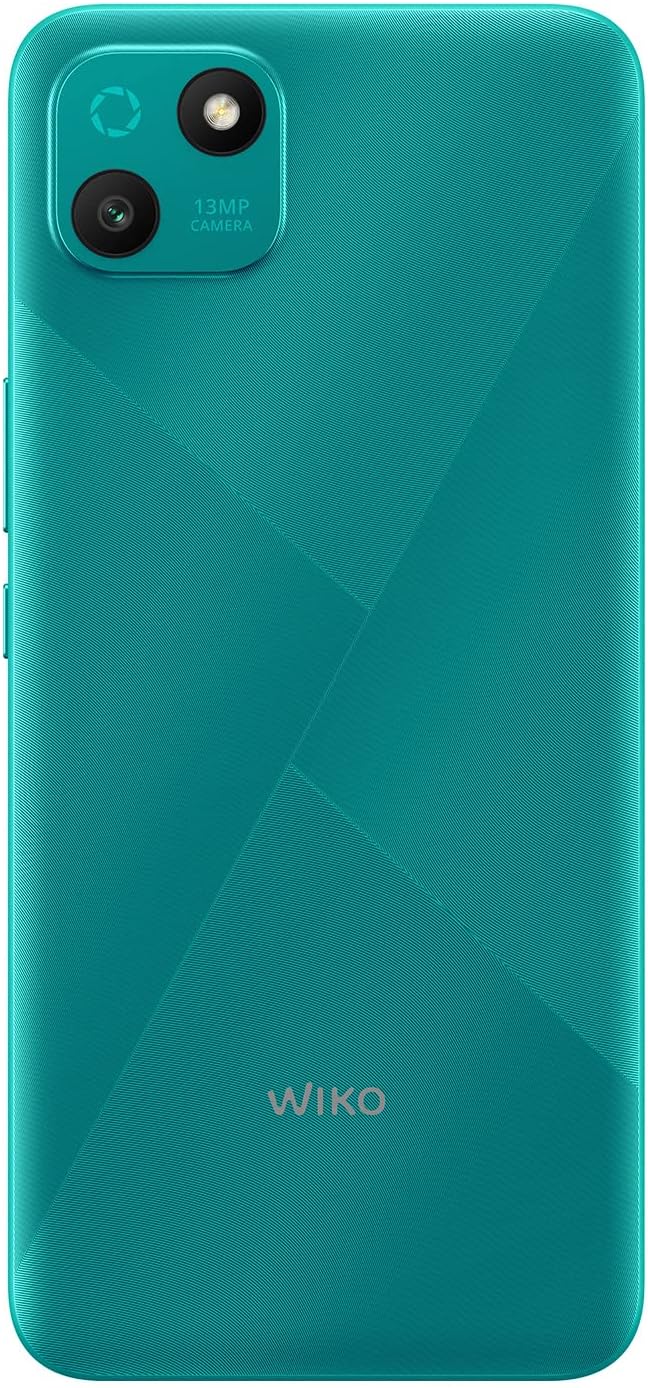
Umfanekiso 2: Ingemuva enemininingwane view of the WIKO T10, highlighting the 13MP camera module and textured back panel.

Umfanekiso 3: Side profile of the WIKO T10, illustrating its slim design and button placement.
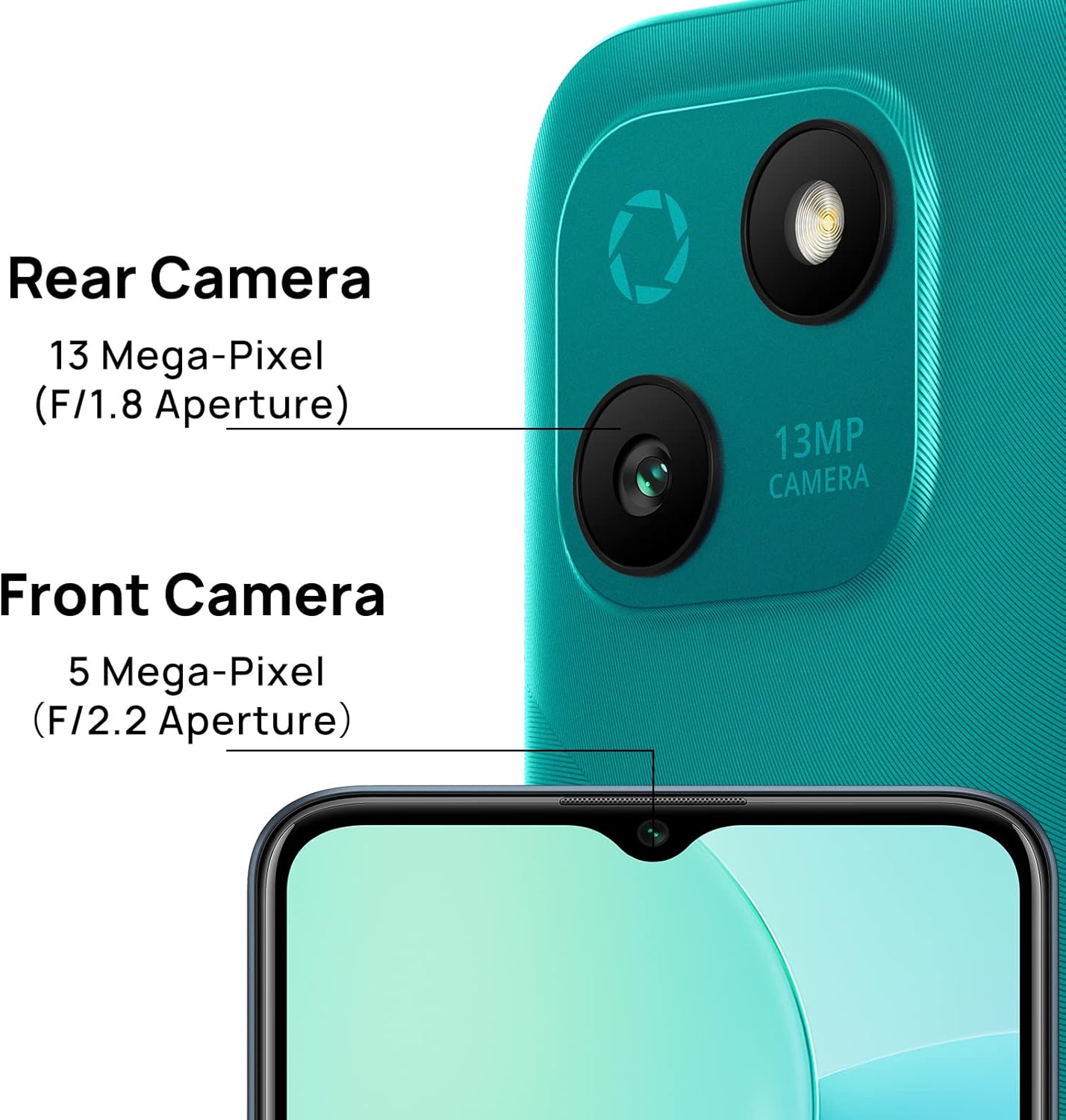
Umfanekiso 4: Camera specifications for the WIKO T10, indicating a 13 Mega-Pixel Rear Camera (F/1.8 Aperture) and a 5 Mega-Pixel Front Camera (F/2.2 Aperture).

Umfanekiso 5: The WIKO T10 features a 6.5-inch Dewdrop Display, offering an immersive visual experience with minimal bezels.
Umhlahlandlela Wokusetha
7.1 Inserting SIM and SD Card
The WIKO T10 supports Dual SIM functionality. Follow these steps to insert your SIM card(s) and an optional microSD card for expanded storage:
- Thola ithreyi ye-SIM eceleni kwedivayisi.
- Faka ithuluzi le-SIM ejector embotsheni encane eduze kwethreyi bese ucindezela kancane kuze kuvele ithreyi.
- Place your Nano-SIM card(s) and/or microSD card into the designated slots on the tray, ensuring the gold contacts face downwards.
- Cindezela ithileyi ngokucophelela uyibuyisele endaweni evulekile kuze kube yilapho ihambisana nomzimba wefoni.
7.2 Amandla Okuqala Avuliwe Nokusetha
To power on your WIKO T10 for the first time:
- Press and hold the Power button (usually on the right side) until the WIKO logo appears.
- Follow the on-screen prompts to select your language, connect to Wi-Fi, set up your Google account, and configure other initial settings.
7.3 Ukushaja Idivayisi
Before first use, it is recommended to fully charge your WIKO T10.
- Xhuma ikhebula le-USB Type-C embobeni yokushaja ezansi kwefoni.
- Xhuma olunye uhlangothi lwekhebula ku-adaptha yamandla, bese uxhuma i-adaptha endaweni yokukhipha amandla.
- Isibonakaliso sokushaja sizovela esikrinini. Nqamula ishaja uma ibhethri seligcwele.
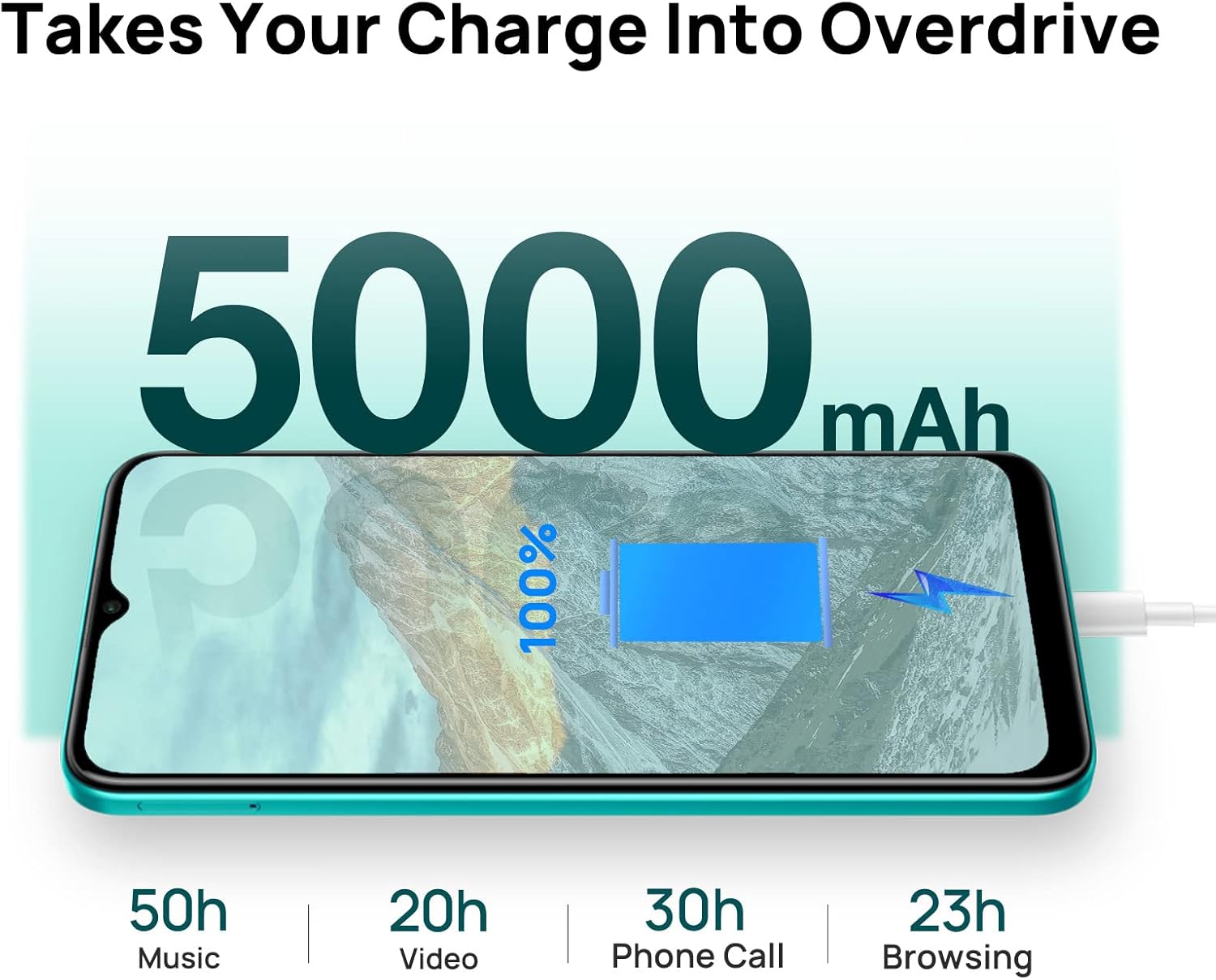
Umfanekiso 6: The WIKO T10 features a 5000mAh battery, providing extended usage times such as 50 hours of music, 20 hours of video, 30 hours of phone calls, and 23 hours of browsing on a full charge.
Operating Your WIKO T10
8.1 Ukuhamba Okuyisisekelo
Your WIKO T10 uses a capacitive touchscreen for interaction:
- Thepha: To open apps, select items, or press on-screen buttons.
- Thinta futhi Ubambe: To access contextual menus or move items.
- Swayipha: To scroll through lists, switch between home screens, or navigate through photos.
- Ncinza: To zoom in or out on images and web amakhasi.
8.2 Ukushaya izingcingo kanye nokuthumela imiyalezo
To make a call, open the Phone app and dial the number or select a contact. To send a message, open the Messages app, start a new conversation, and type your text.
8.3 Ukuxhuma kumanethiwekhi
Your WIKO T10 supports Wi-Fi and 4G cellular networks.
- I-Wi-Fi: Iya ku Izilungiselelo > Inethiwekhi ne-inthanethi > I-Wi-Fi, vula i-Wi-Fi, bese ukhetha inethiwekhi oyithandayo.
- Idatha Yeselula (4G): Iya ku Izilungiselelo > Inethiwekhi ne-inthanethi > Inethiwekhi yeselula and ensure Mobile data is enabled.
8.4 Ukusebenzisa ikhamera
The WIKO T10 features a 13MP rear camera and a 5MP front camera. Open the Camera app to capture photos and videos.
- Thepha inkinobho yokuvala ukuze uthathe isithombe.
- Shintsha phakathi kwemodi yesithombe nevidiyo.
- Use the front/rear camera toggle for selfies or main shots.
8.5 Ukuphathwa Kwebhethri
Ibhethri elingu-5000 mAh linikeza ukusetshenziswa okunwetshiwe. Ukuze ulungiselele impilo yebhethri:
- Lungisa ukukhanya kwesikrini.
- Enable Battery Saver mode in Izilungiselelo > Ibhethri.
- Vala izinhlelo zokusebenza ezingasetshenzisiwe ezisebenza ngemuva.
8.6 Ukuphathwa Kwesitoreji
Your WIKO T10 comes with 64GB of internal storage. You can expand this using a microSD card.
- To check storage usage, go to Izilungiselelo > Isitoreji.
- Sula inqolobane njalo futhi akudingekile files ukukhulula isikhala.

Umfanekiso 7: Key features of the WIKO T10, including its 5000mAh Mega Battery, 6.5" Edgeless Dewdrop Display, 13MP Rear Camera, 64GB Large Storage, and Android 11 operating system.
Isondlo
9.1 Ukuhlanza Idivayisi Yakho
To keep your WIKO T10 clean and in good condition:
- Sebenzisa indwangu ethambile, engena-lint ukuze usule isikrini nomzimba.
- Gwema ukusebenzisa amakhemikhali anokhahlo, izihlanzi ezilumayo, noma izifutho ze-aerosol.
- Ungavumeli umswakama ungene ezimbotsheni.
9.2 Ukuvuselelwa Kwesoftware
Hlola njalo izibuyekezo zesofthiwe ukuze uqinisekise ukuthi idivayisi yakho inezici zakamuva namapeshi okuvikela. Iya ku Izilungiselelo > Isistimu > Isibuyekezo sesistimu.
9.3 Ukunakekelwa Kwebhethri
Ukwelula impilo yebhethri lakho:
- Gwema ukukhipha ibhethri ngokugcwele njalo.
- Do not leave the phone charging for extended periods after it's full.
- Keep the device within recommended operating temperatures.
Ukuxazulula inkinga
| Inkinga | Isixazululo Esingenzeka |
|---|---|
| Idivayisi ayivuli | Qinisekisa ukuthi ibhethri ishajiwe. Cindezela futhi ubambe inkinobho yamandla okungenani imizuzwana eyi-10 ukuze uphoqe ukuqala kabusha. |
| Ayikwazi ukuxhuma ku-Wi-Fi | Hlola ukuthi i-Wi-Fi ivuliwe yini. Qala kabusha i-router yakho. Khohlwa inethiwekhi bese uxhuma kabusha. |
| Izinhlelo zokusebenza ziyanensa noma ziyaphahlazeka | Close background apps. Clear app cache. Restart the device. Ensure sufficient storage space. |
| Impilo yebhethri engeyinhle | Reduce screen brightness. Disable unused features (Bluetooth, GPS). Enable Battery Saver mode. |
| Ayikwazi ukushaya noma ukwamukela amakholi | Check SIM card insertion. Ensure mobile data is enabled. Contact your network provider. |
Imininingwane
| Isici | Imininingwane |
|---|---|
| Ibhrendi | Wiko |
| Igama Lemodeli | T10 |
| Isistimu esebenzayo | I-Android 11.0 (Go Edition) |
| Usayizi Wesikrini | 6.5 amayintshi |
| Isixazululo | 2340 x 1080 (HD+) |
| Usayizi we-RAM | 2 GB |
| Umthamo Wesitoreji | 64 GB |
| Ukulungiswa Kwekhamera Yangemuva | 13 MP |
| Ukulungiswa Kwekhamera Yangaphambili | 5 MP |
| Amandla ebhethri | 5000 mAh (Lithium-polymer) |
| Ubuchwepheshe Beselula | 4G |
| Ukuxhumana | Cellular, USB Type C |
| Izici ezikhethekile | Integrated GPS, Dual SIM |
| Umbala | I-Emerald Green |
Iwaranti kanye Nokusekela
For warranty information and customer support, please refer to the warranty card included in your product package or visit the official WIKO webindawo. Gcina ubufakazi bakho bokuthenga ngezimangalo zewaranti.
For further assistance, you may contact WIKO customer service through their official channels.
Ask a question about this manual
Ask about setup, troubleshooting, compatibility, parts, safety, or missing instructions. Manuals+ will review the question and use this page’s manual context to help answer it.