
1. Isingeniso
Thank you for choosing the Speaka Professional SP-TMS-200 Monitor Stand. This manual provides essential information for the safe and efficient installation, operation, and maintenance of your monitor stand. Please read these instructions carefully before assembly and retain them for future reference.
Ulwazi Lokuphepha
- Qinisekisa ukuthi zonke izingxenye zikhona futhi azilimele ngaphambi kokuhlanganisa.
- Do not exceed the maximum weight capacity or screen size specified for this stand.
- Always use appropriate tools and follow assembly steps precisely.
- Gcina izingane nezilwane ezifuywayo kude ngesikhathi somhlangano.
- Uma uhlangabezana nanoma yiziphi izinkinga, thintana nochwepheshe ofanelekayo.
2. Izici zomkhiqizo
The Speaka Professional SP-TMS-200 Monitor Stand offers enhanced ergonomics and organization for your workspace. Key features include:
- 10 Height Adjustments: Ukufinyelela okulungile viewing height for improved comfort.
- 360° Rotatable VESA Plate: Allows for flexible screen orientation (landscape or portrait).
- Tool-Free Adjustment: Easily modify settings without additional tools.
- Anti-Slip Silicone Pads: Provides enhanced stability and protects your desk surface.
- Cable Clip: Organizes cables for a tidy and professional appearance.
3. Okuqukethwe Kwephakheji
Please verify that all parts are included in your package. Refer to the product packaging for a detailed list of components and hardware.

Isithombe 1: Ngaphambili view of the Speaka Professional SP-TMS-200 Monitor Stand, showing the base, adjustable pole, and VESA mounting plate.
4. Sethaphu Imiyalelo
Follow these general steps to assemble your monitor stand. Specific hardware and detailed steps may vary; always refer to the included assembly guide for precise instructions.
- Khipha Izingxenye: Susa ngokucophelela zonke izingxenye ephaketheni bese uzibeka endaweni ehlanzekile, eyisicaba.
- Namathisela Isisekelo: Secure the vertical pole to the base using the provided screws and tools. Ensure it is firmly tightened.
- Mount VESA Plate: Attach the VESA mounting plate to the back of your monitor using the appropriate screws for your display. Ensure the screws are not overtightened.
- Install Monitor: Carefully slide the monitor (with the attached VESA plate) onto the top of the vertical pole. Secure it in place according to the stand's design, typically with a locking screw or mechanism.
- Ukuphathwa Kwekhebula: Route your monitor cables through the integrated cable clip on the stand's pole for a neat setup.

Isithombe 2: I-engeli view of the monitor stand, highlighting the height adjustment markings on the vertical pole.
5. Iziqondiso Zokusebenza
Once assembled, the monitor stand allows for various adjustments to optimize your viewisipiliyoni.
Ukulungiswa Kobude
The stand features 10 height settings. To adjust the height, loosen the locking mechanism on the vertical pole, slide the monitor to your desired height, and then securely tighten the locking mechanism. Ensure the monitor is stable after adjustment.
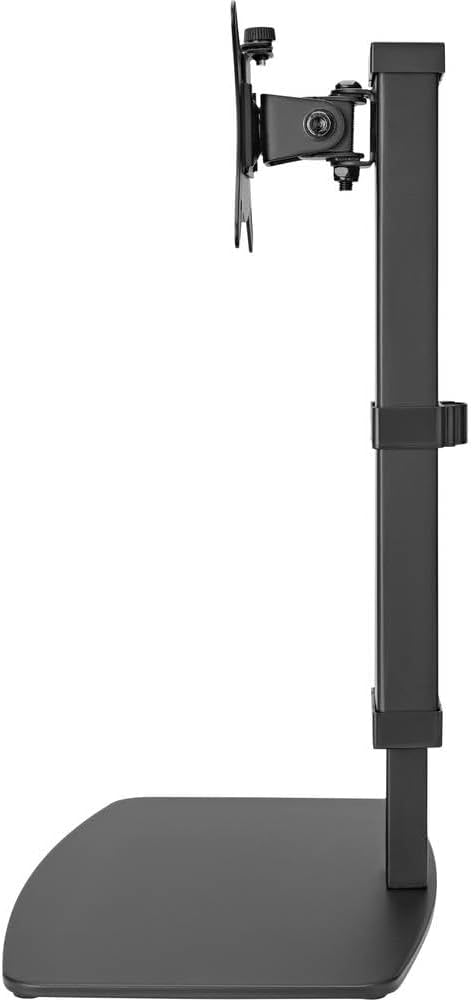
Isithombe 3: Uhlangothi view of the monitor stand, illustrating the range of height adjustment possible with the vertical pole.
Tilt and Swivel Adjustment
The VESA plate allows for tilting and swiveling your monitor. Gently adjust the monitor to your preferred angle. The 360° rotation feature enables easy switching between landscape and portrait orientations.
Ukuphathwa Kwekhebula
Utilize the integrated cable clip on the rear of the stand's pole to route and secure your monitor and power cables. This helps maintain a clean and organized workspace.
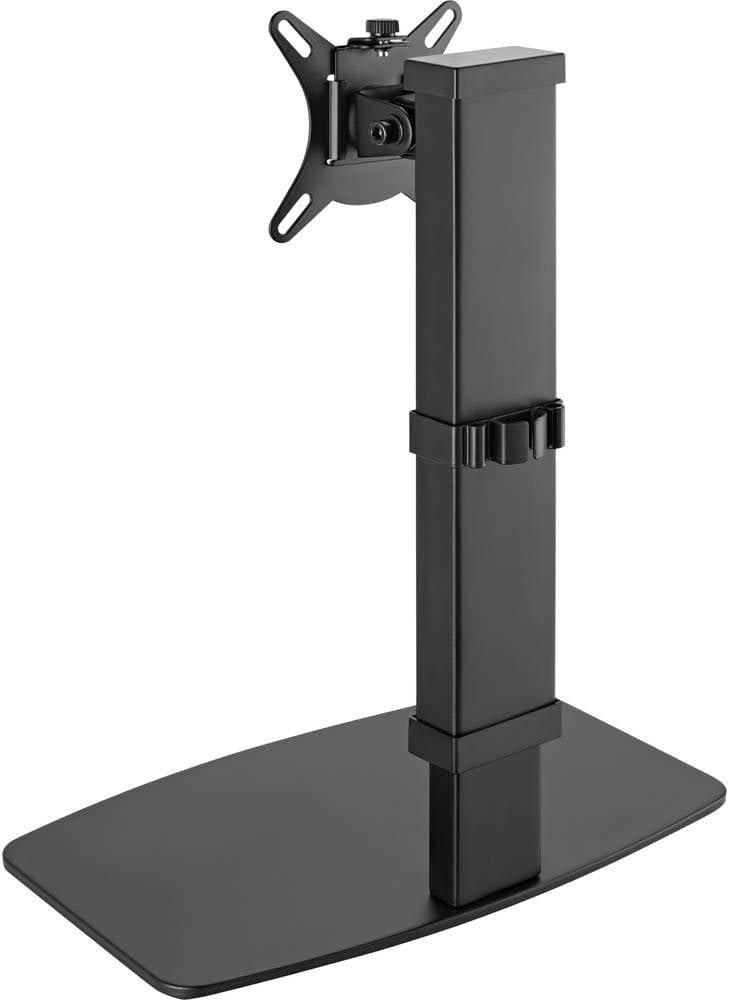
Isithombe 4: Emuva view of the monitor stand, showing the cable management clip on the vertical pole.
6. Isondlo
Ukugcinwa njalo kuqinisekisa ukuthi isitendi sakho sesikrini sihlala isikhathi eside futhi sisebenza kahle.
- Ukuhlanza: Sula isitendi ngendwangu ethambile neyomile. Uma unezimpawu eziqinile, susa kancaneamp indwangu enensipho ethambile ingasetshenziswa, kulandelwe ukomisa. Gwema izihlanzi ezikhuhlayo noma izinyibilikisi.
- Ukuhlola: Hlola ngezikhathi zonke zonke izikulufu nezixhumi ukuze uqinisekise ukuthi zihlala ziqinile. Phinda uqinise uma kunesidingo.
- Ukunyakaza: Ensure the height adjustment mechanism moves smoothly. Do not force any adjustments.
7. Ukuxazulula izinkinga
If you encounter issues with your monitor stand, consider the following common solutions:
- Ukuma akuzinzile: Ensure all assembly screws are securely tightened. Verify the monitor's weight and size are within the stand's specifications. Check that the anti-slip pads on the base are intact and making full contact with the surface.
- Ubunzima bokulungisa ukuphakama: Ensure the height locking mechanism is fully disengaged before attempting to adjust. Do not apply excessive force. Check for any obstructions.
- Monitor not level: Check that the VESA plate is securely attached to both the monitor and the stand. Adjust the tilt mechanism if necessary.
Uma izinkinga ziqhubeka, sicela uxhumane nokwesekwa kwamakhasimende.
8. Imininingwane
| Ibhrendi | Speaka Professional |
| Inombolo Yemodeli | SP-10092880 |
| Amadivayisi Ahambisanayo | Monitors (17" to 32") |
| Ukulungiswa Kobude | 10 izilungiselelo |
| VESA Plate Rotation | 360° |
| Umbala | Various (typically black) |
9. Iwaranti kanye Nokusekela
This Speaka Professional product comes with a Iwaranti yonyaka ongu-1 for spare parts, as per the manufacturer's terms.
For technical support, warranty claims, or further assistance, please refer to the contact information provided with your purchase or visit the official Speaka Professional webindawo.