
Isingeniso
This manual provides instructions for the proper use and care of your CHUNGHOP Protective Silicone Remote Case. This case is designed to protect compatible Sony 4K 8K HD TV remote controls from damage due to drops and to enhance grip.
Ukuhambisana
This protective silicone case is compatible with the following Sony 4K 8K HD TV remote control models:
- I-RMF-TX810U
- I-RMF-TX910U
- I-RMF-TX800U
- I-RMF-TX900U
- Ingxenye #: RMF-TX800P
- RMF-TX800C
- RMF-TX900C
- Ingxenye #: RMF-TX900P
Please verify your remote control model before installation.
Izici Eziyinhloko
- Ukuvikelwa Kokulahla: Strong bumper guards offer shock protection from accidental drops.
- Glow in Dark: Made of fluorescent material, the case emits light in the dark after exposure to light, aiding in finding the remote.
- Skin-Friendly Silicone: Flexible, durable, and comfortable material, harmless to pets, children, and families.
- Izicucu Eziqondile: Accurate hole wide open offers full access to all ports, buttons, and functions.
- I-Anti-Slip Design: Textured surface and material help prevent the remote from slipping.
- Okungawasheka: Silicone material can be washed for easy cleaning.
- I-Lanyard ifakiwe: For portability and anti-loss functionality.

Image: CHUNGHOP silicone remote case on a couch, illustrating drop protection from accidental falls.

Image: A baby holding a Sony remote control protected by the CHUNGHOP silicone case, emphasizing child safety and secure battery cover.

Isithombe: Eduze view of the CHUNGHOP silicone remote case, highlighting its anti-slip texture and precise cutouts for buttons and sensors.
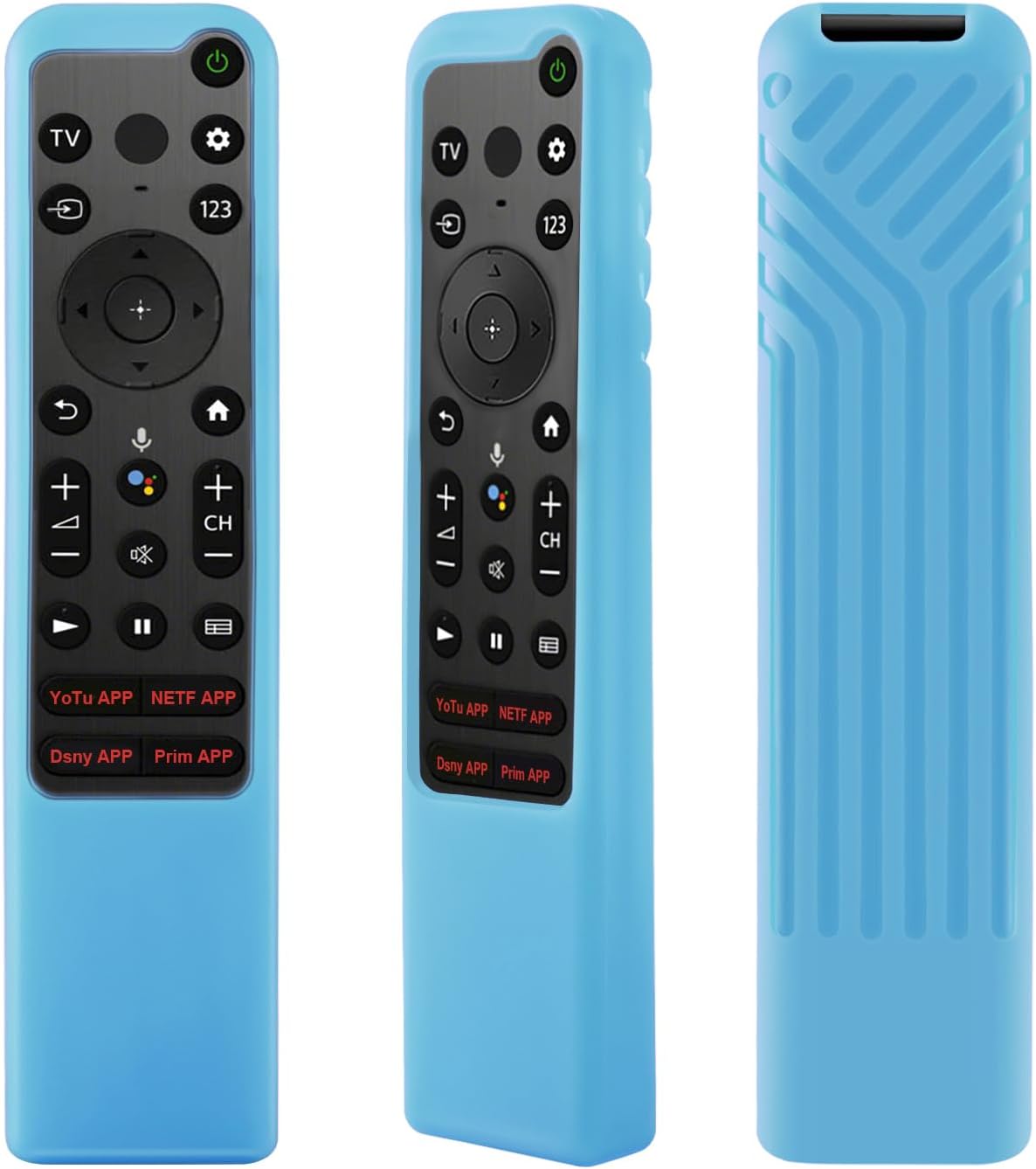
Image: The remote case glowing in the dark, illustrating its visibility in low-light conditions after light exposure.
Video: This video provides a visual guide to the CHUNGHOP Protective Silicone Remote Case, showcasing its flexible material, anti-slip design, and how to easily install it onto a compatible Sony remote control.
Setha Imiyalelo
- Prepare the Remote: Ensure your Sony remote control is clean and free of debris.
- Insert the Remote: Gently slide your compatible Sony remote control into the silicone case, starting from the top (button end).
- Lungisa i-Fit: Ensure the remote is fully seated within the case and all buttons align with the case's cutouts.
- Namathisela i-Lanyard (Uma uthanda): If desired, attach the included lanyard through the designated hole at the bottom of the case.

Image: Diagram illustrating the dimensions of the case to ensure proper fit for your remote.

Image: The silicone remote case with an anti-lost lanyard, demonstrating how it can be hung for easy access and to prevent loss.
Imiyalelo yokusebenza
Once the case is installed, operate your Sony remote control as usual. The case does not interfere with the remote's functionality.
- Ukufinyelela Kwenkinobho: All buttons remain fully accessible and responsive through the precise cutouts.
- Ukudluliswa Kwesiginali: The case is designed to allow for unobstructed infrared signal transmission.
- Isici Sokukhanya: To activate the glow-in-the-dark feature, expose the case to strong light for a period. The case will then emit light in dark environments.
Image: The remote case glowing in the dark, illustrating its visibility in low-light conditions after light exposure.
Isondlo Nokunakekela
- Ukuhlanza: The silicone case can be washed with mild soap and water. Rinse thoroughly and allow it to air dry completely before re-installing the remote.
- Isitoreji: Store the case in a cool, dry place away from direct sunlight when not in use for extended periods.
- Gwema Amakhemikhali Anamandla: Do not use abrasive cleaners or harsh chemicals, as these may damage the silicone material.

Image: The silicone remote case being washed in water, demonstrating its easy-to-clean and washable design.
Ukuxazulula inkinga
- Remote buttons are stiff or unresponsive:
- Ensure the remote is correctly seated within the case and that the cutouts align perfectly with the buttons. Remove and re-install the remote if necessary.
- Glow-in-the-dark feature is not working:
- The case needs to be exposed to a light source to charge its fluorescent material. Place the case under bright light for a few minutes, then observe in a dark room.
- Case feels loose over time:
- Silicone can stretch slightly with prolonged use. If the fit becomes too loose, consider replacing the case to maintain optimal protection.
- Lanyard attachment difficulty:
- Some users may find it slightly difficult to attach the lanyard. Use a thin tool or a paperclip to guide the lanyard through the hole if needed.
Imininingwane
| Isici | Imininingwane |
|---|---|
| Okubalulekile | I-Silicone Yemvelo |
| Umbala | Glow in Dark Blue (other colors may be available) |
| Izici ezikhethekile | Anti-Slip, Flexible, Lanyard, Shockproof, Glow in Dark |
| Amamodeli Akude Ahambisanayo | Sony RMF-TX810U, RMF-TX910U, RMF-TX800U, RMF-TX900U, RMF-TX800P, RMF-TX800C, RMF-TX900C, RMF-TX900P |
| Isisindo | Cishe 0.05 Kilogram |
Image: Detailed dimensions of the silicone case for reference.
Ulwazi Lwewaranti
CHUNGHOP products are designed for durability and performance. For specific warranty details, please refer to the product packaging or contact CHUNGHOP customer support directly.
Ukwesekwa Kwamakhasimende
For further assistance, questions, or concerns regarding your CHUNGHOP Protective Silicone Remote Case, please visit the CHUNGHOP Store on Amazon noma uthinte ithimba lethu lesevisi yamakhasimende.