
Link Dream KH22B
Link Dream Kids Bluetooth Headphones User Manual
Imodeli: KH22B
Isingeniso
Thank you for choosing Link Dream Kids Bluetooth Headphones. This manual provides detailed instructions for setting up, operating, and maintaining your headphones to ensure optimal performance and longevity. Please read this manual thoroughly before use.
Umkhiqizo Uphelileview

Image: Link Dream Kids Bluetooth Headphones in Pink, showcasing the overall design and LED light feature.
Izici Eziyinhloko:
- HD Clear Sound: Equipped with a built-in noise reduction card for clearer audio.
- Impilo yebhethri ende kakhulu: Up to 32 hours of playtime (without lights) with a 500mAh lithium battery, 2 hours charging time.
- 3 Modes RGB Lights: Choose between Blue Light, Green Light, and Alternately Flashing modes.
- Ukugqoka Okukhululekile: Earpads made of Protein leather and soft foam for extended comfort.
- Ukuhambisana Okubanzi: Supports both Bluetooth and wired modes, compatible with cellphones, computers, tablets, and iPads.
Izingxenye nezilawuli:

Isithombe: Ngemininingwane view of the headphone's right earcup, highlighting the Volume +/-, Multifunctional Button, Bluetooth LED Indicator, Type-C Charging Port, 3.5mm Audio Jack, and Microphone.
The headphones feature an adjustable headband and a foldable design for portability. The earpads are crafted from protein leather and soft foam for maximum comfort during prolonged use.

Image: Visual representation of the adjustable headband, foldable design, and soft protein leather earpads, emphasizing comfort and durability.
Setha
1. Ukushaja ama-headphones:
Before first use, fully charge the headphones. Connect the supplied USB-C charging cable to the Type-C Charging Port on the headphone and the other end to a USB power source (e.g., computer, wall adapter). A full charge takes approximately 2 hours. The LED indicator will show charging status.
Video: An official product video demonstrating the features and usage of the KH22B Kids Headphones, including charging and LED light functions. This video is provided by the seller, yaanl.
2. Ukumatanisa kwe-Bluetooth:
- Qinisekisa ukuthi ama-headphone ashajiwe futhi avaliwe.
- Press and hold the Multifunctional Button (Power button) for 3 seconds until the red and blue lights flash alternately. This indicates pairing mode.
- On your device (cellphone, computer, tablet, iPad), enable Bluetooth and search for "KH22B" or "Link Dream Headphones" in the list of available devices.
- Select the headphones to connect. Once successfully paired, the blue LED indicator will flash slowly or remain solid blue.
- The headphones will automatically reconnect to the last paired device when turned on, if Bluetooth is enabled on the device.

Image: Illustration of the headphones establishing a stable Bluetooth 5.0 connection with a mobile device, highlighting the 15-meter connection distance.
3. Imodi Yezintambo:
To use the headphones in wired mode, simply connect a 3.5mm audio cable (not included) to the 3.5mm Audio Jack on the headphone and the other end to your audio source. This mode does not require battery power.

Image: Demonstrates the "Super Long Working Time" of the headphones, showing infinite playtime in wired mode and 32 hours (light off) / 22 hours (light on) in Bluetooth mode.
Imiyalelo yokusebenza
Vula/Vala:
- To turn on the headphone: Press the Multifunctional Button for 3 seconds.
- To turn off the headphone: Press the Multifunctional Button for 3 seconds.
Ukulawula ivolumu:
- Volume +: Press the '+' button.
- Volume -: Press the '-' button.
Ukulawula ithrekhi:
- Next Track: Long press the '+' button.
- Previous Track: Long press the '-' button.
Ukuphathwa Kocingo:
- Answer/End Call: Press the Multifunctional Button once.
- Reject Call: Long press the Multifunctional Button.
Ukulawula Ukukhanya Kwe-LED:
- To turn on/off the LED lights: Press the dedicated LED Light Control Button for 1 second.
- To change light mode: Press the dedicated LED Light Control Button for 1 second repeatedly to cycle through Blue Light, Green Light, and Alternately Flashing modes.
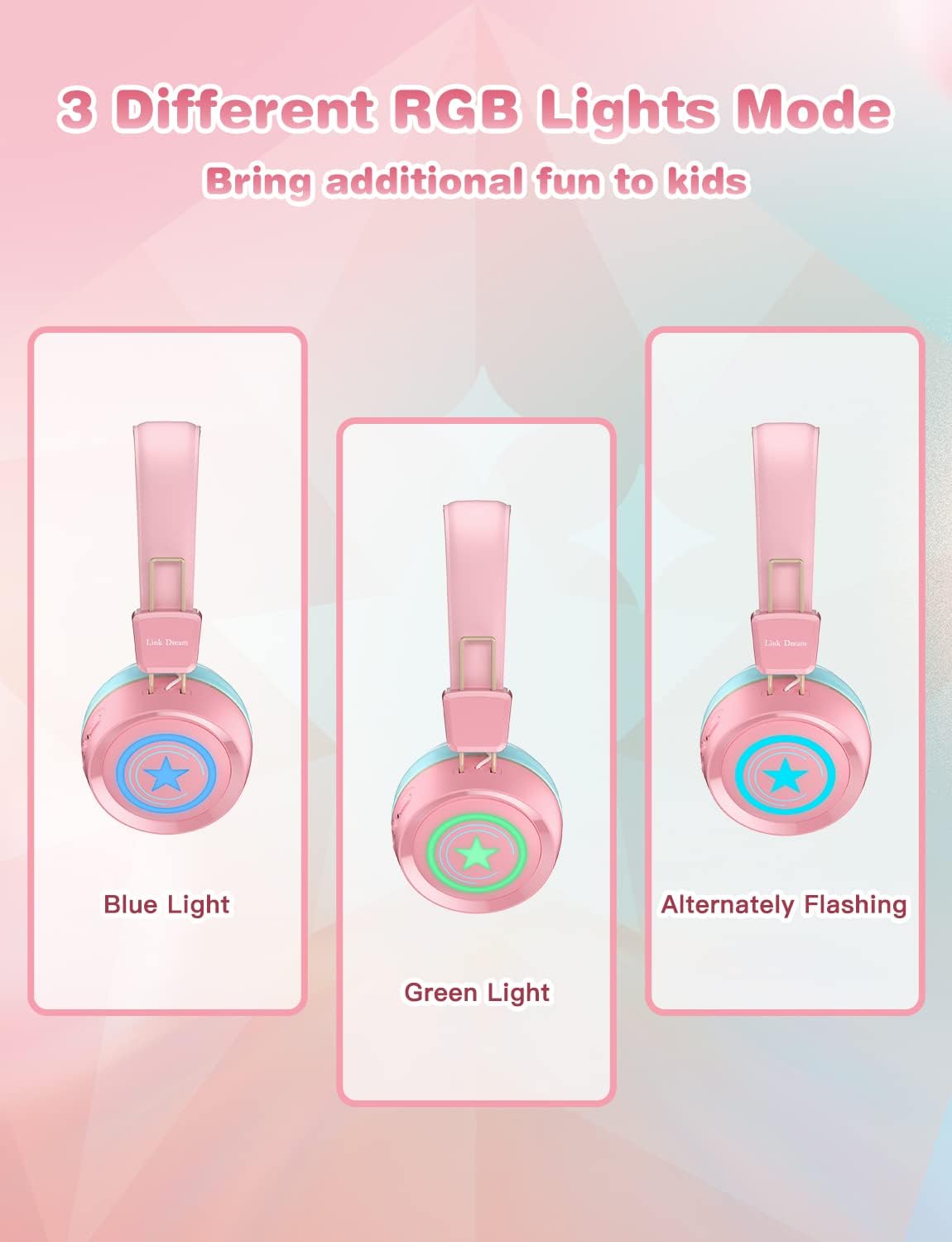
Image: Visual demonstration of the three distinct RGB light modes available on the headphones: Blue Light, Green Light, and Alternately Flashing, adding a fun element for kids.
Isondlo
- Hlanza ama-headphone njalo ngendwangu ethambile, eyomile. Ungasebenzisi amakhemikhali anokhahlo noma izinto ezilumayo.
- Gwema ukubeka ama-headphones emazingeni okushisa aphezulu, umswakama, noma elangeni eliqondile.
- Store the headphones in a cool, dry place when not in use, preferably in their original packaging or a protective case.
- Ungazami ukuqaqa noma ukulungisa ama-headphones ngokwakho, njengoba lokhu kuzoqeda iwaranti.
- Gcina imbobo yokushaja ingenalo uthuli nemfucumfucu.
Ukuxazulula inkinga
| Inkinga | Isixazululo Esingenzeka |
|---|---|
| Ama-headphone ngeke avuleke. | Qinisekisa ukuthi ama-headphone ashajwe ngokugcwele. Xhuma emthonjeni wamandla bese uzama futhi. |
| Ayikwazi ukubhanqa nedivayisi. |
|
| Awukho umsindo noma ivolumu ephansi. |
|
| Izibani ze-LED azisebenzi. | Press the LED Light Control Button to cycle through modes or turn them on/off. Ensure battery is not critically low. |
| Izinga lomsindo elibi. |
|
Imininingwane
| Isici | Imininingwane |
|---|---|
| Igama Lemodeli | KH22B |
| Ubuchwepheshe bokuxhumana | Okungenantambo (i-Bluetooth), Intambo (i-Jack engu-3.5mm) |
| I-Wireless Communication Technology | I-Bluetooth 5.0 |
| I-Bluetooth Range | 10 Amamitha (cishe amafidi angama-33) |
| Impilo Yebhethri | Up to 32 Hours (lights off) |
| Isikhathi sokushaja | Amahora angu-2 |
| Ukuma kwe-Earpiece | Endlebeni |
| Okubalulekile | Protein Leather (earpads) |
| Isici Esikhethekile | Microphone Included, LED Lights |
| Ibanga lobudala (Incazelo) | Iminyaka engu-3-15 |
| Isisindo sento | 10.2 amakhilogremu |
| Umkhiqizi | Xhumanisa Iphupho |
Iwaranti kanye Nokusekela
Link Dream products typically come with a manufacturer's warranty. For specific warranty details, returns, or technical support, please refer to the warranty card included with your product or contact Link Dream customer service directly through their official website or the retailer where you purchased the product. Keep your purchase receipt as proof of purchase.
Ukuze uthole olunye usizo, ungavakashela i- Link Dream Store on Amazon.
Ask a question about this manual
Ask about setup, troubleshooting, compatibility, parts, safety, or missing instructions. Manuals+ will review the question and use this page’s manual context to help answer it.