
1. Umkhiqizo Uphelileview
The YunLone Star Projector Galaxy Light is a versatile device designed to transform any room into a magical space with aurora and star projections. It integrates multiple functions including an aurora projector, star projector, Bluetooth 5.0 speaker, white noise sound machine, and night light. With 4 LED beads RGBW lights, it offers up to 33 light effects and 16.7 million lighting modes via the smart application. This projector provides an immersive visual and auditory experience, suitable for various settings from relaxation to parties.

Figure 1: YunLone Star Projector, showcasing the device, remote control, and mobile application interface.
The projector offers four convenient control methods: host button, IR remote, smart application, and voice control (compatible with Amazon Alexa). Its integrated Bluetooth 5.0 speaker allows for seamless audio streaming, providing clear, room-filling sound. Additionally, it features 8 soothing white noise sounds, including natural environments and lullabies, to aid in relaxation and sleep. Users can customize settings such as brightness, star brightness, light flow speed, and set an auto-off timer for energy saving and convenience.
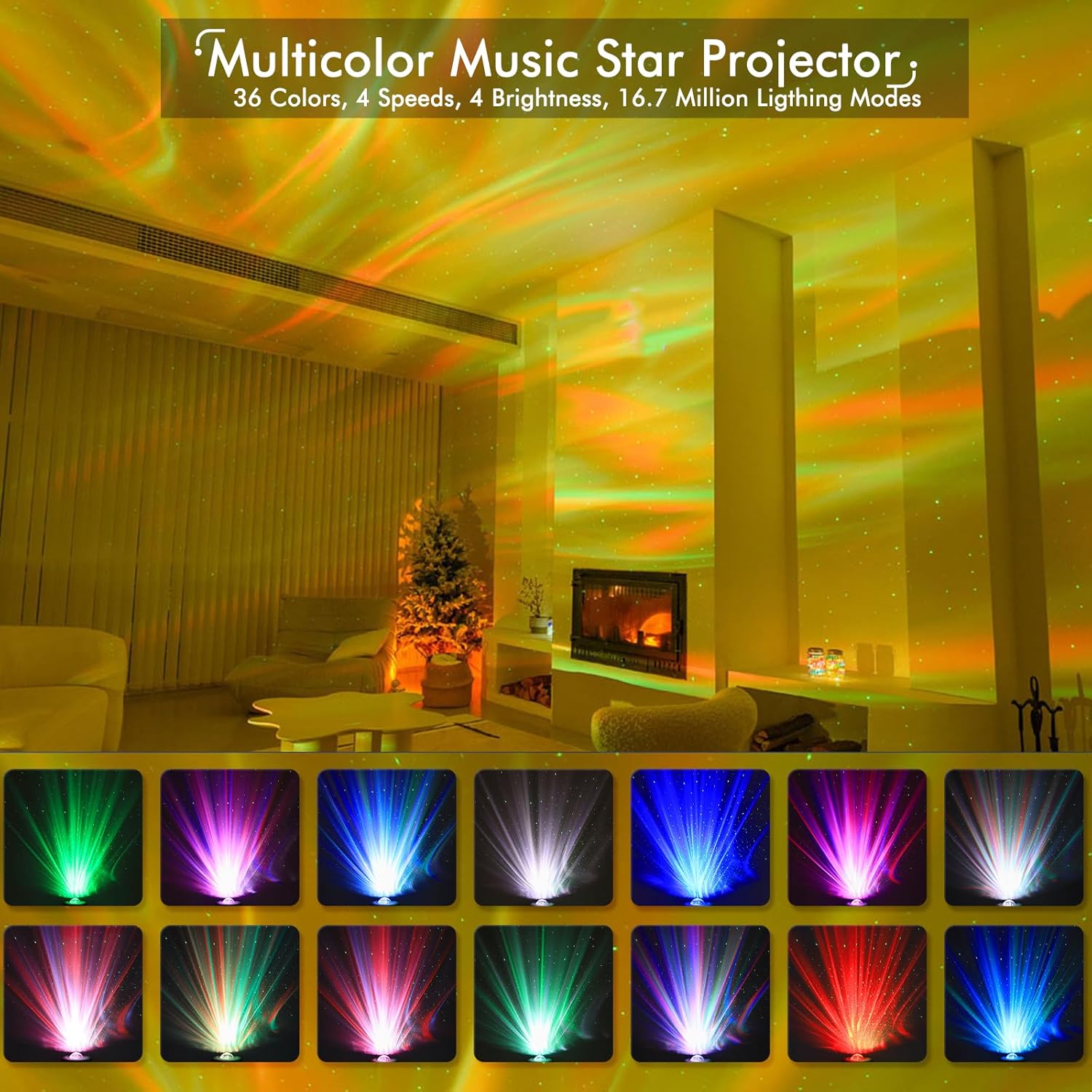
Figure 2: The projector creating a vibrant, multicolor light display with stars and aurora effects in a room setting.
2. Yini EseBhokisini
Uma uvula iphakheji, sicela uqinisekise ukuthi zonke izingxenye ezilandelayo zikhona:
- YunLone Star Projector Galaxy Light Unit
- Isilawuli kude se-IR
- USB Type-C Charging Cable (for power)
- Incwadi Yomsebenzisi (le dokhumenti)
3. Setha
- Ukuxhuma kwamandla: Connect the provided USB Type-C cable to the projector's power input port and plug the other end into a compatible USB power adapter (not included) or a USB port on a computer/power bank. The projector will power on automatically or enter standby mode.
- Ukubekwa: Place the projector on a flat, stable surface. For optimal projection, position it in a dark room, aiming towards a ceiling or wall.
- Amandla Okuqala Avuliwe: If the projector does not power on automatically, press the power button on the unit or the remote control.
- Bluetooth Pairing (for Speaker Function):
- Qinisekisa ukuthi iprojektha ivuliwe.
- Ku-smartphone yakho noma kudivayisi yakho yomsindo, vula i-Bluetooth bese usesha amadivaysi atholakalayo.
- Select "SKE-JBP-J01" or a similar name from the list to pair. A confirmation sound will indicate successful pairing.

Figure 3: The projector's Bluetooth speaker feature, allowing music playback from connected devices.
- Smart App & Voice Control Setup (Optional):
- Download the compatible smart application (e.g., Smart Life or Tuya Smart) from your device's app store.
- Follow the in-app instructions to add the device. This typically involves putting the projector into Wi-Fi pairing mode (refer to the app for specific steps, often by quickly turning the device on/off multiple times).
- Once connected to the app, you can link it to voice assistants like Amazon Alexa for voice control.

Figure 4: Illustration of the four control methods available for the projector, including app and voice control.
4. Iziqondiso Zokusebenza
4.1 Izindlela Zokulawula
The YunLone Star Projector can be controlled using the following methods:
- Host Buttons: Basic functions like power on/off, mode switching, and volume control are available directly on the projector unit.
- Isilawuli kude se-IR: The included remote provides comprehensive control over light effects, brightness, speed, music playback, white noise selection, and timer settings.
- Smart Application (App Control): The dedicated app offers the most extensive customization, including 16.7 million color options, DIY light modes, precise brightness and speed adjustments, and scene lighting.
- Ukulawulwa Kwezwi: Integrate with Amazon Alexa for hands-free control of basic functions by simple voice commands.
4.2 Light Projection Modes
The projector features 4 LED beads (RGBW) capable of producing 33 distinct light effects. These include various aurora patterns and star projections. You can adjust:
- Ukukhanya Okukhanyayo: Adjustable from 10% to 100% (10%-40%-70%-100%).
- Star Brightness: Adjustable from 0% to 100%.
- Light Flow Speed: Options include fast, middle, slow, and still.
- Ukukhetha Umbala: Cycle through preset colors or use the app for 16.7 million color choices.
4.3 Sound Machine & Bluetooth Speaker
The integrated speaker offers two primary functions:
- Imisindo Yomsindo Omhlophe: Choose from 8 pre-programmed soothing sounds: White Noise, Thunder, Ocean, Summer Night, Brook, and 3 Lullabies. These are designed to promote relaxation and improve sleep.
- Isipikha se-Bluetooth: After pairing your device (refer to Section 3.4), you can stream any audio content from your smartphone, tablet, or computer directly to the projector's speaker.
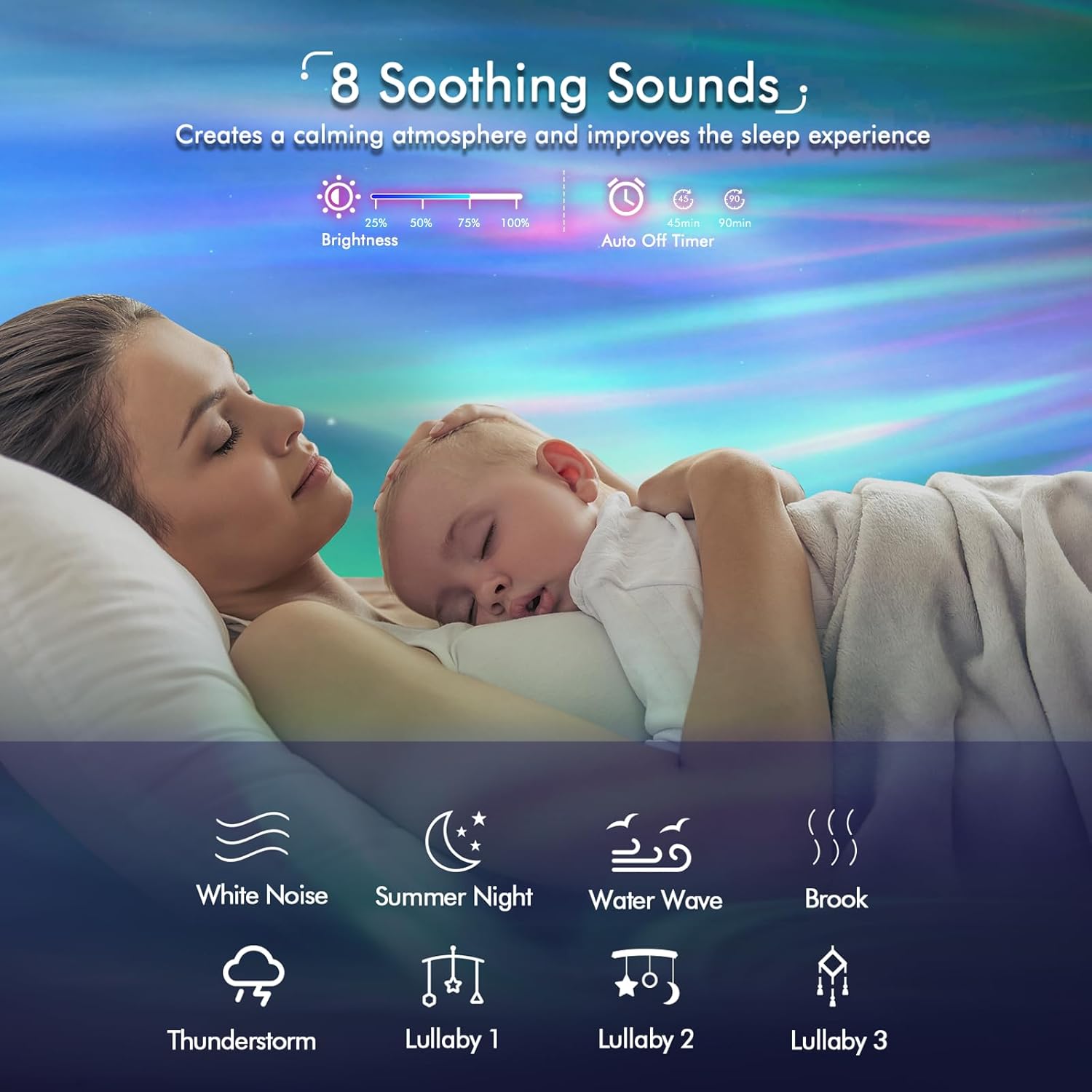
Figure 5: Visual representation of the 8 soothing sounds, designed to create a calming atmosphere.
4.4 Umsebenzi Wesibali sikhathi
Set an auto-off timer for 1 hour, 2 hours, or 4 hours using the remote control or the smart application. This feature is ideal for bedtime use, ensuring the projector turns off automatically to conserve energy.

Umfanekiso 6: Eksamples of how the projector can be used in different settings, from a calming night light to a vibrant party accessory.
5. Isondlo
- Ukuhlanza: Use a soft, dry cloth to wipe the exterior of the projector. Do not use liquid cleaners or abrasive materials, as they may damage the surface or internal components.
- Ukunakekelwa Kwelensi: Gently clean the projection lens with a microfiber cloth to ensure clear and vibrant projections. Avoid touching the lens directly with your fingers.
- Isitoreji: Uma ingasetshenziswa isikhathi eside, gcina i-projektha endaweni epholile, eyomile, kude nelanga eliqondile namazinga okushisa aphezulu.
- Cisha ugesi: Always power off the device and unplug it from the power source before cleaning or moving.
6. Ukuxazulula izinkinga
| Inkinga | Imbangela Engenzeka | Isixazululo |
|---|---|---|
| Iphrojektha ayivuli. | No power, faulty cable, or unit malfunction. | Ensure the power cable is securely connected. Try a different USB power adapter. If the issue persists, contact customer support. |
| Akukho ukukhanya okubonakalayo. | Light mode off, brightness too low, or internal issue. | Check if the light projection is enabled via remote/app. Increase brightness settings. |
| Isipikha se-Bluetooth asixhumi. | Not in pairing mode, device too far, or interference. | Ensure Bluetooth is enabled on your device and the projector. Move closer to the projector. Try turning the projector off and on quickly 3 times to re-enter pairing mode. |
| Ukulawulwa kohlelo lokusebenza akusebenzi. | Incorrect Wi-Fi setup, app not connected, or network issues. | Verify the projector is connected to a 2.4GHz Wi-Fi network. Ensure the app is updated and the device is properly added. Restart both the app and the projector. |
| Voice control (Alexa) not responding. | Incorrect skill enabled, device offline, or command error. | Check if the correct skill is enabled in the Alexa app. Ensure the projector is online and connected to the app. Use precise voice commands. |
| Motor grinding/unusual noises. | Inkinga yengxenye yangaphakathi. | This may indicate a mechanical issue. Discontinue use and contact customer support for assistance. |
7. Imininingwane
| Isici | Imininingwane |
|---|---|
| Ibhrendi | I-YunLone |
| Inombolo Yemodeli | I-SKE-JBP-J01 |
| Ubukhulu bomkhiqizo | 6 x 6 x 6 amayintshi |
| Isisindo sento | 1.26 amakhilogremu |
| Uhlobo Lomthombo Wokukhanya | LED (4 RGBW beads) |
| Wattage | 6 watts (0.5 Watts for CRI) |
| Voltage | 5 volts |
| Ubuchwepheshe bokuxhumana | I-Bluetooth 5.0, i-Wi-Fi |
| Izindlela Zokulawula | Host Button, IR Remote, Smart App (iOS, Android), Voice Control (Amazon Alexa) |
| I-Shade Material | Ipulasitiki |
| Izinto eziyisisekelo | Ipulasitiki |
| Izingxenye Ezihlanganisiwe | Isilawuli kude |
| Ukusetshenziswa Kwangaphakathi/Kwangaphandle | Ngasendlini |
| Izinga Lokumelana Namanzi | Ayizweli Amanzi |
| Izwe azalelwe kulo | China |
| I-UPC | 750918008789 |
8. Iwaranti kanye Nokusekela
YunLone products are manufactured with high-quality materials and undergo rigorous testing. For specific warranty information, please refer to the warranty card included with your product or visit the official YunLone website. If you encounter any issues or require technical assistance, please contact YunLone customer support through the contact information provided on the product packaging or their official website. Please have your model number (SKE-JBP-J01) and purchase details ready when contacting support.
Passed FCC, RoHS CE Certification.