
1. Isingeniso
This manual provides essential information for the proper use and care of your Sonic The Hedgehog 2 Blu-ray disc. Sonic The Hedgehog 2 is an action-adventure film featuring the world's fastest hedgehog, Sonic, as he teams up with Tails to prevent Dr. Robotnik and Knuckles from finding a powerful emerald. This Blu-ray disc offers high-definition video and audio quality for an enhanced viewisipiliyoni.
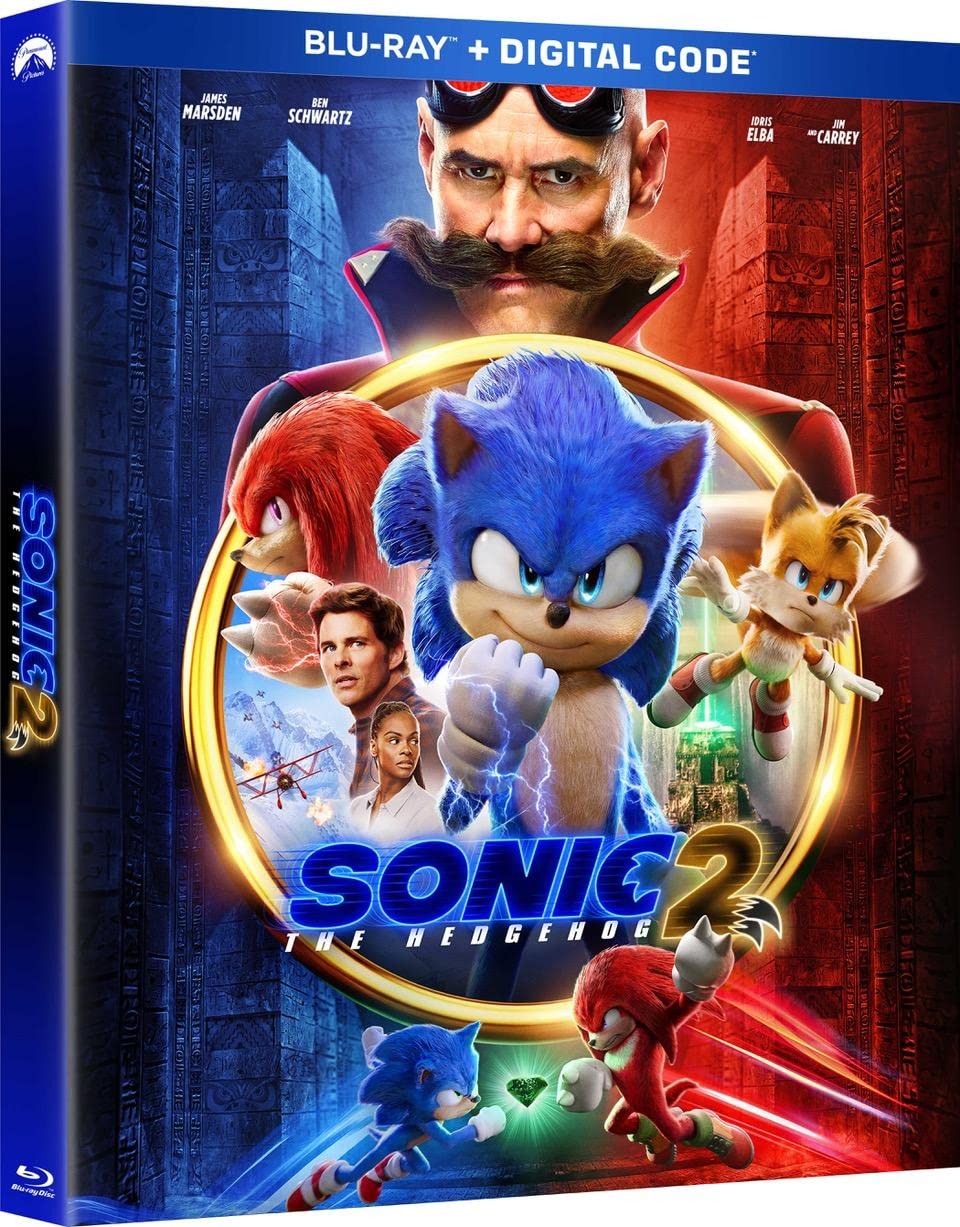
Isithombe 1.1: Front cover of the Sonic The Hedgehog 2 Blu-ray case, displaying Sonic, Tails, Knuckles, Dr. Robotnik, and human characters.
2. Setha
- Blu-ray Player Compatibility: Ensure you have a Blu-ray disc player. This disc is not compatible with standard DVD players.
- Connecting Your Player: Connect your Blu-ray player to your television or display using an HDMI cable for optimal high-definition video and audio.
- Inserting the Disc: Gently remove the Blu-ray disc from its case, holding it by the edges. Open the disc tray of your Blu-ray player and place the disc label-side up. Close the disc tray.
- Vula: Turn on your Blu-ray player and television. Select the correct HDMI input on your television.
3. Ukusebenza
- Imenyu Eyinhloko: After loading, the disc will typically display a main menu. Use your player's remote control to navigate through options such as 'Play Movie', 'Scene Selection', 'Audio Options', 'Subtitles', and 'Bonus Features'.
- Izilawuli zokudlala: Use the standard playback buttons on your remote:
- Dlala (▶): Iqala noma iqala kabusha ukudlala.
- Pause (⏸): Temporarily stops playback.
- Misa (■): Ends playback and returns to the main menu or stops the disc.
- Fast Forward (►►): Skips forward through the movie.
- Rewind (◀◀): Skips backward through the movie.
- Skip (►| / |◀): Jumps to the next or previous chapter.
- Audio and Subtitle Selection: Access these options from the main menu or during playback via your remote's 'Audio' or 'Subtitle' buttons. Available languages include English, French, Portuguese, and Spanish.
- Izici zebhonasi: This Blu-ray includes 'Next-Level Bonus Features'. Navigate to the 'Bonus Features' section from the main menu to access additional content such as deleted scenes, bloopers, and an all-new animated short featuring Sonic, Tails, and Knuckles.

Isithombe 3.1: Back cover of the Sonic The Hedgehog 2 Blu-ray case, detailing the movie synopsis, bonus features, and technical specifications.

Isithombe 3.2: A dynamic image showing Sonic and Knuckles in a confrontation, highlighting the inclusion of an all-new animated short.
4. Isondlo
Proper care of your Blu-ray disc will ensure its longevity and optimal performance.
- Ukuphatha: Always hold the disc by its outer edges or by the center hole. Avoid touching the playback surface (the shiny side) to prevent fingerprints and scratches.
- Ukuhlanza: If the disc becomes dirty, gently wipe it with a soft, lint-free cloth. Wipe in a straight line from the center of the disc outwards, not in a circular motion. Do not use abrasive cleaners, solvents, or harsh chemicals.
- Isitoreji: Store the disc in its original case in a cool, dry place, away from direct sunlight, extreme temperatures, and high humidity.
5. Ukuxazulula izinkinga
If you encounter issues while playing your Blu-ray disc, consider the following:
- Disc Not Playing/Loading:
- Ensure the disc is inserted correctly (label side up).
- Verify your player is a Blu-ray disc player and not a standard DVD player.
- Check the disc for visible dirt or scratches and clean it if necessary (refer to Section 4).
- Try playing another Blu-ray disc to determine if the issue is with the player or the disc.
- No Audio or Video:
- Check all cable connections between your Blu-ray player and your television/audio system.
- Ensure your television is set to the correct input source (HDMI).
- Verify the audio settings on your Blu-ray player and television.
- Skipping or Freezing:
- Clean the disc thoroughly (refer to Section 4).
- Check for significant scratches or damage on the disc surface. Severely damaged discs may not play correctly.
- Ensure your Blu-ray player's firmware is up to date. Consult your player's manual for instructions on updating firmware.
6. Imininingwane
| Isici | Imininingwane |
|---|---|
| Isihloko Somkhiqizo | Sonic The Hedgehog 2 |
| Ifomethi | I-Blu-ray |
| Isilinganiso se-MPAA | PG (Parental Guidance Suggested) |
| Isikhathi sokugijima | Amahora angu-2 nemizuzu engama-2 |
| Usuku lokukhulula | Agasti 9, 2022 |
| Ulimi | English (Dubbed: English, French, Portuguese, Spanish) |
| Actors | Ben Schwartz, James Marsden, Tika Sumpter |
| Isitudiyo | PARAMOUNT |
| Inani lamaDiski | 1 |
| ASIN | B09WQ2PJWR |
| Inombolo Yemodeli Yento | 191329226674_ig_loc |
| I-UPC | 0191329226674 |
7. Iwaranti kanye Nokusekela
As a media product, this Blu-ray disc typically does not come with a separate manufacturer's warranty beyond standard consumer rights for defective goods. If you receive a damaged or non-functional disc, please contact your retailer for their return or exchange policy.
For technical support related to your Blu-ray player or home theater system, please refer to the instruction manual provided by the manufacturer of your specific equipment.