
CREATE Chefbot Touch
CREATE IKOHS Chefbot Touch User Manual
Model: Chefbot Touch | Brand: CREATE
1. Isingeniso
Welcome to the world of smart cooking with the CREATE IKOHS Chefbot Touch. This innovative kitchen robot is designed to simplify your cooking process, offering a wide range of functions and pre-programmed recipes to help you prepare delicious meals with ease. With its intuitive touch screen and integrated WiFi, the Chefbot Touch brings convenience and versatility to your kitchen.
Sicela ufunde le manuwali ngokucophelela ngaphambi kokusebenzisa into esetshenziswayo ukuze uqinisekise ukuthi isebenza ngendlela ephephile futhi efanele. Gcina leli bhukwana ukuze lisetshenziswe esikhathini esizayo.

Image: The CREATE IKOHS Chefbot Touch, a versatile kitchen robot featuring a stainless steel mixing bowl and an interactive touchscreen interface.
2. Izici Eziyinhloko
The CREATE IKOHS Chefbot Touch is equipped with advanced features to enhance your culinary experience:
- Integrated WiFi: Allows for periodic updates of recipes and software.
- Isikrini Sokuthinta esingu-5-intshi: For easy navigation and recipe selection.
- 24 Izinhlelo ezizenzakalelayo: Pre-set functions for various cooking tasks.
- 12 Speeds + Turbo Function: For precise control over mixing and processing.
- Ibanga Lezinga lokushisa: Ilungiseka ukusuka ku-37°C ukuya ku-120°C.
- Isikhathi sokupheka: Up to 90 minutes of continuous operation.
- 140+ Preloaded Recipes: A wide variety of recipes available directly on the device.
- Imisebenzi Ehlukahlukene: Capable of beating, whipping, emulsifying, mixing, stirring, confiting, precision cooking (degree by degree), kneading, boiling, keeping warm, fermenting, poaching, bain-marie, low-temperature cooking, slow cooking, steaming, crushing, chopping, grinding, grating, peeling, slicing, dicing, and pulverizing.
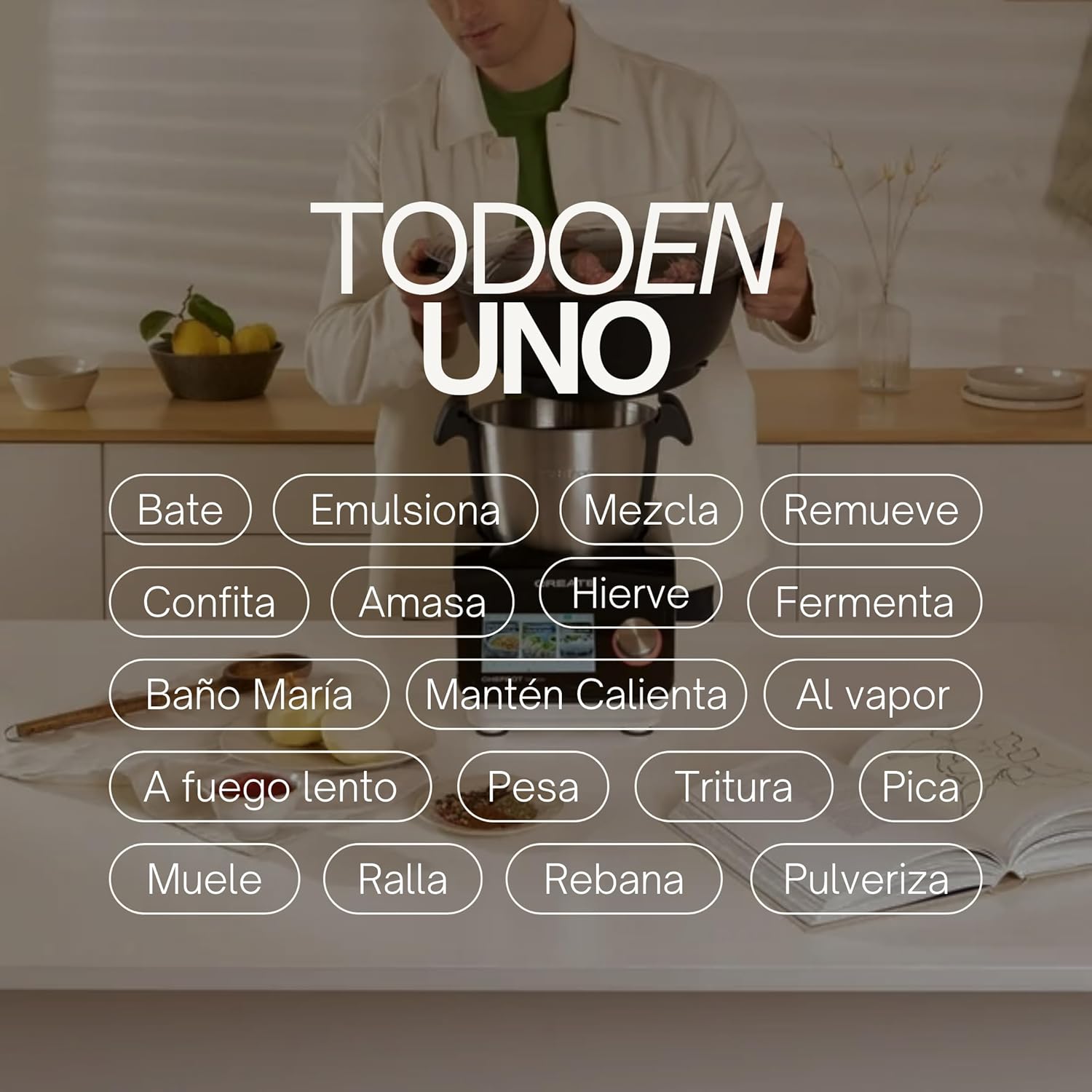
Image: An illustration highlighting the "All-in-One" capabilities of the Chefbot Touch, including functions such as beating, emulsifying, mixing, and more.

Image: A visual summary of the Chefbot Touch's core features: 24 automatic programs, 12 speeds with turbo, and over 140 pre-installed recipes.
3. Izingxenye kanye Nezesekeli
The Chefbot Touch comes with a comprehensive set of accessories to support its many functions:
- Ice-crushing Blades: For crushing ice and hard ingredients.
- Mixing Paddle: For gentle stirring and mixing.
- Hand Spatula: For scraping and stirring.
- Separator Basket: For cooking ingredients separately within the bowl.
- Indebe yokulinganisa: Ukuze uthole izilinganiso ezinembile zoketshezi.
- Butterfly Whisk: For whipping and emulsifying.
- Reversible Cutting Disc: For slicing and grating.
- Food Processor Lid: For use with the cutting disc.
- Umshicileli wokudla: For safely guiding food into the cutting disc.
- 2-level Steamer Basket: For steaming multiple ingredients simultaneously.

Image: The Chefbot Touch displayed with its full set of ten accessories, designed for various cooking tasks.
4. Setha
4.1 I-Unboxing kanye Nokubekwa Kwasekuqaleni
Carefully remove all components from the packaging. Place the Chefbot Touch on a stable, flat, and dry surface. Ensure there is adequate ventilation around the unit. Keep the appliance away from heat sources and direct sunlight.
4.2 Ukuxhuma Amandla
Xhuma intambo kagesi endaweni kagesi ephansi. Qinisekisa ivolumutage matches the specifications of your appliance (110 Volts).
4.3 Ukuhlanza Kokuqala
Before first use, clean all removable parts (bowl, lid, accessories) with warm soapy water. Rinse thoroughly and dry completely. Wipe the main unit with a damp indwangu. Ungacwilisi iyunithi eyinhloko emanzini.
4.4 Ukuxhumana kwe-WiFi
To access online recipes and updates, connect your Chefbot Touch to your home WiFi network.
- Turn on the Chefbot Touch.
- Navigate to the settings menu on the touch screen.
- Select "WiFi" or "Network Settings".
- Choose your WiFi network from the list.
- Faka iphasiwedi yakho ye-WiFi uma utshelwa.
- Confirm the connection. Once connected, the device will be able to download recipe updates.
5. Iziqondiso Zokusebenza
5.1 Ukusebenza Okujwayelekile
The Chefbot Touch is operated primarily through its 5-inch touch screen and the control knob.
- Isikrini sokuthinta: Use to select programs, recipes, and adjust settings.
- Isilawuli Knob: Rotate to adjust values (time, temperature, speed) and press to confirm selections.
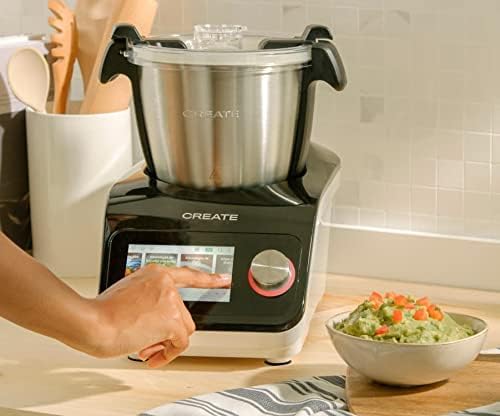
Image: A user demonstrating interaction with the Chefbot Touch's intuitive touchscreen interface.
5.2 Ukusebenzisa Izinhlelo Ezizenzakalelayo
The 24 automatic programs simplify complex cooking tasks.
- From the main menu, select "Programs".
- Browse through the available programs (e.g., Knead, Steam, Chop).
- Select the desired program. The device will guide you through the necessary steps and settings.
5.3 Following Preloaded Recipes
Access over 140 preloaded recipes directly on the device.
- Khetha "Amaresiphi" kumenyu eyinhloko.
- Browse or search for a recipe.
- Select the recipe. The screen will display step-by-step instructions, including ingredients, quantities, and cooking parameters.
- Follow the on-screen prompts to add ingredients and operate the machine.
5.4 Imodi Yezandla
For custom cooking, use the manual mode to set time, temperature, and speed independently.
- Select "Manual" or "Custom" mode.
- Use the touch screen and control knob to set the desired cooking time (up to 90 minutes), temperature (37°C to 120°C), and speed (1-12 or Turbo).
- Cindezela ukuqala ukuqala ukupheka.
5.5 Izinyathelo Zokuphepha Ngesikhathi Sokusebenza
- Always ensure the lid is properly secured before operating, especially when using high speeds or hot liquids.
- Ungagcwalisi indishi.
- Be cautious when handling hot liquids or steam.
- Use the provided spatula or other appropriate utensils to scrape down ingredients, always stopping the machine first.
- Keep hands and utensils away from moving blades.
6. Ukunakekela kanye Nokuhlanza
Regular cleaning ensures the longevity and optimal performance of your Chefbot Touch.
6.1 Cleaning the Bowl and Accessories
- The stainless steel bowl should be washed by hand with warm soapy water. Rinse thoroughly and dry immediately to prevent water spots.
- Most accessories are dishwasher safe. Refer to individual accessory instructions for specific cleaning guidelines.
- For stubborn food residue, soak parts in warm soapy water before cleaning.
6.2 Ukuhlanza Iyunithi Eyinhloko
- Sula ingaphandle leyunithi eyinhloko ngocingo oluthambile, damp indwangu.
- Do not use abrasive cleaners or scouring pads, as they may damage the surface.
- Ungalokothi ucwilise iyunithi enkulu emanzini noma kunoma yiluphi olunye uketshezi.
- Qinisekisa ukuthi iyunithi ayixhunyiwe ngaphambi kokuhlanza.
6.3 Isitoreji
Store the Chefbot Touch and its accessories in a clean, dry place when not in use. Ensure all parts are completely dry before storage.
7. Ukuxazulula izinkinga
If you encounter issues with your Chefbot Touch, refer to the following common problems and solutions:
| Inkinga | Imbangela Engenzeka | Isixazululo |
|---|---|---|
| Into esetshenziswayo ayivuli. | Ayixhunyiwe; ukucisha amandla; amandla awutage. | Ensure power cord is securely plugged in. Check the main power switch. Verify power supply. |
| Motor stops during operation or overheats. | Overload; prolonged continuous use; safety mechanism activated. | Reduce the amount of ingredients. Allow the appliance to cool down for at least 30-60 minutes before resuming use. This is a safety feature to prevent damage. |
| Lid not closing properly. | Obstruction; incorrect alignment. | Check for any food particles or accessories blocking the lid. Ensure the lid is correctly aligned and locked into place. |
| Izinkinga zokuxhuma kwe-WiFi. | Incorrect password; weak signal; router issues. | Double-check the WiFi password. Move the unit closer to the router. Restart your router. |
| Error message on screen. | Specific operational issue. | Note the error code or message. Refer to the digital manual on the device or contact customer support for specific guidance. |
If the problem persists after attempting these solutions, please contact CREATE customer support.
8. Imininingwane
Technical specifications for the CREATE IKOHS Chefbot Touch:
| Isici | Ukucaciswa |
|---|---|
| Ibhrendi | DALA |
| Imodeli | Chefbot Touch |
| Umbala | Mnyama |
| Amandla | 1400 Watts |
| Voltage | 110 volts |
| Okubalulekile | Stainless Steel (bowl), Aluminum (body) |
| Inombolo Yezivinini | 12 + iTurbo |
| Izinga Lokushisa | 37°C kuya ku-120°C |
| Max Continuous Operation | 90 imizuzu |
| Amadivayisi Ahambisanayo | IOS, Android |
| Ubukhulu bomkhiqizo (L x W x H) | 38 x 24 x 23 cm |
| Isisindo Somkhiqizo | 10 kg |

Isithombe: Ngaphambili view of the Chefbot Touch, illustrating its dimensions (465mm height, 380mm width) and 3.5L bowl capacity.
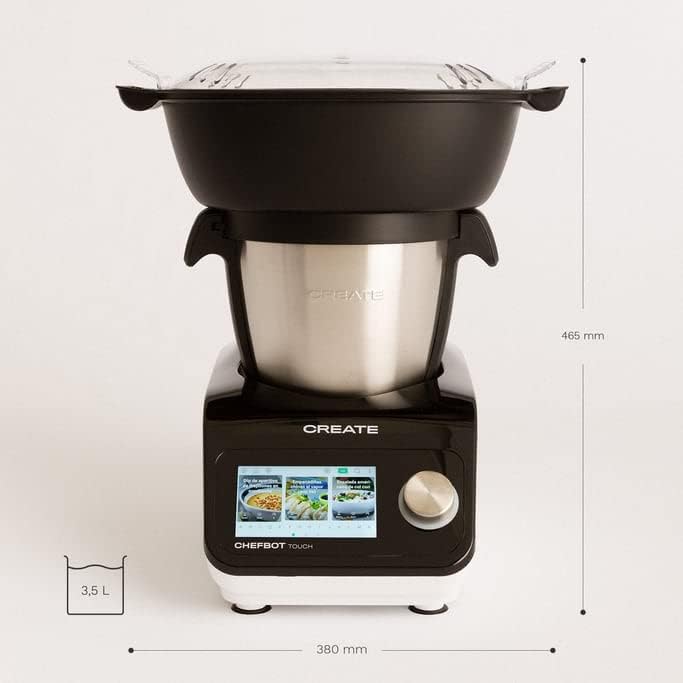
Isithombe: Side view of the Chefbot Touch, showing its depth dimension of 380mm.
9. Iwaranti kanye Nokusekela
For information regarding warranty coverage, terms, and conditions, please refer to the documentation included with your purchase or visit the official CREATE webindawo.
If you require technical assistance, have questions about your product, or need to report an issue, please contact CREATE customer support through their official channels.
Umkhiqizi: CREATE IKOHS
Ask a question about this manual
Ask about setup, troubleshooting, compatibility, parts, safety, or missing instructions. Manuals+ will review the question and use this page’s manual context to help answer it.