
1. Isingeniso
Thank you for choosing the InFocus P120 INL412 Multimedia Projector. This manual provides essential information for the safe and efficient operation of your projector. Please read it thoroughly before using the device and retain it for future reference. The InFocus P120 INL412 is designed for versatile multimedia presentations, offering clear and vibrant images for various applications.
2. Ulwazi Lokuphepha
To ensure safe operation and prevent damage to the projector, please observe the following safety precautions:
- Do not block the ventilation openings. Ensure adequate space around the projector for proper airflow to prevent overheating.
- Gwema ukubheka ngqo kwilensi yeprojektha lapho i-lamp ivuliwe, njengoba ukukhanya okukhulu kungabangela umonakalo emehlweni.
- Do not place the projector on an unstable cart, stand, or table. The projector may fall, causing serious injury to a child or adult, and serious damage to the unit.
- Disconnect the power cord from the wall outlet if the projector will not be used for an extended period.
- Thumela konke ukusevisa kubasebenzi abafanelekayo besevisi. Ungazami ukuvula noma ukulungisa iphrojektha ngokwakho.
- Keep the projector away from water or moisture. Do not expose it to rain or immerse it in liquid.
- Use only the power cord supplied with the projector or an authorized replacement.
3. Okuqukethwe Kwephakheji
Verify that all items listed below are included in your projector package:
- InFocus P120 INL412 Multimedia Projector
- Intambo Yamandla
- Isilawuli kude esinamabhethri
- Ikhebula le-VGA
- Incwadi Yomsebenzisi (le dokhumenti)
- Quick Start Guide
4. Umkhiqizo Uphelileview
Familiarize yourself with the main components of your InFocus P120 INL412 projector.
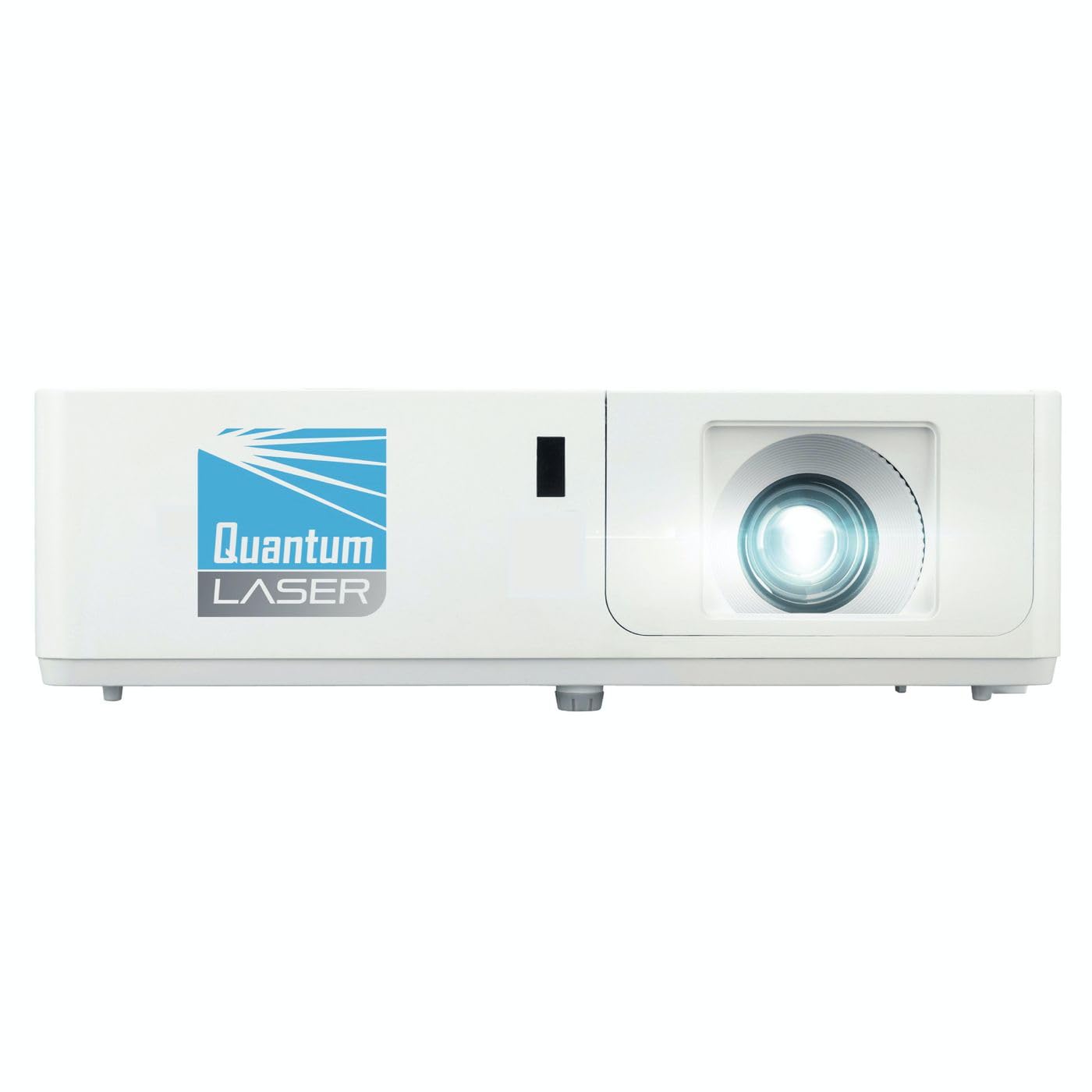
Isithombe 1: Ngaphambili view of the InFocus P120 INL412 Multimedia Projector, showing the lens and ventilation grilles.
4.1 Iphaneli langaphambili
- I-Projection Lens: Ikhipha isithombe esikrinini.
- I-Focus Ring: Ilungisa ukucaca kwesithombe esibonisiwe.
- Indandatho yokusondeza: Ilungisa usayizi wesithombe esibonisiwe.
- Isamukeli se-IR: Uthola amasiginali avela kurimothi.
4.2 Iphaneli ephezulu
- Iphaneli yokulawula: Buttons for power, menu navigation, source selection, and keystone correction.
- Izibani zezinkomba: Display the projector's status (e.g., power, lamp, temperature).
4.3 Rear Panel (Connectivity)
- Okokufaka kwe-HDMI: Connects to HDMI-enabled devices (laptops, Blu-ray players).
- Okokufaka kwe-VGA: Connects to computers with VGA output.
- Imbobo ye-USB: For service or connecting USB devices (if supported by model).
- Umsindo Phakathi/Uphuma: For connecting external audio sources or speakers.
- Amandla Inlet: Ixhuma intambo yamandla.
5. Setha
Landela lezi zinyathelo zokusetha kokuqala kweprojektha yakho:
- Ukubekwa: Place the projector on a stable, flat surface or mount it securely. Ensure the projector is positioned at an appropriate distance from the screen to achieve the desired image size.
- Ukuxhuma kwamandla: Connect the power cord to the projector's power inlet and then to a grounded electrical outlet.
- Xhuma Idivayisi Yomthombo: Connect your source device (e.g., laptop, DVD player) to the projector using an appropriate cable (HDMI, VGA, etc.). Ensure the cable is securely connected to both the source and the projector.
- Vula: Press the power button on the projector's control panel or the remote control to turn on the projector. The power indicator light will illuminate.
- Lungisa Ukugxila kanye ne-Zoom: Once an image is projected, rotate the focus ring on the lens until the image is sharp and clear. Use the zoom ring to adjust the image size to fit your screen.
- Ukulungiswa kwetshe elingukhiye: If the image appears trapezoidal, use the keystone correction function (either via buttons on the projector/remote or through the on-screen menu) to square the image.
6. Iziqondiso Zokusebenza
6.1 Vula/Vala amandla
- Ukuvula: Press the power button once. The projector will go through a warm-up sequence.
- Ukucisha: Press the power button twice. The first press will prompt a shutdown confirmation; the second press will initiate shutdown. Allow the projector to cool down completely before unplugging.
6.2 Ukukhethwa Komthombo
Press the 'Source' button on the projector or remote control to cycle through available input sources (HDMI, VGA, etc.) until your desired source is displayed.
6.3 Ukuzulazula kwemenyu
Press the 'Menu' button to access the on-screen display (OSD) menu. Use the arrow buttons to navigate through options and 'Enter' or 'OK' to select. Use the 'Exit' or 'Menu' button to close the OSD.
- Izilungiselelo zesithombe: Adjust brightness, contrast, color, aspect ratio, and picture mode.
- Izilungiselelo zokubonisa: Configure keystone, projection mode (front/rear, desktop/ceiling), and resolution.
- Izilungiselelo zomsindo: Control volume and audio output options.
- Izilungiselelo Zesistimu: Manage language, timer, power-saving modes, and factory reset.
7. Isondlo
Ukunakekelwa okuvamile kuqinisekisa ukusebenza kahle futhi kwelula isikhathi sempilo yeprojektha yakho.
- Ukuhlanza ilensi: Sula ngobumnene ilensi yeprojektha ngendwangu ethambile, engenantambo edizayinelwe ngokukhethekile izindawo ezikhanyayo. Ungasebenzisi izinto zokuhlanza ezihlabayo noma amandla amaningi.
- Ukuhlanza Ikhabhinethi: Use a soft, dry cloth to clean the projector's exterior. For stubborn marks, dampen the cloth slightly with water. Avoid using harsh chemicals.
- Ukuhlanza/Ukufaka Isihlungi Somoya: Check the air filter periodically. If your model has a removable filter, clean it with a soft brush or vacuum cleaner. Replace the filter as recommended in the on-screen menu or when visibly dirty to maintain proper ventilation.
- Lamp Ukumiselela: Iphrojektha lamp inesikhathi sokuphila esilinganiselwe. Lapho i-lamp life indicator appears, or the image brightness significantly decreases, replace the lamp according to the instructions provided in the full service manual or by a qualified technician. Always allow the projector to cool down completely before attempting lamp esikhundleni.
8. Ukuxazulula izinkinga
Bheka ithebula elingezansi ngezinkinga ezivamile nezisombululo zazo:
| Inkinga | Imbangela Engenzeka | Isixazululo |
|---|---|---|
| Asikho isithombe esibonisiwe | Power cord disconnected, incorrect input source, source device off. | Check power connections. Select correct input source. Ensure source device is powered on. |
| Isithombe sifiphele | Lens out of focus, incorrect projection distance. | Adjust the focus ring on the lens. Reposition the projector closer or further from the screen. |
| Isithombe si-trapezoidal | Iphrojektha ayiqondile esikrinini. | Use keystone correction (manual or automatic) to square the image. |
| Iphrojektha ishisa kakhulu futhi ivale | Blocked ventilation, dirty air filter. | Ensure clear space around vents. Clean or replace the air filter. |
| Isilawuli kude asisebenzi | Dead batteries, obstruction between remote and projector, incorrect angle. | Replace batteries. Ensure clear line of sight to IR receiver. Point remote directly at the projector. |
9. Imininingwane
Key technical specifications for the InFocus P120 INL412 Multimedia Projector:
| Isici | Ukucaciswa |
|---|---|
| Inombolo Yemodeli | P120 INL412 (Item model number: 7296144) |
| Uhlobo lokubonisa | I-DLP |
| Isixazululo Somdabu | 1280 x 800 |
| Ubukhulu Bokubonisa Ukulungiswa | 1280 x 800 |
| Ubuchwepheshe bokuxhumana | USB (and other standard inputs like HDMI, VGA) |
| Ubukhulu bomkhiqizo | 5.25 x 0.31 x 1.66 amayintshi |
| Isisindo sento | 6.6 amakhilogremu |
| Umkhiqizi | Ku-Focus |
10. Iwaranti kanye Nokusekela
The InFocus P120 INL412 Multimedia Projector comes with a standard manufacturer's warranty. Please refer to the warranty card included in your package for specific terms and conditions, including warranty duration and coverage details. For technical support, service, or further inquiries, please visit the official InFocus support webisayithi noma uxhumane nomnyango wabo wesevisi yamakhasimende.
Ukuze uthole ulwazi olusha kakhulu lokusekela, sicela uvakashele: www.infocus.com/support