
Isingeniso
This manual provides detailed instructions for the safe and effective use of your pxton PX-8S-01 two-way radio. Please read this manual thoroughly before operating the device to ensure optimal performance and longevity.
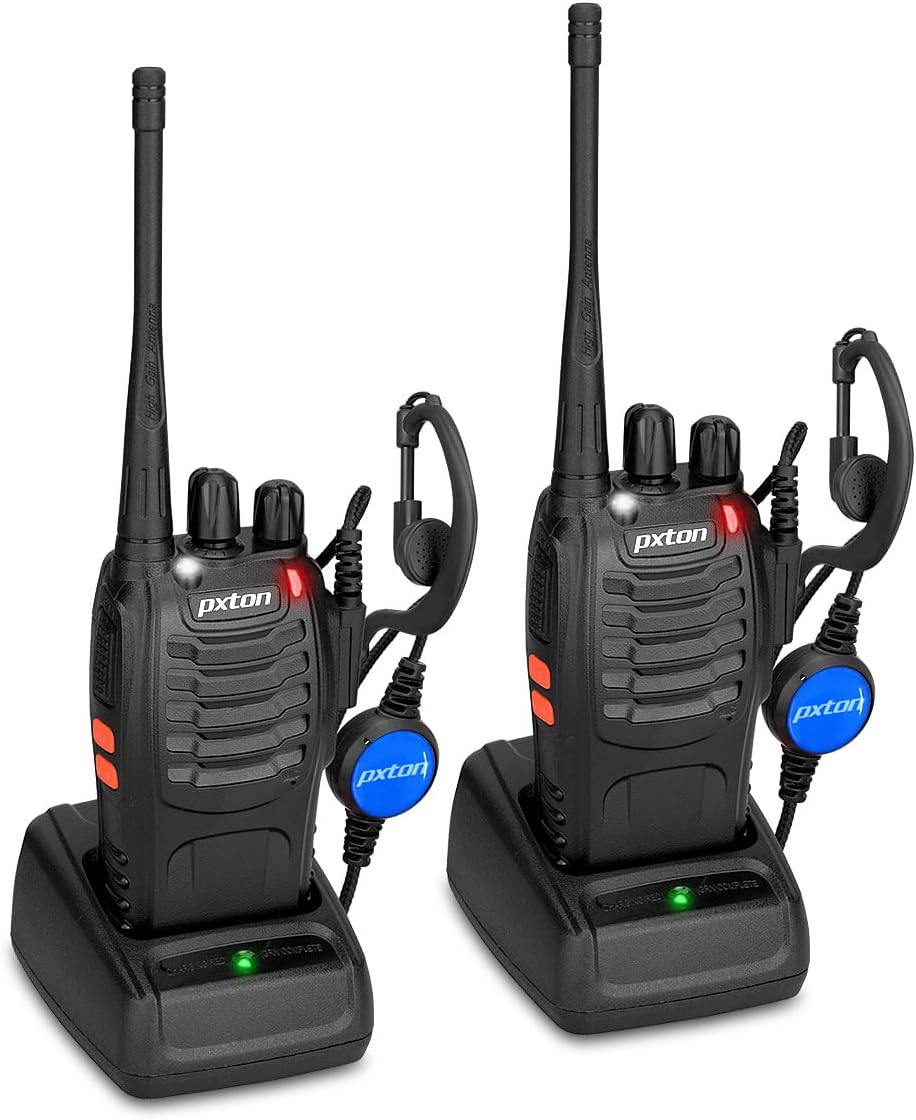
Image: Two pxton PX-8S-01 two-way radios with charging bases and earpieces.
Okuqukethwe Kwephakheji
Qinisekisa ukuthi zonke izinto zikhona kuphakheji yakho:
- pxton PX-8S-01 Two-Way Radio (2 units)
- Lithium-Ion Battery (2 units)
- USB Charger (2 units)
- Upgraded Earpiece (2 units)
- Isiqeshana sebhande (amayunithi ama-2)
- Wrist Strap (2 units)
- Antenna (2 units)
- Incwadi yomsebenzisi (iyunithi engu-1)

Image: Contents of the pxton PX-8S-01 package.
Umkhiqizo Uphelileview
Familiarize yourself with the components of your pxton PX-8S-01 two-way radio:

Image: Labeled diagram of the pxton PX-8S-01 two-way radio components.
- Integrated Sensitive Antenna: Okokudlulisa nokwamukela amasignali.
- Ukushintsha Isiteshi: Rotary knob to select one of the 16 available channels.
- Ukushintsha Amandla/Ukulawula Ivolumu: Rotary knob to turn the radio on/off and adjust the volume.
- I-Flashlight: Built-in LED light for illumination.
- Inkomba ye-LED: Displays radio status (e.g., transmitting, receiving, charging).
- Inkinobho ye-PTT (Push-to-Talk): Cindezela bese ubamba ukuze uthumele, khipha ukuze wamukele.
- MONI Button (Monitor): Press to temporarily disable squelch and listen for weak signals.
- Inkinobho Yethoshi: Isebenzisa ithoshi elakhelwe ngaphakathi.
- SP/MIC Jacks: Ports for connecting external audio accessories like earpieces or speaker microphones.
- Clear Speaker: Imiphumela etholiwe yomsindo.
- Imakrofoni eyakhelwe ngaphakathi: Ithwebula izwi lakho ukuze lidluliselwe.
Setha
1. Ukufakwa kwebhethri
- Qinisekisa ukuthi umsakazo ucinyiwe.
- Qondanisa iphakethe lebhethri nemigqa engemuva komsakazo.
- Slayida ibhethri phezulu kuze kube yilapho lingena endaweni yalo.
- To remove, press the release latch (if present) and slide the battery downwards.
2. Ukushaja Ibhethri
- Connect the USB charger to a power source.
- Place the radio with the battery installed into the charging cradle.
- The LED indicator on the charger will show the charging status (e.g., red for charging, green for fully charged).
- A full charge from 0 capacity typically takes 3-4 hours.
3. Ukunamathisela Izesekeli
- I-Antenna: Faka i-antenna ngewashi phezu komsakazo kuze kube yilapho iqine njengeminwe. Ungaqinisi kakhulu.
- Isiqeshana sebhande: Attach the belt clip to the designated slot on the back of the radio using the provided screws.
- Isendlebe: Insert the earpiece plug into the SP/MIC jacks on the side of the radio. Ensure it is fully inserted for proper connection.
Imiyalelo yokusebenza
1. Ukuvula/Ukuvala kanye nokulungiswa kwevolumu
- To power on the radio, rotate the Power Switch/Volume Control knob clockwise. You will hear a "click" and a voice prompt indicating the current channel.
- Qhubeka uphendukisa iknobhu ngokwewashi ukuze ukhuphule ivolumu, futhi ngokuphikisana newashi ukuze wehlise.
- To power off, rotate the knob counter-clockwise until you hear a "click."
2. Ukukhethwa Kwesiteshi
- Rotate the Channel Switch knob to select one of the 16 available channels.
- The radio will announce the selected channel number.
- Qinisekisa ukuthi yonke imisakazo eqenjini lakho isethwe esiteshini esisodwa sokuxhumana.
3. Ukudlulisa nokwamukela
- Ukudlulisa, cindezela bese ubamba i I-PTT (Push-to-Talk) button. Speak clearly into the microphone. The LED indicator will illuminate red.
- Release the PTT button to stop transmitting and return to receive mode. The LED indicator will turn green when receiving a signal.
4. VOX (Voice Operated Exchange) Function
The VOX function allows hands-free operation. When activated, the radio will automatically transmit when it detects your voice, without needing to press the PTT button.
- VOX settings are typically programmed via software. Refer to advanced programming instructions if available.
- When using VOX, ensure the microphone is positioned correctly to pick up your voice effectively.
Image: VOX/Handfree function icon.
5. Umsebenzi we-Flashlight
- Cindezela ozinikezele Inkinobho Yethoshi to turn the built-in LED flashlight on or off.
Image: Flashlight function icon.
6. Umsebenzi wokuskena
The scan function allows the radio to automatically scan through channels to find active transmissions.
- To activate the scan function, typically this is done via a programmed side key or by selecting a specific channel. Refer to your radio's programming guide for details.
- When scanning, the radio will stop on an active channel until the transmission ends, then resume scanning.
7. I-alamu Eziphuthumayo
The radio features an emergency alarm function for critical situations.
- To activate the emergency alarm, press the designated Emergency Alarm button (if programmed) or a specific key combination. This will typically emit a loud siren sound and/or transmit an alert signal.

Image: Emergency Alarm function icon.
8. Squelch Adjustment
Squelch suppresses background noise when no signal is being received. The PX-8S-01 has an adjustable squelch feature.
- Squelch levels are typically set via programming software. A higher squelch level requires a stronger signal to open the receiver, reducing static but potentially missing weak signals.
- The MONI button can be used to temporarily override the squelch and listen to all signals, including weak ones or background noise.
Image: Squelch adjustment icon.
9. Privacy Codes (CTCSS/DCS)
The radio supports 165 privacy codes (50 CTCSS / 210 DCS) per programmable channel to help filter out unwanted conversations.
- When a CTCSS/DCS code is set, you will only hear transmissions from other radios using the same channel and the same CTCSS/DCS code.
- Similarly, other radios will only hear your transmissions if they are on the same channel and using the same code.
- These codes are typically programmed using specialized software.
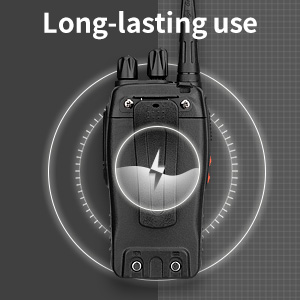
Image: CTCSS/DCS privacy codes icon.
Isondlo
- Ukuhlanza: Sebenzisa okuthambile, damp indwangu yokuhlanza ingaphandle lomsakazo. Ungasebenzisi amakhemikhali noma izinyibilikisi eziyingozi.
- Ukunakekelwa kwebhethri:
- Gwema ukushajwa ngokweqile noma ukushajwa ngokuphelele ibhethri.
- Gcina amabhethri endaweni epholile, neyomile uma engasetshenziswa.
- Uma umsakazo ungeke usetshenziswe isikhathi eside, susa ibhethri.
- Isitoreji: Gcina umsakazo endaweni eyomile, engenalo uthuli kude namazinga okushisa aphezulu.
- I-Antenna: Do not bend or modify the antenna, as this can affect performance.
Ukuxazulula inkinga
| Inkinga | Imbangela Engenzeka | Isixazululo |
|---|---|---|
| Irediyo ayivuli. | Ibhethri liphelile noma alifakwanga kahle. | Charge the battery. Ensure the battery is securely installed. |
| Ayikwazi ukudlulisa noma ukwamukela. | Incorrect channel selected. Battery low. Radio out of range. | Verify both radios are on the same channel. Charge battery. Move closer to the other radio. |
| Ikhwalithi yomsindo engalungile noma i-static. | Weak signal. Squelch level too low/high. Interference. | Move to an area with fewer obstructions. Adjust squelch level (if programmable). Check for sources of interference. |
| Short communication range. | Obstructions (buildings, terrain). Low battery. | Move to an open area. Ensure battery is fully charged. |
| Earpiece not working. | Earpiece not fully inserted. Faulty earpiece. | Ensure earpiece plug is fully inserted into the SP/MIC jack. Try a different earpiece if available. |
Imininingwane
- Imodeli: PX-8S-01
- I-ID ye-FCC: 2AX68PX-888S
- Inombolo Yeziteshi: 16
- Ibanga Lemvamisa: I-UHF
- Ubukhulu bebanga lokukhuluma: Up to 5 miles (unobstructed)
- Amakhodi Obumfihlo: 165 (50 CTCSS / 210 DCS)
- Uhlobo Lwebhethri: I-Lithium Ion (ifakiwe)
- Ibhethri Voltage: 3.7 Volts (DC)
- Impilo Yebhethri: 8-96 hours standby, 8-12 hours continuous use (actual time varies with usage)
- Isikhathi sokushaja: 3-4 hours (from 0 capacity)
- Izinga Lokumelana Namanzi: Ukumelana Namanzi
- Ubukhulu bomkhiqizo: 1.1"D x 1.89"W x 8.34"H
- Isisindo Sento: Amakhilogremu angu-1.34 (kwababili)
- Izici ezikhethekile: Rechargeable, VOX, TOT, Emergency Alarm, Battery Low Alert, Flashlight, Scan Function

Image: Size comparison of the pxton PX-8S-01 radio.
Ulwazi Lokuphepha
Your pxton PX-8S-01 walkie-talkie has been granted FCC transmission and reception certification and authorization (FCC ID: 2AX68PX-888S). This device is intended for use only within the frequency points authorized by the FCC certification range.
Sicela uqaphele imihlahlandlela yokuphepha elandelayo:
- Ungawusebenzisi umsakazo ezindaweni eziqhumayo (isb., amagesi avuthayo, izinhlayiya zothuli, izimpushana zensimbi).
- Do not modify the radio or its accessories. Unauthorized modifications can void your warranty and violate FCC regulations.
- Keep the radio and its accessories out of reach of children.
- Use only pxton-approved batteries and chargers. Using unapproved accessories can cause damage or injury.
- Avoid exposing the radio to extreme temperatures, direct sunlight, or moisture for prolonged periods.
- If the radio emits smoke or an unusual odor, immediately turn off the power and remove the battery. Contact customer support.
Iwaranti kanye Nokusekela
pxton provides lifetime customer service for its walkie-talkies. If you encounter any questions or issues with your PX-8S-01 radio, please contact pxton customer support through the platform where you purchased the product. Our professional team is available to assist you with troubleshooting and support.
For further assistance, please refer to the official pxton webisayithi noma uxhumane nesevisi yabo yamakhasimende ngokuqondile.