
Isingeniso
The ThermoPro TP20B is a professional-grade wireless meat thermometer designed to help you cook your food to perfection every time. Featuring dual probes and an extended 500FT wireless range, it allows you to monitor two different temperatures simultaneously, whether it's two cuts of meat or one cut and the ambient temperature of your grill, oven, or smoker. Its user-friendly interface and pre-programmed USDA-approved temperature settings ensure hassle-free operation and precise results.

Image: The ThermoPro TP20B wireless meat thermometer system, showing the main receiver unit, the smaller transmitter unit, and two stainless steel probes with wires.

Image: A collage demonstrating the versatility of the ThermoPro TP20B, showing its use in smoking, deep-frying, homebrewing, oven-roasting, and grilling applications.

Image: Certifications for ThermoPro products, including NSF, CE, and RoHS, indicating food safety, quality, and environmental compliance.
Okuqukethwe Kwephakheji
- 1 x ThermoPro TP20B Receiver Unit
- 1 x ThermoPro TP20B Transmitter Unit
- 2 x Food-Grade Stainless Steel Probes
- 1 x Grill Clip (for ambient temperature monitoring)
- 4 x AAA Batteries (pre-installed or included separately)
- 1 x Incwadi Yeziqondiso (le dokhumenti)
Setha
1. Ukufakwa kwebhethri
Locate the battery compartments on the back of both the receiver and transmitter units. Insert the provided AAA batteries, ensuring correct polarity (+/-). Close the battery covers securely.
2. Connecting Probes
Plug the stainless steel probes into the corresponding jacks on the side of the transmitter unit. The TP20B supports two probes, allowing for simultaneous temperature monitoring.

Image: Close-up of the ThermoPro TP20B transmitter unit, showing the probe input jacks on the side.
3. Ivula amandla
Press the power button on both the receiver and transmitter units to turn them on. The units are pre-paired from the factory, so no manual synchronization is required. They should automatically connect and display temperature readings.
Imiyalelo yokusebenza
1. Selecting Meat Type and Doneness
The TP20B comes with preset USDA-approved temperatures for various meat types and doneness levels. Use the INYAMA button to cycle through different meat options (e.g., Beef, Poultry, Pork, Lamb, Fish, Ham, BBQ). Once a meat type is selected, use the UKUNAMBISA button to choose your desired doneness level (e.g., Rare, Medium Rare, Medium, Well Done).

Image: The ThermoPro TP20B receiver displaying preset meat types (e.g., GBEEF, BEEF, CHCKE, PORK, LAMB, FISH, HAM, BBQ) and doneness levels (RARE, MED RARE, MEDIUM, MED WELL, WELL DONE).
2. Custom Temperature Settings
If you prefer to set your own target temperature, press the IMODE button until "PROG" appears. Use the UP futhi PHANSI arrow buttons to adjust the target temperature for each probe. Press IMODE futhi ukuze uqinisekise.
3. Umsebenzi Wesibali sikhathi
The TP20B includes a kitchen timer function. Press the IMODE button until the timer icon appears. Use the UP futhi PHANSI arrows to set the desired time for either count-up or count-down. The receiver will beep and flash when the timer expires.

Image: The ThermoPro TP20B receiver displaying the kitchen timer function, showing both countdown and count-up modes.

Image: A hand interacting with the timer buttons on the ThermoPro TP20B receiver, illustrating the Hr/Min and Min/Sec settings.
4. Fahrenheit/Celsius Switching
To switch between Fahrenheit (°F) and Celsius (°C) temperature readings, press and hold the °F/°C button on the receiver unit.
5. Using Dual Probes
The dual probes allow for versatile monitoring. You can insert one probe into a cut of meat and the other into a different cut, or use one probe for meat and the other with the included grill clip to monitor the ambient temperature of your grill, oven, or smoker. The receiver will display both temperatures simultaneously.

Image: The ThermoPro TP20B receiver showing two probes inserted into different cuts of meat on a grill, with both temperatures displayed.

Image: A split image showing the ThermoPro TP20B in two scenarios: monitoring oven temperature with one probe and meat temperature with another, and monitoring two different meats on a grill.
6. Ibanga Elingenantambo
The TP20B offers an extended wireless range of up to 500 feet, allowing you to monitor your cooking from a distance. Factors such as walls, appliances, and other electronic devices may affect the actual range.
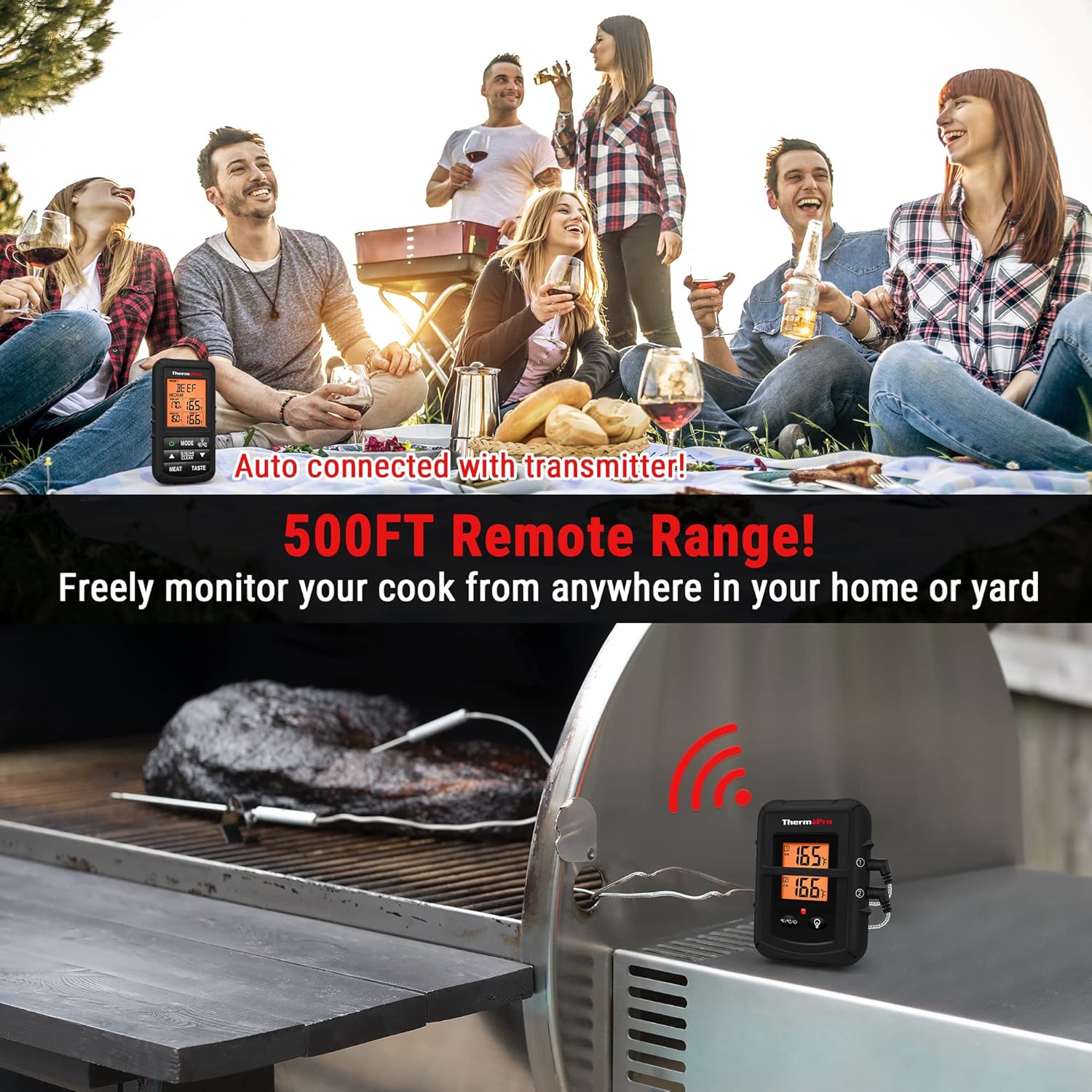
Image: The ThermoPro TP20B transmitter on a grill with a probe in meat, and the receiver unit held by a person at a distance, illustrating the 500FT remote range.
Ukunakekela Nokunakekela
- Ama-Probe Okuhlanza: Always wipe the stainless steel probes with a damp cloth after each use. Do not immerse the probe connectors or the main units in water.
- Cleaning Units: Wipe the receiver and transmitter units with a damp cloth. Do not use abrasive cleaners or submerge them in water. The receiver is splashproof, but not waterproof.
- Probe Wire Care: The probe wires can withstand temperatures up to 716°F (380°C). Avoid exposing the wires directly to open flames or temperatures exceeding this limit, as it may damage the insulation.
- Isitoreji: Gcina i-thermometer kanye nama-probe endaweni eyomile uma ingasetshenziswa.
Ukuxazulula inkinga
- No Signal/Connection Issues:
- Ensure both the receiver and transmitter units are powered on.
- Check battery levels in both units and replace if low.
- Move the receiver closer to the transmitter to reduce interference.
- Avoid placing the transmitter near large metal objects or strong electromagnetic sources.
- Ukufundwa Kwezinga Lokushisa Okungalungile:
- Ensure probes are fully inserted into the thickest part of the meat, avoiding bone or gristle.
- Verify that the probe wires are not damaged or kinked.
- Test probes in boiling water (should read approx. 212°F / 100°C) or ice water (should read approx. 32°F / 0°C) for calibration check.
- I-alamu Ayikhali:
- Check if the alarm volume is set appropriately (if adjustable).
- Ensure the target temperature is correctly set and the current temperature has reached or exceeded it.
Imininingwane
| Isici | Imininingwane |
|---|---|
| Ibhrendi | ThermoPro |
| Igama Lemodeli | TP-20B Black |
| Uhlobo olungenantambo | Up to 500FT |
| Probe Count | 2 (Dual Probes) |
| Ukunemba kwezinga lokushisa | ± 1.8 ° F (± 1 ° C) |
| Probe Wire Temperature Resistance | Kufika ku-716°F (380°C) |
| Uhlobo lokubonisa | I-LCD yedijithali, ekhanyiswe ngemuva |
| Umthombo wamandla | 4 x AAA Amabhethri (afakiwe) |
| Izitifiketi | NSF, CE, FCC |

Image: A close-up of the stepped-down probe, highlighting its design for high accuracy and wide temperature range.

Image: A graphic illustrating the ±1.8°F (±1°C) accuracy of the ThermoPro TP20B probes.
Iwaranti kanye Nokusekela
ThermoPro products are designed for durability and performance. For warranty information, product support, or any inquiries, please refer to the official ThermoPro website or contact their customer service directly. The ThermoPro TP20B is NSF Certified, ensuring it meets strict public health standards for food safety.