
1. Isingeniso
Siyabonga ngokuthengaasing the Final UX3000 Bluetooth Wireless Headphones. These headphones are designed to deliver premium Hi-Fi sound quality with hybrid noise-cancelling technology, ensuring an immersive audio experience. With long battery life and versatile connectivity options, the UX3000 is ideal for music listening, movies, and gaming.
Please read this manual thoroughly before using the product to ensure proper operation and to maximize your listening enjoyment.

Image: The Final UX3000 headphones in black, showcasing umklamo wabo ogqamile.
2. Okuqukethwe Kwephakheji
Qinisekisa ukuthi zonke izinto ezilandelayo zifakiwe ephaketheni lakho:
- Final UX3000 Headphone
- Ikhebuli yokushaja ye-USB-C
- Isikhwama Esithwele Okuthambile
- 3.5mm Cable for Wired Connection
- Incwadi Yomsebenzisi (le dokhumenti)
Note: A USB charger is not included in the package.
3. Umkhiqizo Uphelileview
3.1 Izingxenye Ze-headphone
Familiarize yourself with the various parts and controls of your Final UX3000 headphones.

Isithombe: A enemininingwane view of the control buttons located on the ear cup.
Izilawuli Nezinkomba:
- Inkinobho yamandla: Kusetshenziswa ukuvula/ukuvala ama-headphone nokuqalisa ukubhanqa nge-Bluetooth.
- Izinkinobho zevolumu + / -: Ilungisa ivolumu yomsindo.
- Inkinobho Yemisebenzi eminingi: Controls playback (play/pause), call management (answer/end calls), and activates voice assistant.
- Inkinobho ye-ANC: Toggles Active Noise Cancelling on/off.
- Bluetooth / ANC Status Indicator: LED light indicating power, pairing status, and ANC status.
- Imbobo yokushaja ye-USB-C: Ukushaja ama-headphone.
- 3.5mm Audio Jack: Okokuxhuma ngentambo.

Image: Diagram showing the Power Button and Status Indicator.

Image: Diagram showing the Volume Up and Volume Down buttons.
4. Setha
4.1 Ukushaja ama-headphones
Before first use, fully charge your UX3000 headphones. Connect the supplied USB-C charging cable to the headphone's USB-C port and the other end to a USB power source (e.g., computer USB port, USB wall adapter). The LED indicator will show charging status and turn off when fully charged.
- Isikhathi sokushaja: Cishe amahora angu-2.5 ukuze ukhokhiswe ngokugcwele.
- Impilo Yebhethri: Kufika emahoreni angu-35 wokudlala umculo.
4.2 Ukumatanisa kwe-Bluetooth
Ukuze uxhume ama-headphone akho ngaphandle kwentambo kudivayisi:
- Qinisekisa ukuthi ama-headphone acishiwe.
- Cindezela bese ubamba inkinobho ethi Power cishe imizuzwana emi-5 kuze kube yilapho inkomba ye-LED ikhanya okwesibhakabhaka nokubomvu, okubonisa imodi yokubhangqa.
- Edivayisini yakho (i-smartphone, ithebhulethi, ikhompuyutha), vula i-Bluetooth bese usesha amadivaysi atholakalayo.
- Select "Final UX3000" from the list of found devices.
- Once connected, the LED indicator will flash blue slowly. A voice prompt will confirm "Device Connected".

Image: The UX3000 headphones positioned beside a smartphone displaying its Bluetooth connection settings.
I-Multipoint Connection:
The UX3000 supports multipoint connection, allowing you to connect to two Bluetooth devices simultaneously. For example, you can be connected to your smartphone and your laptop at the same time, seamlessly switching audio sources.
4.3 Uxhumano olunentambo
For a wired audio experience or when the battery is depleted, use the supplied 3.5mm audio cable.
- Connect one end of the 3.5mm cable to the audio jack on the headphones.
- Xhuma olunye uhlangothi kumsindo ophumayo wedivayisi yakho ongu-3.5mm.
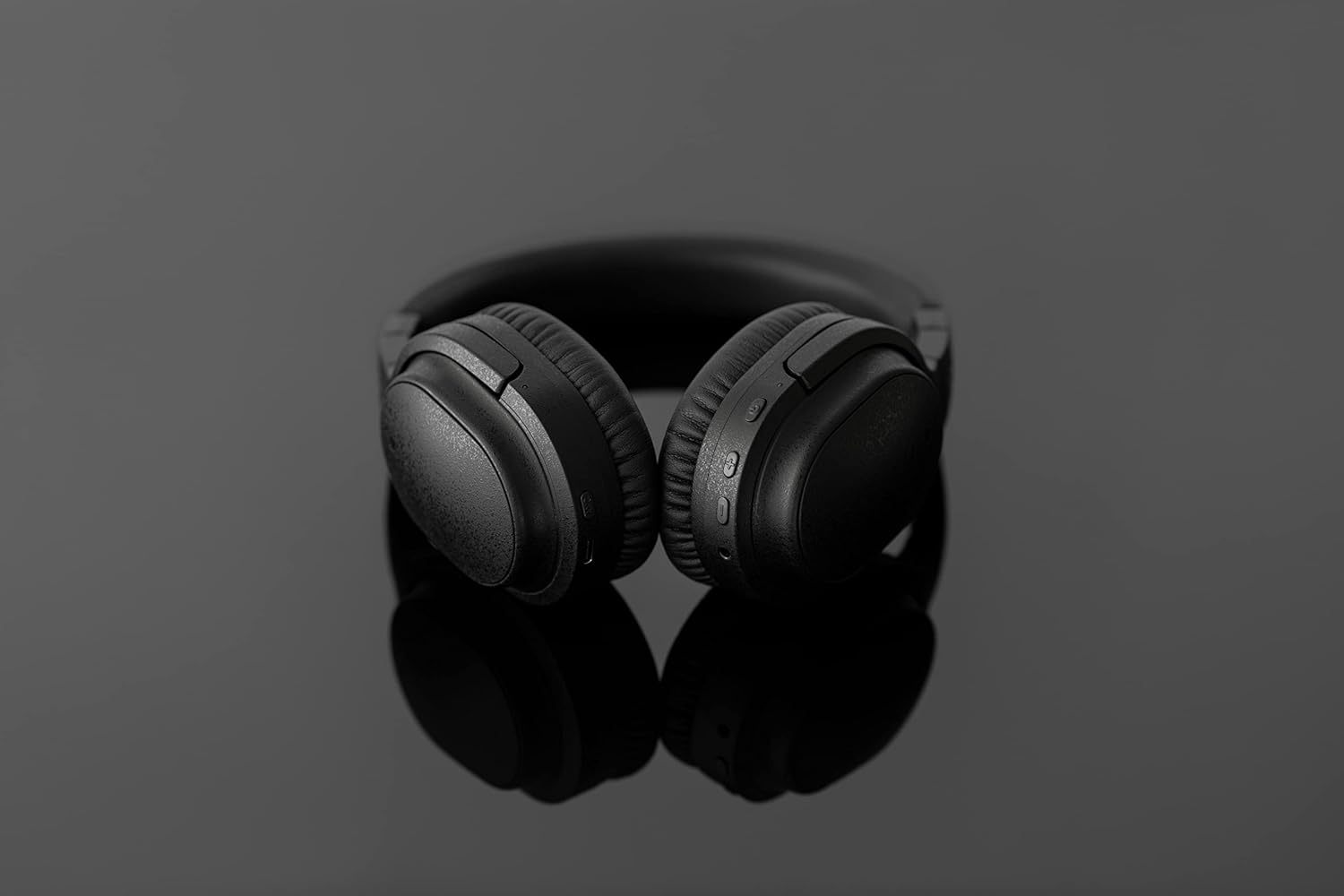
Image: The UX3000 headphones connected to a digital audio player using the 3.5mm audio cable.
5. Iziqondiso Zokusebenza
5.1 Vula/Vala amandla
- Vula: Press and hold the Power button for 2 seconds. The LED indicator will flash blue.
- Cisha ugesi: Press and hold the Power button for 3 seconds. The LED indicator will turn off.
5.2 Ukudlala Umculo
- Dlala/Misa kancane: Cindezela inkinobho yeMulti-function kanye.
- Ithrekhi Elandelayo: Press and hold the Volume + button for 2 seconds.
- Ithrekhi yangaphambilini: Press and hold the Volume - button for 2 seconds.
- Ivolumu ephezulu: Press the Volume + button briefly.
- Ivolumu Phansi: Press the Volume - button briefly.
5.3 Hybrid Noise Cancelling (ANC)
The UX3000 features Hybrid Active Noise Cancelling, utilizing two microphones per ear cup to effectively reduce ambient noise. One microphone collects external noise, and the other collects sound from the driver unit, allowing for highly accurate anti-noise signal generation.
- Yenza kusebenze/Cima i-ANC: Press the ANC button once. A voice prompt will confirm the status.

Image: A schematic diagram explaining how the Hybrid Noise Cancelling technology works with external and internal microphones.
5.4 aptX Low Latency Support
The UX3000 supports aptX Low Latency, which minimizes audio delay and ensures proper synchronization with visuals. This feature provides an optimal experience for watching movies and playing games, preventing noticeable lag between audio and video.

Image: A user wearing the UX3000 headphones, engaged with a laptop, highlighting their suitability for media and communication.
5.5 Imisebenzi Yezingcingo
- Phendula/Phendula ikholi: Cindezela inkinobho yeMulti-function kanye.
- Yenqaba Ucingo: Cindezela bese ubamba inkinobho ye-Multifunction imizuzwana emi-2.
- Yenza kusebenze umsizi wezwi: Cindezela kabili inkinobho ye-Multi-function.
6. Isondlo
To ensure the longevity and optimal performance of your Final UX3000 headphones, follow these maintenance guidelines:
- Ukuhlanza: Wipe the headphones with a soft, dry cloth. Do not use abrasive cleaners, solvents, or strong chemicals.
- Isitoreji: When not in use, store the headphones in the provided soft carrying pouch to protect them from dust and scratches. The headphones are foldable for compact storage.
- Gwema Umswakama: Keep the headphones away from water, humidity, and extreme temperatures.
- Iyashaja: Do not leave the headphones connected to a charger for extended periods after they are fully charged.

Image: The UX3000 headphones shown in their folded configuration, ready for compact storage or travel.
7. Ukuxazulula izinkinga
If you encounter issues with your Final UX3000 headphones, refer to the following common problems and solutions:
| Inkinga | Imbangela Engenzeka | Isixazululo |
|---|---|---|
| Ama-headphone awavuli amandla. | Ibhethri eliphansi. | Shaja ama-headphone ngokugcwele. |
| Ayikwazi ukubhanqa nedivayisi. | Headphones not in pairing mode; device's Bluetooth is off; too many paired devices. | Ensure headphones are in pairing mode (flashing red/blue). Turn on Bluetooth on your device. Forget previous pairings on your device and try again. |
| Awukho umsindo noma ivolumu ephansi. | Volume too low; headphones not connected; incorrect audio output selected on device. | Increase volume on both headphones and device. Reconnect headphones. Check audio output settings on your device. |
| Ukukhansela Umsindo akusebenzi. | ANC not activated; environmental noise too high for full cancellation. | Ensure ANC is activated. ANC is most effective for low-frequency, constant noises. |
| Voice prompts (e.g., "Battery Low") occur frequently even when charged. | Potential firmware issue or specific device interaction. | Ensure headphones are fully charged. If issue persists, contact customer support. |
8. Imininingwane
| Isici | Imininingwane |
|---|---|
| Igama Lemodeli | UX3000 BLK |
| Ubuchwepheshe bokuxhumana | Wireless (Bluetooth), Wired (3.5 mm Jack) |
| I-Wireless Communication Technology | I-Bluetooth 5.0 |
| I-Bluetooth Range | 10 Amamitha |
| Ukulawula Umsindo | Ukukhanselwa komsindo weHybrid |
| Uhlobo Lomshayeli Womsindo | I-Dynamic Driver |
| I-Frequency Range | 20Hz-20kHz |
| Impilo Yebhethri | Kufika emahoreni angu-35 |
| Isikhathi sokushaja | Amahora angu-2.5 |
| Isisindo sento | Amagremu angu-260 (ama-ounces angu-9.2) |
| Ukubekwa Kwendlebe | Ngendlebe |
| I-Form Factor | Ngendlebe |
| Amadivayisi Ahambisanayo | Bluetooth-enabled devices supporting HFP, HSP, A2DP, and AVRCP profiles, and specifically compatible with SBC, AAC, aptX, and aptX low latency codecs |
| Ukusetshenziswa Okuthize Komkhiqizo | Amamuvi Nemidlalo |
| Umkhiqizi | Umsindo wokugcina |
| Usuku Lokuqala Olutholakalayo | Disemba 14, 2021 |
9. Iwaranti kanye Nokusekela
The Final UX3000 headphones come with Final's 12 Month Worry-Free Warranty. This warranty covers defects in materials and workmanship under normal use for a period of 12 months from the date of original purchase.
For warranty claims, technical support, or any inquiries regarding your product, please contact Final customer service through the official Final webisayithi noma indawo yakho yokuthenga. Sicela ube nobufakazi bokuthenga obulungile uma uxhumana nosekelo.
Final is committed to providing friendly and responsive customer service to ensure your satisfaction.