
Isingeniso
The SCHONSTEDT u-LOCATE is a single-frequency locator designed for accurately locating buried pipes and cables. This device helps prevent costly damages, utility strikes, and service outages by allowing users to scan an area for utilities before excavation. It features an 82 kHz active frequency, a 1W transmitter, passive mode, and depth estimation capabilities. The u-LOCATE is built for durability in various weather conditions and environments, ensuring reliable performance when needed.
This manual provides essential information for the proper setup, operation, and maintenance of your u-LOCATE system. Please read it thoroughly before using the device.
Ulwazi Lokuphepha
Always prioritize safety when working near buried utilities. Damaging buried utilities can be hazardous. The u-LOCATE is a tool to assist in locating, but it does not replace the need for proper safety protocols and contacting local utility services (e.g., "Call Before You Dig" services) before any excavation.
- Always wear appropriate personal protective equipment (PPE).
- Ensure the work area is clear of obstructions and hazards.
- Follow all local regulations and safety guidelines for excavation and utility locating.
- Ungalusebenzisi ucingo uma lubonakala lonakele.
Okuqukethwe Kwephakheji

Image: The complete u-LOCATE kit, including the receiver, transmitter, connection leads, earth stake, magnet, and carrying bag.
Verify that all components are present in your u-LOCATE package:
- Umamukeli
- I-Transmitter
- 4 D Batteries (pre-installed or included separately)
- Connection Leads
- Isigxobo Somhlaba
- Umazibuthe
- Isikhwama Esiphethe
- Welcome Placard (with QR code for online resources)
Setha
1. Ukufakwa kwebhethri
The u-LOCATE Receiver and Transmitter require D batteries for operation. Four D batteries are included with your unit.
- Locate the battery compartment on both the Receiver and the Transmitter.
- Vula ikhava yengxenye yebhethri.
- Insert the D batteries, ensuring correct polarity (+/-) as indicated inside the compartment.
- Vikela ngokuqinile ikhava yegumbi lebhethri.
Qaphela: The average battery life is approximately 20 hours. Replace batteries when the low battery indicator appears on the display.
2. Ukuhlolwa Kokuqala
Before first use, inspect both the Receiver and Transmitter for any visible damage. Ensure all connections are clean and secure.
Imiyalelo yokusebenza
The u-LOCATE system operates by detecting electromagnetic signals emitted by buried utilities. The Receiver interprets these signals to guide you to the utility's location and estimate its depth.
1. Receiver Overview

Image: Close-up of the u-LOCATE Receiver's high-contrast screen and control buttons, including frequency and depth estimation.
The Receiver features a high-contrast screen for clear visibility, even in bright sunlight. Control buttons allow for mode selection and depth estimation. A headphone socket is provided for improved audio isolation in noisy environments.
2. I-Transmitter Overview

Image: The u-LOCATE Transmitter, showing the accessory connection socket and storage tray.
The Transmitter generates the signal that the Receiver detects. It includes an accessory connection socket for direct connection leads and an accessory storage tray for convenience.
3. Basic Locating Procedure
- Vula: Turn on both the Receiver and the Transmitter.
- Khetha Imodi: The u-LOCATE offers an 82 kHz active frequency mode and a passive mode.
- Active Mode (82 kHz): Use the Transmitter to induce a signal onto the utility. Connect the Transmitter using the direct connection leads, or place it near the utility for induction.
- Imodi yokwenziwa: Detects existing electromagnetic fields radiated by live power cables or other utilities without needing the Transmitter.
- Scan the Area: Hold the Receiver upright and walk slowly across the suspected path of the utility.
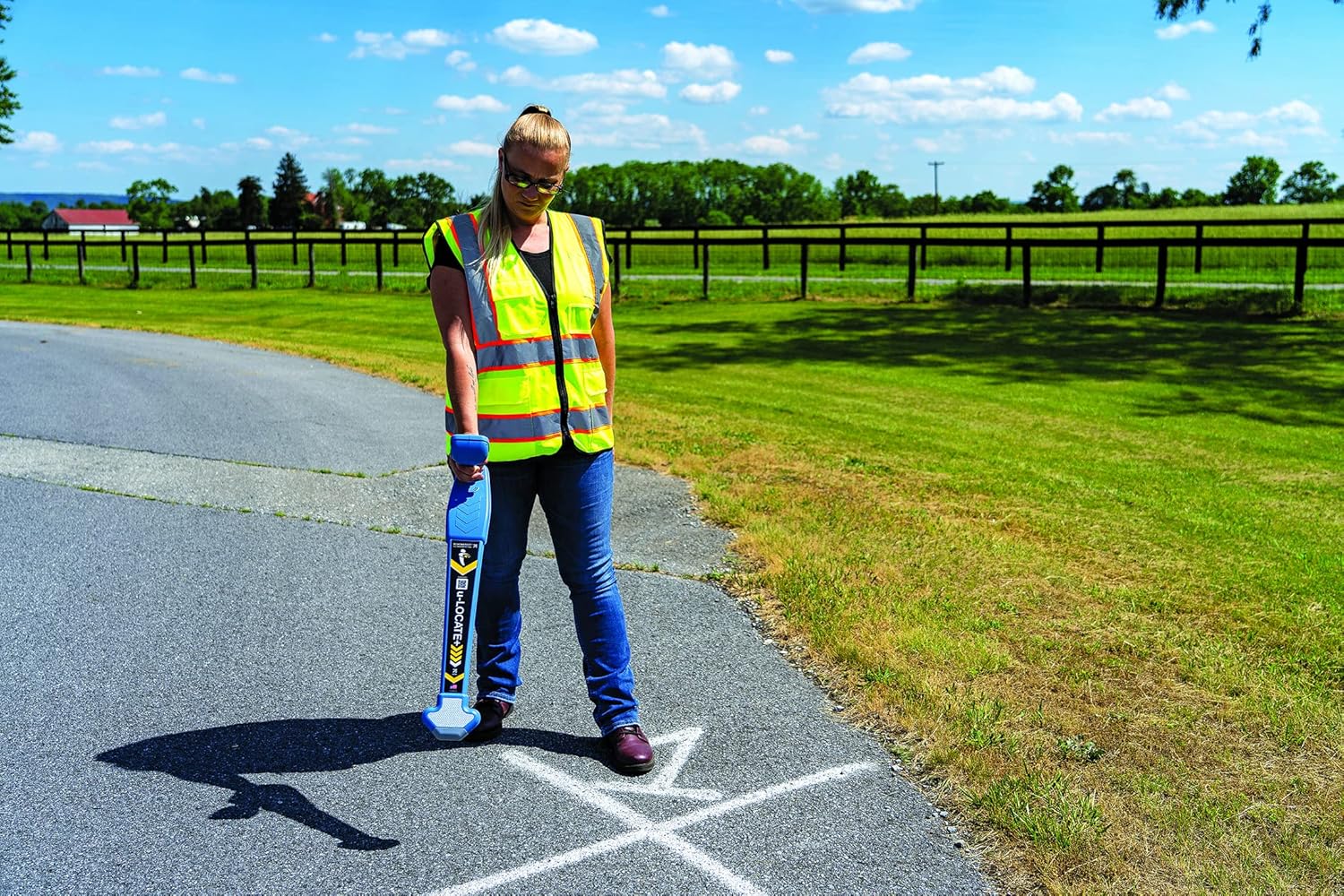
Image: An operator using the u-LOCATE Receiver to scan for buried utilities in an open area, demonstrating typical usage.
- Tolika amasignali:
- Izimpawu ezibonakalayo: The Receiver's screen will display left/right arrows to guide you towards the utility's centerline.
- Izimpawu Zomsindo: An audio signal will increase in pitch and volume as you approach the utility.
- Pinpoint and Trace: Once a signal is detected, adjust your position until the arrows are centered and the audio signal is at its peak. Mark the location. Continue tracing the utility's path by repeating this process.

Image: An operator using the u-LOCATE Receiver in an urban environment near an excavation, highlighting its use in complex settings.
- Depth Estimation: At the press of a button on the Receiver, the device can provide an estimated depth of the located utility. Ensure the Receiver is directly over the utility for the most accurate reading.

Isithombe: Ukuvala view of an operator holding the u-LOCATE Receiver, showing the ergonomic design and how it is typically held during operation.
The u-LOCATE is designed to discriminate between utilities and other buried materials, helping you locate the specific utility you are targeting.
Isondlo
- Ukuhlanza: Wipe the Receiver and Transmitter with a damp indwangu. Ungasebenzisi izinto zokuhlanza abrasive noma izincibilikisi.
- Isitoreji: Store the u-LOCATE system in its carrying bag in a cool, dry place when not in use. Remove batteries if storing for extended periods to prevent leakage.
- Ukushintshwa Kwebhethri: Replace batteries promptly when the low battery indicator is displayed to ensure optimal performance.
- Ukuhlola: Periodically inspect cables and connections for wear or damage.
Ukuxazulula inkinga
If you encounter issues with your u-LOCATE system, consider the following:
- Awekho Amandla: Check that batteries are correctly installed and fully charged. Replace if necessary.
- Weak or No Signal:
- Ensure the Transmitter is powered on and properly connected to the utility (in active mode).
- Verify the Receiver is set to the correct frequency/mode.
- Check for strong interference sources nearby (e.g., other electrical equipment, metal fences).
- Ensure good ground contact for the earth stake if using direct connection.
- Inaccurate Depth Reading: Ensure the Receiver is held directly over the utility and is perpendicular to the ground.
- Ukungasebenzi Okujwayelekile: Try turning both units off and on again. If issues persist, refer to the online resources or contact customer support.
Imininingwane
| Isici | Imininingwane |
|---|---|
| Imodeli | u-LOCATE |
| Umkhiqizi | Inkampani yeSchonstedt Instrument |
| Amafrikhwensi Okusebenza | 82 kHz (Active), Passive Mode |
| Amandla Okudlulisa | 1 Watt |
| Umthombo wamandla | 4 D Batteries (Alkaline) |
| Isilinganiso Sempilo Yebhethri | Amahora angu-20 |
| Isisindo sento | 8.5 amakhilogremu |
| Izingxenye Ezihlanganisiwe | Receiver, Transmitter, Batteries, Connection Leads, Earth Stake, Magnet, Carrying Bag, Welcome Placard |
| Ukwakha | Rugged, shock-resistant, protected against water and dust |
Iwaranti kanye Nokusekela
The SCHONSTEDT u-LOCATE Pipe & Cable Locator comes with a Iwaranti Yonyaka ongu-1 kusukela ngedethi yokuthenga. Lesi siqinisekiso sihlanganisa amaphutha ezintweni zokwakha kanye nokusebenza ngaphansi kokusetshenziswa okuvamile. Sicela ugcine ubufakazi bakho bokuthenga izimangalo zewaranti.
For additional support, detailed manuals, and technical assistance, scan the QR code located on the product's welcome placard or visit the official SCHONSTEDT webindawo.
Isixhumanisi semanuwali esiku-inthanethi: https://www.schonstedt.com/documents/u-locate/