
1. Ulwazi Olubalulekile Lokuphepha
Please read all safety and operating instructions carefully before using this television. Keep this manual for future reference. Always follow basic safety precautions to reduce the risk of fire, electric shock, and injury.
- Ungabeki lesi sisetshenziswa emvuleni noma emswakameni.
- Ungavimbi noma yiziphi izimbobo zokungenisa umoya. Faka ngokuhambisana nemiyalelo yomkhiqizi.
- Ungafaki eduze kwanoma yimiphi imithombo yokushisa njengama-radiator, amarejista okushisa, izitofu, noma ezinye izinto ezisetshenziswayo (okuhlanganisa ampama-lifiers) akhiqiza ukushisa.
- Vikela intambo yamandla ekuhanjisweni noma ekucinjiwe, ikakhulukazi kuma-plugs, okokuthambisa okulula, kanye nalapho iphuma khona kulowo osebenzayo.
- Sebenzisa kuphela okunamathiselwe/izinsiza ezicaciswe umenzi.
- Thumela zonke izinsiza kubasebenzi benkonzo abaqeqeshiwe. Ukusevisa kuyadingeka lapho okokusebenza konakele nganoma iyiphi indlela.
2. Yini EseBhokisini
Carefully unpack your new Sansui TV and ensure all items listed below are present.
- 1 x Sansui 4K Ultra HD Android LED TV (JSW50ASUHD)
- Isisekelo Setafula Esiyi-2
- 1 x Wall Mounting Set
- 4 x Screws for stand/mount
- 1 x Incwadi Yomsebenzisi
- 1 x Ikhadi lewaranti
- 1 x Isilawuli kude
- Amabhethri e-AAA angu-2 (okusebenzisa i-remote)
- 1 x I-Power Cord
- 1 x Ikhebula elincane le-AV
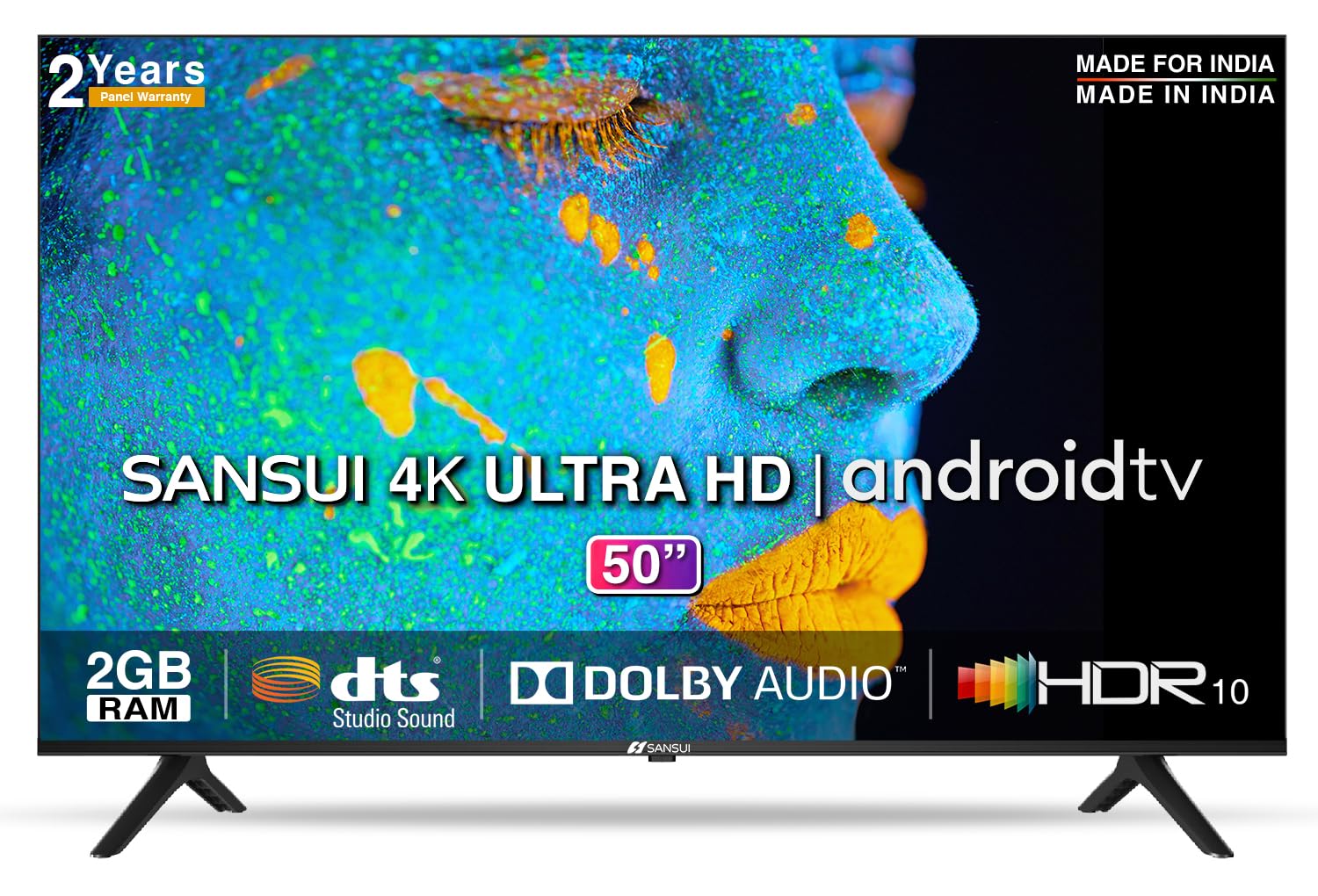
Image: Sansui 50-inch 4K Ultra HD Android LED TV with its table stand.
3. Umkhiqizo Uphelileview
3.1. Izici Eziyinhloko
- Bonisa: 4K Ultra HD (3840x2160) resolution, 60Hz refresh rate, Wide Viewing Angle, A+ Grade Panel, Wide Colour Gamut, HDR 10, Crystal Clear Display, High Brightness, Bezel-less Design.
- Umsindo: Dolby Audio, DTS Studio Sound, 20 Watts Audio Output.
- Izici ze-Smart TV: Android 10.0 (Certified by Google), Google Assistant, Alexa Enabled Support, Built-in Chromecast, CA53 Quad Core Processor, 2GB RAM, 8GB ROM.
- Izinhlelo zokusebenza ezisekelwayo: Prime Video, Netflix, Disney + Hotstar, YouTube, Google Play.
- Ukuxhumana: 3 HDMI ports, 2 USB ports, 3.5mm audio jack, Bluetooth, Wi-Fi, RJ45 (Ethernet), Antenna.

Image: Visual representation of the TV's main features and capabilities.
3.2. Ubukhulu
The TV features a 50-inch screen (127 cm diagonal) with a bezel-less design for an immersive viewisipiliyoni.

Image: Detailed dimensions of the Sansui 50-inch TV, including width, height, and depth with and without the stand.
4. Setha
4.1. Installing the Table Stand
- Beka isikrini se-TV phansi endaweni ethambile, eyisicaba ukuze uvimbele umonakalo.
- Align the table stand bases with the corresponding slots at the bottom of the TV.
- Secure the bases using the provided screws. Ensure they are tightened firmly.
4.2. Ukukhweza Udonga (Ongakukhetha)
If you choose to wall mount your TV, please use the provided wall mounting set and screws. The VESA mount standard is 800 x 400 mm. It is recommended to seek professional assistance for wall mounting to ensure proper and safe installation.
4.3. Ukuxhuma Amadivayisi
The TV offers various connectivity options for your external devices.
- Amandla: Xhuma intambo yamandla kokokufaka kwamandla e-TV bese uxhume endaweni ophuma kuyo odongeni.
- I-HDMI: Use HDMI cables to connect devices like set-top boxes, gaming consoles, or Blu-ray players to the 3 HDMI ports.
- I-USB: Connect USB drives or other USB devices to the 2 USB ports for media playback.
- Ukuphuma komsindo: Use the 3.5mm jack to connect headphones or external audio systems.
- I-Ethernet (RJ45): For a stable internet connection, connect an Ethernet cable from your router to the RJ45 port.
- I-Antenna: Connect your antenna cable to the RF input for terrestrial broadcasting.
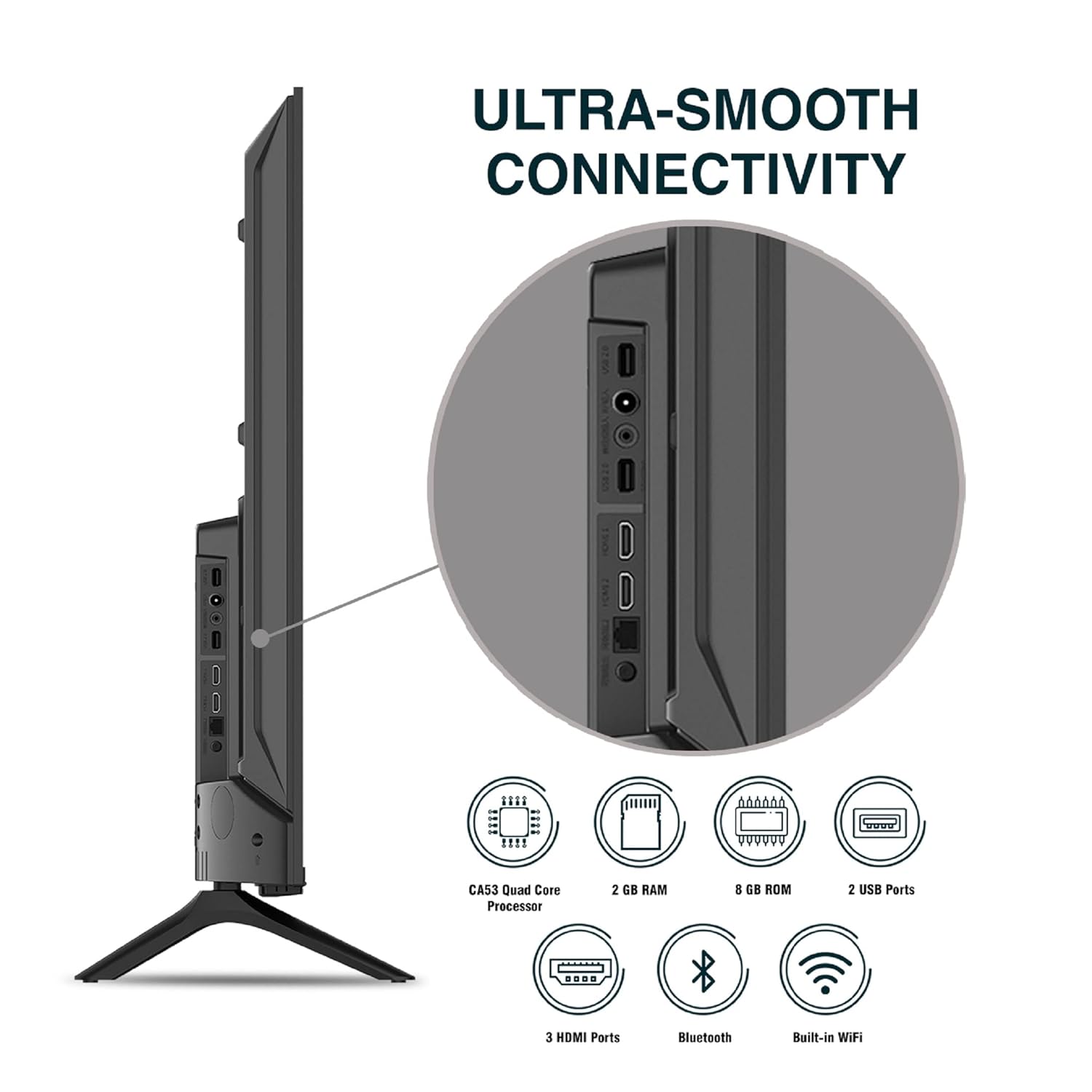
Isithombe: Ngemininingwane view ama-port okuxhumana kwe-TV.
5. Iziqondiso Zokusebenza
5.1. Ukusebenza Okuyisisekelo
- Vula/Vala: Press the power button on the remote control or on the TV to turn it on or off.
- Ukusethwa Kwasekuqaleni: Upon first power-on, follow the on-screen instructions to set up language, network connection, and Google account.
- Umthombo Wokufaka: Press the 'Input' button on the remote to select between HDMI, AV, TV, or other connected sources.
- Ukulawula ivolumu: Sebenzisa izinkinobho zeVolume Up/Down kusilawuli kude.
5.2. Using the Smart Remote
The included remote control features voice control and dedicated hotkeys for quick access to popular streaming services.
- Ukulawulwa Kwezwi: Press the Google Assistant button (microphone icon) and speak your commands to search for content, control smart home devices, or ask questions.
- Okhiye abashisayo: Directly launch Netflix, Prime Video, YouTube, and Google Play with a single press.
- Ukuzulazula: Use the directional pad and 'OK' button to navigate the Android TV interface.

Image: Sansui Smart Remote Control with voice control and app hotkeys.
5.3. Android TV Interface and Smart Features
Your Sansui TV runs on Android 10.0, providing access to a wide range of apps and smart functionalities.
- Isikrini Sasekhaya: The home screen displays your favorite apps, recommended content, and input sources.
- I-Google Play Isitolo: Download and install additional apps, games, and content from the Google Play Store.
- I-Chromecast eyakhelwe ngaphakathi: Cast content (videos, photos, music) from your smartphone, tablet, or computer directly to the TV.
- Google Assistant/Alexa: Use voice commands via the remote or a compatible Alexa device to control your TV and other smart home devices.

Image: Android TV home screen showing available applications.
6. Isondlo
Ukunakekelwa nokunakekelwa okufanele kuzokwandisa isikhathi sokuphila kwe-TV yakho.
- Ukuhlanza isikrini: Sula kahle isikrini ngendwangu ethambile, engenantambo. Ukuze uthole amamaki anenkani, sebenzisa isihlanzi sesikrini esiklanyelwe ama-TV, esisetshenziswa endwangwini, hhayi esikrinini ngqo.
- Ukuhlanza iKhabhinethi: Sebenzisa indwangu ethambile, eyomile ukuze usule ikhabhinethi ye-TV. Ungasebenzisi izinto zokuhlanza abrasive noma izincibilikisi.
- Ukungenisa umoya: Qinisekisa ukuthi izimbobo zokungena komoya zigcwele uthuli nemfucumfucu ukuvimbela ukushisa ngokweqile.
- Intambo Yamandla: Regularly check the power cord for any damage. If damaged, replace it with an authorized part.
7. Ukuxazulula izinkinga
Uma uhlangabezana nanoma yiziphi izinkinga, bheka izinkinga nezixazululo ezilandelayo ezivamile.
| Inkinga | Imbangela Engenzeka | Isixazululo |
|---|---|---|
| Awekho Amandla | Intambo kagesi inqanyuliwe; Inkinga yokukhipha ugesi | Hlola uxhumano lwentambo yamandla; Hlola isitolo ngenye idivayisi. |
| Akukho Isithombe, Umsindo Kuphela | Incorrect input source; External device issue | Select correct input source; Check external device connection and power. |
| No Sound, Only Picture | Volume muted/low; External audio system issue | Unmute or increase volume; Check external audio system connections. |
| Isilawuli kude Asisebenzi | Amabhethri anciphile; Ukuvalwa phakathi kwerimothi ne-TV | Shintsha amabhethri; Susa noma yiziphi izithiyo. |
| Izinkinga zokuxhumana nge-Wi-Fi | Iphasiwedi engalungile; Izinkinga ze-router; Ukuphazamiseka kwesignali | Faka iphasiwedi kabusha; Qala kabusha i-router; Sondeza i-TV ku-router noma sebenzisa i-Ethernet. |
Uma inkinga iqhubeka ngemva kokuzama lezi zixazululo, sicela uxhumane nokwesekwa kwamakhasimende.
8. Imininingwane
Detailed technical specifications for the Sansui JSW50ASUHD TV.
| Isici | Incazelo |
|---|---|
| Igama Lemodeli | SANSUI LED - JSW50ASUHD |
| Usayizi Wesikrini | Amasentimitha amane (50 cm) |
| Bonisa Ubuchwepheshe | I-LED |
| Isixazululo | I-4K Ultra HD (3840x2160) |
| Isilinganiso Sokuvuselela | 60 Hz |
| Isistimu esebenzayo | Android 10.0 (Certified by Google) |
| Iphrosesa | I-CA53 Quad Core |
| RAM | 2 GB |
| I-ROM (Isitoreji) | 8 GB |
| Okukhipha umsindo | 20 Watts |
| I-Sound Technology | I-Dolby Audio, i-DTS Studio Sound |
| Izimbobo ze-HDMI | 3 |
| Izimbobo ze-USB | 2 |
| Ukuxhumana Okungenantambo | I-Wi-Fi, i-Bluetooth |
| Okunye Ukuxhumana | Ethernet (RJ45), 3.5mm Audio Jack, Antenna |
| Ukusekelwa kwe-HDR | I-HDR10 |
| Uhlobo Lokukhweza | Wall Mount & Table Mount |
| I-VESA Mount Standard | 800 x 400 mm |
| Ukusetshenziswa kwamandla | 120 Watts |
| Isisindo sento | 9650 amagremu |
| Umbala | Mystique Black |
9. Iwaranti kanye Nokusekela
Your Sansui TV comes with a comprehensive warranty and dedicated customer support.
- Isiqinisekiso: 1 year comprehensive warranty and 1 year additional on panel from the date of purchase.
- Ukusekelwa kwesiqinisekiso: For warranty-related queries, please contact Sansui Toll Free No.: 1800-419-3777.
- Oxhumana naye ongenisa impahla: Jaina India Pvt Ltd., D170, Okhla Industrial Area, Phase-1, New Delhi-110020 INDIA | Email: sansuicare@jainaindia.com.
Sicela ugcine irisidi yakho yokuthenga ngezimangalo zewaranti.