
1. Isingeniso
Thank you for choosing the OUILA 36 LED Motion Sensor Cabinet Light. This manual provides essential information for the safe and efficient use of your new lighting product. Please read these instructions carefully before installation and operation, and retain them for future reference.
2. Ulwazi Lokuphepha
- Do not expose the light to extreme temperatures, direct sunlight, or high humidity.
- Gcina idivayisi ikude namanzi nolunye uketshezi.
- Do not attempt to disassemble, repair, or modify the light. This will void the warranty and may cause damage or injury.
- Sebenzisa kuphela ikhebula le-USB elinikeziwe ukuze ushaje.
- Ensure the installation surface is clean and dry before applying adhesive.
- Lo mkhiqizo uhloselwe ukusetshenziswa endlini kuphela.
3. Okuqukethwe Kwephakheji
Qinisekisa ukuthi zonke izinto zikhona kuphakheji yakho:
- OUILA 36 LED Motion Sensor Cabinet Light (x2)
- Ikhebuli yokushaja ye-USB (x2)
- Strong Nano Sticker / 3M Adhesive Magnetic Strip (x4)
- Incwadi Yomsebenzisi (x1)
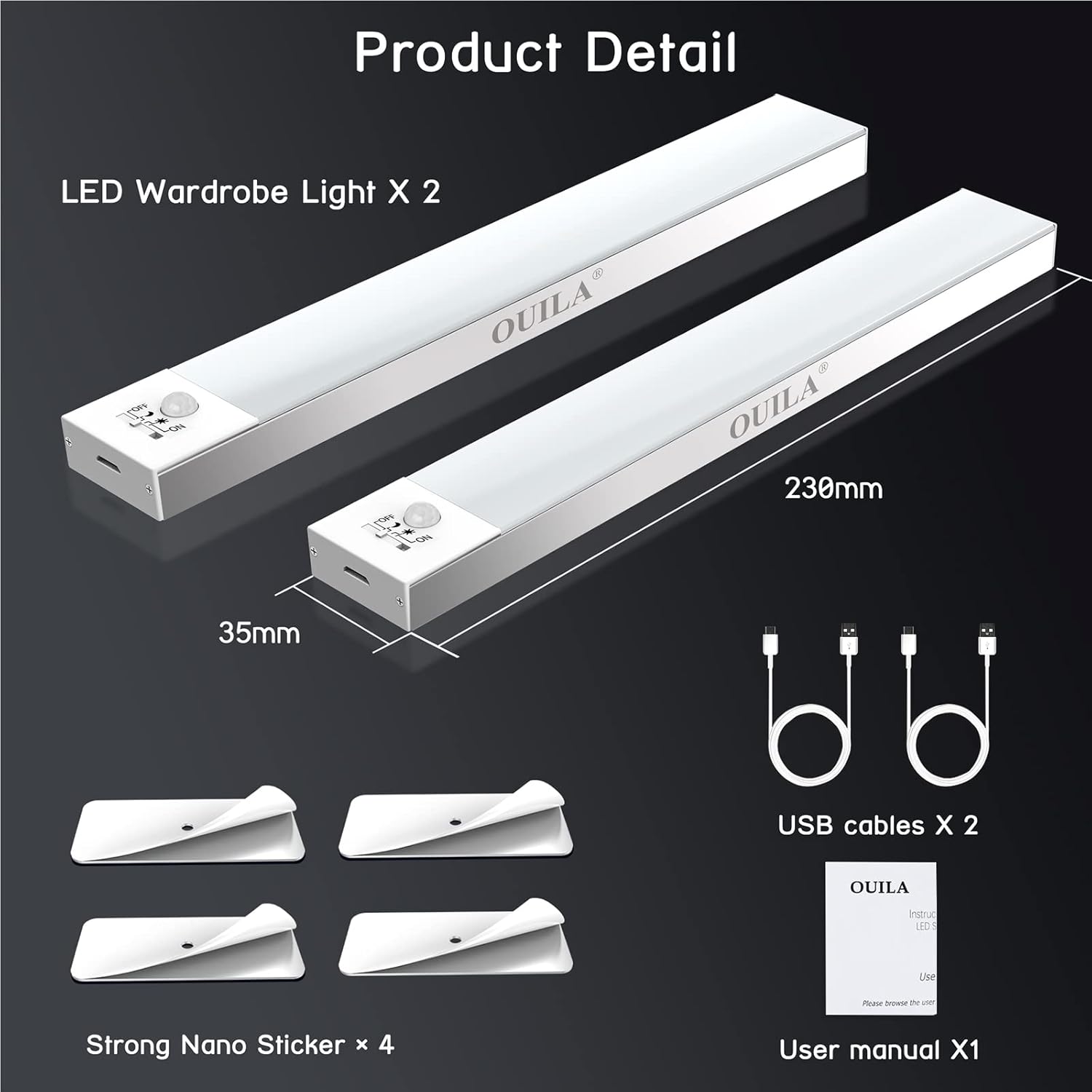
The package includes two LED wardrobe lights, two USB charging cables, and four strong nano stickers for installation.
4. Umkhiqizo Uphelileview
The OUILA 36 LED Motion Sensor Cabinet Light is designed to provide convenient and efficient illumination with its integrated motion sensor and versatile installation options.
Izici Eziyinhloko:
- 36 Ama-LED akhanyayo: Provides 5000K cool white light with a high color rendering index (>80 Ra).
- Built-in Magnetic Design: Ivumela ukunamathela kalula ezindaweni zensimbi.
- Inzwa yokunyakaza ye-PIR: Detects human movement within 3-5 meters at a 120° angle.
- 4 Izindlela Zokukhanyisa: Offers flexibility for various lighting needs (Night Sensing, Daytime Sensing, Always ON, OFF).
- I-USB Ishajwa kabusha: Equipped with a 1000mAh battery for long-lasting use.
- Eye-Care Illumination: Designed to provide soft, non-glaring light.

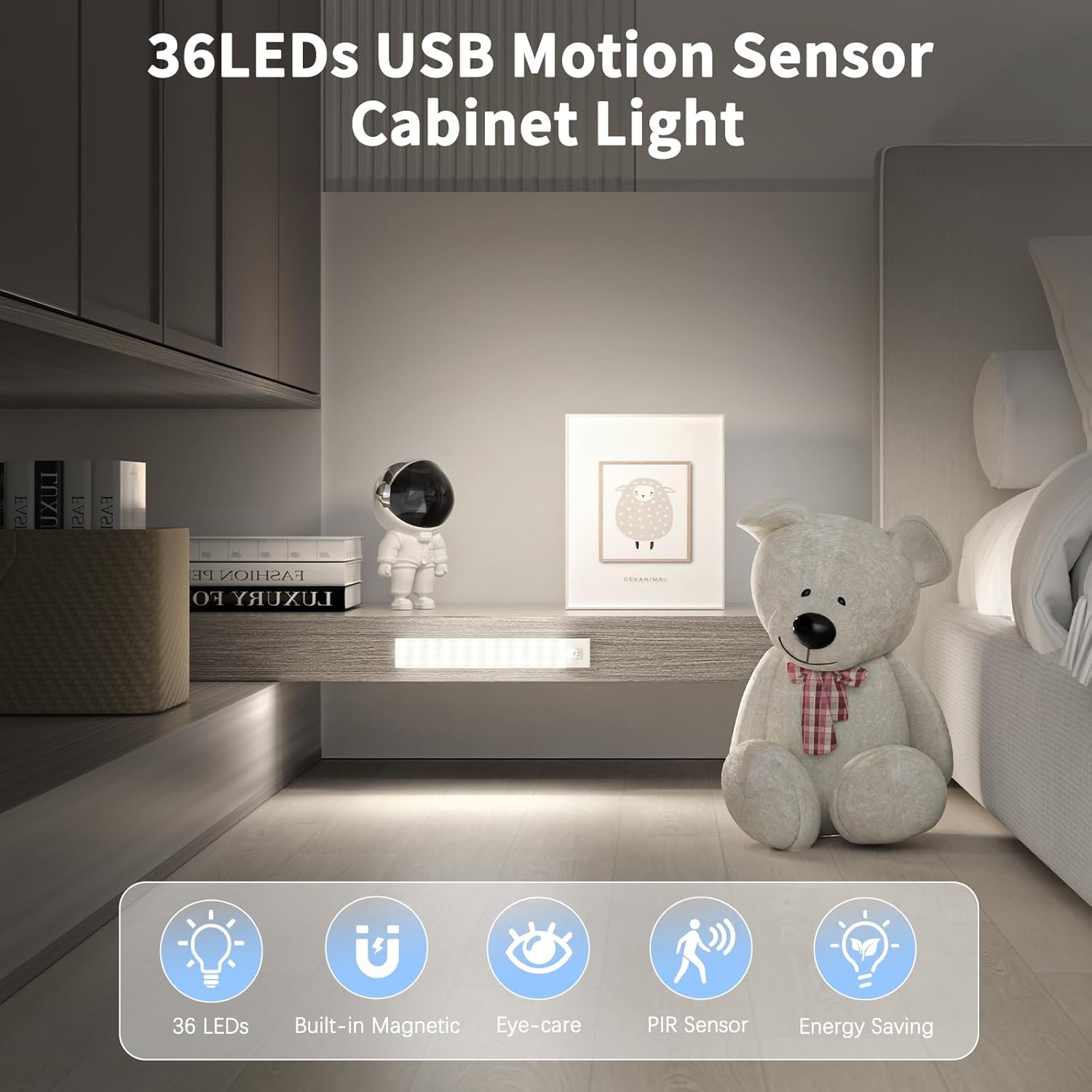
The OUILA 36 LED Motion Sensor Cabinet Light features 36 LEDs, a built-in magnetic design, eye-care illumination, a PIR motion sensor, and energy-saving operation.
5. Ukusetha nokufakwa
The OUILA cabinet light offers two primary installation methods:
Method 1: Magnetic Attachment (for Iron Surfaces)
- Ensure the iron surface is clean and dry.
- Simply place the light directly onto the iron surface. The built-in magnets will secure it in place.
Method 2: Adhesive Magnetic Strips (for Non-Iron Surfaces)
- Clean and dry the desired installation surface thoroughly.
- Peel off the protective film from one side of the 3M adhesive magnetic strip.
- Firmly press the adhesive side onto the clean surface and hold for a few seconds.
- Attach the light to the magnetic strip. The light can be easily removed for charging or repositioning.
The light can be installed directly on iron surfaces using its built-in magnets. For non-iron surfaces, use the included 3M adhesive magnetic strips.
6. Iziqondiso Zokusebenza
Ukushaja Isibani:
The light is equipped with a 1000mAh rechargeable battery. To charge:
- Locate the USB charging port on the side of the light.
- Connect the provided USB charging cable to the light and to a USB power source (e.g., USB adapter, computer, power bank).
- A ukukhanya okukhomba okubomvu will illuminate, indicating that the light is charging.
- Once fully charged, the indicator light will turn eluhlaza.
Charging typically takes 3-4 hours. A full charge can provide up to 30 days of use in motion sensor mode, depending on usage frequency.

Connect the included USB cable to the charging port. A red indicator light signifies charging, and a green light indicates a full charge. Charging takes approximately 3-4 hours. The 1000mAh battery provides up to 30 days of use in motion sensor mode.
Ukukhetha izindlela zokukhanyisa:
The light features a switch to cycle through four operating modes:
- 1. Night Sensing Mode (Moon Icon): The light will only turn on automatically when human motion is detected in a dark environment. It will turn off after 15-18 seconds if no further motion is detected.
- 2. Daytime Sensing Mode (Sun Icon): The light will turn on automatically when human motion is detected, regardless of the ambient light conditions. It will turn off after 15-18 seconds if no further motion is detected.
- 3. Always ON Mode (ON): The light will remain continuously on, functioning as a constant light source.
- 4. OFF Mode (OFF): The light is turned off and will not activate.

The light offers four modes: Daytime Sensing (auto-on when motion detected, regardless of ambient light), Night Sensing (auto-on when motion detected in dark conditions), ON Mode (light stays on continuously), and OFF Mode (light is off).
7. Isondlo
- Ukuhlanza: Wipe the light with a soft, dry cloth. Do not use abrasive cleaners or solvents.
- Ukunakekelwa kwebhethri: To prolong battery life, avoid fully discharging the battery frequently. Charge the light regularly, especially if it has not been used for an extended period.
- Ukugcinwa kwezinzwa: Keep the motion sensor clear of obstructions to ensure optimal performance.
8. Ukuxazulula izinkinga
| Inkinga | Imbangela Engenzeka | Isixazululo |
|---|---|---|
| Ukukhanya akukhanyi. | Battery is low or depleted. Incorrect mode selected. | Charge the light fully. Ensure the light is not in OFF mode. |
| Inzwa yokunyakaza ayisebenzi. | Light is in Always ON or OFF mode. Ambient light is too bright (for Night Sensing mode). Sensor is obstructed. | Switch to Night Sensing or Daytime Sensing mode. Ensure the environment is dark enough for Night Sensing. Clear any obstructions from the sensor. |
| Impilo yebhethri emfushane. | Frequent activation. Light is in Always ON mode. | Consider using Night Sensing mode in frequently used areas. Avoid using Always ON mode for extended periods if battery life is a concern. Ensure the light is fully charged. |
| Light falls off surface. | Adhesive not properly applied or surface not clean. | Clean the surface thoroughly and reapply the adhesive magnetic strip firmly. Ensure the surface is suitable for adhesive mounting. |
9. Imininingwane
| Isici | Ukucaciswa |
|---|---|
| Inombolo Yemodeli | I-GLS-C002 |
| Umthombo Wokukhanya | Ama-LED angama-36 |
| Ukushisa Kombala | 5000 Kelvin (Omhlophe Okupholile) |
| Inkomba Yokunikeza Umbala (CRI) | > 80 Ra |
| Uhlobo Lwebhethri | 2 Lithium-polymer (included) |
| Amandla ebhethri | 1000 mAh |
| Isikhathi sokushaja | 3-4 amahora |
| Usage Time (Motion Sensor Mode) | Kufika ezinsukwini ezingama-30 |
| Ibanga Lenzwa Yokunyakaza | 3-5 amamitha |
| I-engeli yenzwa yokunyakaza | 120° |
| Auto-off Delay | 15-18 seconds (after no motion) |
| Ubukhulu (L x W x H) | 23 cm x 3.5 cm x 1.4 cm |
| Isisindo | Approx. 280.66 grams (9.9 ounces) |
| Okubalulekile | I-Aluminium |
| Okokufaka Voltage | 5 volts |
| Wattage | 2 Watts |
| I-UPC | 650380990738 |
10. Iwaranti kanye Nokusekela
OUILA products are designed for reliability and performance. For warranty information or technical support, please refer to the contact details provided with your purchase or visit the official OUILA website. Please have your model number (GLS-C002) and purchase information ready when contacting support.