
1. Isingeniso
This manual provides detailed instructions for the setup, operation, and maintenance of your Bytech BYMCWC101BLK PC Web Camera. Please read this manual thoroughly before using the product to ensure proper functionality and longevity.
2. Okuqukethwe Kwephakheji
Qinisekisa ukuthi zonke izinto ezibalwe ngezansi zifakiwe kuphakheji yomkhiqizo wakho:
- I-Bytech BYMCWC101BLK PC Web Ikhamera
- Incwadi Yomsebenzisi (le dokhumenti)
- Ikhebula le-USB elihlanganisiwe
3. Setha
Follow these steps to set up your Bytech BYMCWC101BLK PC Web Ikhamera:
- Ukubekwa: Beka i- webcam on top of your computer monitor, laptop screen, or a flat surface. The adjustable clip allows for secure attachment.
- Xhuma Kukhompyutha: Plug the integrated USB cable from the webcam port etholakalayo ye-USB kukhompyutha yakho.
- Ukufakwa komshayeli: I webcam is typically plug-and-play. Your operating system (Windows, macOS, Linux) should automatically detect and install the necessary drivers. Wait for the installation to complete.
- Ukuqinisekisa: Open a video conferencing application (e.g., Zoom, Skype, Microsoft Teams) or your computer's camera application to confirm the webcam is recognized and displaying video.
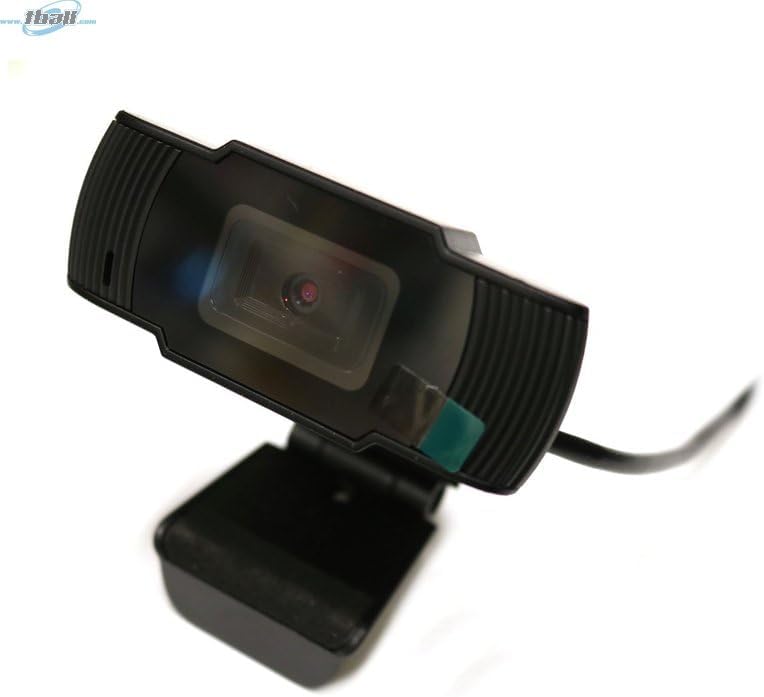
Image: The Bytech BYMCWC101BLK PC Web Camera securely mounted on top of a computer monitor, demonstrating its adjustable clip design.
4. Iziqondiso Zokusebenza
Once installed, the Bytech BYMCWC101BLK PC Web Camera can be used with various applications:
- Inkomfa Ngevidiyo: Select the Bytech webcam as your video input device within your preferred video conferencing software (e.g., Zoom, Skype, Google Meet).
- Ukusakaza: For live streaming platforms, configure the webcam as your primary video source in your streaming software (e.g., OBS Studio).
- Ukuqopha: Use your computer's built-in camera application or third-party software to record video.
- Ukusebenza Kokukhanya Okuphansi: I webcam features BSI CMOS photo sensor technology and is designed to perform effectively in low-light conditions, providing clear video even with limited ambient lighting.
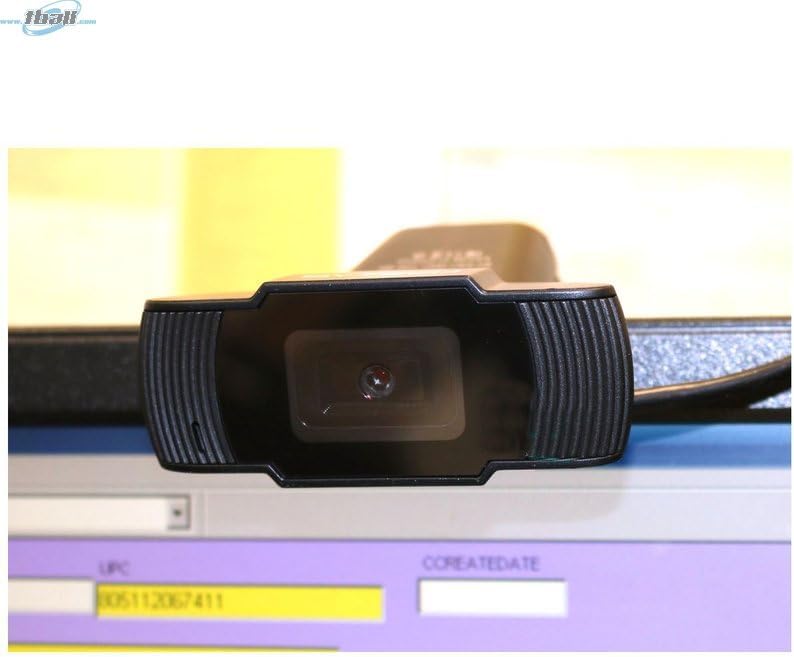
Isithombe: Ukuvala view of the Bytech BYMCWC101BLK PC Web Camera's lens, highlighting its design and integrated privacy cover (if applicable, otherwise just lens).
5. Isondlo
To ensure optimal performance and extend the lifespan of your webIkhamera:
- Ukuhlanza: Sula ilensi ngobumnene ngendwangu ethambile, engenalo uboya. Gwema ukusebenzisa amakhemikhali anamandla noma izinto ezihudulayo.
- Isitoreji: Uma ingasetshenziswa, gcina i- webcam in a clean, dry environment away from direct sunlight and extreme temperatures.
- Ukunakekelwa Kwekhebula: Ungagobi noma ubophe ikhebula le-USB ngokweqile.
6. Ukuxazulula izinkinga
Uma uhlangabezana nezinkinga nge- webcam, bheka izinkinga nezixazululo ezilandelayo ezivamile:
- Asikho Isithombe/Ividiyo:
- Qinisekisa ukuthi ikhebula le-USB lixhumeke ngokuphephile kukho kokubili webcam kanye nekhompyutha yakho.
- Zama ukuxhuma i- webcam port ehlukile ye-USB.
- Qala kabusha ikhompuyutha yakho.
- Check your application settings to ensure the Bytech webIkhamera ikhethwa njengedivayisi yokufaka ividiyo.
- Ikhwalithi Yevidiyo Ephansi:
- Qinisekisa ukukhanya okwanele endaweni yakho.
- Hlanza i webilensi yekhamera enendwangu ethambile.
- Check your application's video settings for resolution and frame rate.
- Microphone Not Working (if applicable):
- Qinisekisa ukuthi i- webcam's microphone is selected as the audio input device in your computer's sound settings and within your application.
- Ensure the microphone is not muted in your system or application.
7. Imininingwane
| Isici | Imininingwane |
|---|---|
| Igama Lemodeli | BYMCWC101BLK |
| Ibhrendi | I-Bytech |
| Ubuchwepheshe bokuxhumana | I-USB |
| Ubuchwepheshe benzwa yesithombe | BSI CMOS |
| Ifomethi yokuthwebula ividiyo | MP4 |
| Isici Esikhethekile | Ukukhanya Okuphansi |
| Umbala | Mnyama |
| Isisindo sento | 4.9 amakhilogremu |
| Ubukhulu bephakheji | 7.76 x 4.65 x 2.44 amayintshi |
8. Iwaranti kanye Nokusekela
For warranty information or technical support, please refer to the documentation included with your purchase or contact your retailer. Keep your proof of purchase for warranty claims.