
LAMA LX02 (A13-Nero)
LAMA Bluetooth Sport Headphones User Manual
Model: LX02 (A13-Nero)
Igama lomkhiqizo: LAMA
1. Isingeniso
Thank you for choosing LAMA Bluetooth Sport Headphones. This manual provides essential information for setting up, operating, and maintaining your new headphones. Please read it carefully before use to ensure optimal performance and longevity of the product.

Image 1.1: LAMA Bluetooth Sport Headphones (Model LX02, A13-Nero).
2. Okuqukethwe Kwephakheji
Sicela uhlole iphakheji ngezinto ezilandelayo:
- LAMA Bluetooth Sport Headphones
- Ikhebuli yokushaja ye-USB (Uhlobo-C)
- Multiple pairs of interchangeable ear tips (S/M/L)
- Imaniwali yosebenzisayo
3. Umkhiqizo Uphelileview
The LAMA Bluetooth Sport Headphones feature an ergonomic neckband design with in-ear earbuds, integrated controls, and a Type-C charging port.

Image 3.1: Control Panel Layout and Functions.
- Inkinobho Yokushintsha: Ukuvula / Ukuvula.
- Ukhiye 'C': Game/Music Mode Switch, Sound Effect Switch, Voice Assistant activation.
- Okhiye Bomsebenzi: Play/Pause, Answer/Hang Up Call, Redial, Reject Call.
- Okhiye bevolumu: Volume Up/Down, Previous/Next Song.

Image 3.2: Magnetic Earbud Design for secure storage.
4. Setha
4.1 Ukushaja Kwasekuqaleni
Before first use, fully charge the headphones. Connect the provided USB Type-C charging cable to the charging port on the control panel and a suitable USB power source. The battery indicator lights will show the charging status.
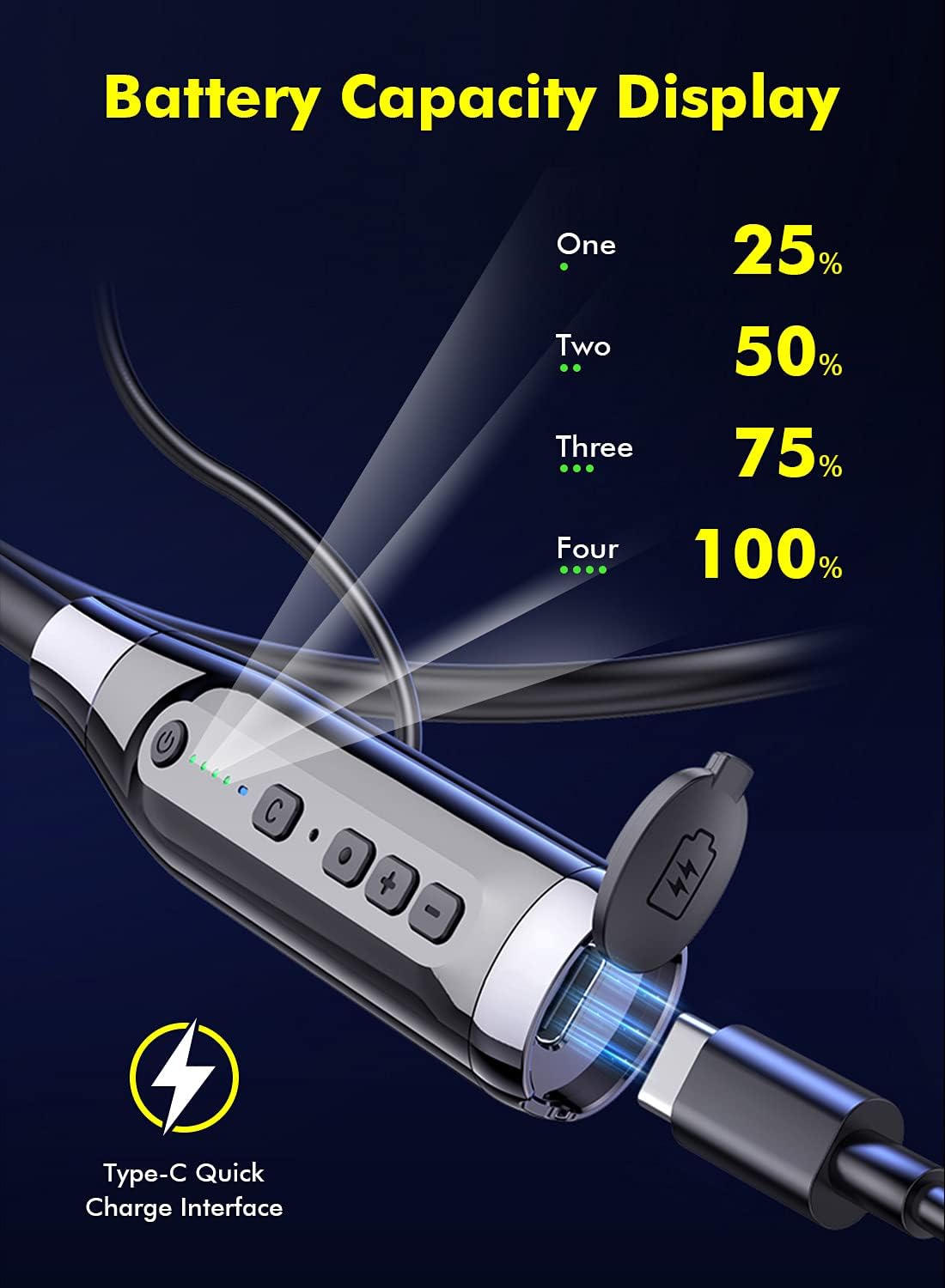
Image 4.1: Battery Capacity Display and Type-C Charging Port.
- Isikhathi sokushaja: Cishe amahora ama-2 ukushaja okuphelele.
- Battery Life: Up to 100 hours of continuous play time on a full charge.
4.2 Ukuvula / Ukuvula
- Vula: Long press the Switch Button (1) for 2 seconds.
- Cisha ugesi: Long press the Switch Button (1) for 3 seconds.
4.3 Ukumatanisa kwe-Bluetooth
- Qinisekisa ukuthi ama-headphone acishiwe.
- Long press the Switch Button (1) for 2 seconds to power on. The LED indicator will flash, indicating pairing mode.
- Edivayisini yakho (i-smartphone, ithebhulethi, njll.), vula i-Bluetooth bese usesha amadivayisi atholakalayo.
- Select "LAMA LX02" (or similar name) from the list of found devices.
- Uma isixhunyiwe, inkomba ye-LED izoyeka ukucwazimula futhi ihlale iluhlaza okwesibhakabhaka okuqinile.
5. Iziqondiso Zokusebenza
5.1 Ukudlala Umculo
- Dlala/Misa kancane: Single click the Function Key (3).
- Ivolumu ephezulu: Click the "+" Volume Key (4).
- Ivolumu Phansi: Click the "-" Volume Key (4).
- Ingoma Elandelayo: Long press the "-" Volume Key (4).
- Ingoma Edlule: Long press the "+" Volume Key (4).
5.2 Ukuphathwa Kwezingcingo
- Phendula/Phendula ikholi: Single click the Function Key (3).
- Yenqaba Ucingo: Long press the Function Key (3) for 1 second.
- Phinda ushaye inombolo yokugcina: Double click the Function Key (3).
5.3 Sound Effect and Mode Switching

Image 5.1: Three Sound Effect Switches (Bass, Voice, 3D Balance).
- Switch Sound Effect (Bass/Voice/3D Balance): Double click the 'C' Key (2).
- Switch Game/Music Mode: Single click the 'C' Key (2).

Image 5.2: Game/Music Mode with Low Latency Feature.
5.4 Umsizi Wezwi
- Sebenzisa i-Voice Assistant (uSiri, i-Google Assistant, njll.): Long press the 'C' Key (2) for 1 second.
6. Isondlo
6.1 Ukuhlanza
- Sula ama-headphone ngendwangu ethambile neyomile.
- Ungasebenzisi izinto zokuhlanza abrasive noma izincibilikisi.
- Regularly clean ear tips to prevent wax buildup, which can affect sound quality.
6.2 Isitoreji
- Gcina ama-headphone endaweni epholile, eyomile ekude nelanga eliqondile namazinga okushisa aphezulu.
- The magnetic earbuds help prevent tangling and secure the headphones when not in use.
6.3 Ukumelana Namanzi (IPX5)
The headphones are rated IPX5 water-resistant, meaning they can withstand splashes and sweat. They are suitable for sports and outdoor activities.

Image 6.1: IPX5 Water Resistance for active use.
Okubalulekile: IPX5 rating does not mean the headphones are waterproof for submersion. Do not immerse them in water.
7. Ukuxazulula izinkinga
| Inkinga | Imbangela Engenzeka | Isixazululo |
|---|---|---|
| Ama-headphone awavuli amandla. | Ibhethri eliphansi. | Shaja ama-headphone ngokugcwele. |
| Ayikwazi ukubhanqa nedivayisi. | Bluetooth is off on device; headphones not in pairing mode; too far from device. | Ensure Bluetooth is enabled on your device. Put headphones in pairing mode. Move closer to the device (within 10 meters). |
| Awukho umsindo noma ivolumu ephansi. | Volume too low; headphones not connected; ear tips blocked. | Adjust volume on headphones and device. Reconnect headphones. Clean ear tips. |
| Izinga lomsindo liphansi. | Poor connection; incorrect sound effect mode. | Ensure stable Bluetooth connection. Try switching sound effect modes (Bass, Voice, 3D Balance). |
| Imakrofoni ayisebenzi. | Microphone blocked; device settings. | Ensure microphone is not covered. Check device's audio input settings. |
8. Imininingwane
- Imodeli: I-LX02
- Ibhrendi: LAMA
- Ukuxhumana: I-Bluetooth 5.0
- Amandla ebhethri: 1000 mAh
- Isikhathi sokushaja: Cishe amahora angama-2
- Isikhathi sokudlala esiqhubekayo: Kufika emahoreni angu-100
- Imbobo yokushaja: USB Type-C (supports QC 3.0, QC2.0, QC1.0 fast charging protocols)
- Ukumelana Namanzi: IPX5
- Indlela yokulawula: Izwi, Inkinobho
- Imakrofoni: Integrated, Stereo technology
- Okubalulekile: Ipulasitiki
- Isisindo: 200 g
- Izici ezengeziwe: Noise Cancellation, Lightweight, Magnetic Design, Multiple Sound Effects (Bass, Voice, 3D Balance), Game/Music Low Latency Mode.
9. Ulwazi Lokuphepha
- Ungawuhlakazi noma uguqule umkhiqizo.
- Keep away from extreme temperatures, humidity, and corrosive substances.
- Gwema ukulalela isikhathi eside kakhulu uma uzwa umsindo omkhulu ukuze uvimbele ukulimala kokuzwa.
- Do not use headphones while driving or in situations where you need to be aware of your surroundings.
- Lahla amabhethri nezingxenye ze-elekthronikhi ngokuzibophezela ngokwemithetho yendawo.
10. Iwaranti kanye Nokusekela
LAMA products come with a standard manufacturer's warranty. For detailed warranty information, product support, or service inquiries, please refer to the warranty card included in your package or visit the official LAMA webindawo.
For customer service, please contact your retailer or the LAMA support team.
Ask a question about this manual
Ask about setup, troubleshooting, compatibility, parts, safety, or missing instructions. Manuals+ will review the question and use this page’s manual context to help answer it.