
1. Isingeniso
Thank you for choosing AMAFACE Wireless Earbuds. This manual provides essential information for setting up, operating, and maintaining your new earbuds. Please read it carefully to ensure optimal performance and longevity of your device.
2. Umkhiqizo Uphelileview
The AMAFACE Wireless Earbuds are designed for comfort and high-quality audio, featuring Bluetooth 5.0 connectivity, noise cancellation, and 3D surround stereo sound. They are lightweight and come with a portable mini charging case.

Image: AMAFACE Wireless Earbuds and their unique Dairy Cow themed charging case.
Izici Eziyinhloko:
- Gift Design Cute Dairy Cow Earphones: Unique appearance suitable for both kids and adults.
- Ikhwalithi Yomsindo ye-HIFI: Equipped with Bluetooth 5.0 noise reduction technology for stable pairing and crystal-clear sound. Features built-in high-quality mic and lossless Hifi rendering for deep bass and clear highs.
- Ultra-Lightweight & Outstanding Comfort: Ergonomic, painless design weighing only 3.8g per earbud, ensuring comfortable and secure fit for extended use. Includes three sizes (L, M, S) of soft, comfy ear tips.
- Music and Game Modes: Easily switch between modes with a triple press on the right earbud. Game mode offers 48ms ultra-low latency and 3D stereo game sound.
- USB-C Fast Charging & All-Day Lasting: Provides approximately 6 hours of playtime per charge, with the charging case offering an additional 30 hours, totaling 36 hours of use. The charging case fully charges in 2 hours via USB-C.

Image: Illustration of the seamless Bluetooth 5.0 connection technology integrated into the earbuds.

Image: Visual representation of the HIFI stereo sound quality, showing sound waves and earbud components.

Image: Earbuds shown with water splashes, indicating their sweat and water-resistant capabilities.
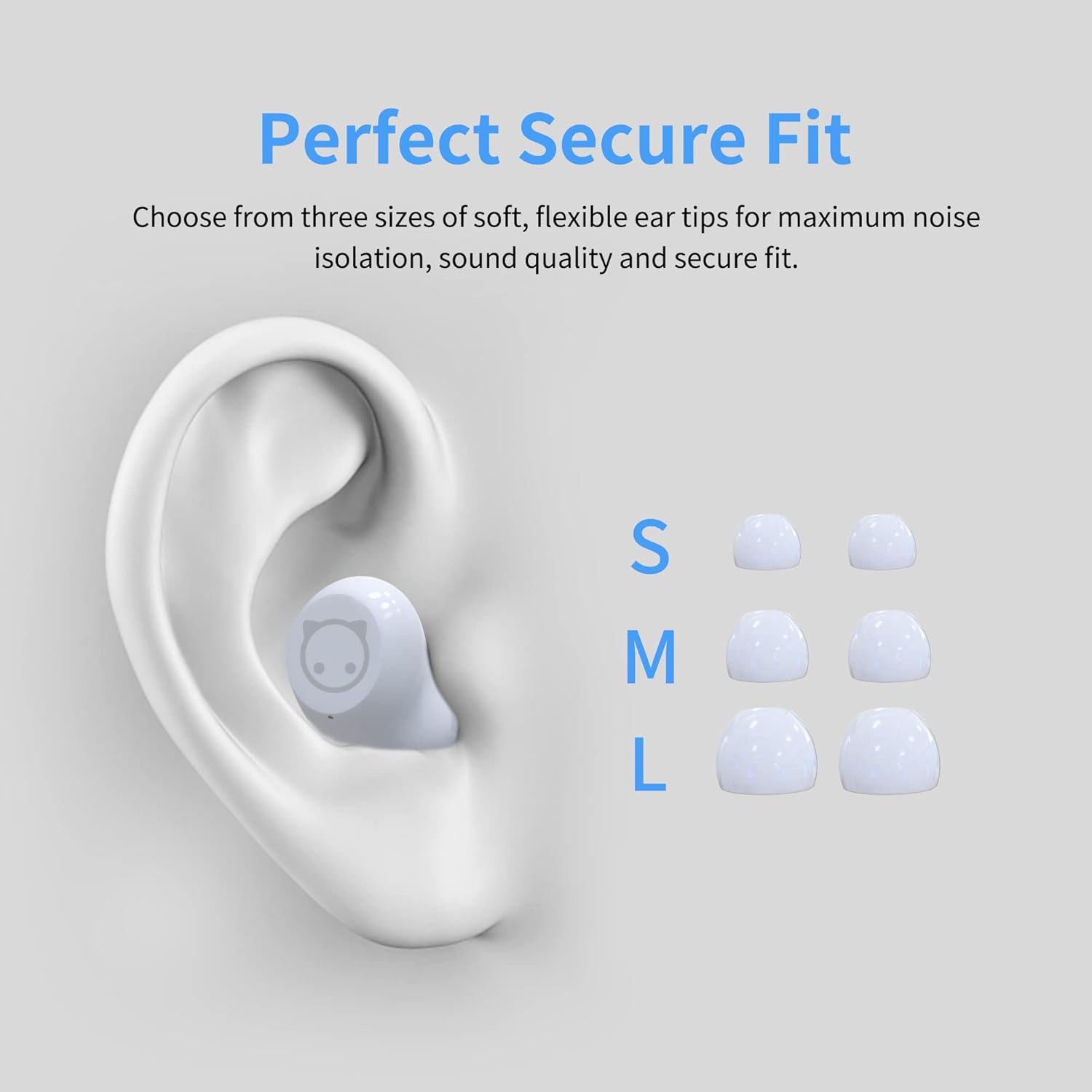
Image: Diagram showing an ear with an earbud inserted and different sizes (S, M, L) of ear tips for a perfect secure fit.

Image: A woman wearing the earbuds, demonstrating their comfortable fit in the ear.
3. Yini EseBhokisini
- AMAFACE Wireless Earbuds (Left and Right)
- Dairy Cow Charging Case
- Ikhebuli yokushaja ye-USB-C
- Amathiphu Endlebe (osayizi S, M, L)
- Imaniwali yosebenzisayo
4. Setha
4.1 Ukushaja Kwasekuqaleni
Before first use, fully charge the earbuds and the charging case. Connect the provided USB-C cable to the charging port on the case and a power source. The LED indicators on the case will show charging status.

Image: The charging case with four LED lights indicating battery charge levels (25%, 50%, 75%, 100%).
4.2 Ukumatanisa Nedivayisi Yakho
The earbuds feature simple one-touch pairing. Follow these steps:
- Vula ikesi lokushaja. Ama-earbud azongena ngokuzenzakalelayo kumodi yokumatanisa.
- Ku-smartphone yakho, ithebhulethi, noma ikhompyutha, vula i-Bluetooth.
- Cinga available Bluetooth devices and select "AMAFACE-K72" (or similar name) from the list.
- Uma sezixhunyiwe, ama-earbud azobonisa ukubhanqa okuphumelelayo.

Image: Visual guide for simple one-touch pairing, showing the earbuds in the case and a smartphone's Bluetooth settings screen.
4.3 Ukugqoka ama-Earbuds
For optimal sound and comfort, choose the ear tips that best fit your ears. Insert the earbuds into your ears and gently twist to secure them.

Image: Two-step diagram illustrating how to insert earbuds into the ear and then adjust them for a secure fit.
5. Iziqondiso Zokusebenza
5.1 Izilawuli zokuthinta
The earbuds feature intelligent touch controls for various functions:
- Dlala/Misa kancane: Ukuthepha okukodwa kunoma iyiphi i-earbud.
- Ithrekhi Eyangaphambili/Elandelayo: Double tap on the left/right earbud respectively.
- Phendula/Vala ucingo: Ukuthepha okukodwa kunoma iyiphi i-earbud ngesikhathi socingo olungenayo.
- Vula Umsizi Wezwi (Siri/Umsizi we-Google): Cindezela isikhathi eside kunoma iyiphi i-earbud.
- Switch Music/Game Mode: Cindezela kathathu ku-earbud yesokudla.

Image: Diagram illustrating the various touch control functions of the earbuds, including play/pause, track skipping, call management, voice assistant, and mode switching.
5.2 Music and Game Modes
Your earbuds support two distinct modes:
- Imodi Yomculo: Optimized for rich audio experience with deep bass and clear highs.
- Imodi yegeyimu: Provides ultra-low latency (48ms) and 3D stereo game sound for an immersive gaming experience.
To switch between modes, triple press the right earbud.
5.3 Impilo Yebhethri Nokushaja
The earbuds offer approximately 6 hours of playtime on a single charge. The portable charging case provides an additional 30 hours of playtime, for a total of 36 hours. The charging case takes about 2 hours to fully charge using the provided USB-C cable.
Video: A short demonstration of the AMAFACE Dairy Cow Wireless Earbuds, showcasing ukwakheka nokusebenza kwazo.
6. Isondlo
To ensure the longevity and performance of your earbuds, follow these maintenance guidelines:
- Ukuhlanza: Hlanza njalo ama-earbud nekesi lokushaja ngendwangu ethambile, eyomile. Ungasebenzisi amakhemikhali anokhahlo noma izinto ezilumayo.
- Ukumelana Namanzi: The earbuds are IPX5 water-resistant, meaning they are protected from rainstorms and water splashes. However, they are not designed for submersion in water. Avoid exposing them to excessive moisture.
- Isitoreji: Uma ingasetshenziswa, gcina ama-earbud kukesi lawo lokushaja ukuze uwavikele futhi uwagcine eshajile.
- Impilo Yezindlebe: For your ear health, it is recommended to take off the earbuds every 2 hours to allow your ears to relax.

Image: An earbud being gently wiped with a soft cloth, demonstrating proper cleaning.
7. Ukuxazulula izinkinga
If you encounter any issues with your AMAFACE Wireless Earbuds, please refer to the following common solutions:
| Inkinga | Isixazululo Esingenzeka |
|---|---|
| Ama-earbud awamatanisi | Ensure earbuds are charged. Place them back in the case, close, then open again. Turn off and on Bluetooth on your device. Forget the device in your Bluetooth settings and re-pair. |
| Awukho umsindo ovela ku-earbud eyodwa | Check battery level of both earbuds. Place both earbuds back in the case, close, and reopen. Ensure both earbuds are properly connected to your device. |
| Ikesi elishajayo alishaji | Ensure the USB-C cable is securely connected to both the case and the power source. Try a different USB-C cable or power adapter. |
| Ikhwalithi yomsindo engeyinhle | Ensure earbuds are clean and free of debris. Try different sized ear tips for a better seal. Move closer to your connected device to avoid interference. |
8. Imininingwane
| Isici | Imininingwane |
|---|---|
| Ibhrendi | AMAFACE |
| Igama Lemodeli | AMAFACE-K72-US-FBA |
| Ubuchwepheshe bokuxhumana | I-Bluetooth 5.0, Engenantambo |
| Ukubekwa Kwendlebe | Endlebeni |
| I-Form Factor | Endlebeni |
| Ukulawula Umsindo | Ukuhlukaniswa Komsindo |
| Isisindo sento | Amagremu angu-45 (ama-ounces angu-1.59) |
| Ubukhulu bomkhiqizo | 3.1 x 3.1 x 2.2 amayintshi |
| Impilo Yebhethri | Amahora angu-6 (ama-earbud), Amahora angu-36 (nesikhwama sokushaja) |
| Isikhathi sokushaja | 2 Hours (charging case) |
| Izinga Lokumelana Namanzi | I-Water Resistant (IPX5) |
| Okubalulekile | Ipulasitiki |
| I-Frequency Range | 20Hz - 20kHz |
| Ukubambezeleka komsindo | 48 amasekhondi (Imodi yegeyimu) |
| I-UPC | 755334177835 |
9. Iwaranti kanye Nokusekela
AMAFACE is committed to providing high-quality products. For any warranty claims, technical support, or inquiries, please contact our customer service team. Details on warranty coverage and how to reach us can be found on the official AMAFACE webindawo noma ngenkundla yakho yokuthenga.
We value your satisfaction and are here to assist you with any questions or concerns regarding your Wireless Earbuds.