
Isingeniso
The Poly DA75 is a versatile USB-A/USB-C digital adapter designed to connect Poly Quick Disconnect (QD) headsets to computers. It ensures clear audio quality for call center environments, supporting both USB-A and USB-C connections for compatibility with various systems. This adapter is engineered to work seamlessly with platforms such as Avaya, Genesys, and Cisco, providing a reliable audio solution for professionals.
Izici ezibalulekile zifaka:
- Ukuxhumana Okubanzi: Equipped with both USB-A and USB-C connectors on the cable for broad compatibility with new and legacy equipment.
- Intelligent Headset Recognition: Automatically adjusts audio performance to the specific Poly Quick Disconnect headset for optimized call quality.
- Acoustic Protection: Incorporates features to manage safe volume levels, protecting user hearing.
- Ukuhlanganiswa Kweplatifomu: Fully compatible with leading call center platforms including Avaya, Genesys, and Cisco.
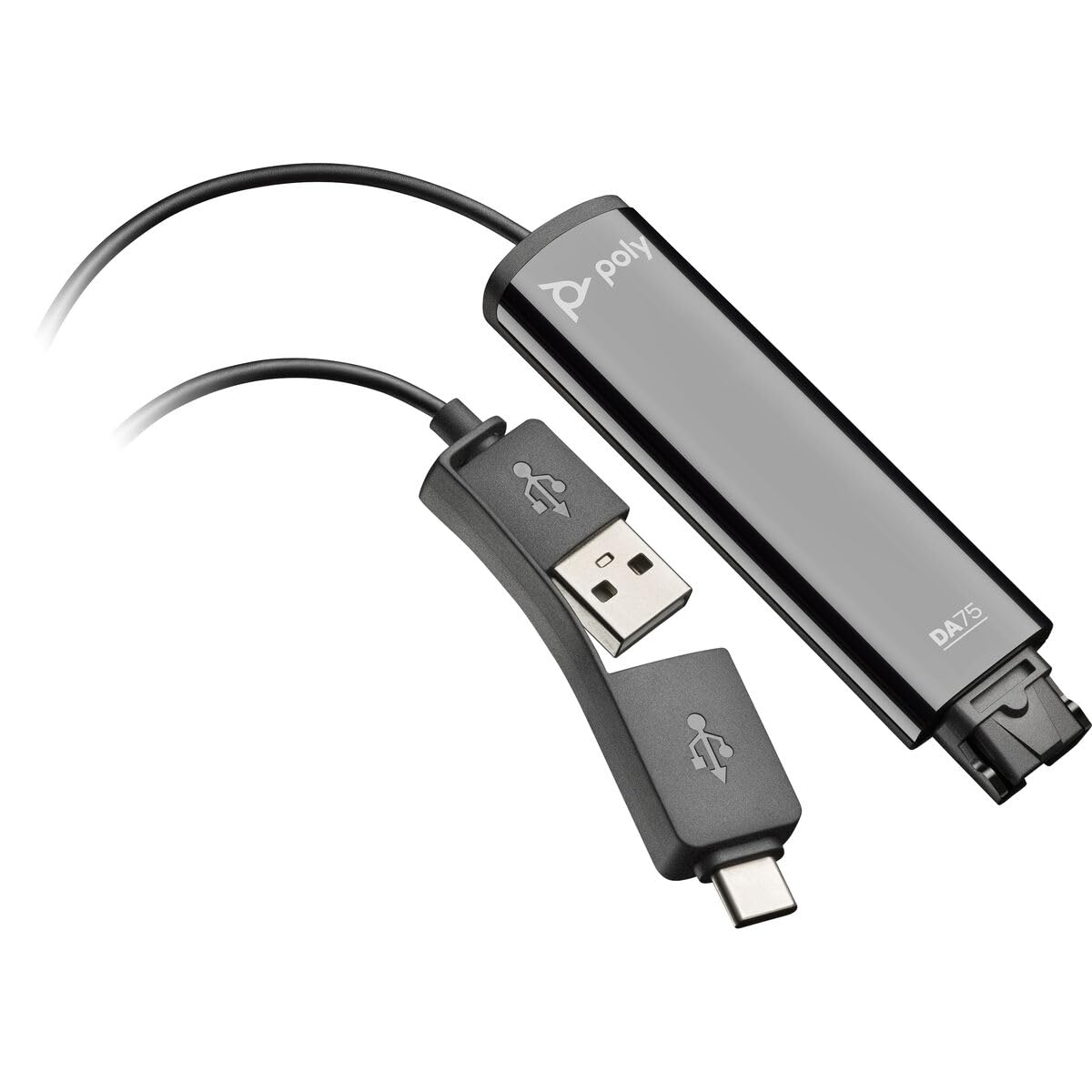
Image: The Poly DA75 USB-A/USB-C Digital Adapter, showing its dual USB-A and USB-C connectors and the Quick Disconnect port for headsets.
Yini EseBhokisini
The Poly DA75 package typically includes the following items:
- Poly DA75 USB-A/USB-C Digital Adapter
- Amadokhumenti (Umhlahlandlela Wokuqala Ngokushesha, Ulwazi Lokuphepha)
Note: Headsets are sold separately and are not included with the DA75 adapter.
Setha
Follow these steps to set up your Poly DA75 Digital Adapter:
- Xhuma i-Headset: Connect your Poly Quick Disconnect (QD) headset to the QD port on the Poly DA75 adapter. Ensure the connection is secure.
- Xhuma Kukhompyutha:
- If your computer has a USB-A port, use the USB-A connector on the DA75 cable.
- If your computer has a USB-C port, use the USB-C connector on the DA75 cable.
Plug the appropriate USB connector into an available USB port on your computer.
- Ukufakwa komshayeli: The DA75 is a plug-and-play device. Your operating system (Windows, macOS) should automatically detect the device and install the necessary drivers. This process may take a few moments.
- Qinisekisa Ukubonwa Kwedivayisi:
- IWindows: Iya ku Settings > System > Sound or Iphaneli yokulawula > Umsindo. The Poly DA75 should appear as an audio input and output device.
- i-macOS: Iya ku System Settings > Sound. The Poly DA75 should appear as an input and output device.
Select the Poly DA75 as your default communication device for both playback and recording.
- Ukucushwa Kwesoftware: If you are using communication software (e.g., Avaya, Genesys, Cisco, Microsoft Teams, Zoom), ensure that the Poly DA75 is selected as the audio device within the application's settings.
Imiyalelo yokusebenza
The Poly DA75 adapter facilitates audio communication through your connected Poly QD headset. Its operation is primarily managed through your computer's operating system and communication software.
- Ukwenza/Ukwamukela Izingcingo: Use your communication software to initiate or answer calls. The audio will be routed through your connected Poly QD headset via the DA75 adapter.
- Ukulawula ivolumu: Adjust the listening volume using your computer's system volume controls or the volume controls within your communication application.
- Thulisa imakrofoni: Mute and unmute your microphone using the controls provided by your communication software.
- Audio Optimization: The DA75 automatically optimizes audio for your specific Poly QD headset. No manual adjustments are typically required for audio profiles.
Isondlo
To ensure the longevity and optimal performance of your Poly DA75 Digital Adapter, follow these maintenance guidelines:
- Ukuhlanza: Gently wipe the adapter with a soft, dry, anti-static cloth. Do not use liquid cleaners or abrasive materials.
- Isitoreji: Gcina i-adaptha endaweni epholile, eyomile ekude nelanga eliqondile namazinga okushisa aphezulu.
- Ukuphatha: Gwema ukugoba noma ukusonta ikhebula ngokweqile, ikakhulukazi eduze kwezixhumi, ukuze uvimbele umonakalo wangaphakathi.
- Ukuxhumana: Ensure the Quick Disconnect (QD) connection and USB connections are clean and free of debris before connecting.
Ukuxazulula inkinga
If you encounter issues with your Poly DA75 Digital Adapter, refer to the following troubleshooting steps:
| Inkinga | Imbangela Engenzeka | Isixazululo |
|---|---|---|
| Awukho umsindo ovela kumahedisethi |
|
|
| Imakrofoni ayisebenzi |
|
|
| Adapter not recognized by computer |
|
|
Imininingwane
| Isici | Imininingwane |
|---|---|
| Inombolo Yemodeli | 218266-01 |
| Ibhrendi | IPOLY |
| Uhlobo Lwesixhumi | USB-A, USB-C (dual connector) |
| Amadivayisi Ahambisanayo | Poly Quick Disconnect (QD) Headsets |
| Ukusetshenziswa Okuthize | PC, Call Center Platforms (Avaya, Genesys, Cisco) |
| Umbala | Mnyama |
| Ubukhulu bento (L x W x H) | 0.98 x 0.39 x 2.95 amayintshi |
| Isisindo sento | 30 amagremu |
| Inani lamachweba | 2 (USB-A/USB-C to QD) |
| I-UPC | 197029650054, 017229175112 |
Iwaranti kanye Nokusekela
Ulwazi Lwesiqinisekiso: The Poly DA75 Digital Adapter comes with a Iwaranti elinganiselwe yomkhiqizi yonyaka owodwa. Lesi siqinisekiso sihlanganisa amaphutha ezintweni zokwakha kanye nokusebenza ngaphansi kokusetshenziswa okuvamile. Sicela ugcine ubufakazi bakho bokuthenga izimangalo zewaranti.
Ukusekela kwezobuchwepheshe: For technical assistance, product inquiries, or warranty service, please contact Poly customer support. Visit the official Poly website for the most up-to-date support contact information, FAQs, and additional resources.
Izinsiza eziku-inthanethi: I-Poly Support Webindawo