
1. Isingeniso
Siyabonga ngokuthengaasing the GOWIN Colossus Mini 8-inch Bluetooth Speaker. This manual provides essential information for the safe and efficient operation of your device. Please read it thoroughly before use and retain it for future reference.
2. Ulwazi Lokuphepha
Izinyathelo Zokuphepha Ezijwayelekile
- Ungabeki isipikha emanzini, emswakama, noma emazingeni okushisa aphezulu.
- Gwema ukuwisa noma ukubeka isikhulumi kuthonya elinamandla.
- Do not attempt to disassemble or repair the speaker yourself. Contact qualified service personnel.
- Gcina isipikha kude nemithombo yokushisa kanye nokukhanya kwelanga okuqondile.
- Qinisekisa ukungena komoya ofanele ukuvimbela ukushisa ngokweqile.
Ukuphepha Kwebhethri
- Sebenzisa kuphela ikhebuli yokushaja enikeziwe.
- Do not dispose of the battery in fire or expose it to high temperatures.
- If the battery leaks, avoid contact with skin and eyes. Seek medical attention if contact occurs.
- Ungawafinyezi amatheminali ebhethri.
3. Okuqukethwe Kwephakheji
Qinisekisa ukuthi zonke izinto zikhona kuphakheji:
- GOWIN Colossus Mini 8-inch Bluetooth Speaker
- 3.5 mm Ikhebula Elisizayo
- Ikhebula Lamandla
- Isilawuli kude
- Incwadi Yomsebenzisi (le dokhumenti)
4. Umkhiqizo Uphelileview
The GOWIN Colossus Mini is a portable Bluetooth speaker designed for versatile audio playback.
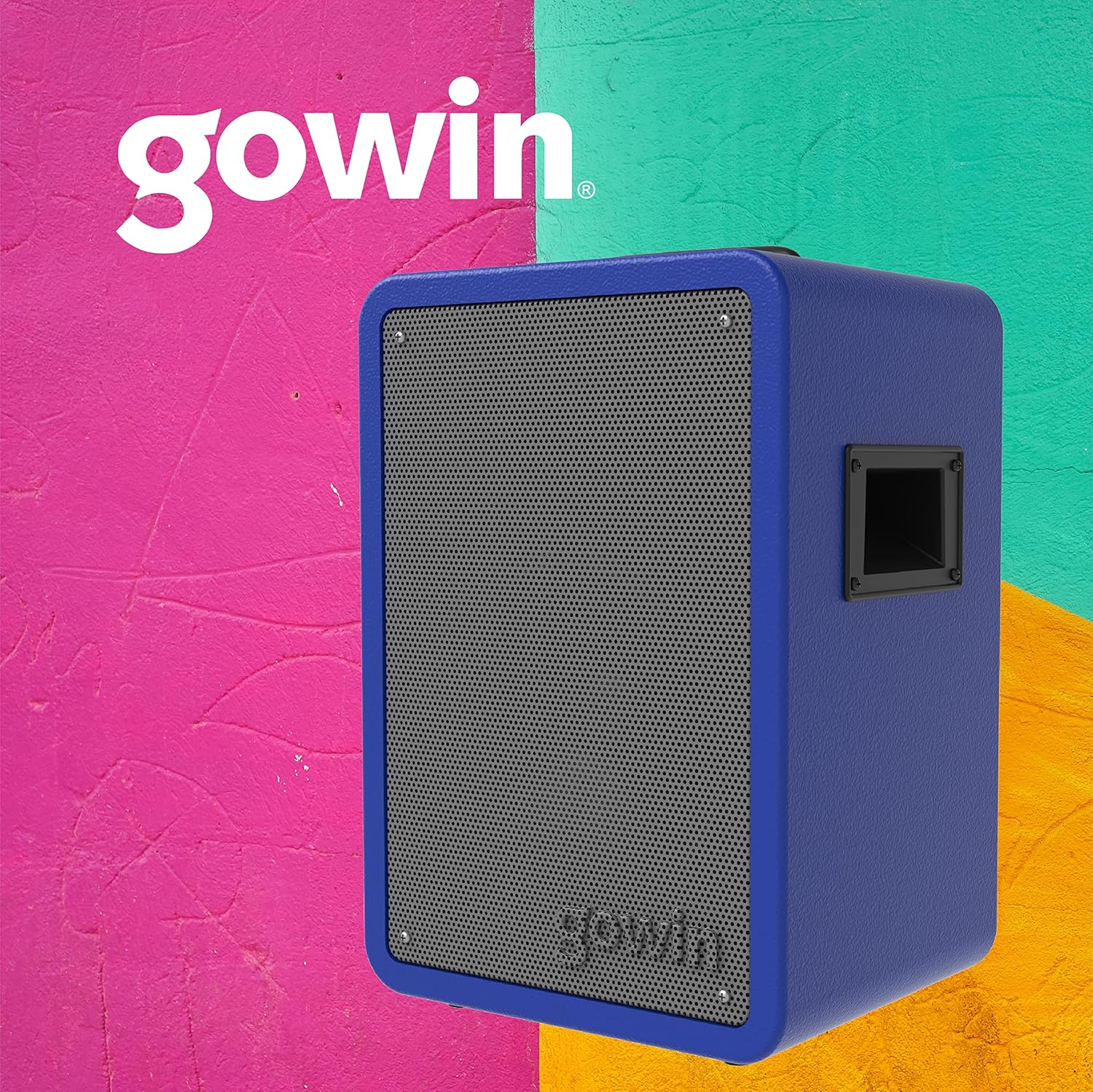
Umfanekiso 4.1: Ngaphambili view of the GOWIN Colossus Mini Speaker.
Iphaneli yokulawula
The control panel is located on the rear of the speaker and provides access to various functions and inputs.

Figure 4.2: Rear control panel with USB, Micro SD, Aux, and Microphone inputs.
- Ukushintshwa Kwamandla: IVULA noma IVALI isipikha.
- Inkinobho yemodi: Switches between Bluetooth, USB, Micro SD, FM Radio, and Auxiliary input modes.
- Okokufaka kwe-USB: For playing audio from USB flash drives.
- Micro SD Input: For playing audio from Micro SD cards.
- Okokufaka Kokusiza (3.5mm): Connect external audio devices using the provided 3.5mm cable.
- Okokufaka kwemakrofoni: Connect a microphone for karaoke or public address functions.
- Volume/Control Knobs: Adjust master volume, microphone volume, and echo effects.
- Ukuboniswa kwe-LED: Ibonisa imodi yamanje, ulwazi lwethrekhi, noma imvamisa ye-FM.
- Imbobo yokushaja: Connect the power cable for charging.
5. Setha
Ukushaja Kwasekuqaleni
Before first use, fully charge the speaker for approximately 10 hours. Subsequent charging time is about 2 hours for up to 4 hours of usage.
- Connect the power cable to the speaker's charging port.
- Xhuma enye ingxenye yekhebula yamandla endaweni yamandla efanelekile.
- Inkomba ye-LED izobonisa isimo sokushaja. Uma isishajwe ngokugcwele, nqamula ikhebula.
Ivula/Vala amandla
Locate the Power Switch on the control panel. Flip the switch to the "ON" position to power on the speaker. Flip it to "OFF" to power off.
6. Iziqondiso Zokusebenza
Ukubhanqa kwe-Bluetooth
Ukuze uxhume idivayisi yakho nge-Bluetooth:
- Power on the speaker. The speaker will automatically enter Bluetooth pairing mode, indicated by a flashing Bluetooth icon on the LED display.
- Kudivayisi yakho yeselula (i-smartphone, ithebhulethi, njll.), vula i-Bluetooth bese usesha amadivaysi atholakalayo.
- Select "GOWIN Colossus Mini" from the list of devices.
- Once paired, the speaker will emit a confirmation sound, and the Bluetooth icon on the LED display will stop flashing.
- You can now play audio from your device through the speaker. The wireless range is up to 10 meters.
Ukudlala kwe-USB/Micro SD
To play audio from a USB flash drive or Micro SD card:
- Faka idrayivu ye-USB flash noma ikhadi le-Micro SD endaweni ehambisanayo kuphaneli yokulawula.
- Isipikha sizoshintshela ngokuzenzakalelayo kumodi ye-USB noma ye-Micro SD bese siqala ukudlala umsindo. Uma kungenjalo, cindezela inkinobho ethi "Mode" ukuze ukhethe okufakwayo okulungile.
- Use the control panel buttons or remote control to play, pause, skip tracks, and adjust volume.
Umsakazo we-FM
Ukusebenzisa umsebenzi we-FM Radio:
- Press the "Mode" button until "FM" appears on the LED display.
- Cindezela bese ubamba inkinobho ethi Dlala/Misa ukuze uskene ngokuzenzakalelayo futhi ulondoloze iziteshi ze-FM ezitholakalayo.
- Sebenzisa izinkinobho zethrekhi Yangaphambilini/Elandelayo ukuze uzulazule phakathi kweziteshi ezigciniwe.
Okokufaka Kokusiza
To connect an external audio device via the auxiliary input:
- Connect one end of the 3.5mm auxiliary cable to the speaker's "AUX IN" port.
- Xhuma enye ingxenye yekhebula kujekhi ye-headphone noma okukhiphayo komsindo wedivayisi yakho yangaphandle.
- Press the "Mode" button until "AUX" appears on the LED display.
- Play audio from your external device. Adjust volume using the speaker's controls or your device's volume.
Okokufaka kwemakrofoni
To use a microphone with the speaker:
- Connect a microphone (not included) to the "MIC IN" port on the control panel.
- Adjust the microphone volume and echo effect using the dedicated knobs on the control panel.
Ukusetshenziswa kwesilawuli kude
The included remote control allows for convenient operation of the speaker from a distance. Functions include power, mode selection, volume control, track navigation, and play/pause.
7. Isondlo
Ukuhlanza
- Cima njalo futhi ukhiphe isipikha ngaphambi kokuhlanza.
- Use a soft, dry cloth to wipe the exterior of the speaker.
- Ungasebenzisi izinto zokuhlanza abrasive, wax, noma izincibilikisi.
Isitoreji
- Gcina isipikha endaweni epholile, neyomile kude nelanga eliqondile namazinga okushisa aphezulu.
- Uma igcinwa isikhathi eside, shaja ibhethri njalo ukuze ihlale isikhathi eside.
8. Ukuxazulula izinkinga
Uma uhlangabezana nezinkinga ngesikhulumi sakho, bheka izinkinga nezixazululo ezilandelayo ezivamile:
| Inkinga | Imbangela Engenzeka | Isixazululo |
|---|---|---|
| Isipikha asikhanyisi. | Battery is depleted. Power cable not connected. | Charge the speaker. Ensure power cable is securely connected. |
| Awukho umsindo. | Volume is too low. Incorrect mode selected. Device not paired (Bluetooth). | Increase volume. Press 'Mode' button to select correct input. Re-pair Bluetooth device. |
| Idivayisi ye-Bluetooth ayikwazi ukubhanqa. | Isipikha asikho kumodi yokumatanisa. Idivayisi ikude kakhulu. Ukugxambukela. | Ensure speaker is in Bluetooth mode. Move device closer (within 10m). Avoid obstacles. |
| USB/Micro SD not playing. | Akulungile file ifomethi. Ikhadi/idrayivu ayifakwanga kahle. | Qinisekisa umsindo files are compatible (e.g., MP3). Reinsert the USB drive or Micro SD card. |
9. Imininingwane
| Igama Lemodeli | Colossus Mini |
| Inombolo Yemodeli | RED-783 |
| Ibhrendi | GOWIN |
| Usayizi wesipika | 8 amayintshi |
| Usayizi Womshayeli | 2 amayintshi |
| Wattage (Max Output) | 700 Watts |
| Impedance | 3 ohm |
| Impendulo Yemvamisa | 100Hz - 18KHz |
| Ubuchwepheshe bokuxhumana | I-Bluetooth |
| Uhlobo olungenantambo | 10 amamitha |
| Uhlobo Lwebhethri | Rechargeable Lithium Ion (1800 mAh / 7.4 V) |
| Isikhathi sokushaja | 2 hours (initial charge 10 hours) |
| Isilinganiso Sempilo Yebhethri | Kufika emahoreni angu-4 |
| Okokufaka | USB, Micro SD, 3.5mm Aux, Microphone |
| Okubalulekile | Izinkuni |
| Ubukhulu bomkhiqizo (L x W x H) | 29 x 34 x 46 cm (cishe 11.4 x 13.4 x 18.1 amayintshi) |
| Isisindo Somkhiqizo | 7 kg (cishe 15.4 lbs) |
| Izici ezikhethekile | High-resolution audio, Bass boost, FM Radio, LED Display |
10. Iwaranti kanye Nokusekela
Ulwazi Lwewaranti
This GOWIN product comes with a Iwaranti yonyaka ongu-1 from the date of purchase. The warranty covers manufacturing defects and malfunctions under normal use. It does not cover damage caused by misuse, accidents, unauthorized modifications, or normal wear and tear.
Sicela ugcine ubufakazi bakho bokuthenga izimangalo zewaranti.
Ukwesekwa Kwamakhasimende
For technical assistance, warranty claims, or any questions regarding your GOWIN Colossus Mini speaker, please contact GOWIN customer support through the official GOWIN webisayithi noma umthengisi wakho.
Vakashela i- GOWIN Store on Amazon.com.mx ukuze uthole ulwazi olwengeziwe.