
sofirn SP35-6500K
Sofirn SP35 2000 Lumen EDC Flashlight User Manual
Model: SP35-6500K | Brand: Sofirn
Isingeniso
The Sofirn SP35 is a high-performance, versatile EDC (Everyday Carry) flashlight designed for various outdoor activities, emergency situations, and general illumination needs. It features a powerful SST40 LED, USB-C rechargeable battery, and multiple brightness modes, making it a reliable tool for camping, hiking, hunting, fishing, and more.

Image: The Sofirn SP35 flashlight, showcasing its compact design and side switch.
Yini EseBhokisini
- 1 x Sofirn SP35 Flashlight
- 1 x 21700 Lithium Ion Battery (inserted)
- 1 x Ikhebula lokushaja le-USB-C
- 1 x Incwadi Yomsebenzisi
Setha
Initial Use: Battery Preparation
Before first use, the insulating paper must be removed from the battery compartment. Follow these steps:
- Khumula ikepisi lomsila wethoshi.
- Remove the insulating paper located between the battery and the spring.
- Khipha ikepisi lomsila emuva ngokuphepha.

Image: Diagram showing how to unscrew the tail cap and remove the insulation paper from the battery.
Ukushaja Ibhethri
The Sofirn SP35 features a convenient USB-C charging port. To charge the flashlight:
- Connect the provided USB-C cable to the flashlight's charging port.
- Xhuma olunye uhlangothi lwekhebula ku-adaptha yamandla ye-USB engu-5V/2A (ayifakiwe).
- The switch LED will flash red during charging and turn steady green when charging is complete. A full charge takes approximately 3 hours.

Image: Close-up of the Sofirn SP35 showing the USB-C charging port.
Imiyalelo yokusebenza
Ukusebenza Okuyisisekelo
- Vula/Vala: Single click the side switch to turn the flashlight on or off.
- Change Brightness Modes: When the flashlight is on, press and hold the side switch to cycle through Eco, Low, Medium, and High modes. Release the switch to select the desired mode.
- Imodi ye-Turbo: Double-click the side switch from any mode (on or off) to activate Turbo mode (2000 lumens). Double-click again to return to the previous mode.
- Imodi ye-Strobe: Triple-click the side switch from any mode (on or off) to activate Strobe mode. Triple-click again to cycle through SOS and Beacon modes. Single click to return to the previous mode.
- Umsebenzi wokukhiya: From OFF, four quick clicks will activate the lockout function. The main LED will flash once to confirm. To unlock, four quick clicks again.

Image: Illustration demonstrating the different brightness levels (Low, Medium, High, Turbo) of the Sofirn SP35 flashlight.
Advanced Temperature Regulation (ATR)
The SP35 incorporates ATR technology, which automatically adjusts the brightness level when the driver temperature reaches 55°C (131°F) to prevent overheating. This ensures stable performance and extends the lifespan of the flashlight. Once the temperature decreases, the brightness will automatically increase again.
Inkomba Yamandla
The LED indicator on the side switch provides real-time battery status:
- Okuluhlaza Okuqinile: Battery is between 50% and 100% charged.
- Okubomvu Okuqinile: Battery is between 25% and 49% charged.
- Okubomvu Okukhanyayo: Battery is below 25% charged and needs recharging.
Isondlo
- Clean the threads and O-rings regularly with a clean cloth. Lubricate them with silicone grease to maintain water resistance.
- If the flashlight is not used for an extended period, remove the battery to prevent leakage.
- Gcina ithoshi endaweni epholile, eyomile ekude nelanga eliqondile namazinga okushisa aphezulu.
- Avoid dropping the flashlight or subjecting it to strong impacts, as this may damage internal components.
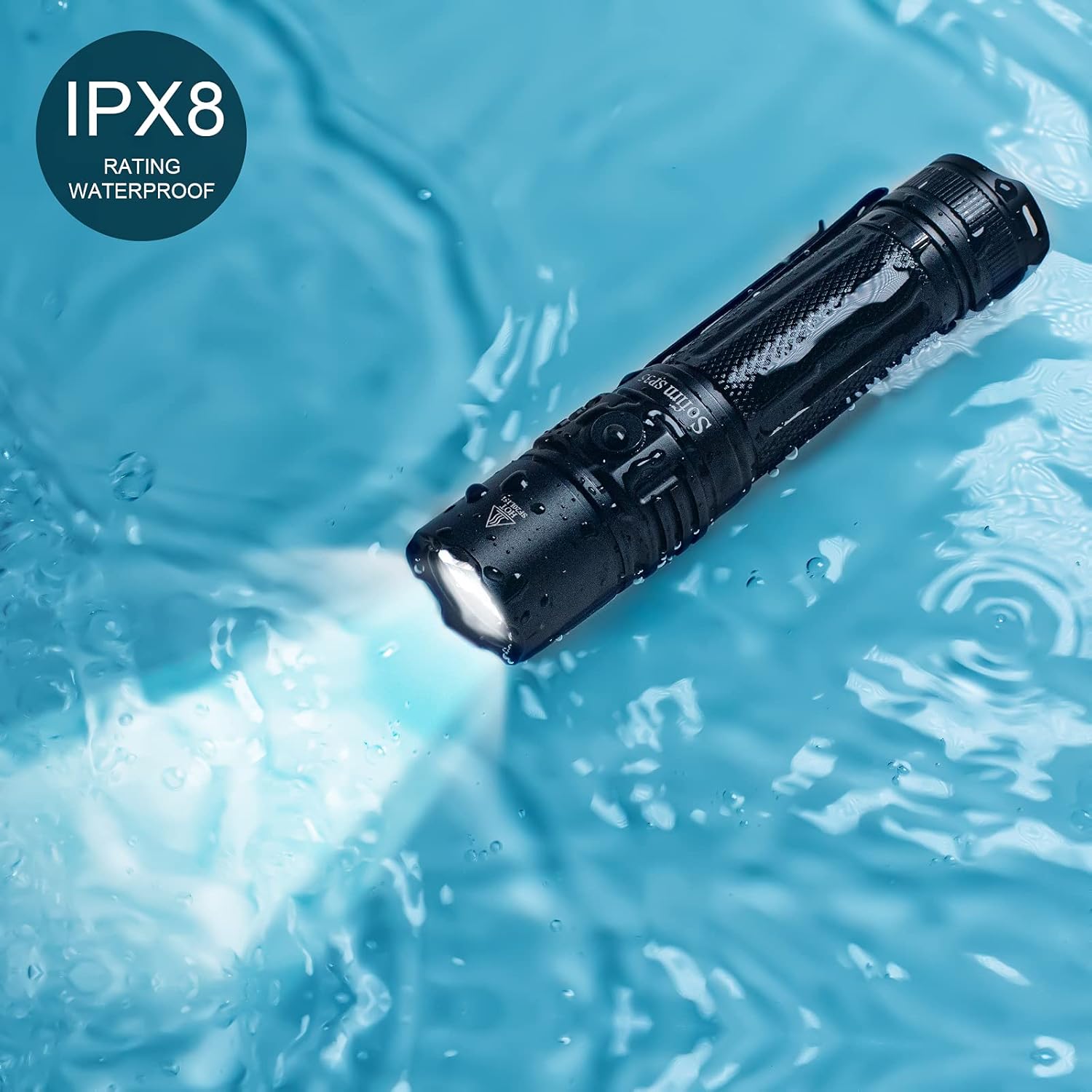
Image: The Sofirn SP35 flashlight submerged in water, demonstrating its IPX8 water resistance rating.
Ukuxazulula inkinga
| Inkinga | Imbangela Engenzeka | Isixazululo |
|---|---|---|
| I-flashlight ayikhanyi | Battery not inserted correctly or insulating paper not removed. | Ensure battery is inserted with positive (+) end towards the head. Remove insulating paper if present. |
| Flashlight flickers or turns off unexpectedly | Low battery, loose tail cap, or dirty contacts. | Recharge the battery. Tighten the tail cap. Clean battery contacts and threads. |
| Cannot change brightness modes | Flashlight is in lockout mode. | Triple-click the side switch to exit lockout mode. |
| Ithoshi lishisa ngokushesha | Operating in Turbo mode for extended periods. | This is normal due to ATR (Advanced Temperature Regulation). The flashlight will reduce brightness to prevent damage. Reduce brightness manually if desired. |
Imininingwane
| Isici | Imininingwane |
|---|---|
| Imodeli | SP35-6500K |
| Umthombo Wokukhanya | SST40 LED |
| Ukukhanya Okuphezulu | 2000 Lumens |
| Ibanga Eliphezulu Lomsebe | 332 amamitha (1089 amafidi) |
| Umthombo wamandla | 1 x 21700 Lithium Ion Battery (included) |
| Imbobo yokushaja | I-USB-C |
| Isikhathi sokushaja | Approx. 3 hours (with 2A adapter) |
| I-Max Runtime | 7 hours (on Medium mode, 400LM) |
| Ukumelana Namanzi | IPX8 (Submersible up to 2 meters for 30 minutes) |
| Okubalulekile | Ingxubevange ye-Aluminiyamu yebanga le-Aerospace |
| Ubukhulu | 5.04"D x 1.1"W x 1.1"H |
| Isisindo | Amagremu angu-220 (ama-ounces angu-7.8) |
Iwaranti & Ukusekela
Sofirn provides a 1-year warranty for the SP35 flashlight from the date of purchase. This warranty covers manufacturing defects and workmanship. It does not cover damage caused by misuse, unauthorized modification, or normal wear and tear.
For technical support, warranty claims, or any inquiries, please contact Sofirn customer service through their official website or the platform where you purchased the product. Please have your purchase receipt and product model number ready.
Ukuze uthole ulwazi olwengeziwe, vakashela isikhulu Sofirn Store on Amazon.
Ask a question about this manual
Ask about setup, troubleshooting, compatibility, parts, safety, or missing instructions. Manuals+ will review the question and use this page’s manual context to help answer it.