
1. Isingeniso
The Pro-Ject Debut RecordMaster II is a high-fidelity turntable designed for an enhanced vinyl listening experience and digital conversion. This model features a pre-mounted OM5e cartridge, a built-in switchable phono preamplifier, and a USB output for direct connection to a PC or Mac. It incorporates a belt drive system with a low-noise AC motor, TPE decoupling, and a DC-driven AC generator for stable speed. Electronic speed change allows for playback at 33, 45, and 78 RPM, with a simple stylus exchange (OM78, not included) and drive belt adjustment required for 78 RPM.
This manual provides essential information for the proper setup, operation, and maintenance of your turntable to ensure optimal performance and longevity.
2. Iziyalezo Zokuphepha
- Funda yonke imiyalelo ngokucophelela ngaphambi kokusetshenziswa.
- Keep the turntable away from water, moisture, and direct sunlight.
- Do not place the turntable near heat sources such as radiators, heat registers, stoves, or other apparatus that produce heat.
- Sebenzisa kuphela okunamathiselwe/izinsiza ezicaciswe umenzi.
- Unplug the turntable during lightning storms or when unused for long periods.
- Thumela zonke izinsiza kubasebenzi benkonzo abaqeqeshiwe.
- Qinisekisa ukuthi kungena umoya ofanele eduze kweyunithi.
3. Okuqukethwe Kwephakheji
Qinisekisa ukuthi zonke izinto ezibalwe ngezansi zifakiwe kuphakheji yakho:
- Pro-Ject Debut RecordMaster II Turntable with pre-mounted OM5e cartridge
- Connect it RCA Cable
- I-Dustcover
- Adapter for 7-inch singles
- Ukunikezwa kwamandla kagesi
4. Umhlahlandlela wokusetha
Follow these steps to set up your Pro-Ject Debut RecordMaster II turntable:
4.1 Ukuqaqa nokubeka
Carefully remove all components from the packaging. Place the turntable on a stable, level surface away from vibrations and direct heat sources. Ensure adequate space for the dustcover to open fully.
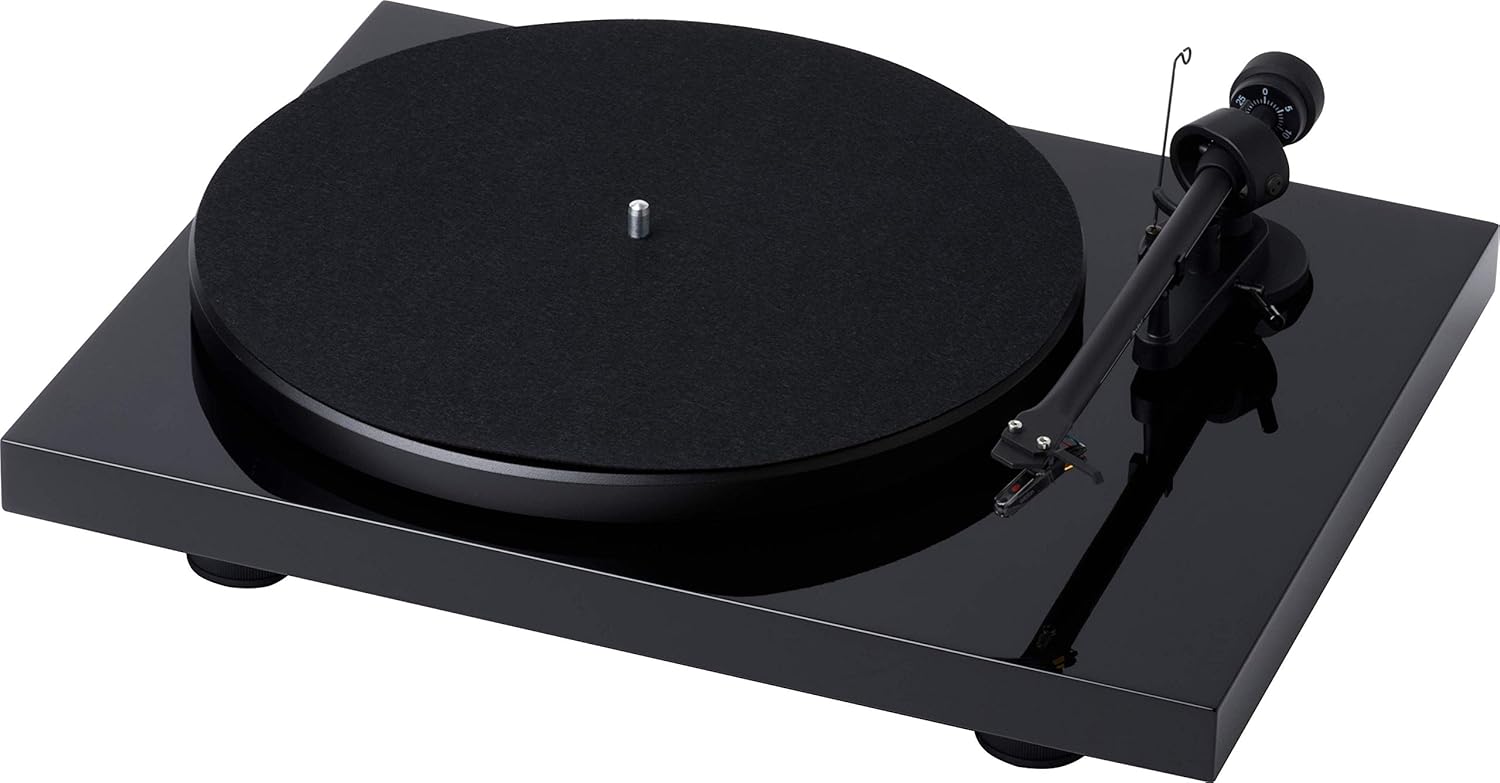
Umfanekiso 1: Phezulu-phansi view of the Pro-Ject Debut RecordMaster II Turntable.
4.2 Ukufakwa Kwepuleti Nebhande
- Place the platter onto the spindle.
- Carefully loop the drive belt around the motor pulley and the inner rim of the platter.
4.3 Ibhalansi ye-Tonearm kanye ne-Tracking Force
The turntable comes with a pre-mounted OM5e cartridge. Refer to the cartridge manufacturer's instructions for precise tracking force and anti-skating settings. Generally, balance the tonearm until it floats freely, then set the tracking force using the counterweight.
Figure 2: Close-up of the tonearm, showing the Pro-Ject branding.
4.4 Ukuxhuma kusistimu yomsindo
The Debut RecordMaster II features a built-in switchable phono preamplifier and USB output. You can connect it to a line-level input on your hi-fi system or directly to a PC/Mac via USB.
- Uxhumano lwe-RCA: Use the supplied RCA cable to connect the turntable's output to an available line-level input (e.g., AUX, CD) on your amplifier or receiver. Ensure the phono preamplifier switch on the turntable is set to 'Line Out' if connecting to a line-level input, or 'Phono Out' if connecting to an amplifier with a dedicated phono input.
- Uxhumano lwe-USB: Connect the turntable to your computer using a USB cable (not included). This allows for digital recording of your vinyl.
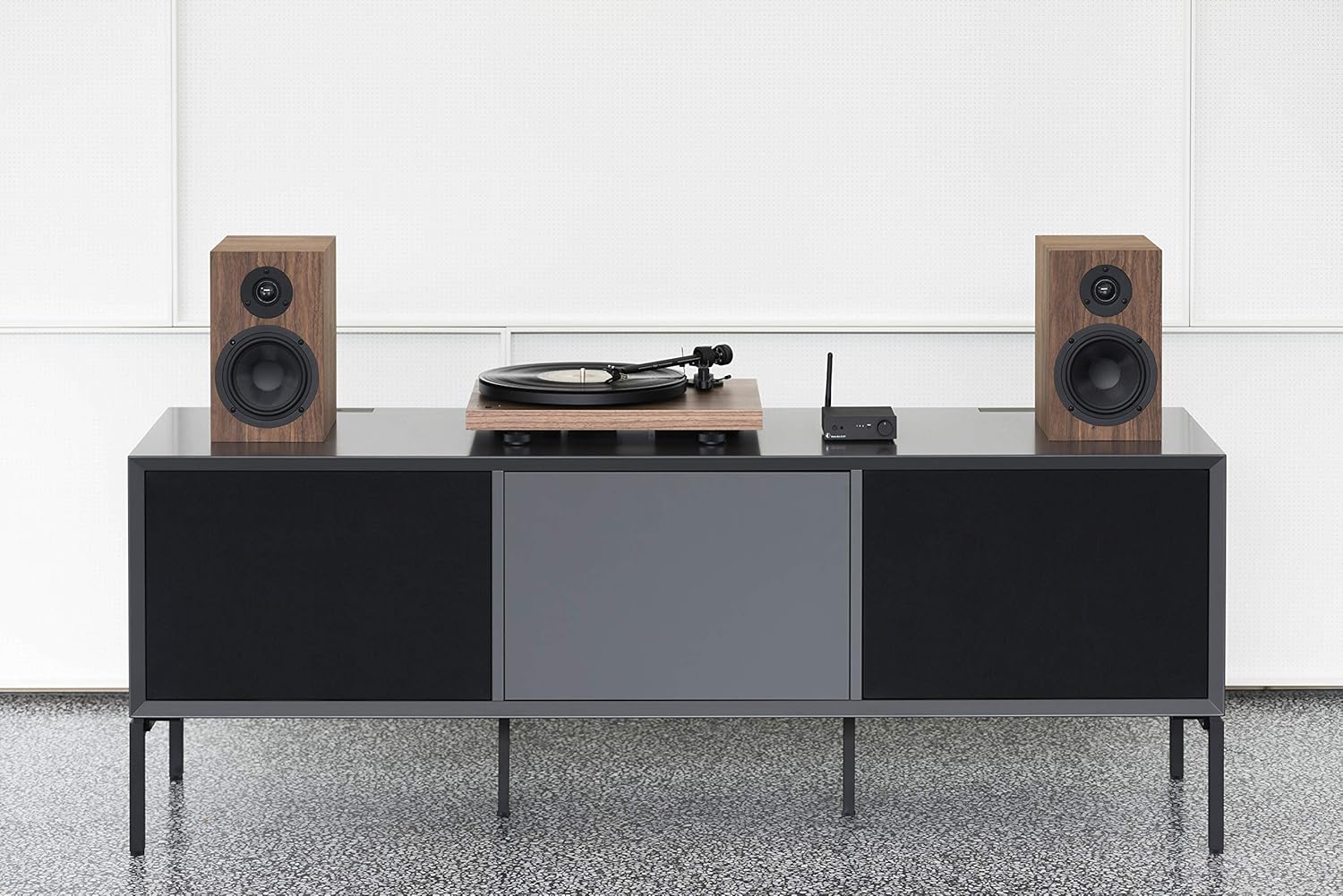
Figure 3: Turntable integrated into a home audio setup with speakers.

Figure 4: Turntable connected to a laptop, demonstrating USB recording capability.
4.5 Dustcover Installation
Attach the dustcover hinges to the designated slots on the rear of the turntable. The dustcover protects the turntable from dust and debris when not in use.
5. Iziqondiso Zokusebenza
5.1 Ukuvula / Ukuvula
Locate the power switch, typically on the underside or rear of the plinth. Turn the switch to the 'On' position to power the turntable. Turn it 'Off' when not in use.

Figure 5: Detail of the power switch for the turntable.
5.2 Ukukhetha isivinini
The turntable supports 33, 45, and 78 RPM playback. Use the electronic speed change function to select the appropriate speed for your record. For 78 RPM records, a specific OM78 stylus (not included) and a drive belt turnover to a larger diameter of the pulley are required.
5.3 Ukudlala Irekhodi
- Faka irekhodi ngoqwembe.
- Ensure the correct playback speed is selected.
- Raise the tonearm using the tonearm lift lever.
- Hambisa kancane ingalo phezu komsele owufunayo wokuqala werekhodi.
- Slowly lower the tonearm using the lift lever. The stylus will descend onto the record and playback will begin.
5.4 Ukumisa Ukudlala
- Raise the tonearm using the tonearm lift lever.
- Move the tonearm back to its rest position.
- Lower the tonearm onto its rest using the lift lever.
- Turn off the turntable.
5.5 Ukuqopha nge-USB
To record vinyl to your PC/Mac, connect the turntable via USB. Use appropriate audio recording software (not included) on your computer to capture the audio signal. Ensure the turntable's phono preamplifier is set to 'Line Out' for USB recording.
6. Isondlo
6.1 Ukuhlanza I-Stylus
Regularly clean the stylus using a soft brush or a dedicated stylus cleaning fluid. Brush gently from back to front to remove dust and debris.
6.2 Amarekhodi Okuhlanza
Use a carbon fiber brush or a record cleaning solution to keep your vinyl records free of dust and static. Clean records before each play to minimize wear on the stylus and improve sound quality.
6.3 Dustcover Care
Clean the dustcover with a soft, damp indwangu. Gwema izihlanzi ezilumayo ezingase zinwaye indawo.
7. Ukuxazulula izinkinga
If you encounter issues with your turntable, consult the following common problems and solutions:
| Inkinga | Imbangela Engenzeka | Isixazululo |
|---|---|---|
| Awukho umsindo noma ivolumu ephansi kakhulu | Incorrect input selection on amplifier; Phono preamp switch incorrect; Loose cables. | Select correct input; Adjust phono preamp switch; Check all cable connections. |
| Umsindo ohlanekezelwe | Dirty stylus; Incorrect tracking force or anti-skating; Damaged stylus. | Clean stylus; Re-adjust tracking force/anti-skating; Replace stylus if damaged. |
| Incorrect playback speed | Wrong speed selected; Drive belt issue. | Select correct speed (33/45/78 RPM); Check drive belt for proper placement or wear. |
| Umsindo ovungamayo | Ground wire not connected; Interference from other electronics. | Ensure ground wire is securely connected; Move turntable away from other electronic devices. |
8. Imininingwane
| Isici | Imininingwane |
|---|---|
| Ibhrendi | I-Pro-Ject |
| Igama Lemodeli | Recordmaster II |
| Inombolo Yemodeli Yento | RM II Om5e |
| Uhlobo Lwezimoto | I-AC Motor |
| Isivinini esikhulu sokuzungeza | 78 RPM |
| Izici ezikhethekile | USB Output, Built-in Phono Preamplifier, Electronic Speed Change |
| Amadivayisi Ahambisanayo | Ikhompyutha yomuntu siqu |
| Uhlobo Lwesixhumi | I-USB |
| Okubalulekile | Ipulasitiki |
| Ubukhulu bomkhiqizo | 32 x 41.5 x 11.8 cm; 7.7 kg |
| Uhlobo Lomthombo Wamandla | I-Corded Electric |
| Amabhethri afakiwe | Cha |
| Kudingeka Amabhethri | Cha |
9. Iwaranti kanye Nokusekela
For detailed warranty information, please refer to the documentation included with your product or visit the official Pro-Ject Audio Systems website. For technical support or service inquiries, please contact Pro-Ject customer service through their official channels.