
SLuB T16
SLuB Bluetooth Earphones T16 User Manual
Model: T16 | Brand: SLuB
1. Isingeniso
Siyabonga ngokuthengaasing the SLuB Bluetooth Earphones Model T16. These true wireless stereo earphones are designed to provide a high-quality audio experience with convenient features such as Bluetooth 5.1 connectivity, Hi-Fi sound, automatic pairing, and touch controls. This manual will guide you through the setup, operation, and maintenance of your new earphones to ensure optimal performance and longevity.
2. Ulwazi Lokuphepha
- Ungawuhlakazi, ulungise, noma ungawushintshi umkhiqizo. Lokhu kungase kubangele umlilo, ukushaqeka kukagesi, noma ukulimala okuphelele emkhiqizweni.
- Keep the product away from extreme temperatures, humidity, and corrosive environments.
- Gwema ukuwisa noma ukubeka umkhiqizo ngaphansi kwemithelela enamandla.
- Gcina endaweni lapho izingane nezilwane ezifuywayo zingafinyeleleki khona.
- Sebenzisa kuphela ikhebula lokushaja elinikeziwe noma ikhebula le-Type-C eliqinisekisiwe ukuze ushaje.
- Ukuchayeka isikhathi eside emisindweni ephezulu kungabangela umonakalo wokuzwa. Lungisa ivolumu ibe sezingeni eliphakathi.
3. Okuqukethwe Kwephakheji
Sicela uhlole okuqukethwe kwephakheji ukuze uqinisekise ukuthi zonke izinto zikhona:
- SLuB T16 Earbuds (Left and Right)
- Ikesi lokushaja
- Ikhebula lokushaja le-USB Type-C
- Incwadi Yeziqondiso
4. Umkhiqizo Uphelileview
The SLuB T16 earphones feature a compact and lightweight design, making them easy to carry and comfortable for extended wear. The charging case provides additional battery life on the go.
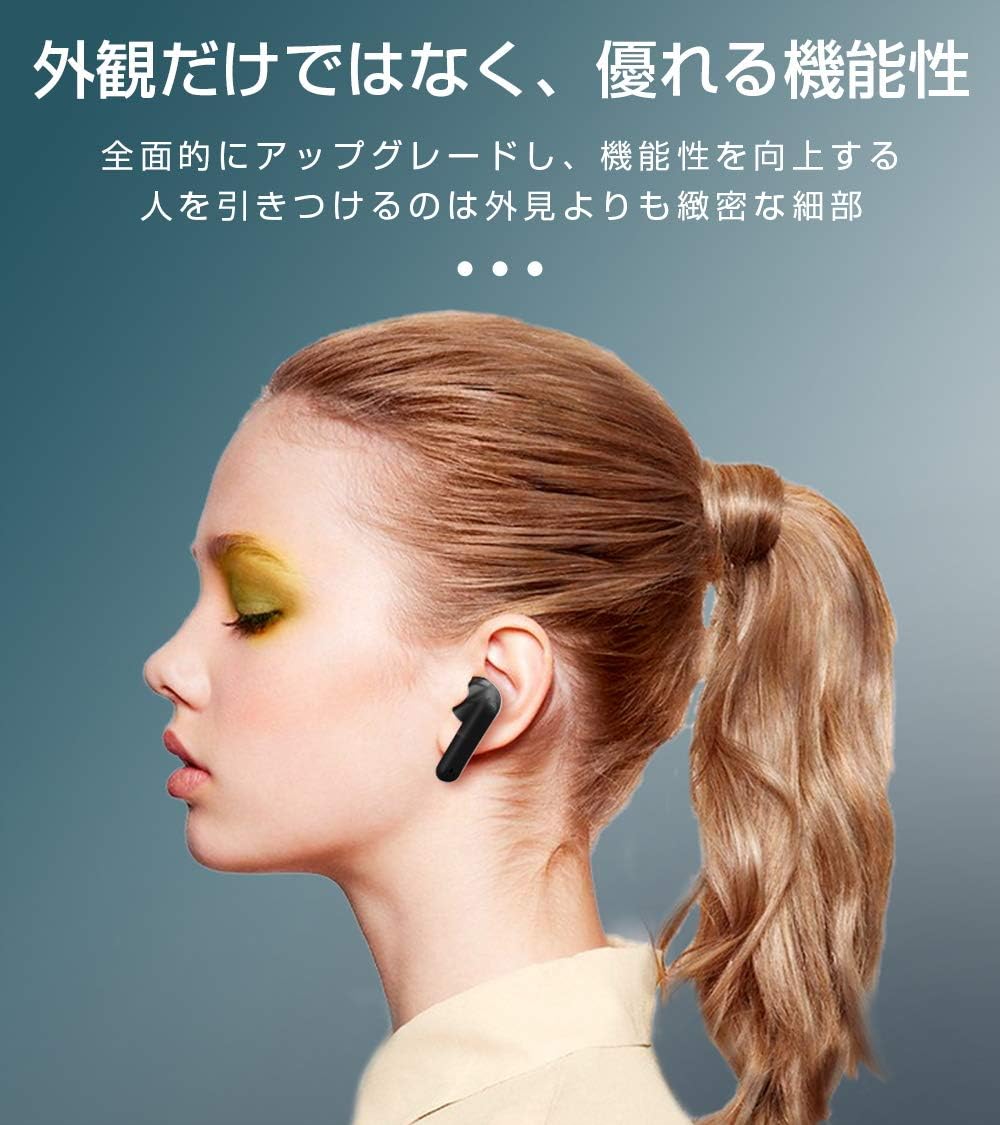
Image: SLuB T16 Earbuds securely placed in their charging case.
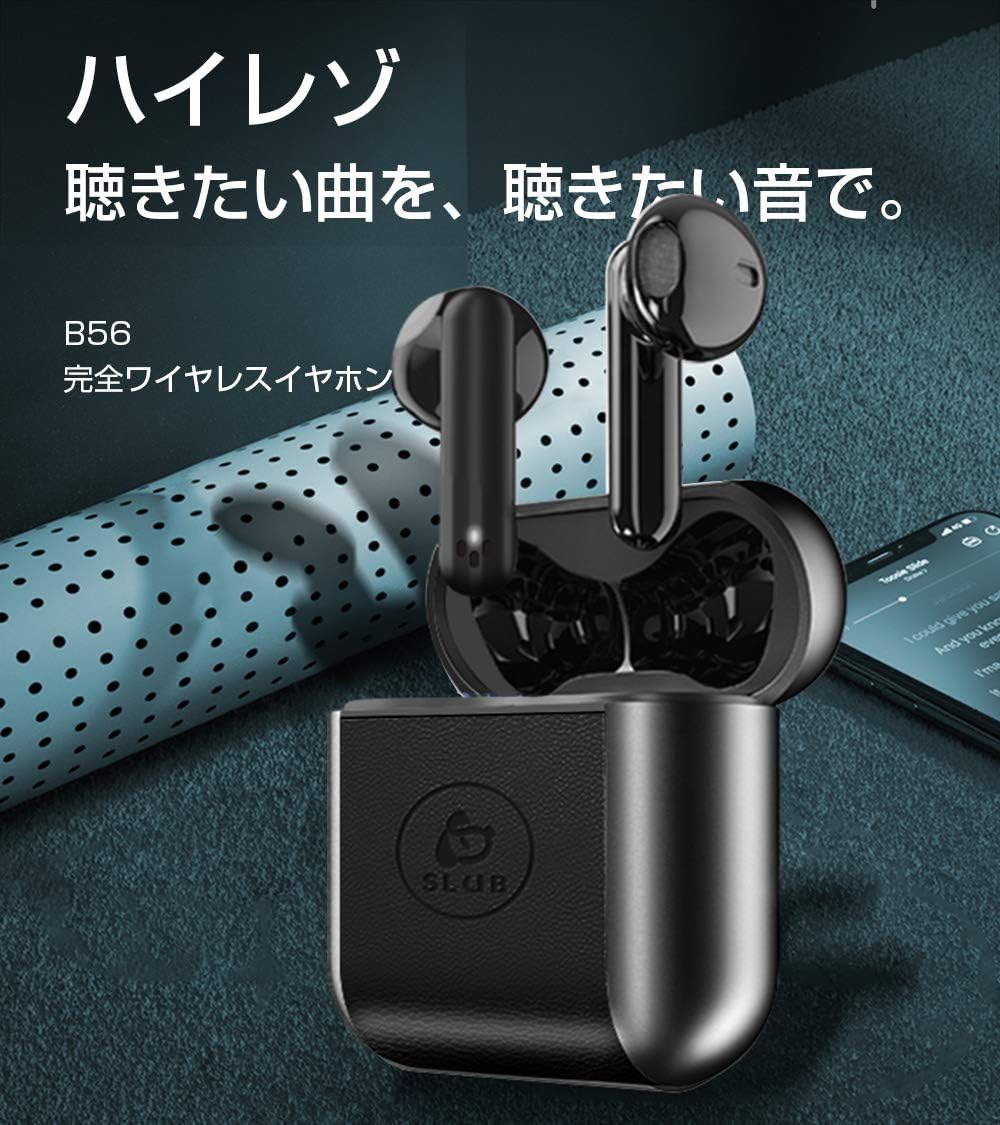
Image: A single SLuB T16 earbud comfortably fitted in a user's ear, highlighting its ergonomic design.
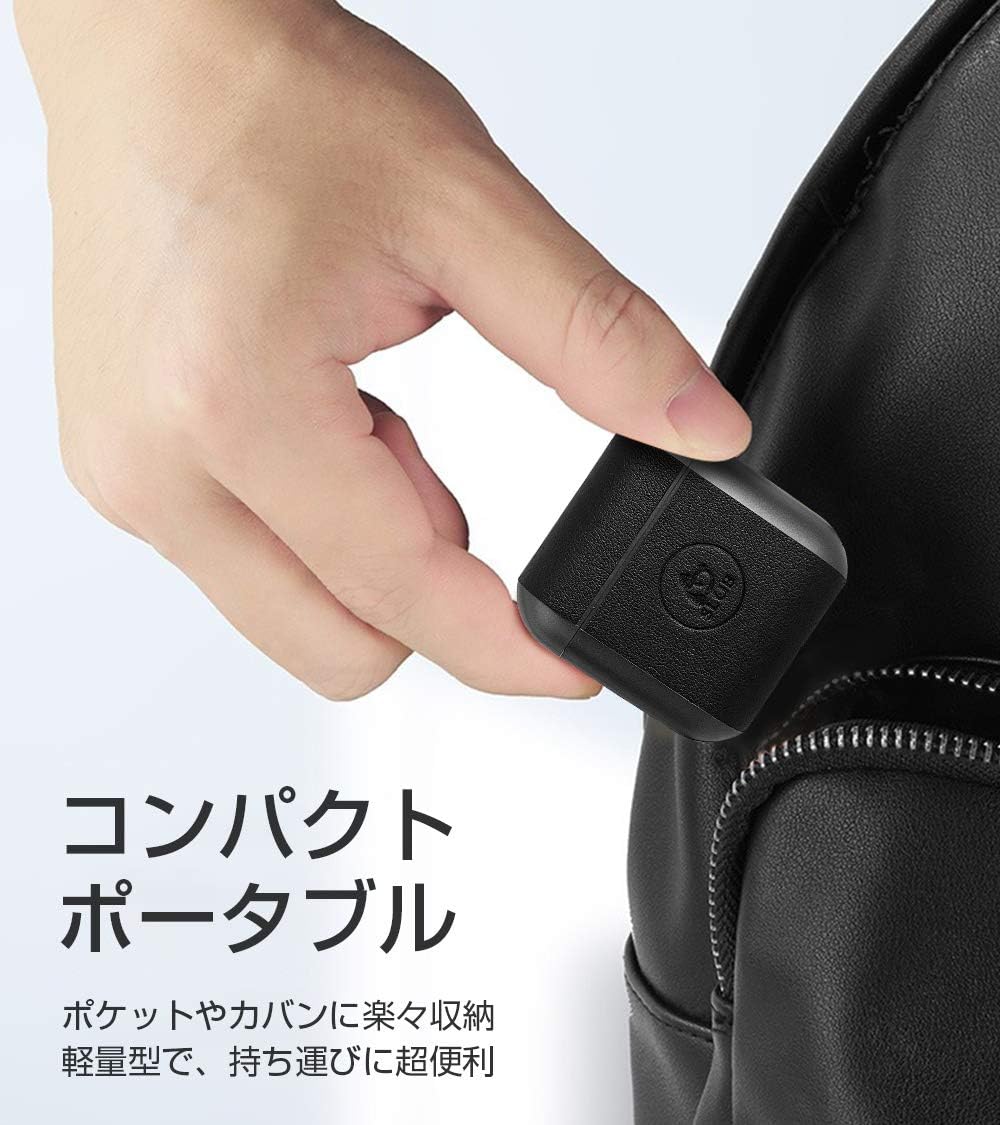
Image: A hand holding the compact SLuB T16 charging case, demonstrating its portability.
5. Setha
5.1. Ukushaja ama-Earbud nekesi
Ngaphambi kokusebenzisa okokuqala, shaja ngokugcwele ama-earphone nekesi lokushaja.
- Faka ama-earbud ekesini lokushaja. Qinisekisa ukuthi zihlezi kahle.
- Connect the provided USB Type-C cable to the charging port on the case and plug the other end into a USB power adapter (not included) or a computer's USB port.
- Izibani zesikhombisi esikhwameni zizobonisa isimo sokushaja. Uma sezishajwe ngokugcwele, izibani zizobonisa ukuthi seziqediwe noma zicime.
A full charge for the earbuds takes approximately 1.5 hours, providing 2-3 hours of playback. The charging case takes about 2 hours to fully charge and can provide 5-6 full charges for the earbuds.
5.2. Ukumatanisa Kokuqala
The SLuB T16 earphones feature automatic pairing for ease of use.
- Vula ikesi lokushaja. Ama-earbud azovula ngokuzenzakalelayo futhi angene kumodi yokumatanisa.
- Edivayisini yakho (i-smartphone, ithebhulethi, njll.), vula i-Bluetooth bese usesha amadivayisi atholakalayo.
- Select "T16" from the list of found devices to connect.
- Once successfully paired, you will hear a confirmation sound, and the earbud indicator lights will change.
After the initial pairing, the earbuds will automatically reconnect to your last paired device when taken out of the charging case, provided Bluetooth is enabled on your device.
6. Iziqondiso Zokusebenza
6.1. Izilawuli zokuthinta
The SLuB T16 earphones utilize touch-sensitive areas for various functions. Refer to the diagram below for specific actions:

Image: Visual guide detailing the touch control functions for the SLuB T16 earbuds.
- Dlala/Misa kancane Umculo: Single touch on either earbud's touch area.
- Phendula/Phendula ikholi: Single touch on either earbud's touch area.
- Yenqaba Ucingo: Long press on either earbud's touch area.
- Ithrekhi Elandelayo: Double touch the right earbud's touch area.
- Ithrekhi yangaphambilini: Double touch the left earbud's touch area.
- Ivolumu ephezulu: Triple touch the left earbud's touch area.
- Ivolumu Phansi: Triple touch the right earbud's touch area.
- Yenza kusebenze umsizi wezwi: Long press for 3 seconds on either earbud's touch area.
6.2. Single and Twin Earbud Mode
The SLuB T16 earphones support both single and twin earbud usage modes.
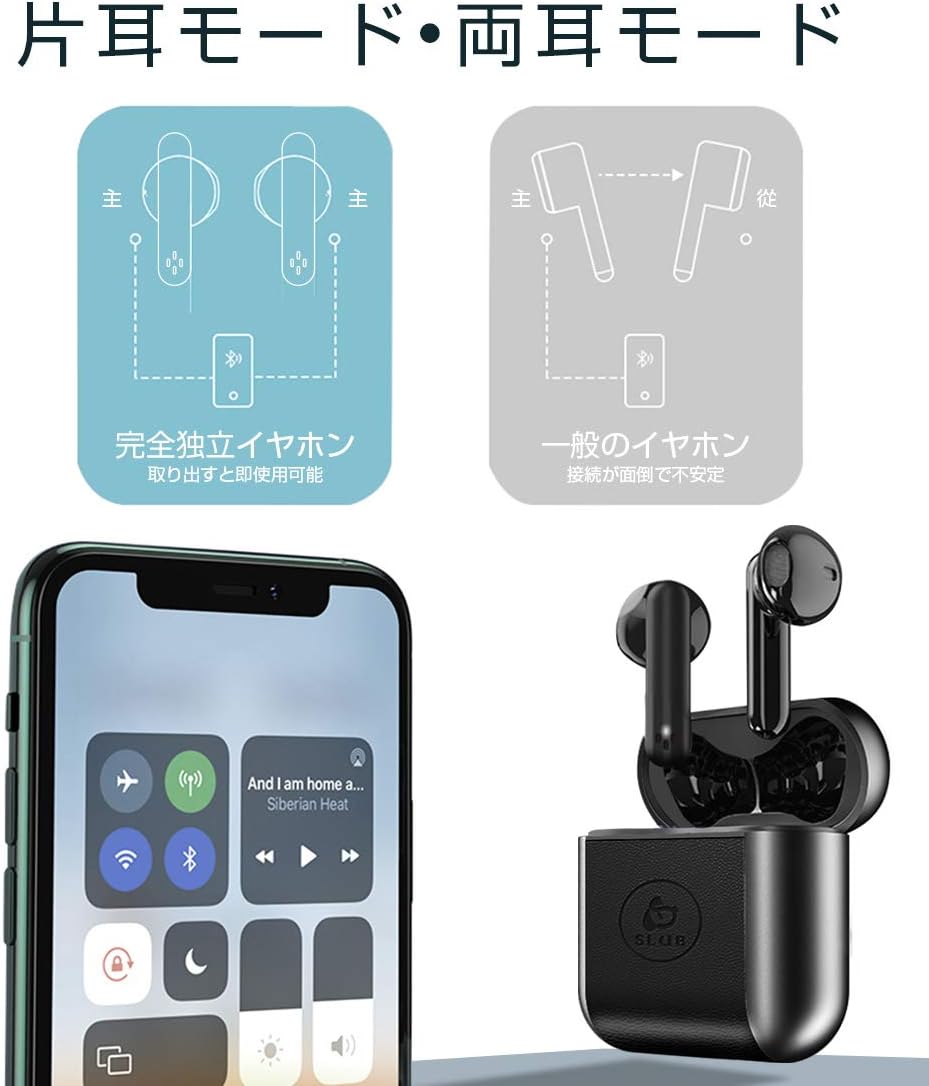
Image: Diagram showing how to use the earbuds in both single (mono) and twin (stereo) modes.
- I-Twin Mode: Take both earbuds out of the charging case. They will automatically connect to each other and then to your device for stereo sound.
- Imodi Eyodwa: Take only one earbud out of the charging case. It will automatically connect to your device and function independently. The other earbud can remain in the case or be used later.
7. Isondlo
- Ukuhlanza: Sebenzisa indwangu ethambile, eyomile, engena-lint ukuhlanza ama-earbud nekesi lokushaja. Ungasebenzisi amakhemikhali anokhahlo noma izinto ezilumayo.
- Isitoreji: Uma ungasetshenziswa, gcina ama-earbud esikhwameni sawo sokushaja ukuze uwavikele futhi uwagcine eshajiwe. Gcina endaweni epholile, eyomile.
- Ukunakekelwa kwebhethri: Ukwelula impilo yebhethri, gwema ukukhipha ibhethri ngokugcwele njalo. Shaja idivayisi njalo, noma ingasetshenziswa isikhathi eside.
8. Ukuxazulula izinkinga
| Inkinga | Imbangela Engenzeka | Isixazululo |
|---|---|---|
| Ama-earbud awavuli amandla. | Ibhethri eliphansi. | Shaja ama-earbud kanye nebhokisi lokushaja. |
| Ayikwazi ukubhanqa nedivayisi. | Bluetooth is off on device; earbuds not in pairing mode; too far from device. | Qinisekisa ukuthi i-Bluetooth ivuliwe. Beka ama-earbud uma kwenzeka, vala, bese uvule ukuze ufake kabusha imodi yokumatanisa. Sondela eduze kwedivayisi. |
| I-earbud eyodwa kuphela esebenzayo. | Earbuds not properly connected to each other; one earbud has low battery. | Place both earbuds back into the charging case, close the lid, then open it again. Ensure both earbuds are charged. |
| Ikhwalithi yomsindo ayilungile noma ayivamile. | Ukugxambukela; idivayisi ikude kakhulu; ibhethri eliphansi. | Move closer to your device. Avoid environments with strong Wi-Fi or other Bluetooth signals. Charge earbuds. |
9. Imininingwane
Detailed technical specifications for the SLuB T16 Bluetooth Earphones:

Image: A table displaying the detailed technical specifications of the SLuB T16 earphones and charging case.
| Isici | Imininingwane |
|---|---|
| Igama Lomkhiqizo | True Wireless Stereo earphones |
| Inombolo Yemodeli | T16 |
| Inguqulo ye-Bluetooth | 5.1 (Low Power Consumption) |
| Call/Playback Time | Approx. 2-3 hours (with one full charge) |
| Okokufaka | 5.0V / 200mA |
| Indawo yokusebenza | Izinga lokushisa: -10°C kuya ku-40°C, Umswakamo: 10% kuya ku-85% |
| Imbobo yokushaja | Uhlobo C |
| Amandla we-Earbud Battery | 30mAh |
| Isikhathi sokushaja se-Earbud | Cishe. Amahora angu-1.5 |
| Isikhathi sokulinda | Cishe. Amahora angu-120 |
| Ikesi lokushaja Amandla ebhethri | 300mAh |
| Isikhathi Sokushaja Ikesi | Cishe. Amahora angu-2 |
| Isisindo esisodwa se-Earbud | Cishe. 3.1g |
| Ubukhulu be-Earbud | 34 x 16.9 x 16.7mm |
| Ukushaja Case Ubukhulu | 51 x 49.1 x 24mm |
| Isisindo sekesi lokushaja | Cishe. 31.6g |
| Amadivayisi Ahambisanayo | iOS and Android devices with Bluetooth functionality |
10. Iwaranti kanye Nokusekela
For warranty information and customer support, please refer to the documentation included with your purchase or contact the retailer. Keep your proof of purchase for any warranty claims.
Ask a question about this manual
Ask about setup, troubleshooting, compatibility, parts, safety, or missing instructions. Manuals+ will review the question and use this page’s manual context to help answer it.