
1. Isingeniso
The M5Stack Core2 is a versatile IoT development kit designed for rapid prototyping and deployment of various applications. It features an ESP32-D0WDQ6-V3 microcontroller, a 2-inch TFT LCD touch screen, and integrated Wi-Fi and Bluetooth connectivity. This manual provides essential information for setting up, operating, and maintaining your Core2 device.

Figure 1.1: M5Stack Core2 IoT Development Kit, showcasing umklamo wayo omncane kanye nesibonisi.
2. Yini EseBhokisini
Qinisekisa ukuthi zonke izinto ezibalwe ngezansi zifakiwe kuphakheji yakho:
- 1 x M5Stack Core2 Unit
- 1 x USB Type-C Cable (20cm)
- 1 x I-Hex Wrench

Figure 2.1: Contents of the M5Stack Core2 package, including the Core2 unit, USB-C cable, and hex wrench.

Figure 2.2: Visual representation of the shipping list for the M5Stack Core2.
3. Umkhiqizo Uphelileview
The M5Stack Core2 is built around the ESP32-D0WDQ6-V3 chip, offering robust performance for various applications. Key features include:
- Ukusebenza Okunamandla: Equipped with an ESP32-D0WDQ6-V3 microcontroller for high computing performance.
- Isibonisi Sesikrini Sokuthinta: Features a 2-inch TFT LCD touch screen (320x240 resolution) for intuitive user interaction.
- Ukuxhumana okungenantambo: Integrated Wi-Fi and Bluetooth capabilities for seamless communication.
- Ukusebenza Okunwebekayo: Multiple expansion ports (GPIO, I2C, SPI, UART) for connecting additional modules and sensors.
- Isipikha esakhelwe ngaphakathi: Okokukhipha umsindo.
- I-Vibration Motor: Provides haptic feedback.
- Imakrofoni: Okokufaka komsindo.
- Isikhala Sekhadi le-SD: Yesitoreji esinganwetshwa.
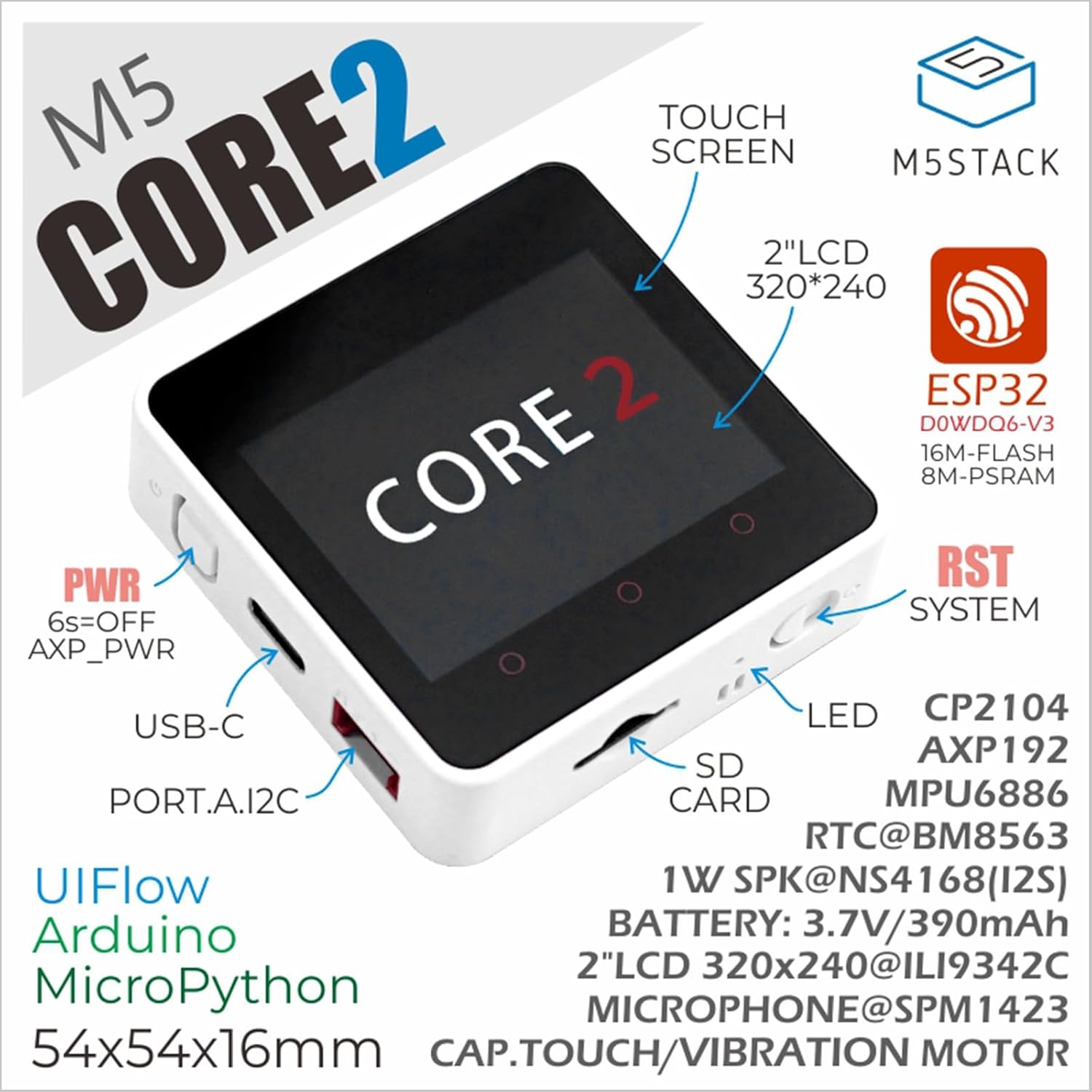
Figure 3.1: Annotated diagram of the M5Stack Core2, highlighting its main components and interfaces.

Figure 3.2: Key features of the M5Stack Core2, including memory and display type.
4. Imininingwane
The following table details the technical specifications of the M5Stack Core2:
| Ukucaciswa | Ipharamitha |
|---|---|
| I-SoC | ESP32-D0WDQ6-V3, 240MHz dual core, 600 DMIPS, 520KB SRAM, Wi-Fi |
| I-Flash | 16MB |
| I-PSRAM | 8MB |
| Okokufaka Voltage | 5V @ 500mA |
| Isikhungo Sokubamba | Type-C x 1, GROVE(I2C+I/O+UART) x 1 |
| I-LED | Ukukhanya kwesibonakaliso samandla aluhlaza |
| Izinkinobho | Power button, RST button, screen virtual buttons x 3 |
| Isexwayiso sokudlidliza | Injini yokudlidliza |
| Isisindo sento | 2.82 ama-ounces (cishe amagremu angu-80) |
| Ubukhulu bephakheji | 3.19 x 2.28 x 0.87 amayintshi |
| Amabhethri | Ibhethri ye-Lithium Ion engu-1 (ifakiwe) |

Figure 4.1: M5Stack Core2 weight measurement.

Figure 4.2: M5Stack Core2 dimensions.
5. Setha
To begin using your M5Stack Core2, follow these initial setup steps:
- Iyashaja: Connect the M5Stack Core2 to a 5V USB power source using the provided USB Type-C cable. The device will begin charging.
- Vula: Press and hold the power button (usually located on the side) for approximately 6 seconds to turn on the device.
- Indawo Yesoftware: The Core2 supports various development environments, including UIFlow, Arduino, and MicroPython. Choose your preferred environment and set up the necessary drivers and IDE on your computer.
- Uhlelo Lokuqala: Refer to the official M5Stack documentation for guides on uploading your first program or firmware to the Core2.
6. Iziqondiso Zokusebenza
The M5Stack Core2 is designed for flexible operation depending on your application. Here are general guidelines:
- Touch Screen Interaction: Navigate menus and interact with applications using the 2-inch capacitive touch screen.
- Izinkinobho ezibonakalayo: The three virtual buttons below the screen can be programmed for various functions within your applications.
- Izinkinobho Zomzimba: The physical RST (Reset) button can be used to restart the device. The power button can be used for power cycling.
- Amamojula Angaphandle: Connect compatible M5Stack modules and sensors to the GROVE port to expand functionality. Ensure proper connection and power supply for external modules.
- Ukusetshenziswa kwekhadi le-SD: Insert a microSD card into the designated slot for additional storage. Ensure the card is formatted correctly (e.g., FAT32).
7. Isondlo
Proper maintenance ensures the longevity and optimal performance of your M5Stack Core2:
- Ukuhlanza: Sebenzisa indwangu ethambile, eyomile ukuhlanza idivayisi. Gwema ukusebenzisa izinto zokuhlanza uketshezi noma izinto eziqhumayo.
- Isitoreji: Gcina idivayisi endaweni epholile, neyomile kude nelanga eliqondile namazinga okushisa aphezulu.
- Ukunakekelwa kwebhethri: Avoid fully discharging the battery frequently. If storing for extended periods, charge the battery to about 50-70% to preserve its lifespan.
- Ukuvuselelwa kwe-Firmware: Regularly check the official M5Stack webiwebhusayithi yezibuyekezo ze-firmware ukuqinisekisa ukuthi idivayisi yakho inezici zakamuva kanye nokulungiswa kwamaphutha.
- Ukuvikelwa Komzimba: While durable, avoid dropping the device or exposing it to excessive force or moisture.
8. Ukuxazulula izinkinga
This section addresses common issues you might encounter with your M5Stack Core2.
- Q1: What is the maximum supported capacity of the SD card, and why is there no response when the SD card is inserted?
- Theoretically, devices based on ESP32 support up to 16GB. We recommend using a SD card model SDSQUNC-016G-ZN6MA. Ensure the SD card is properly inserted and formatted.
- Q2: Using the battery in either of the battery ports on the USB unit or the Core2 forces the unit to stay powered on continuously. Any attempt to shut down using the side button causes the device to restart after.
- We have found that the reason is that the filter capacitor capacity of the USB 1.2 module is too large. If you still need to use batteries to power the Core2 + USB 1.2 solution, to avoid frequent restarts, the following two solutions can be adopted:
- Remove the filter capacitor.
- Replace it with a smaller capacity filter capacitor (10uF is recommended).
- Q3: How to extend the Core2 with an extension module?
- You must remove the original bottom and battery of the Core2, then you can stack another module extension.

Figure 8.1: Common questions and solutions for the M5Stack Core2.
9. Ububanzi besicelo
The M5Stack Core2 is suitable for a wide range of applications, including but not limited to:
- Amadivayisi Ekhaya Ahlakaniphile: Control and monitor home automation systems.
- Imfundo ye-STEM: An excellent tool for learning about IoT, programming, and electronics.
- Isilawuli se-IoT: Serve as a central controller for various Internet of Things projects.
- Amaphrojekthi we-DIY: Ideal for custom electronic projects and rapid prototyping.
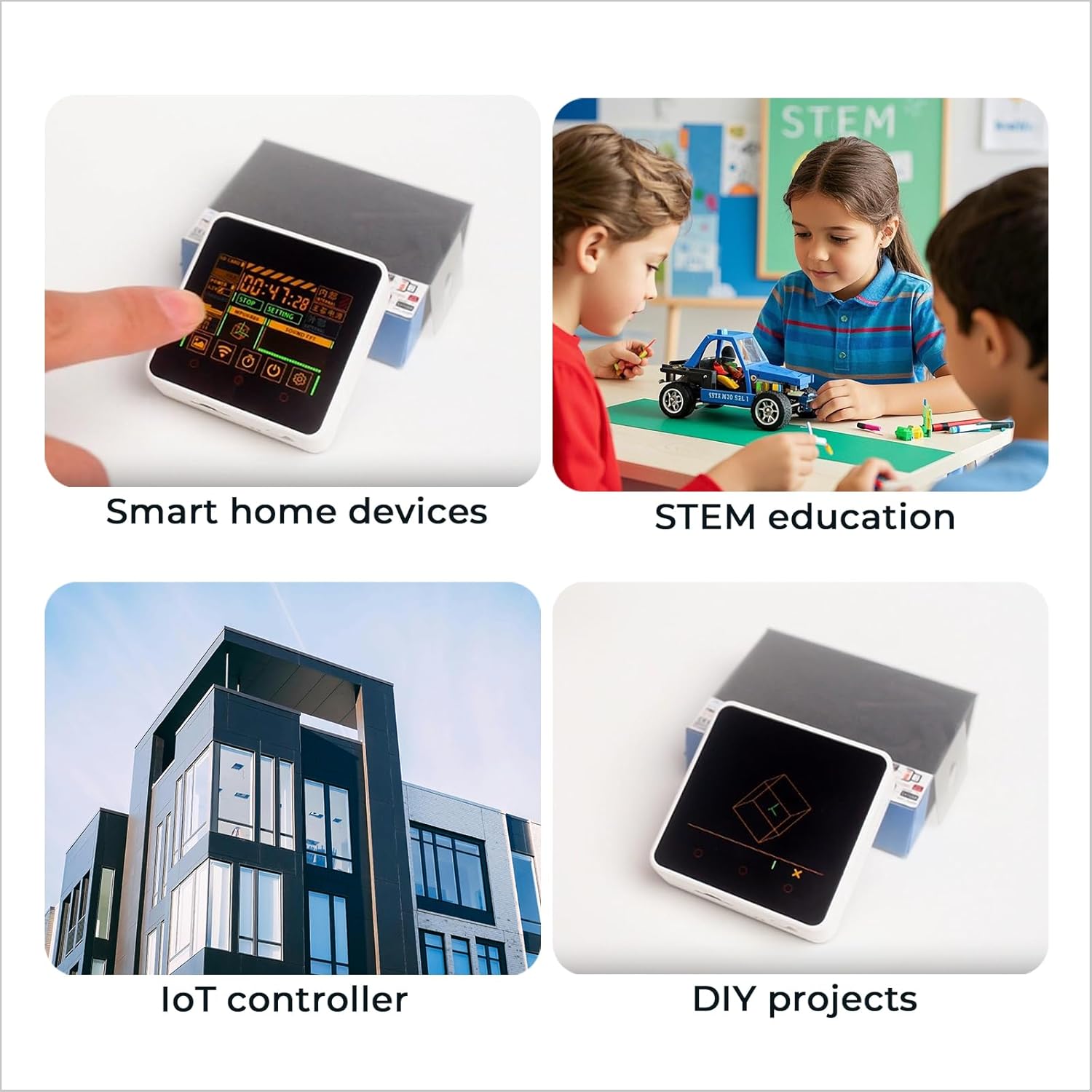
Umfanekiso 9.1: Eksamples of M5Stack Core2 applications.

Figure 9.2: Further illustration of the M5Stack Core2's versatile applications.
10. Ukusekela Nezinsiza
For more detailed tutorials, documentation, and community support, please visit the official M5Stack webindawo:

Figure 10.1: Guide to accessing online tutorials and documentation.

Figure 10.2: Official M5Stack webisayithi ukuze uthole ukwesekwa.