1. Isingeniso
Thank you for choosing the MOTORHEAD 20V ULTRA Cordless Hammer Drill Driver Kit. This manual provides essential information for the safe operation, maintenance, and troubleshooting of your new tool. Please read this manual thoroughly before first use and keep it for future reference. This kit includes the 20V ULTRA Cordless Hammer Drill Driver, an extra 2Ah Lithium-Ion battery, and a USB Power Source Adapter, offering versatility for various drilling and driving tasks.

Image 1.1: Complete MOTORHEAD 20V ULTRA Cordless Hammer Drill Driver Kit contents.
2. Ulwazi Lokuphepha
Ngaso sonke isikhathi landela izinyathelo zokuphepha eziyisisekelo lapho usebenzisa amathuluzi kagesi ukunciphisa ingozi yomlilo, ukushaqeka kukagesi, nokulimala komuntu siqu.
Izexwayiso Zokuphepha Zethuluzi Lamandla Okujwayelekile
- Ukuphepha kwendawo yokusebenza: Keep your work area clean and well lit. Do not operate power tools in explosive atmospheres, such as in the presence of flammable liquids, gases, or dust.
- Ukuphepha Kagesi: Gwema ukuthintana nomzimba ngendawo enomhlaba noma enesisekelo. Ungawavezi amathuluzi kagesi emvuleni noma ezimeni ezimanzi.
- Ukuphepha Komuntu Siqu: Njalo gqoka isivikelo samehlo. Sebenzisa ukuvikela ukuzwa lapho usebenza isikhathi eside. Gqoka ngendlela efanele; gwema izingubo ezixegayo noma ubucwebe.
- Ukusetshenziswa Nokunakekelwa Kwamathuluzi: Ungaphoqi ithuluzi lamandla. Sebenzisa ithuluzi lamandla elilungile kuhlelo lwakho lokusebenza. Nqamula ipulaki emthonjeni wamandla kanye/noma khipha iphekhi yebhethri ngaphambi kokwenza noma yiziphi izinguquko, ukushintsha izinsiza, noma ukugcina amathuluzi wamandla.
- Ukusetshenziswa Nokunakekelwa Kwethuluzi Lebhethri: Shaja kabusha kuphela ngeshaja ecaciswe umenzi. Sebenzisa amathuluzi amandla kuphela ngamaphekhi ebhethri aqokiwe.
3. Okuqukethwe Kwephakheji
Verify that all items listed below are included in your package. If any items are missing or damaged, please contact MOTORHEAD customer support.
- MOTORHEAD 20V ULTRA Cordless Hammer Drill Driver
- 20V 2Ah Lithium-Ion Battery (2 included)
- Ishaja esheshayo
- USB Power Source Adapter
- Assorted Drill Bits and Driver Bits
- Isikhwama Esiphethe
- Imaniwali yosebenzisayo
4. Izingxenye Ziphelileview
Familiarize yourself with the various parts of your drill driver and accessories.
4.1. Drill Driver Features

Image 4.1: Key features of the drill driver, including the ratcheting all-metal chuck, 16+1 torque settings, and 2-speed transmission.
The drill features a ratcheting all-metal chuck for secure bit retention, a variable speed trigger for precise control, 16+1 torque settings for various applications, and a 2-speed transmission for optimal performance in different materials.

Image 4.2: Additional features like the integrated level and LUMINMAX LED light for improved visibility.
An integrated level assists in accurate drilling, and the LUMINMAX LED light illuminates the work area for better visibility in low-light conditions.
4.2. Ibhethri neshaja
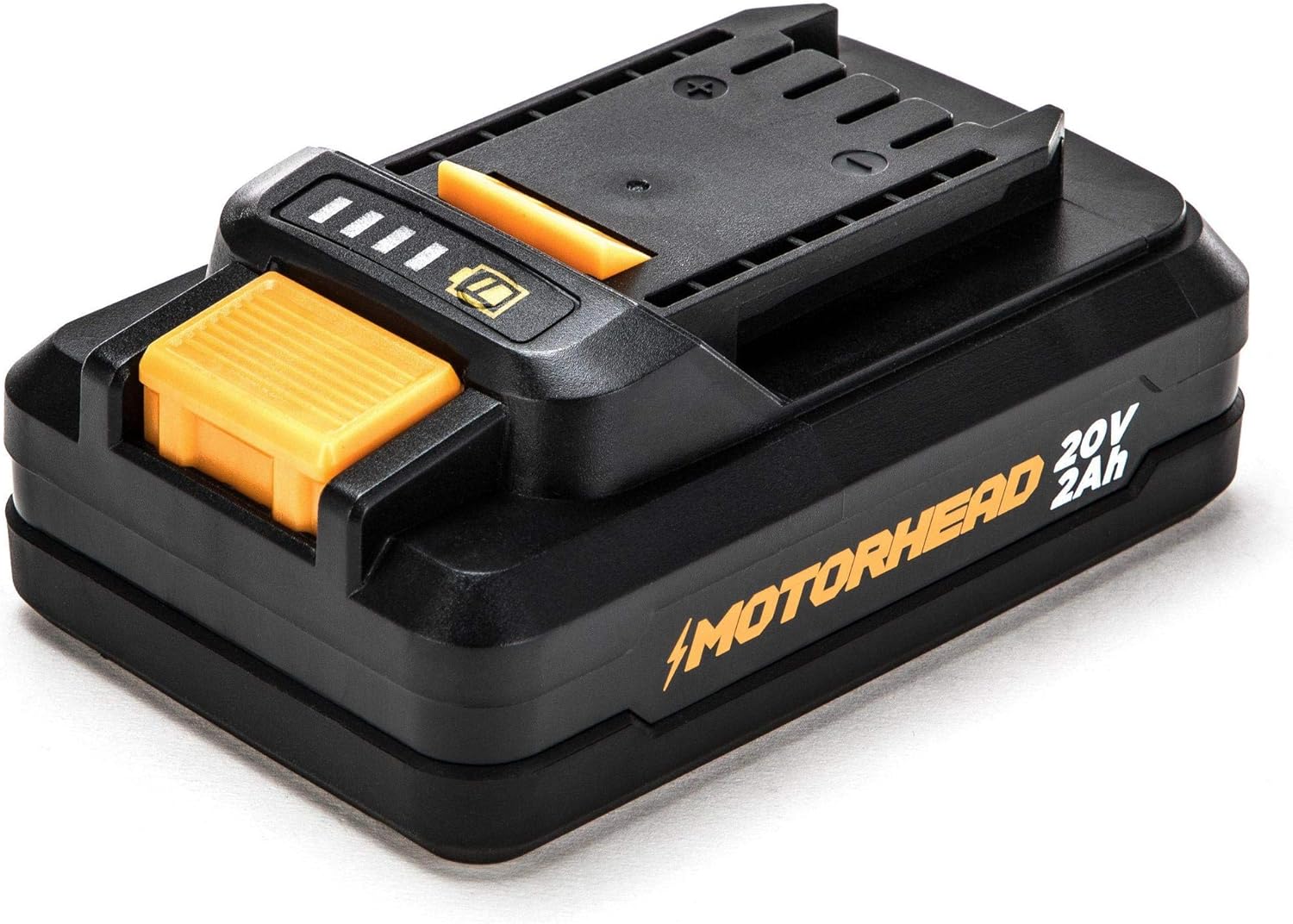
Image 4.3: The 20V 2Ah Lithium-Ion battery with charge indicator.
The kit includes two 20V 2Ah Lithium-Ion batteries, providing ample power and runtime. The battery features an integrated charge indicator to monitor power levels.
4.3. USB Power Source Adapter

Image 4.4: The USB Power Source Adapter, converting the battery into a portable charging station.
The USB Power Source Adapter allows you to use your 20V battery as a portable power bank to charge USB-compatible devices.
5. Setha
5.1. Ukushaja Ibhethri
- Connect the rapid charger to a standard electrical outlet.
- Shelelezisa iphekhi yebhethri eshaja ize ichofoze endaweni.
- The charger indicator lights will show the charging status. A full charge typically takes approximately 60 minutes for a 2Ah battery.
- Uma isishajwe ngokugcwele, khipha ibhethri eshajani.

Image 5.1: The rapid charger and battery with its charge indicator lights.
5.2. Ukufaka/Ukukhipha Ibhethri
- Ukuze ufake: Align the battery pack with the base of the drill handle and slide it in until it locks securely into place.
- Ukuze Ususe: Press the battery release button located on the side of the battery pack and slide the battery out of the drill.
5.3. Installing/Removing Drill Bits
- Qinisekisa ukuthi i-drill icishiwe futhi ibhethri lisusiwe ukuze kuphephe.
- Phendula i-chuck ngokumelene newashi ukuze uvule imihlathi.
- Insert the desired drill bit or driver bit into the chuck, ensuring it is centered.
- Twist the chuck clockwise to tighten the jaws firmly around the bit. For best results, ensure the bit is fully seated and securely gripped.
- To remove, twist the chuck counter-clockwise to loosen and pull the bit out.
6. Ukusebenza
6.1. Powering On/Off and Variable Speed
The drill is activated by pressing the variable speed trigger. The speed increases as you press the trigger further. Release the trigger to turn the drill off. The integrated LED light will illuminate when the trigger is pressed.
6.2. Ukulungisa Izilungiselelo zeTorque
The torque collar allows you to select from 16 torque settings for driving screws, plus a drill mode and a hammer drill mode. Rotate the collar to align the desired setting with the indicator mark. Lower settings are for smaller screws and softer materials, while higher settings are for larger screws and harder materials. The drill mode (drill icon) is for general drilling, and the hammer drill mode (hammer icon) is for drilling into masonry.
6.3. Changing Speeds (Gear Selector)
The 2-speed gear selector switch is located on top of the drill. Position 1 provides lower speed and higher torque, ideal for driving screws and drilling large holes. Position 2 provides higher speed and lower torque, suitable for drilling small holes and general drilling applications.
6.4. Drilling and Driving
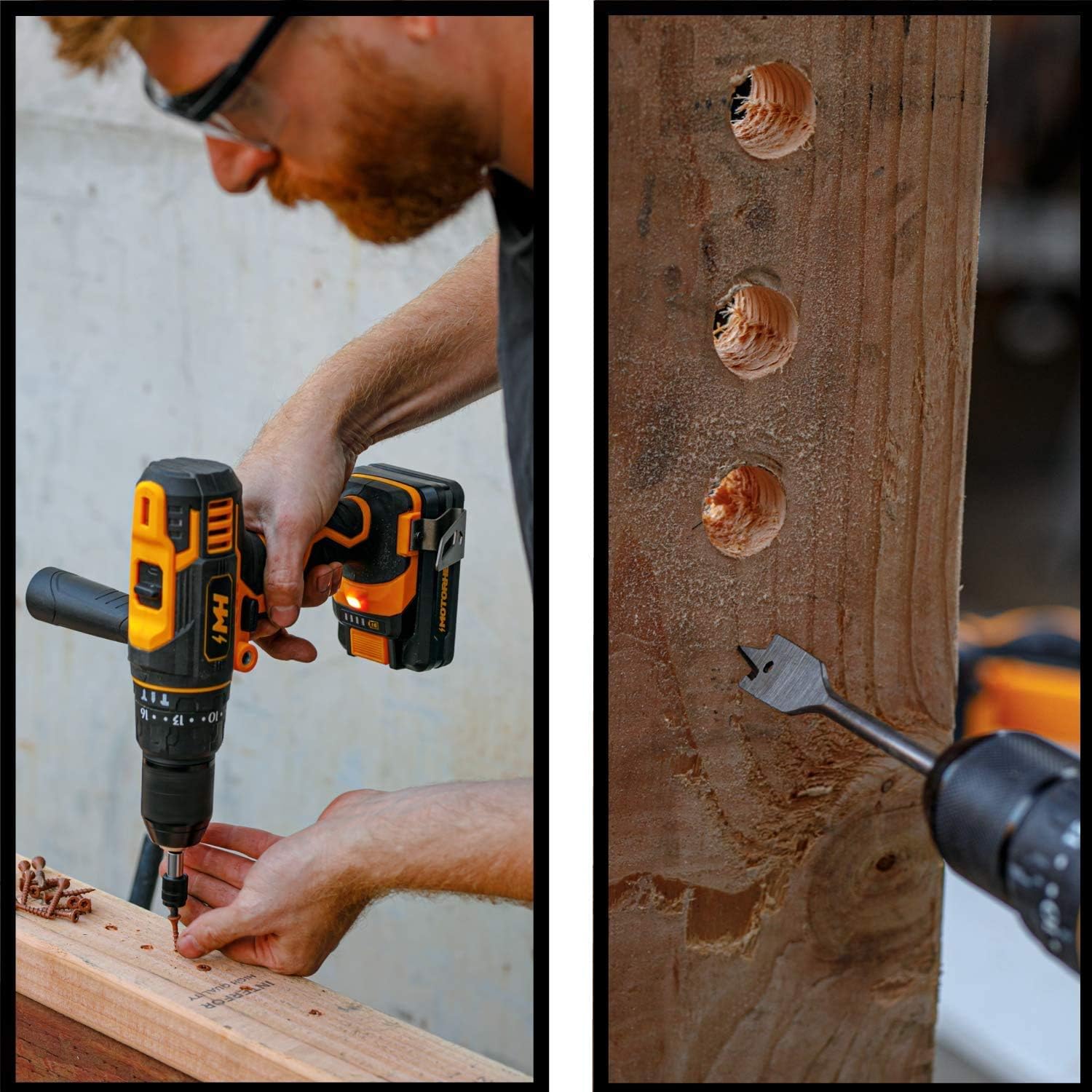
Image 6.1: Driving a screw into a wooden surface with the drill driver.
For driving screws, select an appropriate torque setting and speed. For drilling, select the drill mode and the appropriate speed for the material. Apply steady, even pressure. For drilling into wood, metal, or plastic, use the drill mode.
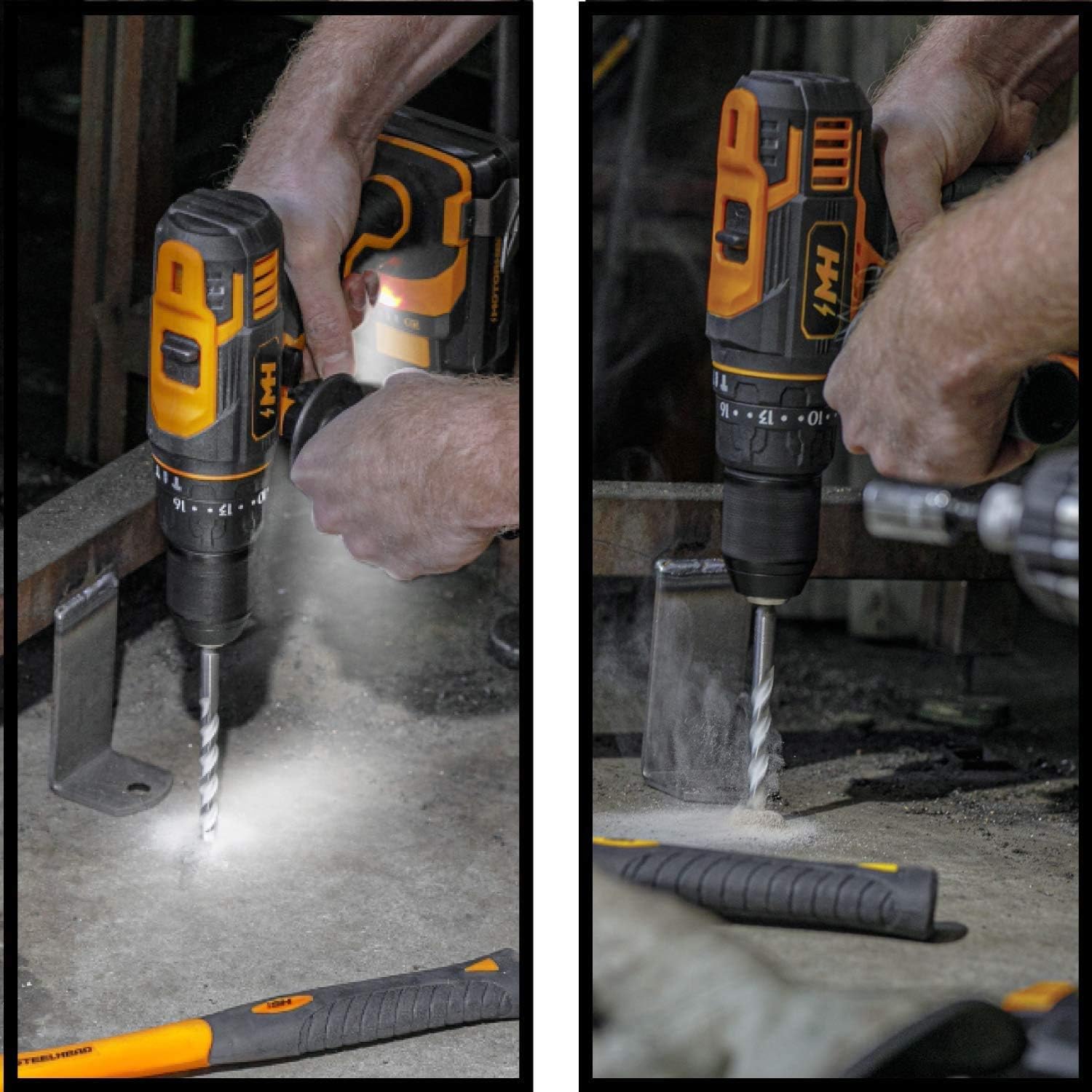
Image 6.2: Using the hammer drill function on concrete and drilling into metal.
For drilling into masonry, concrete, or brick, switch to the hammer drill mode. This mode provides a hammering action in addition to rotation, allowing for more effective penetration into hard materials. Always use appropriate masonry bits for hammer drilling.
6.5. Using the USB Power Source Adapter
- Slide a charged 20V battery onto the USB Power Source Adapter until it clicks into place.
- Connect your USB-compatible device (e.g., smartphone, tablet) to one of the USB output ports on the adapter using your device's charging cable.
- The adapter will begin charging your device.
- To stop charging, disconnect your device or remove the battery from the adapter.
7. Isondlo
Ukunakekelwa okuvamile kuqinisekisa ukuphila isikhathi eside nokusebenza kahle kwethuluzi lakho.
- Ukuhlanza: Keep the tool's ventilation openings clean and free of debris. Use a soft, damp indwangu yokuhlanza ingaphandle. Ungasebenzisi amakhemikhali anokhahlo noma izihlanzi ezilumayo.
- Isitoreji: Store the tool, batteries, and charger in a cool, dry place, away from direct sunlight and moisture. Ensure batteries are partially charged before long-term storage.
- Ukunakekelwa kwebhethri: Ungagcini amabhethri esesimweni sokuphuma. Washaje njalo uma engasetshenziswa isikhathi eside.
8. Ukuxazulula izinkinga
Bheka ithebula elingezansi ngezinkinga ezivamile nezisombululo zazo.
| Inkinga | Imbangela Engenzeka | Isixazululo |
|---|---|---|
| I-Drill ayiqali | Ibhethri ayishajiwe noma ayifakiwe kahle. | Qinisekisa ukuthi ibhethri ishajwe ngokugcwele futhi ifakwe ngokuphephile. |
| Ukuphelelwa amandla ngesikhathi sokusebenza | Battery is low or tool is overloaded. | Recharge battery. Reduce pressure on the tool or use a lower speed/higher torque setting. |
| I-Bit ingena ku-chuck | Chuck not tightened sufficiently or bit shank is dirty/damaged. | Qinisa i-chuck ngokuqinile. Hlanza noma ushintshe ingxenye yayo. |
| USB adapter not charging device | Battery is low or device cable is faulty. | Ensure battery is charged. Try a different USB cable or device. |
9. Imininingwane
| Isici | Ukucaciswa |
|---|---|
| Ibhrendi | I-MOTORHEAD |
| Inombolo Yemodeli | AQ75060G + AQ90168G + AQ90170G |
| Umthombo wamandla | DC |
| Voltage | 20V |
| Ampi-erage | 2 Amps |
| Uhlobo Lwebhethri | I-Lithium ion |
| Isisindo sento | 6.71 amakhilogremu |
| Ubukhulu bomkhiqizo | 9 x 9.3 x 3 amayintshi |
| Izingxenye Ezihlanganisiwe | Hammer Drill Kit + 2Ah Battery + USB Adapter |
| I-UPC | 889526422158 |
10. Iwaranti kanye Nokusekela
MOTORHEAD products are manufactured to high-quality standards. For information regarding warranty coverage, technical support, or replacement parts, please refer to the warranty card included with your product or visit the official MOTORHEAD webindawo. Gcina irisidi lakho lokuthenga njengobufakazi bokuthenga kwanoma yiziphi izimangalo zewaranti.
For further assistance, you may contact MOTORHEAD customer service through their official channels. Always provide your product model number and purchase date when seeking support.