
Isingeniso
The SOWO CONF360 is a versatile Bluetooth speakerphone designed for clear and efficient conference calls. It features 4 AI microphones for 360-degree voice pickup and 4 speakers for 360-degree sound output, ensuring an optimal audio experience for up to 10 people. This manual provides instructions for setting up, operating, and maintaining your device.
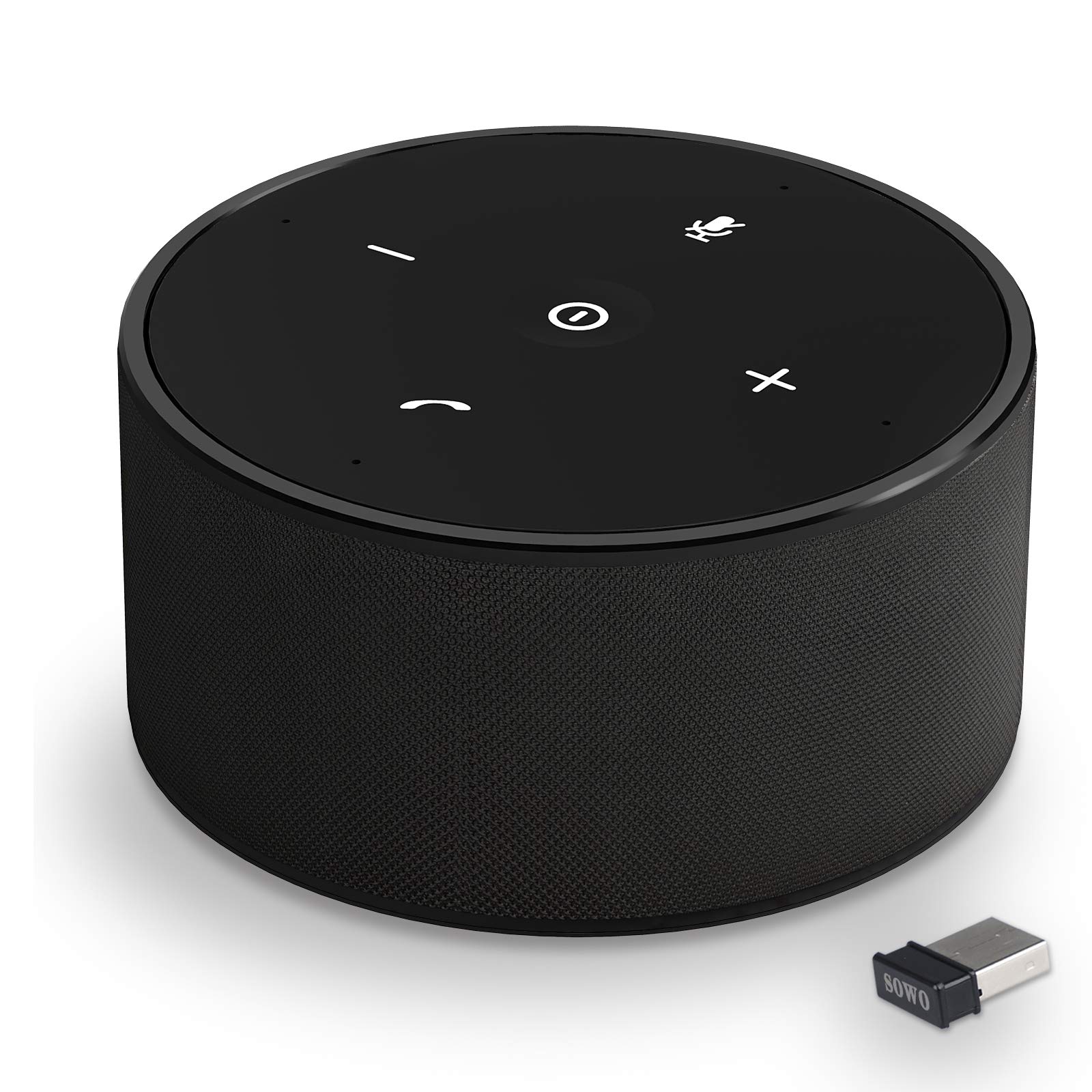
Umfanekiso 1: The SOWO CONF360 Bluetooth Speakerphone, a compact and portable device for conference calls.
Okuqukethwe Kwephakheji
Sicela ukhethe izinto ezilandelayo ebhokisini:
- Bluetooth conference speaker (1)
- Incwadi yeziqondiso (1)
- Intambo ye-USB (1)
- 3.5mm audio cable (1)
- Bluetooth adapter (1)
Umkhiqizo Uphelileview
The SOWO CONF360 features an intuitive control layout for easy operation.

Umfanekiso 2: Phezulu view of the SOWO CONF360 speakerphone, illustrating its omnidirectional voice pickup and sound output with four integrated microphones and speakers.
Izilawuli Nezinkomba
- Inkinobho yamandla: Located in the center, used to turn the device on/off.
- Ivolumu Phansi (-): Yehlisa ivolumu yomsindo.
- Ivolumu ephezulu (+): Inyusa ivolumu yomsindo.
- Inkinobho yokuthulisa: Ithulisa noma isusa ukuthula kumakrofoni.
- Phone Symbol Button: Manages call functions (answer, end call).
- Izinkomba ze-LED: Provide status feedback for power, Bluetooth connection, and call status.
Setha
1. Ukushaja Idivayisi
Before first use, fully charge the speakerphone. Connect the provided USB cable to the charging port on the device and to a DC 5V/1A power source (e.g., computer USB port or wall adapter). A full charge typically takes 2 to 3 hours.
2. Vula/Vala
- Ukuvula: Press and hold the Power Button until the LED indicators light up.
- Ukucisha: Press and hold the Power Button until the LED indicators turn off.
3. Ixhuma kumadivayisi
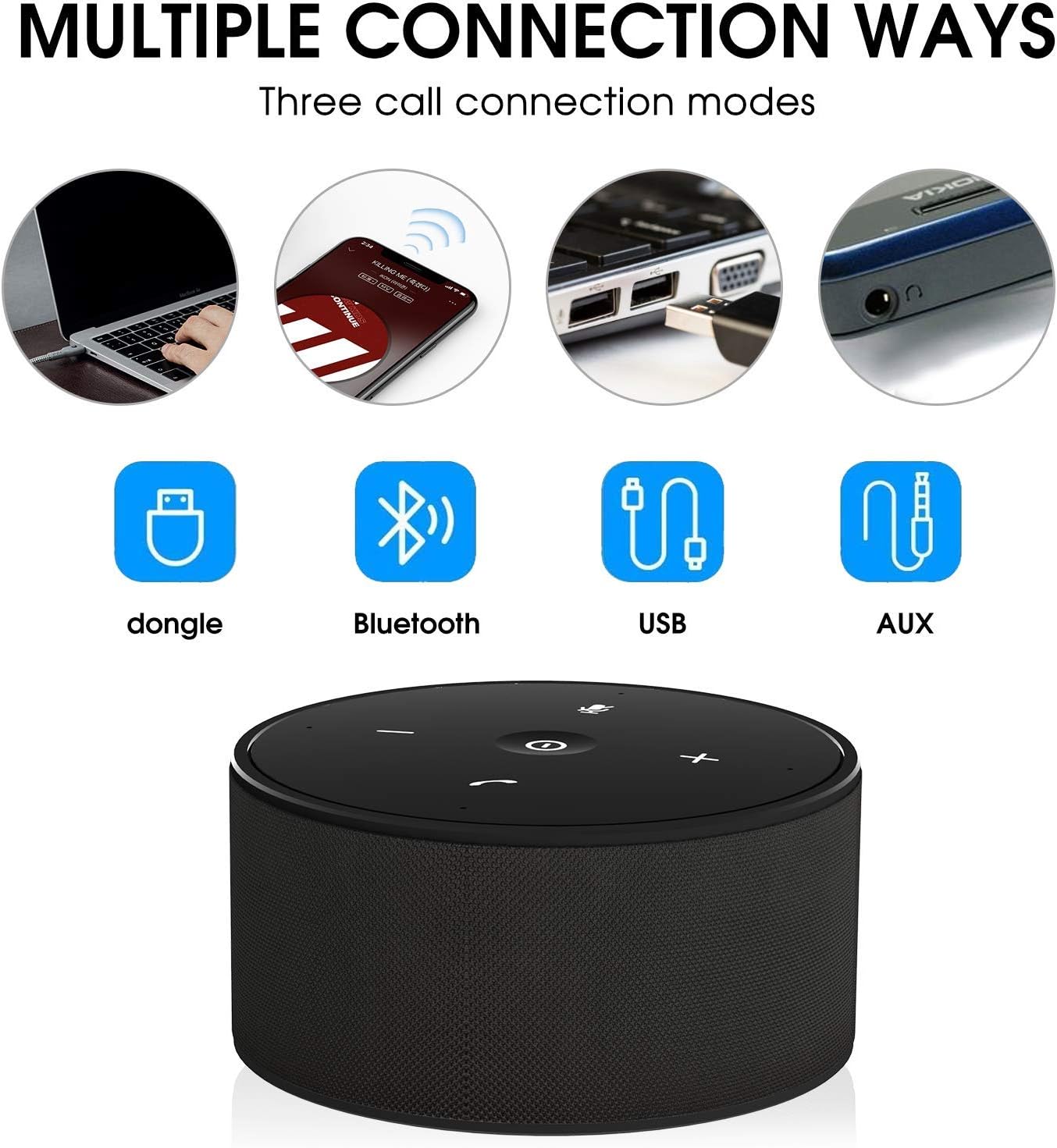
The SOWO CONF360 supports multiple connection methods:

Umfanekiso 3: Various connection options for the SOWO CONF360, including USB dongle, Bluetooth, USB cable, and AUX cable.
I-Bluetooth Connection
- Ensure the speakerphone is powered on.
- Activate Bluetooth on your device (smartphone, tablet, laptop).
- Cinga "SOWO CONF360" in your device's Bluetooth settings.
- Select "SOWO CONF360" to pair. The LED indicator will confirm a successful connection.
USB Dongle Connection (for devices without Bluetooth)
- Plug the provided USB Bluetooth adapter into an available USB port on your computer.
- The speakerphone will automatically connect to the dongle. No driver installation is typically required.
Uxhumano Lwekhebula le-USB
- Connect the speakerphone to your computer using the provided USB cable.
- The device will be recognized as an audio input/output device. Select it in your computer's sound settings.
3.5mm AUX Audio Cable Connection
- Connect one end of the 3.5mm audio cable to the AUX port on the speakerphone.
- Xhuma esinye isiphetho kujeke ophumayo womsindo wedivayisi yakho.
- Note: Microphone functionality may be limited or unavailable when using AUX connection, depending on the connected device.
Imiyalelo yokusebenza
Ukushaya nokwamukela izingcingo
- Ukuphendula Ucingo: Press the Phone Symbol Button.
- Ukuvala Ucingo: Press the Phone Symbol Button again.
- Ukushaya Ucingo: Initiate the call from your connected device. The audio will automatically route through the speakerphone.
Ukulawula Ivolumu
- Khulisa ivolumu: Cindezela inkinobho yeVolume Up (+).
- Nciphisa ivolumu: Cindezela inkinobho Yevolumu Phansi (-).
Umsebenzi Wokuthulisa Imakrofoni
- Ukuthulisa: Press the Mute Button. The LED indicator for mute will illuminate.
- To Unmute: Press the Mute Button again. The mute LED indicator will turn off.
Izici Zomsindo Ezithuthukile

Umfanekiso 4: The SOWO CONF360 employs advanced technology for background noise reduction, ensuring ultra-clear voice transmission during calls.
The SOWO CONF360 incorporates smart voice enhancement and noise filtration technology. A custom DSP algorithm optimizes your voice in real-time and reduces background noise, ensuring clear communication. The device is designed to prevent echo and delay, even at maximum volume.
Umfanekiso 5: The SOWO CONF360 features advanced echo cancellation, providing clear audio even at high volumes, unlike other devices that may produce echo.

Umfanekiso 6: Intelligent pickup enhancement using AI DSP technology balances voice within a 5-meter radius, ensuring consistent audio quality for all participants.
Isondlo
- Ukuhlanza: Sebenzisa indwangu ethambile, eyomile ukuhlanza idivayisi. Ungasebenzisi izinto zokuhlanza abrasive noma izincibilikisi.
- Isitoreji: When not in use, store the speakerphone in a cool, dry place, preferably in its protective carrying case.
- Ukunakekelwa kwebhethri: Ukwelula impilo yebhethri, gwema ukukhipha ibhethri ngokugcwele njalo. Shaja idivayisi njalo, noma ingasebenzi.
Ukuxazulula inkinga
| Inkinga | Imbangela Engenzeka | Isixazululo |
|---|---|---|
| Idivayisi ayivuli. | Ibhethri eliphansi. | Shaja idivayisi amahora angu-2-3. |
| Ayikwazi ukuxhuma nge-Bluetooth. | Bluetooth not enabled on device; speakerphone not in pairing mode; too far from device. | Ensure Bluetooth is on. Restart speakerphone and try pairing again. Move closer to the device. |
| Awukho umsindo noma ikhwalithi yomsindo ephansi. | Volume too low; incorrect audio output selected; loose cable connection. | Increase volume on both speakerphone and connected device. Check audio settings on your computer/phone. Ensure cables are securely connected. |
| Imakrofoni ayisebenzi. | Imakrofoni ithulisiwe; kukhethwe okokufaka umsindo okungalungile. | Press the Mute Button to unmute. Check audio input settings on your computer/phone. |
| Echo or feedback during calls. | High volume in a small room; speakerphone too close to a wall. | Reduce volume. Adjust speakerphone placement. |
Imininingwane
| Isici | Imininingwane |
|---|---|
| Imodeli | CONF360 |
| Ukucaciswa kwe-Bluetooth | V5.0 |
| Amandla Okukhiphayo | 10W + DSP |
| Imakrofoni | 4 high sensitivity microphones |
| Ibanga Lokulanda Izwi | Up to 5 meters (16 feet) 360-degree |
| Ubukhulu (L x W x H) | 122mm x 122mm x 66mm (approx. 11.99 x 11.99 x 5.99 cm) |
| Isisindo | 435g (approx. 535.24 g with packaging) |
| Max Bluetooth Communication Distance | 30M (actual use may vary) |
| Okokufaka kokushaja | DC 5V / 1A |
| Isikhathi sokushaja | 2 ~ amahora angu-3 |
| Impilo Yebhethri (Isikhathi Sokukhuluma) | Up to 12 hours (actual use may vary) |
| Uhlobo Lwebhethri | I-Lithium ion |
| Ukuxhumana | I-Bluetooth, i-USB, i-AUX engu-3.5mm |
| Ukuhambisana | Windows 7/8/10, Mac OS, Android, iOS. Optimized for Zoom, Skype, WebEx, Google Hangout, FaceTime. |
Iwaranti kanye Nokusekela
The SOWO CONF360 Bluetooth Speakerphone comes with an 18-month quality assurance period. For any issues or support inquiries, please contact the SOWO after-sales team. Contact information can typically be found on the product packaging or the official SOWO webindawo.