
MIATONE BOOMBOX
MIATONE Boombox Portable Bluetooth Speaker User Manual
Model: BOOMBOX
Isingeniso
The MIATONE Boombox Portable Bluetooth Speaker (Model: BOOMBOX) is designed to deliver high-quality audio in a durable, portable package. Featuring advanced Bluetooth 5.3 technology, it offers seamless connectivity and a wide range, making it ideal for both indoor and outdoor use. Its rugged, waterproof design ensures reliability in various environments, while the option for TWS stereo pairing allows for an enhanced audio experience.

Figure 1: MIATONE Boombox Portable Bluetooth Speaker (Green)
Yini EseBhokisini
- MIATONE Boombox Portable Bluetooth Speaker
- Ikhebula lokushaja
- Ikhebula le-Aux-in
Setha
1. Ukushaja uSomlomo
Before first use, fully charge the speaker. Connect the provided charging cable to the speaker's charging port and the other end to a compatible USB power adapter (not included). The charging indicator light will show charging status.
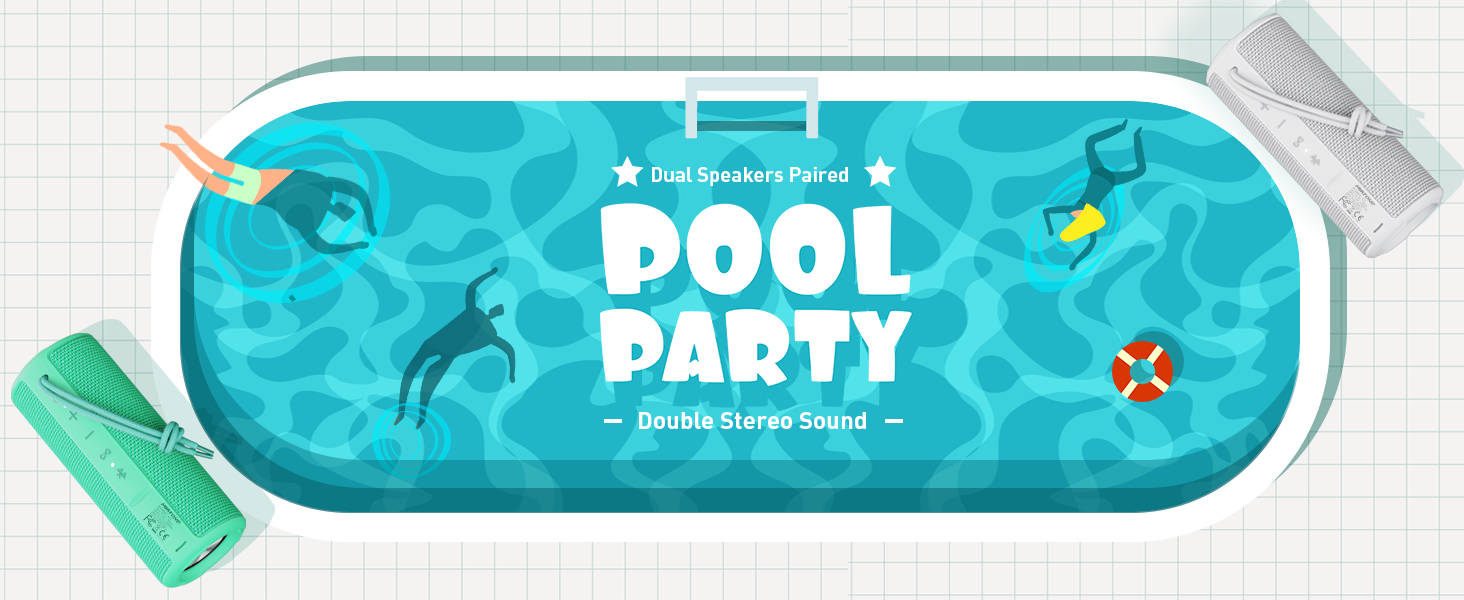
Figure 2: Speaker back view with charging and aux-in ports.
2. Ukuvula/Ukucisha
Press and hold the power button located on the side of the speaker to turn it on or off. An English voice prompt will confirm "Power On" or "Power Off".
Imiyalelo yokusebenza
1. Ukubhanqa kwe-Bluetooth
- Ensure the speaker is powered on and in Bluetooth pairing mode (indicated by a flashing Bluetooth indicator light).
- Edivayisini yakho (i-smartphone, ithebhulethi, ikhompuyutha ephathekayo), vula i-Bluetooth bese usesha amadivaysi atholakalayo.
- Select "MIATONE BOOMBOX" from the list.
- Once connected, an English voice prompt will confirm "Bluetooth Connected".
The speaker maintains a stable Bluetooth connection up to 100 feet (30 meters) from your device.
2. Ukulawulwa Kwevolumu
Sebenzisa izinkinobho ezithi '+' kanye nethi '-' esipikheni ukuze ulungise ivolumu. Ungalawula futhi ivolumu kusuka kudivayisi yakho exhunyiwe.
3. Ukubhanqa i-TWS (True Wireless Stereo)
To achieve a true stereo sound experience, you can pair two identical MIATONE Boombox speakers together:
- Qinisekisa ukuthi zombili izipikha zivuliwe futhi azixhumekile kunoma iyiphi idivayisi ye-Bluetooth.
- On one speaker, press and hold the TWS button (often indicated by an infinity symbol or two interlocking circles). The speaker will enter TWS pairing mode.
- The two speakers will automatically connect to each other. A voice prompt will confirm successful TWS pairing.
- Once paired, connect your device to one of the speakers via Bluetooth as described in the "Bluetooth Pairing" section. Both speakers will now play audio in stereo.

Figure 3: Two speakers paired for enhanced stereo sound.
4. Ukudlala Ngomsindo
Control playback (play/pause, skip tracks) directly from your connected Bluetooth device. The speaker's buttons may also offer basic playback controls (e.g., single press for play/pause, long press for next/previous track, refer to specific button icons on the device).

Figure 4: Speaker delivering high-resolution audio in an outdoor setting.
Isondlo
1. Ukuhlanza
Sula isipikha ngesithambile, damp indwangu. Ungasebenzisi amakhemikhali anamandla noma izihlanzi ezihudulayo. Qinisekisa ukuthi isembozo sembobo yokushaja sivaliwe kahle ngaphambi kokuhlanza noma ukuchayeka emanzini.
2. Isitoreji
Gcina isipikha endaweni epholile, neyomile kude nelanga eliqondile namazinga okushisa aphezulu uma singasetshenziswa isikhathi eside.
3. Ukuvimbela amanzi
The speaker is IPX6 waterproof, meaning it can withstand powerful water jets. Do not submerge the speaker for extended periods or expose it to high-pressure water streams. Always ensure the port cover is sealed tightly to maintain water resistance.

Figure 5: Speaker floating in water, highlighting its waterproof capability.
4. Ukuqina
The speaker features a rugged, anti-slip design with soft silicone end caps to absorb shock from drops. While durable, avoid excessive force or dropping from significant heights to prevent damage.

Figure 6: Speaker on sand, showcasing its shockproof and dustproof design.
Ukuxazulula inkinga
| Inkinga | Imbangela Engenzeka | Isixazululo |
|---|---|---|
| Isipikha asikhanyisi. | Ibhethri liphansi noma alikhokhi lutho. | Shaja isipikha ngokugcwele usebenzisa ikhebuli enikeziwe. |
| Awukho umsindo ovela esipikheni. | Volume too low, not paired, or incorrect audio source. | Increase volume on speaker and device. Ensure proper Bluetooth pairing. Check if audio is playing on the source device. |
| Bluetooth connection unstable or disconnects. | Device too far, interference, or low speaker battery. | Move device closer to speaker (within 100 ft). Avoid obstacles. Charge speaker. Re-pair if necessary. |
| Cannot TWS pair two speakers. | Speakers already connected to another device, or not in TWS pairing mode. | Ensure both speakers are disconnected from other devices. Follow TWS pairing instructions carefully. |
Imininingwane
| Isici | Imininingwane |
|---|---|
| Igama Lemodeli | I-BOOMBOX |
| Ibhrendi | I-MIATONE |
| Uhlobo lwesipika | Umsindo Ozungezayo |
| Izici ezikhethekile | Portable, Stereo Pairing (TWS) |
| Ubuchwepheshe bokuxhumana | I-Bluetooth 5.3 |
| I-Bluetooth Range | Kufika ku-100 feet (30 metres) |
| Amandla Okukhipha Isipikha | 16W (20W ukuphakama) |
| TWS Paired Output Power | 32W (40W ukuphakama) |
| Izinga Lokumelana Namanzi | IPX6 Ingangeni manzi |
| Impilo Yebhethri | Kufika emahoreni angu-17 (ngevolumu engu-50%) |
| Ubukhulu bomkhiqizo | 2.87"D x 2.87"W x 7.3"H |
| Isisindo sento | 14.88 amakhilogremu |
| Izingxenye Ezihlanganisiwe | Charging Cable, Aux-in Cable |
Iwaranti kanye Nokusekela
The MIATONE Boombox Portable Bluetooth Speaker comes with a Limited Warranty. For detailed warranty information, product support, or to contact customer service, please visit the official MIATONE Store on Amazon:
Ask a question about this manual
Ask about setup, troubleshooting, compatibility, parts, safety, or missing instructions. Manuals+ will review the question and use this page’s manual context to help answer it.