
Isingeniso
Thank you for choosing the SLuB Bone Conduction Headphones F806. These open-ear wireless earphones utilize advanced bone conduction technology and Bluetooth 5.0 connectivity to provide a unique audio experience while keeping you aware of your surroundings. This manual provides detailed instructions for setup, operation, maintenance, and troubleshooting to ensure optimal performance and longevity of your device.
Umkhiqizo Uphelileview
Izici Eziyinhloko
- I-Bone Conduction Technology: Delivers audio through your cheekbones, leaving your ears open to ambient sounds.
- Idizayini ye-Open-Ear: Enhances situational awareness, ideal for outdoor activities.
- I-Bluetooth 5.0: Ihlinzeka ngoxhumano olungenantambo oluzinzile nolusebenzayo.
- I-Ultra-Lightweight: Weighs approximately 35 grams for comfortable extended wear.
- I-IPX5 Ingangeni manzi: Resistant to sweat and light rain, suitable for sports.
- Impilo ende yebhethri: Up to 8 hours of continuous playback.
Izingxenye Zomkhiqizo

Umfanekiso 1: Kuphelileview of SLuB Bone Conduction Headphones F806, highlighting features such as 180 mAh battery, 9h talk time, 8h play time, 180h standby time, and 25g weight, suitable for cycling, climbing, working, gym, and running.

Umfanekiso 2: Illustration of the open-ear design, allowing users to hear surroundings and avoid potential dangers while enjoying music.

Umfanekiso 3: Explanation of bone conduction technology, which delivers audio to the auditory nerve via the cheekbone, keeping both ears open.

Umfanekiso 4: Demonstration of the headphones' resilient and durable titanium wire skeleton, capable of 360° bending without deformation.

Umfanekiso 5: Visual representation of the IPX5 waterproof rating, indicating nano-coating protection against sweat and water.
Setha Imiyalelo
1. Ukushaja ama-headphones
- Locate the USB charging interface on the headphones.
- Connect the provided USB charging cable to the headphones and a compatible USB power source (e.g., computer USB port, wall adapter).
- The indicator light will illuminate during charging. Once fully charged, the light will change color or turn off, depending on the model. A full charge typically takes approximately 2 hours.
Umfanekiso 6: Location of the USB Charging Interface, Indicator Light, and Volume controls.
2. Ukubhanqa kwe-Bluetooth
- Vula: Press and hold the multifunction button (Power Button) for 2 seconds until the indicator light flashes, indicating pairing mode.
- Yenza kusebenze i-Bluetooth: Edivayisini yakho (i-smartphone, ithebhulethi, njll.), vula i-Bluetooth.
- Khetha Idivayisi: Cinga "SLuB F806" or a similar name in the list of available Bluetooth devices and select it to connect.
- Ukuqinisekisa: Once successfully paired, the indicator light will stop flashing or show a steady light, and you may hear an audio prompt.

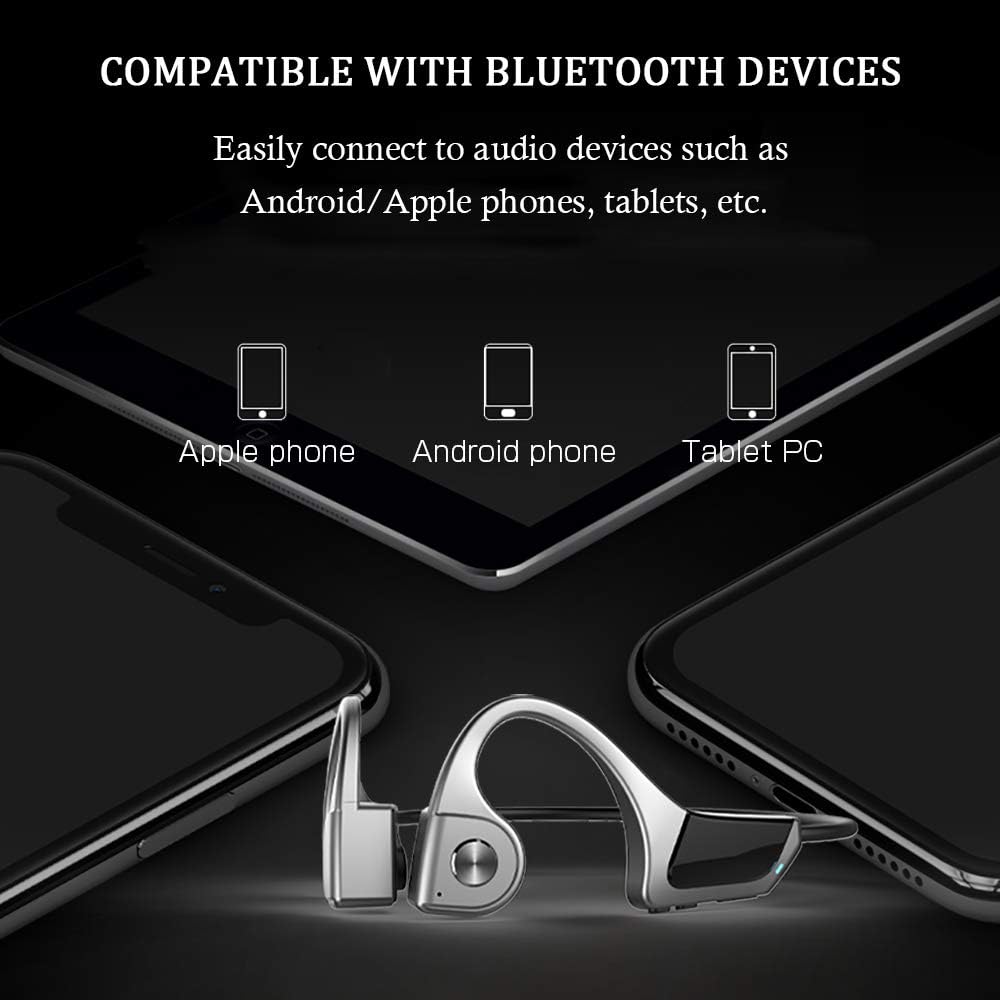
Umfanekiso 7: Compatibility with various Bluetooth devices, including Apple phones, Android phones, and Tablet PCs.
Imiyalelo yokusebenza
Inkinobho Imisebenzi

Umfanekiso 8: Detailed functions of the micro raised buttons for easy control.
| Umsebenzi | Isenzo |
|---|---|
| Vula/Vala | Cindezela bese ubamba inkinobho yemisebenzi eminingi imizuzwana emi-2. |
| Ukudayela Ngezwi | Press and hold the multifunction button for 2 seconds (when powered on). |
| Ivolumu Ephezulu (+) / Ivolumu Ephansi (-) | Click the +/- key. |
| Phendula / Vala ucingo | Click the multifunction button. |
| Dlala / Misa isikhashana Umculo | Click the multifunction button. |
| Ithrekhi edlule / elandelayo | Long press the +/- key. |
Isondlo
- Ukuhlanza: Sula ama-headphones ngento ethambile, damp indwangu. Ungasebenzisi amakhemikhali anokhahlo noma izinto ezilumayo.
- Isitoreji: Gcina ama-headphone endaweni epholile, eyomile ekude nelanga eliqondile namazinga okushisa aphezulu.
- Iyashaja: Qinisekisa ukuthi imbobo yokushaja yomile ngaphambi kokuxhuma ikhebuli yokushaja.
- Ukuchayeka emanzini: While IPX5 rated, avoid submerging the headphones in water. Dry thoroughly if exposed to sweat or rain.
Ukuxazulula inkinga
| Inkinga | Isixazululo Esingenzeka |
|---|---|
| Ama-headphone awavuli amandla. | Ensure the headphones are fully charged. Press and hold the multifunction button for 2 seconds. |
| Ayikwazi ukubhanqa nedivayisi. |
|
| Awukho umsindo noma ivolumu ephansi. |
|
| Ikhwalithi yekholi ephansi. |
|
Imininingwane
| Isici | Imininingwane |
|---|---|
| Inombolo Yemodeli | F806 |
| Ibhrendi | SLuB |
| Ubuchwepheshe bokuxhumana | I-Bluetooth 5.0, Engenantambo |
| Ukubekwa Kwendlebe | Vula Indlebe |
| Izinga Lokumelana Namanzi | IPX5 Ingangeni manzi |
| Isisindo sento | 35 amagremu |
| Okubalulekile | Ipulasitiki |
| Uhlobo Lokulawula | Ukulawulwa Kwemidiya |
| Indlela Yokulawula | Thinta (ebhekisela ekucindezelweni kwezinkinobho) |
| Ukusetshenziswa Okuthize | Ezemidlalo Nokuzivocavoca |
Iwaranti kanye Nokusekela
For warranty information and customer support, please refer to the documentation included with your purchase or contact the retailer. Keep your proof of purchase for any warranty claims.