
I-TecTake 402229-NL
Tectake® Gaming Office Chair User Manual
Imodeli: 402229-NL
1. Umkhiqizo Uphelileview
The Tectake® Gaming Office Chair is designed to provide exceptional comfort and ergonomic support for extended periods of sitting, whether for office work or gaming. It features a robust integrated steel frame, extra thick padding, and a sporty bucket seat design. Key elements include continuous seat height adjustment, a reclining backrest, height-adjustable armrests, and 360-degree swivel capability. The chair comes with additional neck and lumbar cushions for enhanced comfort and posture support.

Umfanekiso 1.1: Ngaphambili view of the Tectake Gaming Office Chair, highlighting its ergonomic design and included cushions.

Figure 1.2: The Tectake Gaming Office Chair integrated into a typical gaming environment, showcasing ukukhanga kwayo kobuhle.
2. Izici Eziyinhloko
- Extra Thick Padding: Provides soft and comfortable seating for prolonged use.
- Integrated Steel Frame: Ensures superior quality design and durability.
- Continuous Seat Height Adjustment: Utilizes a high-quality gas pressure spring for smooth height changes.
- I-Backrest Adjustable: Can be reclined to a 105° position for relaxation.
- 360° Swivel Functionality: Allows for full rotation, enhancing mobility and access.
- Adjustable Tilt Mechanism: Can be individually adjusted to suit user's body weight.
- Height-Adjustable Armrests: Designed for optimal body positioning and comfort.
- Included Neck and Lumbar Cushions: Provide additional support for the neck and lower back.
- Izinto Eziqinile: Constructed with two-tone 100% polyurethane synthetic leather.
- Isisekelo Esizinzile: Features a glossy finished cross base with 5 double casters for stability and smooth movement.

Figure 2.1: Illustration of the backrest's 105-degree recline capability.

Figure 2.2: Demonstration of the height-adjustable armrests for personalized comfort.
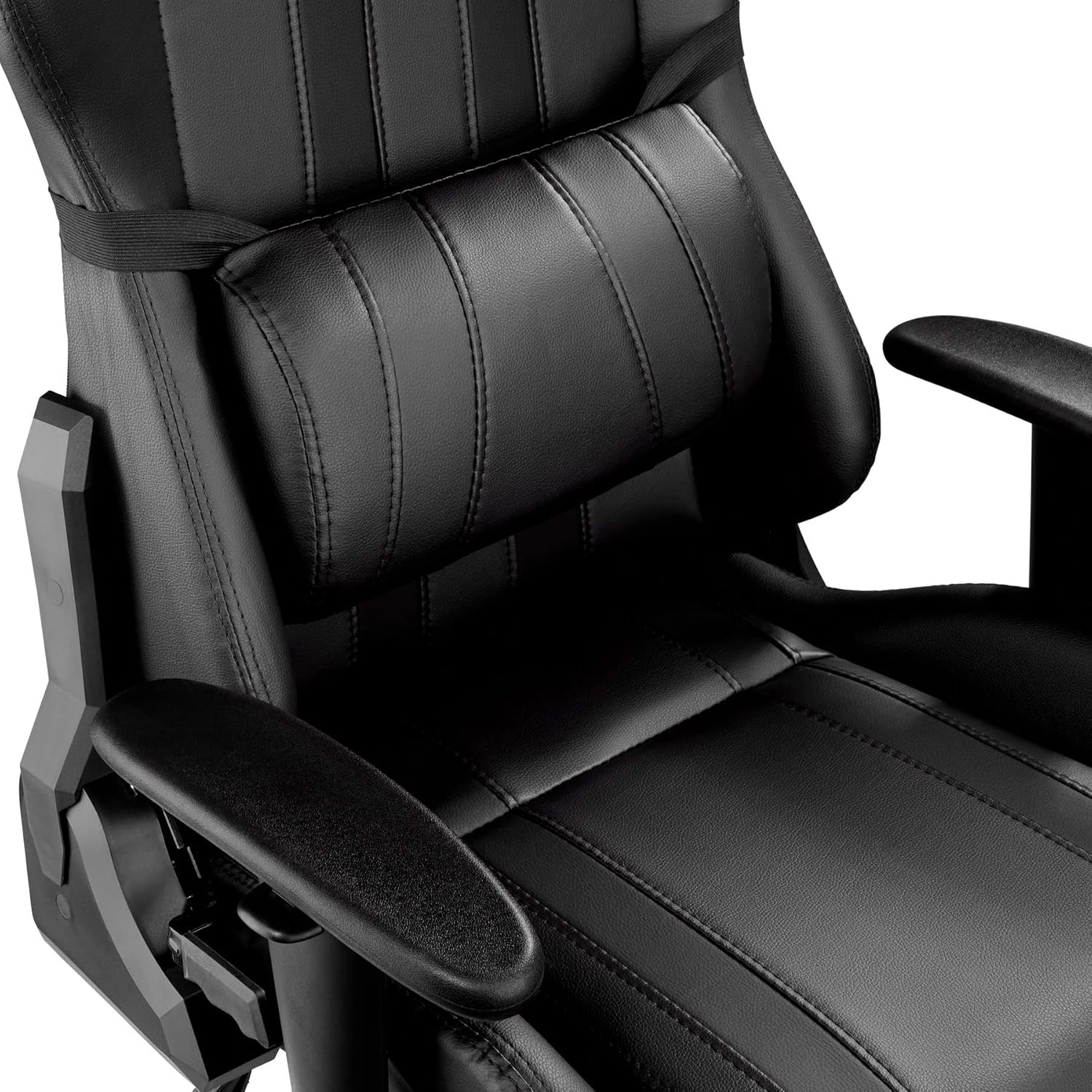
Umfanekiso 2.3: Vala-up view of the adjustable lumbar support cushion.
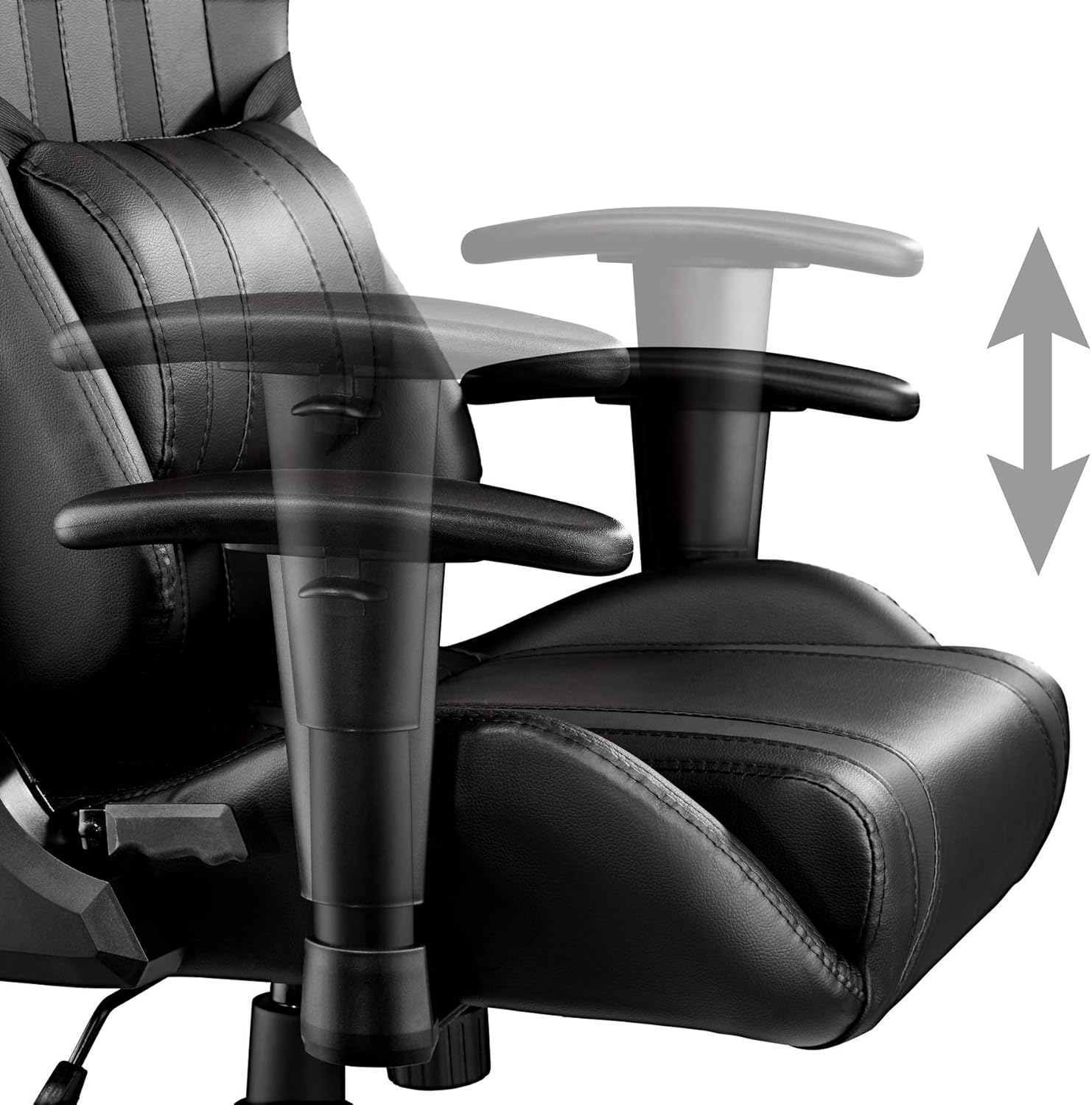
Figure 2.4: Detail of the stable cross base and durable double casters.
3. Imininingwane Yezobuchwepheshe
| Isibaluli | Inani |
|---|---|
| Ubukhulu Sebonke (WxDxH) | 70 x 75 x 120-128 cm |
| Ukuphakama Kwesihlalo | 45-53 cm |
| Seat (WxD) | 40 x 50 cm |
| Backrest (WxH) | 40 x 80 cm |
| Armrest Pad (WxL) | 28 x 8 cm |
| Ibanga Phakathi Kwezindawo Zokuphumula | 47 cm |
| Ukuphakama kwe-Armrest | 58.5-66.5 cm |
| I-Armrest Height Adjustment | 8 cm |
| Seat Padding Thickness | Cishe. 8 cm |
| Backrest Padding Thickness | Cishe. 5 cm |
| Wheels (Diameter x Width) | Cishe. 6 x 5.6 cm |
| Umthamo Omkhulu Womthwalo | 120 kg |
| Isisindo Somkhiqizo | 19.8 kg |
| Izinto zokwakha | Steel frame, plastic parts, 100% polyester padding, 100% polyurethane synthetic leather |
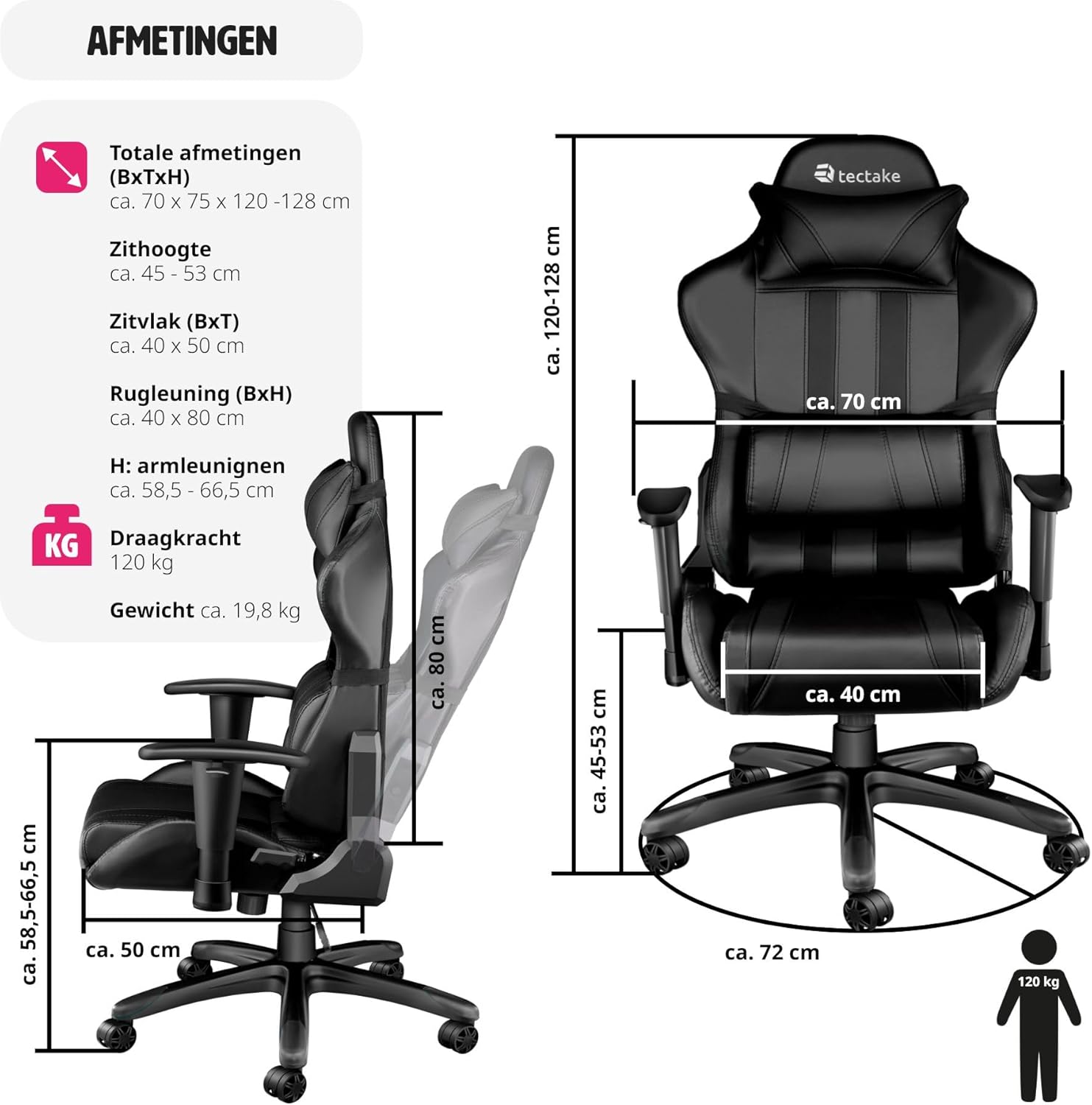
Figure 3.1: Detailed diagram illustrating the chair's various dimensions.
4. Iziyalezo Zomhlangano
The Tectake Gaming Office Chair is designed for easy assembly. Please follow the included assembly guide for detailed, step-by-step instructions. Ensure all components are present before beginning assembly.
Izinyathelo Zomhlangano Ojwayelekile:
- Khipha zonke izingxenye futhi uqinisekise ngokumelene nohlu lwezingxenye kumhlahlandlela wakho womhlangano.
- Namathisela ama-caster esisekelweni sezinkanyezi.
- Faka isilinda sokuphakamisa igesi phakathi nendawo yesisekelo senkanyezi.
- Assemble the seat and backrest components, attaching the armrests and mechanism.
- Beka isihlalo esihlanganisiwe kanye ne-backrest phezu kwesilinda sokuphakamisa igesi.
- Attach the neck and lumbar cushions.
- Test all adjustment functions to ensure proper operation.
For specific screw types and fastening methods, refer to the visual diagrams in your printed assembly manual.
5. Iziqondiso Zokusebenza
5.1. Ukulungiswa Kokuphakama Kwesihlalo
To adjust the seat height, locate the lever on the right side, beneath the seat. To raise the seat, lift the lever while taking your weight off the chair. To lower the seat, lift the lever while remaining seated.
5.2. Backrest Recline
The backrest can be reclined up to 105 degrees. Locate the recline lever on the left side of the chair. Pull the lever upwards to unlock the backrest, adjust to your desired angle, and then push the lever downwards to lock it in place.
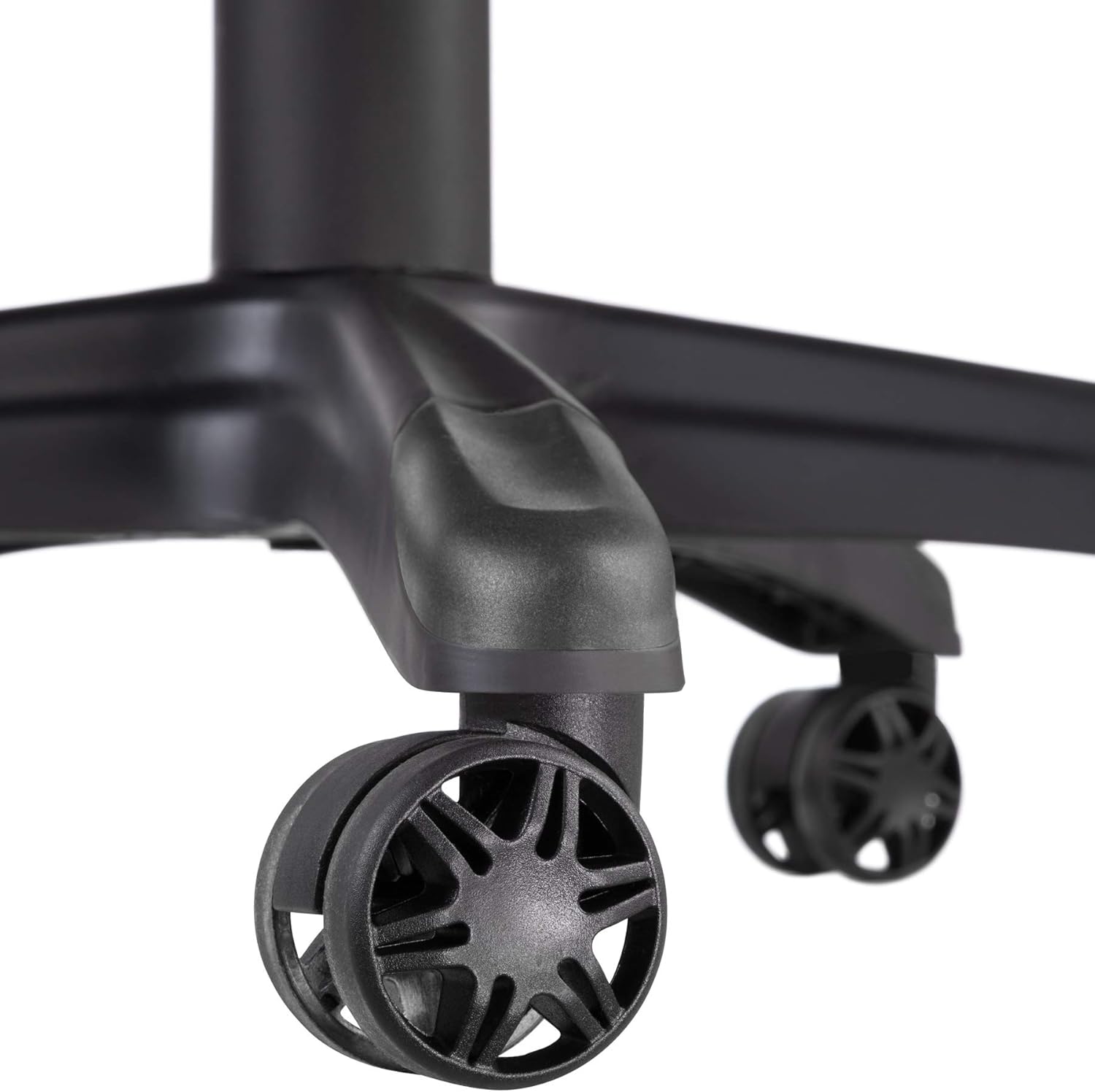
Figure 5.1: Close-up of the tilt and height adjustment levers located beneath the seat.
5.3. Ukulungiswa Kokuphakama Kwengalo
To adjust the height of the armrests, press the button located on the side of each armrest support. While holding the button, move the armrest up or down to your preferred height. Release the button to lock the armrest in position.
5.4. Tilt Mechanism Adjustment
The tilt tension can be adjusted to match your body weight. Rotate the round knob located underneath the front of the seat. Turn clockwise to increase tension (making it harder to recline) and counter-clockwise to decrease tension (making it easier to recline).
5.5. Ukujika okungu-360°
The chair is designed to swivel 360 degrees freely on its base. Simply rotate the chair in any direction as needed.
6. Ukunakekela Nokunakekela
Proper care and maintenance will extend the life and appearance of your Tectake Gaming Office Chair.
- Ukuhlanza: For the synthetic leather surfaces, wipe regularly with a soft, damp indwangu. Uma unamabala aqinile, sebenzisa isisombululo sensipho esithambile bese usula ngokushesha. Gwema izihlanzi ezikhuhlayo, izinyibilikisi, noma amakhemikhali anamandla, njengoba lokhu kungalimaza impahla.
- Ama-Casters: Periodically check the casters for hair, dust, or debris that may impede smooth rolling. Clean them as necessary.
- Izingxenyekazi zekhompuyutha: Occasionally check all screws and bolts to ensure they are tight. Retighten if necessary to maintain stability and prevent squeaking.
- Ukuchayeka Elangeni: Avoid prolonged exposure to direct sunlight, which can cause the synthetic leather to fade or crack over time.
- Umkhawulo Wesisindo: Do not exceed the maximum load capacity of 120 kg to prevent damage to the chair and ensure safety.
7. Ukuxazulula izinkinga
If you encounter any issues with your Tectake Gaming Office Chair, refer to the following common troubleshooting tips:
- Isihlalo Squeaks:
- Hlola futhi uqinise zonke izikulufo zokuhlanganisa, ikakhulukazi lezo ezixhumanisa isihlalo nomshini kanye ne-backrest.
- Apply a small amount of silicone spray to moving parts of the mechanism or where metal components rub.
- Ubunzima bokulungisa ubude:
- Ensure the gas lift lever is fully engaged.
- If the chair does not go up, ensure you are standing up and taking your weight off the seat when lifting the lever.
- If the chair does not go down, ensure you are fully seated and applying weight when lifting the lever.
- I-Casters Not Rolling Kashelela:
- Inspect casters for tangled hair, lint, or debris. Clean them thoroughly.
- Qinisekisa ukuthi ama-caster afakwe kahle esisekelweni.
- Backrest Does Not Lock:
- Ensure the recline lever is pushed down completely to lock the backrest in position.
- Check for any obstructions in the recline mechanism.
Uma inkinga iqhubeka ngemva kokuzama lezi zixazululo, sicela uxhumane nosekelo lwamakhasimende.
8. Iwaranti kanye Nokusekela
This Tectake Gaming Office Chair comes with a standard return policy. Customers are eligible for a refund or replacement within 30 days of purchase, subject to the terms and conditions of the retailer.
For any questions regarding assembly, operation, maintenance, or to report a defect, please contact the seller directly through your purchase platform. Please have your model number (402229-NL) and proof of purchase ready when contacting support.
Information regarding spare parts availability is not provided in the product details. Please inquire with the seller for any specific spare part needs.
Ask a question about this manual
Ask about setup, troubleshooting, compatibility, parts, safety, or missing instructions. Manuals+ will review the question and use this page’s manual context to help answer it.