
Isingeniso
This manual provides detailed instructions for the proper use and maintenance of your Awei A799BL Foldable Gaming Wireless Headphone. Please read this manual thoroughly before using the product to ensure optimal performance and longevity. The Awei A799BL is designed for an immersive audio experience, featuring both wireless Bluetooth and wired connectivity options, a built-in microphone, and noise-cancelling capabilities.
Okuqukethwe Kwephakheji
Uma usukhipha impahla, sicela uqinisekise ukuthi zonke izinto ezibalwe ngezansi zikhona futhi zisesimweni esihle:
- Awei A799BL Foldable Gaming Wireless Headphone
- Ikhebula lokushaja le-USB
- Ikhebula Lomsindo elingu-3.5mm (lokuxhuma ngentambo)
- Incwadi Yomsebenzisi (le dokhumenti)
Umkhiqizo Uphelileview
Familiarize yourself with the various components and controls of your Awei A799BL headphones.

Isithombe: Ngaphambili view of the Awei A799BL Foldable Gaming Wireless Headphone, showcasing its black and silver design with red geometric patterns on the earcups.
Izici Eziyinhloko:
- Foldable Design for portability.
- Wireless Bluetooth Connectivity (Bluetooth Version 5.0).
- Wired Connectivity via 3.5mm audio jack.
- Integrated Microphone for communication.
- Active Noise Cancellation (ANC) for an immersive audio experience.
- Over-Ear design for comfort during extended use.
Controls (Typical Layout - Refer to product for exact placement):
- Inkinobho yamandla: On/Off, Play/Pause, Answer/End Call.
- Inkinobho Yevolumu ephezulu/Ithrekhi elandelayo: Increase volume, skip to next track.
- Inkinobho Yevolumu Ephansi/Yethrekhi Yangaphambilini: Decrease volume, go to previous track.
- Inkinobho ye-ANC: Activate/Deactivate Active Noise Cancellation.
- Imbobo yemakrofoni: For detachable microphone (if applicable).
- 3.5mm Audio Jack: Okokuxhuma ngentambo.
- Imbobo yokushaja: Imbobo ye-Micro USB yokushaja.
- Inkomba ye-LED: Ibonisa amandla, ukushaja, kanye nesimo sokubhangqa.
Setha
1. Ukushaja I-headphone
Before initial use, fully charge the headphone. Connect the provided USB charging cable to the headphone's charging port and the other end to a USB power source (e.g., computer USB port, wall adapter). The LED indicator will typically show red during charging and turn off or change color when fully charged. A full charge takes approximately 2 hours.
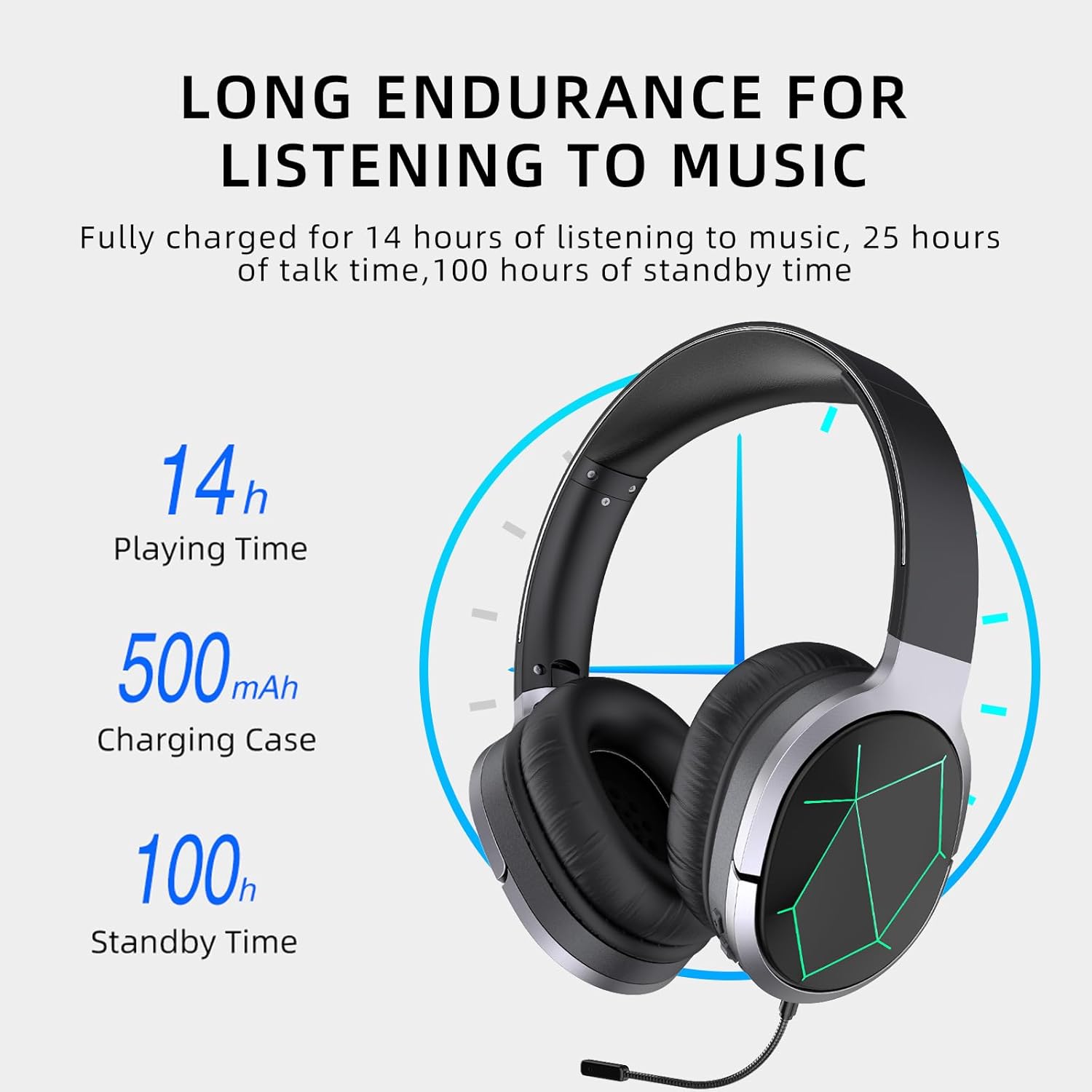
Image: Awei A799BL Headphone illustrating its long endurance with 14 hours play time, 500mAh battery capacity, and 100 hours standby time.
2. Ukubhanqa kwe-Bluetooth
- Ensure the headphone is charged and turned off.
- Cindezela bese ubamba inkinobho ethi Power kuze kube yilapho inkomba ye-LED ikhanya okwesibhakabhaka nokubomvu ngokushintshana, okubonisa imodi yokubhangqa.
- Edivayisini yakho (i-smartphone, ithebhulethi, ikhompuyutha), vula i-Bluetooth bese usesha amadivaysi atholakalayo.
- Select "Awei A799BL" from the list of found devices.
- Once paired, the LED indicator will typically flash blue slowly or turn solid blue.
- If a password is required, enter "0000".

Image: Awei A799BL Headset with "Bluetooth Gaming Headset" text, emphasizing its wireless gaming capability.
3. Ukuxhumeka Okunezintambo (Ikhebula Lomsindo Eliyi-3.5mm)
To use the headphone in wired mode, connect one end of the 3.5mm audio cable to the headphone's 3.5mm jack and the other end to your audio source's 3.5mm output. This mode does not require battery power for audio playback, but the microphone and ANC features may require power.

Image: Awei A799BL Headphone connected via a 3.5mm audio cable to various devices, highlighting the alternative wired connection option.
Imiyalelo yokusebenza
Vula/Vala:
- Vula: Cindezela futhi ubambe inkinobho yamandla cishe imizuzwana emi-3 kuze kube yilapho inkomba ye-LED ikhanya.
- Cisha ugesi: Press and hold the Power button for approximately 3-5 seconds until the LED indicator turns off.
Music Playback (Bluetooth Mode):
- Dlala/Misa kancane: Cindezela kafushane inkinobho yamandla.
- Ithrekhi Elandelayo: Cindezela isikhathi eside inkinobho yeVolume Up.
- Ithrekhi yangaphambilini: Cindezela isikhathi eside inkinobho yeVolume Down.
- Ivolumu ephezulu: Cindezela kafushane inkinobho ye-Volume Up.
- Ivolumu Phansi: Cindezela kafushane inkinobho ye-Volume Down.
Call Management (Bluetooth Mode):
- Phendula/Phendula ikholi: Cindezela kafushane inkinobho yamandla.
- Yenqaba Ucingo: Cindezela isikhathi eside inkinobho yamandla amasekhondi angu-2.
- Phinda ushaye inombolo yokugcina: Cindezela kabili inkinobho yamandla.
I-Active Noise Cancellation (ANC):
Press the ANC button to activate or deactivate the noise cancellation feature. The LED indicator for ANC will light up when active.
Image: Awei A799BL Headphone with "Designed for Games" text, indicating its suitability for gaming with immersive audio.
Isondlo
- Keep the headphone dry. Avoid exposure to moisture or liquids.
- Clean the headphone with a soft, dry cloth. Do not use abrasive cleaners or solvents.
- Store the headphone in a cool, dry place away from direct sunlight and extreme temperatures.
- Avoid dropping or subjecting the headphone to strong impacts.
- Do not attempt to disassemble or modify the headphone, as this will void the warranty and may cause damage.
Ukuxazulula inkinga
| Inkinga | Isixazululo Esingenzeka |
|---|---|
| I-headphone ayivuli. | Ensure the headphone is fully charged. Connect to a power source and try again. |
| Ayikwazi ukubhanqa nge-Bluetooth. |
|
| Awukho umsindo kumodi ye-Bluetooth. |
|
| Imakrofoni ayisebenzi. |
|
| Izinga lomsindo liphansi noma lihlanekezelwe. |
|
Imininingwane

Image: Awei A799BL Headphone displaying its basic parameters and specifications.
| Ipharamitha | Inani |
|---|---|
| Inombolo Yemodeli | A799BL |
| Inguqulo ye-Bluetooth | 5.0 |
| Isikhathi sokulinda | Amahora angu-100 |
| Isikhathi Sokukhuluma | Amahora angu-25 |
| Isikhathi sokudlala | Amahora angu-14 |
| Isikhathi sokushaja | Amahora angu-2 |
| Impendulo Yemvamisa | I-2.402G-2.480G |
| Amandla ebhethri | 500mAh/3.7V (Lithium Polymer) |
| Ibanga lokudlulisela | 10 Amamitha |
| I-Pro esekelwayofiles | I-HSP / HFP / A2DP / AVRCP |
| Impedance | 32 ohm |
| Ukulawula Umsindo | Ukukhanselwa Kwemisindo Esebenzayo (ANC) |
| Ukuxhumana | Wireless (Bluetooth) and Wired (3.5mm Jack) |
| Ubukhulu bomkhiqizo | 4 x 10 x 16.5 cm |
| Isisindo Somkhiqizo | 4.54 g |
Iwaranti kanye Nokusekela
For warranty information and customer support, please refer to the warranty card included with your purchase or contact the retailer where the product was acquired. Keep your proof of purchase for warranty claims.
For further assistance, you may visit the official Awei webvakashela iwebhusayithi noma xhumana nomnyango wabo wesevisi yamakhasimende. Imininingwane yokuxhumana ivame ukutholakala emaphaketheni omkhiqizo noma ebukhoneni obusemthethweni bomkhiqizo ku-inthanethi.