
1. Isingeniso
Thank you for choosing the Vacmaster Orson Lite 24V Max Cordless Vacuum Cleaner. This manual provides essential information for the safe and efficient use, maintenance, and troubleshooting of your new appliance. Please read these instructions carefully before use and retain them for future reference.
Imiyalelo Ebalulekile Yezokuphepha
- Always ensure the vacuum is switched off and unplugged before cleaning or performing maintenance.
- Do not use the vacuum cleaner to pick up water or wet materials.
- Gcina izinwele, izingubo ezixegayo, iminwe, nazo zonke izingxenye zomzimba kude nezintuba nezinyakazayo.
- Ungasebenzisi ngaphandle komgqomo wothuli nezihlungi endaweni.
- Store the vacuum in a dry, indoor area.
2. Okuqukethwe Kwephakheji
Carefully unpack your Vacmaster Orson Lite and check that all items are present and in good condition. If any items are missing or damaged, please contact customer support.
- Main Vacuum Unit (with integrated battery)
- Isandiso Wand
- Powered Floor Head
- 2-in-1 Crevice Tool and Dusting Brush
- I-Wall Mount / Idokhi yokushaja
- Charging Adapter (UK)
- 2 Washable HEPA 13 Filters
- Imaniwali yosebenzisayo

Isithombe: Kuphelileview of the Vacmaster Orson Lite cordless vacuum cleaner and its included accessories, such as the main unit, extension wand, floor head, and various attachments.
3. Umhlangano
Follow these steps to assemble your Vacmaster Orson Lite vacuum cleaner.
- Namathisela i-Extension Wand: Insert the extension wand into the main vacuum unit until it clicks securely into place.
- Connect the Floor Head: Attach the powered floor head to the other end of the extension wand, ensuring it clicks firmly.
- Faka i-Wall Mount: Choose a suitable location near a power outlet. Secure the wall mount/charging dock to the wall using appropriate screws and anchors (not included). Ensure it is mounted at a height that allows the vacuum to hang freely.

Image: The Vacmaster Orson Lite cordless vacuum cleaner securely stored on its wall-mounted charging dock, ready for use.
4. Ukushaja Ibhethri
The Vacmaster Orson Lite is powered by a 24V Max lithium-ion battery. For optimal performance, fully charge the battery before first use.
- Xhuma Ishaja: Plug the charging adapter into a wall outlet and connect the other end to the charging port on the wall mount or directly to the vacuum unit.
- Inkomba Yenkokhelo: The LED battery display on the vacuum will show the charging status. It will illuminate progressively as the battery charges and indicate a full charge when all segments are lit.
- Isikhathi sokushaja: Ukushaja okugcwele ngokuvamile kuthatha cishe amahora angu-4-5.

Image: Close-up of the Vacmaster Orson Lite's control panel, showing the LED battery display indicating the current charge level.
5. Ukusebenza
The Vacmaster Orson Lite offers versatile 3-in-1 cleaning for various surfaces.
Power On/Off and Speed Selection
- Cindezela inkinobho yamandla kusibambo ukuze uvule noma uvale i-vacuum.
- Press the speed selection button to switch between standard and Turbo modes. Turbo mode provides increased suction for stubborn dirt and pet hair, but reduces runtime.
- The LED battery display indicates remaining power during use.
Ukuhlanza Izindlela
- Upright Stick Vacuum: For cleaning hard floors and carpets. The powered floor head features LED task lights to illuminate dust and debris.
- Handheld Vacuum: Detach the extension wand and floor head to use the main unit as a handheld vacuum for furniture, car interiors, or small spills.
- With 2-in-1 Tool: Attach the crevice tool and dusting brush directly to the main unit or the extension wand for cleaning tight spaces, upholstery, or delicate surfaces.

Image: A user operating the Vacmaster Orson Lite in handheld mode, effectively cleaning stairs with its compact design.
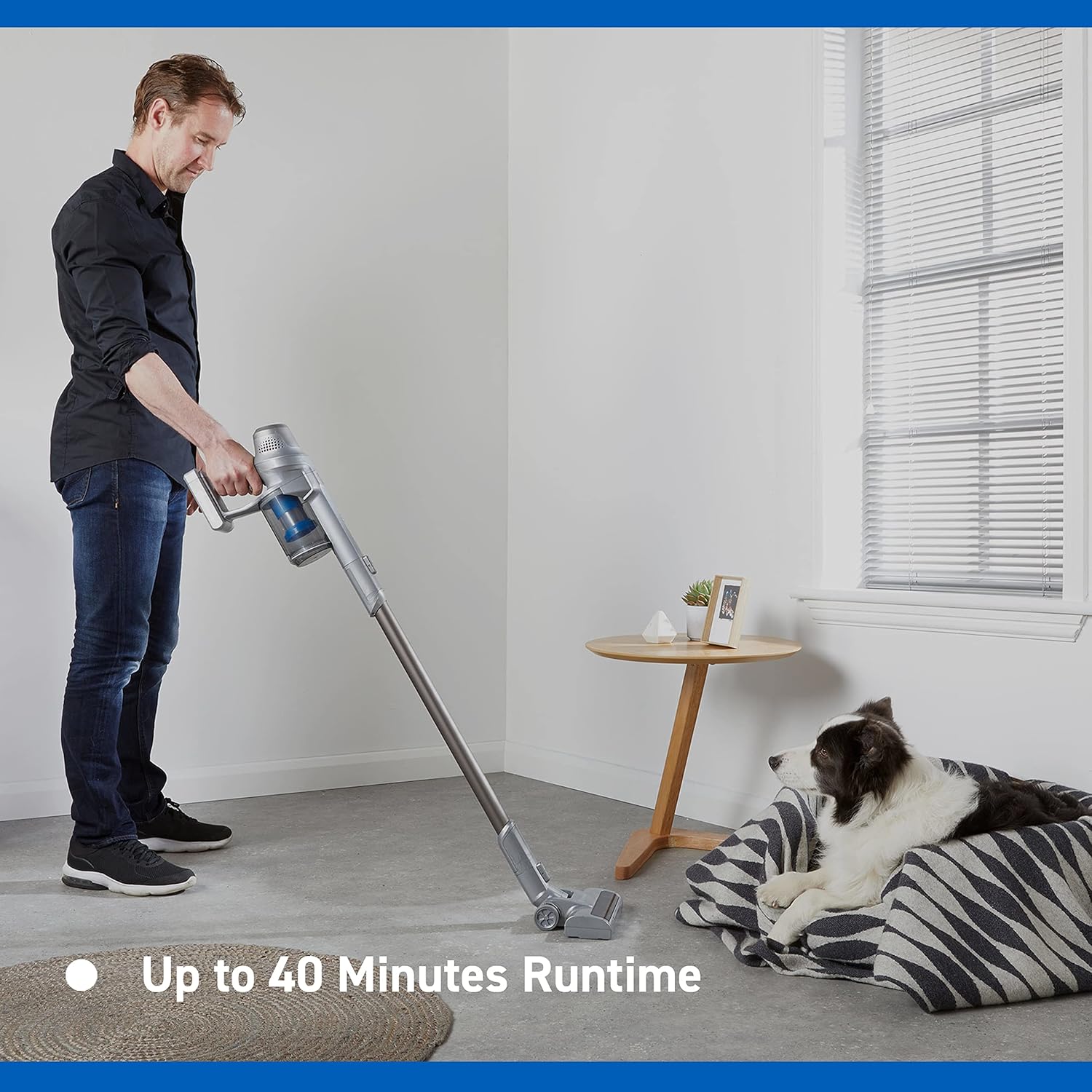
Image: Close-up of the Vacmaster Orson Lite's powered floor head, showcasing its integrated LED task lights illuminating debris on a hard floor.

Image: A man using the lightweight Vacmaster Orson Lite with its extension wand to easily clean dust from a high corner of a room.
6. Isondlo
Regular maintenance ensures your Vacmaster Orson Lite operates efficiently and prolongs its lifespan.
Ukuchitha umgqomo wothuli
- Qinisekisa ukuthi i-vacuum ivaliwe.
- Press the dust bin release button to detach the dust bin from the main unit.
- Position the dust bin over a trash receptacle and press the bottom release button to open the flap and empty the contents.
- Close the flap and reattach the dust bin to the main unit until it clicks securely.

Image: A hand demonstrating the easy-to-empty dust bin feature of the Vacmaster Orson Lite, showing debris being released into a trash can.
Ukuhlanza Izihlungi
The Vacmaster Orson Lite includes 2 washable HEPA 13 filters. Clean them regularly to maintain suction power.
- Susa umgqomo wothuli njengoba kuchazwe ngenhla.
- Twist and pull out the filter assembly from the dust bin.
- Tap the filters gently to remove loose dust. For a deeper clean, rinse the filters under cold running water until the water runs clear.
- Allow the filters to air dry completely for at least 24 hours before reassembling. Do not use a dryer or heat source.
- Reinsert the dry filters into the dust bin and reattach the dust bin to the vacuum.
Ukuhlanza Ibhulashi Roll
Periodically check the brush roll in the powered floor head for tangled hair or debris. Use scissors to cut away any tangled material and remove it by hand.
7. Ukuxazulula izinkinga
If you encounter issues with your Vacmaster Orson Lite, refer to the following common problems and solutions.
| Inkinga | Imbangela Engenzeka | Isixazululo |
|---|---|---|
| I-vacuum ayivuli | Ibhethri liphelile Ibhethri alixhunyiwe kahle | Shaja ibhethri ngokugcwele Qinisekisa ukuthi ibhethri ifakwe ngokuphephile |
| Ukulahlekelwa ukumunca | Umgqomo wothuli ugcwele Izihlungi zivaliwe Blockage in nozzle, wand, or hose | Thulula emgqonyeni wothuli Hlanza noma shintsha izihlungi Hlola futhi usule noma yikuphi ukuvinjwa |
| I-brush roll ayiphenduki | Tangled debris Floor head not properly connected | Clean brush roll of hair and debris Ensure floor head is securely attached |
| Isikhathi esifushane sokusebenza | Ibhethri alishajwanga ngokugcwele Using Turbo mode excessively Ukonakaliswa kwebhethri | Shaja ibhethri ngokugcwele Use standard mode for general cleaning Contact customer support if battery life significantly decreases |
8. Imininingwane
| Isici | Ukucaciswa |
|---|---|
| Ibhrendi | I-Vacmaster |
| Inombolo Yemodeli | VSE2101EU |
| Ubukhulu bomkhiqizo (L x W x H) | 23.5 x 22.5 x 116 cm |
| Isisindo sento | 2.55 kg |
| Amandla | 450 Watts |
| Voltage | 24 volts |
| Inombolo Yezivinini | 2 |
| Izinga Lomsindo | 70 Decibel |
| Isikhathi sokusebenza | Kufika kumaminithi angu-40 |
| Uhlobo Lwebhethri | I-Lithium-ion engu-1 (ifakiwe) |
| Izici ezikhethekile | Lightweight, Cordless, Bagless |
| Uhlobo Lwesihlungi | Washable HEPA 13 |
| Umkhiqizi | Cleva |
| Izwe azalelwe kulo | China |
9. Iwaranti kanye Nokusekela
Ulwazi Lwewaranti
The Vacmaster Orson Lite VSE2101EU comes with a Iwaranti yonyaka ongu-2 on spare parts, covering defects in materials and workmanship from the date of purchase. This warranty does not cover damage caused by misuse, neglect, accident, or unauthorized modification. Please retain your proof of purchase for warranty claims.
Ukwesekwa Kwamakhasimende
For technical assistance, warranty claims, or to order replacement parts, please visit the official Vacmaster webisayithi noma uxhumane nomnyango wabo wesevisi yamakhasimende. Ulwazi lokuxhumana lungatholakala ephaketheni lomkhiqizo noma kusikhulu somkhiqizo webindawo.