
Simplex 4006-9101
Simplex 4006-9101 Standard Fire Alarm Control Panel User Manual
Model: 4006-9101 (Item Model Number: 400 9101)
Isingeniso
This manual provides comprehensive instructions for the installation, operation, and maintenance of the Simplex 4006-9101 Standard Fire Alarm Control Panel. Designed for areas requiring five to ten initiating zones, this panel offers flexible initiating circuit monitoring, extensive programmable control capabilities, and an LCD for annunciated circuit-specific 20-character custom labels. Proper understanding and adherence to these instructions are crucial for the safe and effective functioning of the fire alarm system.
Umkhiqizo Uphelileview
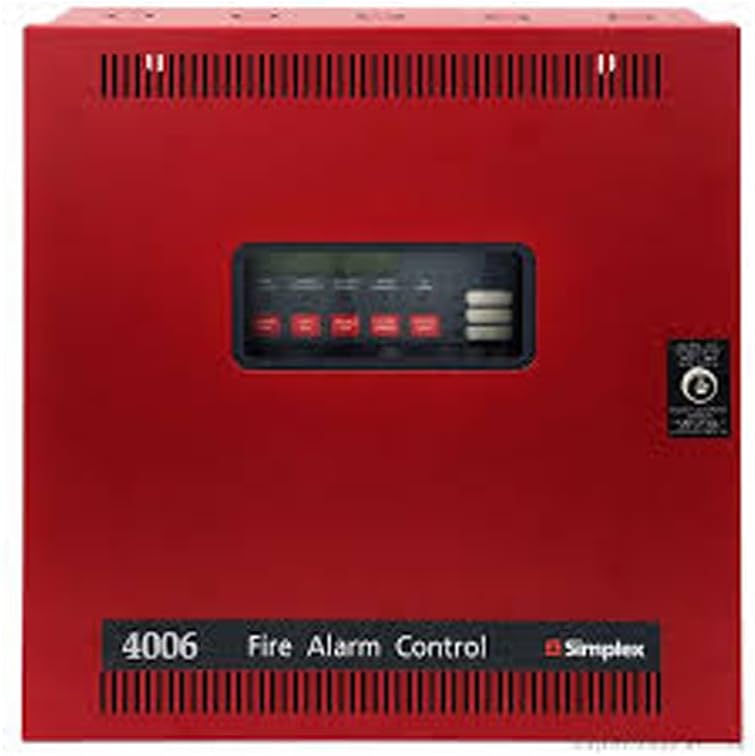
The Simplex 4006-9101 is a robust fire alarm control panel housed in a distinctive red enclosure. It features a central display and an array of control buttons for system management. This panel is designed for professional hard-wired installations and includes essential components for a comprehensive fire safety system.
Izici Eziyinhloko:
- 5 Class B Initiating Device Circuits (IDCs)
- 2 Class B/Class A Notification Appliance Circuits (NACs)
- 3 Ampere power supply with integrated battery charger
- On-board Digital Alarm Communicator Transmitter (DACT)
- Operates on 120/240 VAC, 50/60 Hz (auto-selecting)
- LCD annunciated circuit-specific 20 character custom labels
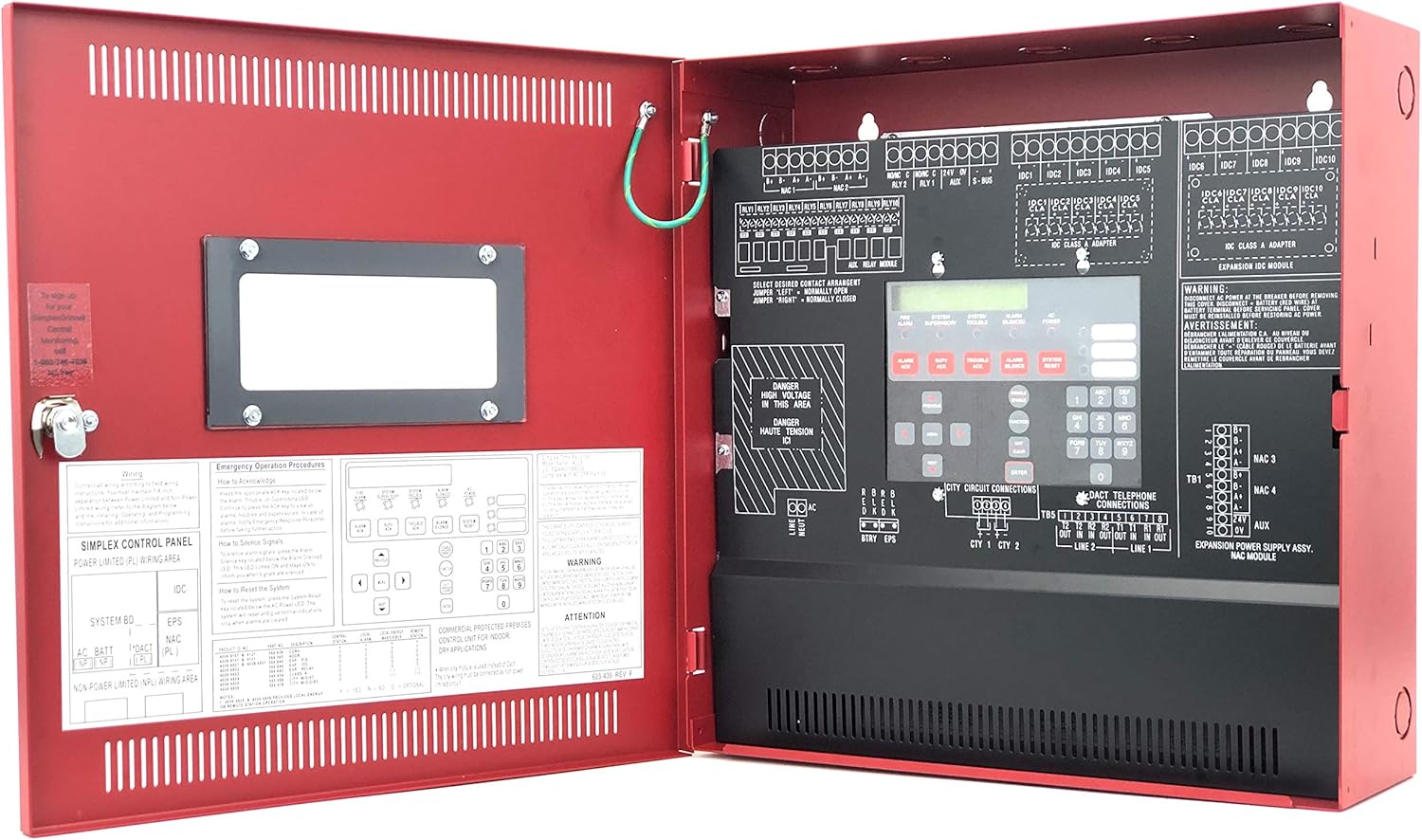
The interior of the control panel is meticulously organized, featuring the main circuit board, clearly labeled wiring terminals for various circuits (IDCs, NACs, power), and internal documentation including emergency operation procedures and wiring diagrams. This design facilitates professional installation and maintenance.
Ukusetha nokufaka
The Simplex 4006-9101 Fire Alarm Control Panel requires professional hard-wired installation. It is crucial that installation is performed by qualified personnel in accordance with all local and national electrical and fire safety codes.
Izingxenye Ezihlanganisiwe
- Simplex 4006-9101 Control Panel Unit
- Key for panel access
- Wiring harness (as applicable)
- Documentation (User Manual, Installation Guide, Wiring Diagrams)
- Compatible devices such as Smoke Detector, Pull Station, Horn/Strobe (may be sold separately or included as part of a system package)
Izintambo kanye nezixhumi

Refer to the detailed wiring diagrams provided within the panel's internal documentation and the separate installation guide for precise connection instructions. Ensure all power connections (120/240 VAC) are made correctly and safely. Connect initiating devices (smoke detectors, pull stations) to the IDC terminals and notification appliances (horns, strobes) to the NAC terminals.
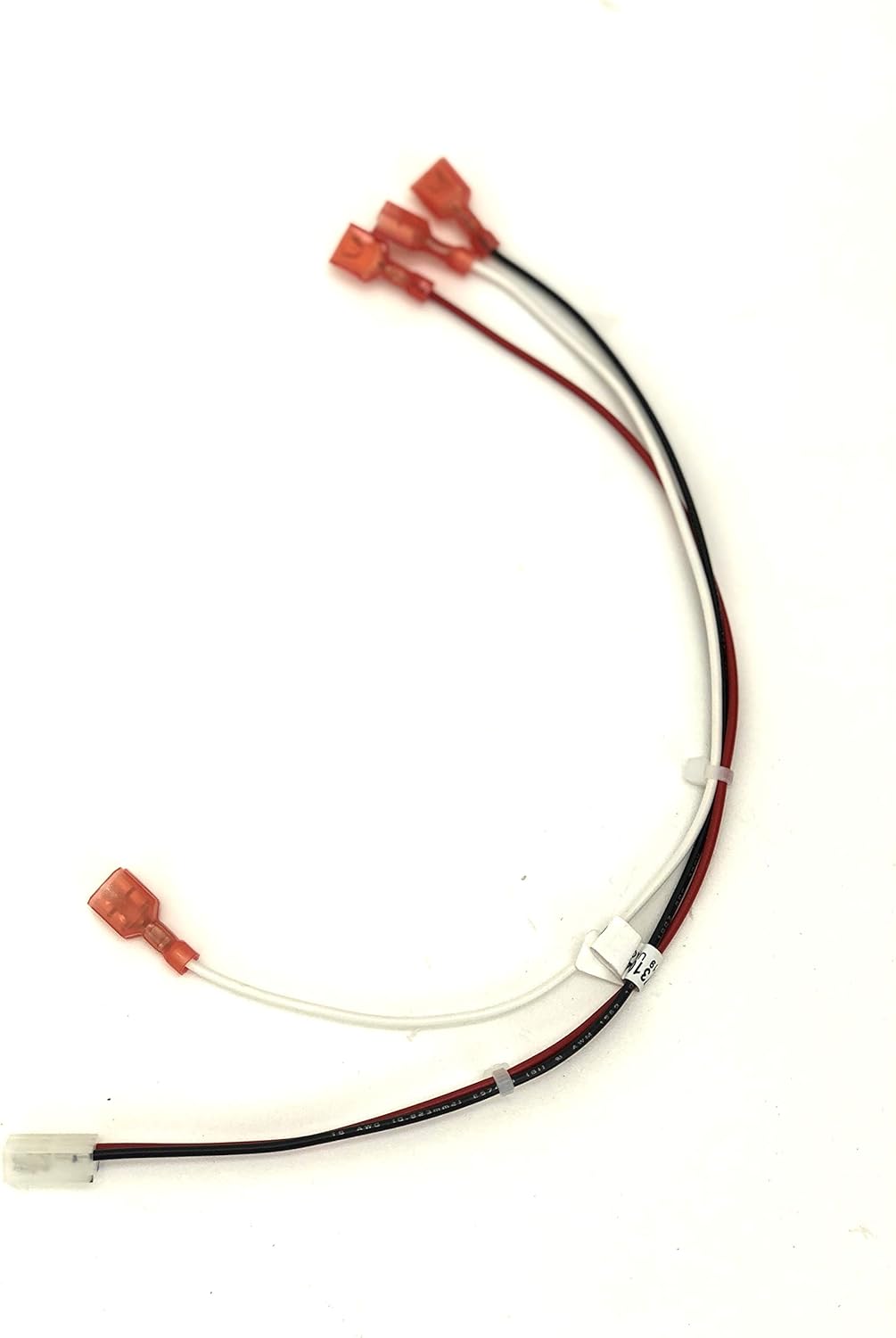
The provided wiring harness facilitates specific internal connections. Ensure these are securely attached according to the installation diagrams.
Ukunikezwa kwamandla kanye nebhethri
The panel includes a 3 Ampere power supply with a battery charger. Connect the primary AC power source (120/240 VAC, 50/60 Hz) to the designated terminals. Install backup batteries (not typically included with the panel, refer to specifications for type and capacity) to ensure continuous operation during power outages.
Ukusebenza Iphaneli Yokulawula
The Simplex 4006-9101 features an intuitive control interface with an LCD display and tactile buttons. Access to certain functions may require the use of the provided key.

The inside of the panel door provides a quick reference guide for emergency operation procedures and a layout of the control buttons. This includes instructions on how to acknowledge alarms, silence signals, and reset the system.
Imisebenzi Eyisisekelo
- Ukuvuma Ama-alamu: When an alarm or trouble condition occurs, the panel will annunciate it visually and audibly. Press the "ACKNOWLEDGE" button to silence the panel's internal buzzer and acknowledge the event.
- Silencing Signals: After an alarm is acknowledged, the notification appliances (horns, strobes) will continue to activate. Press the "SIGNAL SILENCE" button to silence these devices.
- Isetha kabusha Uhlelo: Once the alarm condition has been resolved, press the "SYSTEM RESET" button to clear the alarm and restore the system to its normal operating state.
- Isibonisi se-LCD: The LCD provides detailed information about system status, events, and circuit-specific labels. Navigate through messages using the arrow keys.
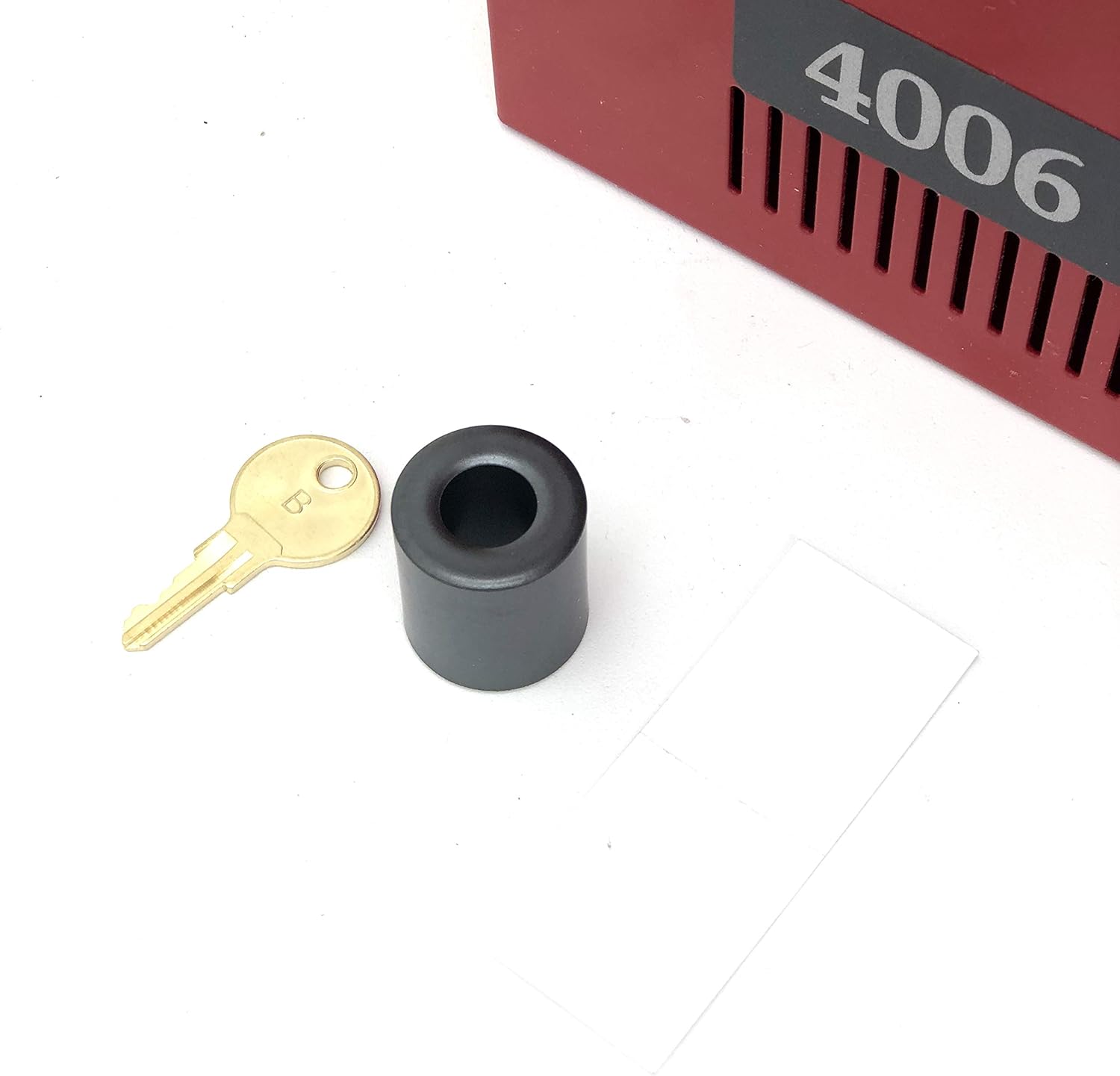
The provided key is used to access the control panel's internal components and may be required to enable certain operational modes or to reset the system after specific events. Keep this key in a secure, accessible location.
Isondlo
Regular maintenance is essential to ensure the reliable operation of your Simplex 4006-9101 Fire Alarm Control Panel. All maintenance procedures should be performed by qualified fire alarm technicians.
Ukuhlola Okujwayelekile
- Daily/Weekly: Verify the "NORMAL" indicator light is illuminated. Check the LCD for any trouble messages.
- Nyanga zonke: Test all initiating devices (smoke detectors, pull stations) and notification appliances (horns, strobes) in accordance with local codes and manufacturer guidelines.
- Minyaka yonke: Conduct a full system inspection and test by a certified fire alarm technician. This includes battery load tests, verification of all circuits, and calibration checks.
Ukuhlanza
Keep the exterior of the control panel clean using a soft, dry cloth. Do not use abrasive cleaners or solvents. Ensure ventilation openings are free from dust and debris.
Ukuxazulula inkinga
This section provides guidance for common issues. For complex problems or persistent trouble conditions, contact a qualified fire alarm technician.
| Inkinga | Imbangela Engenzeka | Isixazululo |
|---|---|---|
| Panel displays "TROUBLE" | Open circuit, ground fault, or device malfunction. | Check the LCD for specific trouble messages. Inspect wiring for damage. Contact technician for diagnosis. |
| Alarm sounds continuously after reset | Alarm condition still present or device not reset. | Ensure the cause of the alarm (e.g., smoke) is cleared. Manually reset any activated devices (e.g., pull station). |
| No power to panel | AC power loss or battery issue. | Check AC power supply. Verify battery connections and charge. Replace batteries if necessary. |
| Ikhiphedi ayiphenduli | Temporary software glitch or hardware issue. | Try a system reset (if possible). If problem persists, contact technician. |
Imininingwane
| Isibaluli | Imininingwane |
|---|---|
| Umkhiqizi | I-Simplex |
| Inombolo Yengxenye | 4006-9101 |
| Inombolo Yemodeli Yento | 400 9101 |
| Umbala | Okubomvu |
| Umthombo wamandla | Battery Powered (with AC input) |
| Indlela Yokufaka | Professional Hard-wired |
| Inani Lephakheji Yento | 1 |
| Izingxenye Ezihlanganisiwe | Smoke Detector, Pull Station, Horn/Strobe (as compatible devices) |
| Ubuchwepheshe bokuxhumana | Inezintambo |
| Uhlobo Lwesaziso | Motion Only (Note: This might be a generic category, actual alerts are fire/trouble) |
| Indlela Yokulawula | Touch (via keypad) |
| Ukubala kweyunithi | 1.0 Bala |
| Initiating Device Circuits (IDCs) | 5 Ikilasi B |
| I-Notification Appliance Circuits (NACs) | 2 Class B/Class A |
| Ukunikezwa kwamandla kagesi | 3 A with battery charger |
| Voltage | 120/240 VAC, 50/60 Hz (autoselect) |
| Digital Alarm Communicator Transmitter (DACT) | Abagibele |
Ulwazi Lwewaranti
The Simplex 4006-9101 Standard Fire Alarm Control Panel comes with a Iwaranti yezinyanga eziyi-12 from the date of purchase. This warranty covers defects in materials and workmanship under normal use. For warranty claims or detailed terms and conditions, please refer to the official Simplex warranty documentation or contact Simplex customer support.
Ukusekela Nokuxhumana
For technical assistance, service, or further information regarding your Simplex 4006-9101 Fire Alarm Control Panel, please contact Simplex customer support or a certified fire alarm system professional.
- Umkhiqizi: I-Simplex
- Webindawo: www.simplex-fire.com
- Professional Installation/Service: Always consult with a qualified and certified fire alarm system installer or service provider for any installation, repair, or complex troubleshooting.
Ask a question about this manual
Ask about setup, troubleshooting, compatibility, parts, safety, or missing instructions. Manuals+ will review the question and use this page’s manual context to help answer it.