
Isingeniso
This manual provides detailed instructions for the proper use and maintenance of your Awei T10C True Waterproof Bluetooth Wireless Earbuds. Please read this manual thoroughly before using the product to ensure optimal performance and longevity.
The Awei T10C earbuds feature Bluetooth 5.0 connectivity, a 6mm metal cavity speaker unit, smart touch controls, and a wireless charging case. They are designed for comfortable and stable wear, providing clear audio for calls and music.
Okuqukethwe Kwephakheji
- Awei T10C True Wireless Earbuds (Left and Right)
- Ikesi lokushaja okungenantambo
- Ikhebula lokushaja le-USB
- Imaniwali yosebenzisayo
Setha
1. Ukushaja Kwasekuqaleni
Before first use, fully charge the earbuds and the charging case. Place the earbuds into the charging case. Connect the charging case to a power source using the provided USB cable, or place the case on a compatible wireless charging pad.
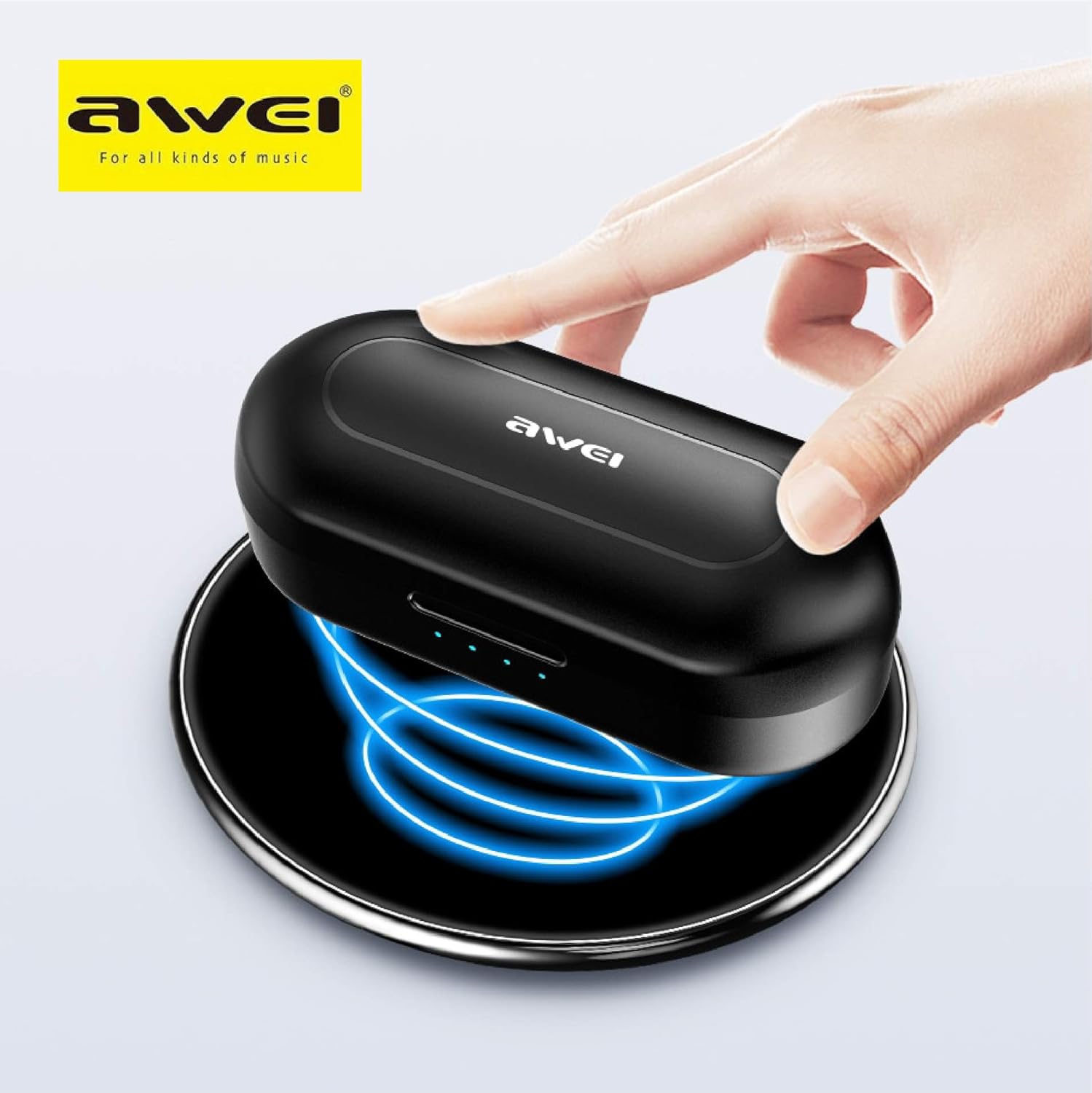
The Awei T10C charging case placed on a wireless charging pad, with blue light effects indicating active wireless charging.
The LED indicators on the charging case will show the charging status. Once fully charged, the indicators will behave according to the case's design (e.g., turn solid or off).
2. Powering On and Automatic Pairing
The earbuds are designed for automatic pairing. Simply open the charging case, and the earbuds will power on and enter pairing mode. Remove them from the case.
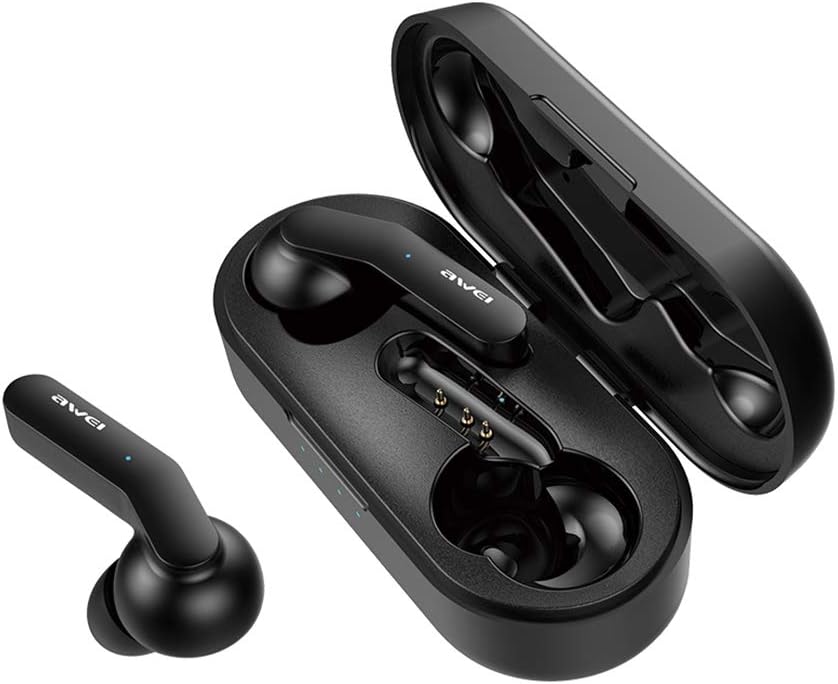
Awei T10C True Wireless Earbuds and open charging case, showcasing the earbuds nestled within the charging contacts.
3. Ukuxhumeka kwe-Bluetooth
- Ensure Bluetooth is enabled on your device (smartphone, tablet, etc.).
- Cinga amadivaysi e-Bluetooth atholakalayo.
- Select "Awei T10C" from the list to connect.
- Once connected, you will hear an audible confirmation, and the earbud indicator lights will change.
The earbuds will automatically reconnect to the last paired device when removed from the case, if the device's Bluetooth is active and within range.
Imiyalelo yokusebenza
1. Ukugqoka ama-Earbud
Gently insert the earbuds into your ears, ensuring a snug and comfortable fit. Adjust them until they feel secure. The ergonomic design is intended to provide stability during use.

Two Awei T10C True Wireless Earbuds, viewed from the side, highlighting their ergonomic design and the Awei logo.
2. Izilawuli zokuthinta ezihlakaniphile
The Awei T10C earbuds feature touch-sensitive areas for controlling various functions:
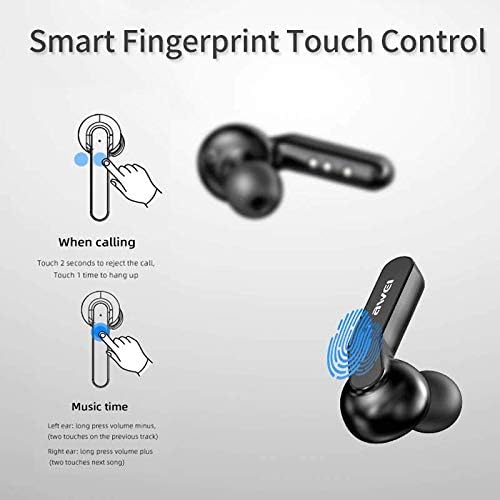
Diagram illustrating the 'Smart Fingerprint Touch Control' functions for calls and music playback on the Awei T10C earbuds.
- Ukuphendula / Ukuqeda Amakholi: Touch either earbud once.
- Ukwenqaba Amakholi: Thinta noma iyiphi i-earbud imizuzwana engu-2.
- Dlala/Misa kancane Umculo: Touch either earbud once.
- Ithrekhi Elandelayo: Double-touch the right earbud.
- Ithrekhi yangaphambilini: Double-touch the left earbud.
- Ivolumu ephezulu: Cindezela isikhathi eside i-earbud engakwesokudla.
- Ivolumu Phansi: Cindezela isikhathi eside i-earbud yesokunxele.
- Umsizi Wezwi: Triple-touch either earbud (functionality may vary by device).
3. Vala ugesi
To power off the earbuds, place them back into the charging case. They will automatically disconnect and begin charging. Alternatively, if disconnected from a device and left idle for a period, they may power off automatically.
Isondlo
1. Ukuhlanza
Regularly clean the earbuds and charging case with a soft, dry, lint-free cloth. Do not use abrasive cleaners, alcohol, or chemical solvents. Ensure charging contacts are free of dust and debris.
2. Ukuvimbela amanzi
The Awei T10C earbuds are designed to be waterproof. However, this does not mean they are suitable for prolonged submersion or use in extreme water conditions. Avoid exposing the charging case to water.
3. Isitoreji
Uma ingasetshenziswa, gcina ama-earbud kukesi lawo lokushaja ukuze uwavikele futhi uwagcine eshajile. Gcina endaweni epholile, eyomile kude nelanga eliqondile namazinga okushisa aphezulu.
Ukuxazulula inkinga
- Ama-earbud awamataniswa nedivayisi:
- Qinisekisa ukuthi ama-earbud ashajwe futhi asusiwe ebhokisini.
- Vala futhi uvule i-Bluetooth yedivayisi yakho.
- Forget/delete "Awei T10C" from your device's Bluetooth list and try pairing again.
- Qala kabusha idivayisi yakho.
- I-earbud eyodwa kuphela esebenzayo:
- Qinisekisa ukuthi womabili ama-earbud ashajiwe.
- Place both earbuds back into the charging case, close the lid, wait a few seconds, then open and remove them again.
- Check if the earbuds are properly seated in the charging case to ensure connection.
- Awukho umsindo noma ivolumu ephansi:
- Hlola izinga levolumu kokubili kudivayisi yakho kanye nama-earbud (usebenzisa izilawuli zokuthinta).
- Qinisekisa ukuthi ama-earbud axhunywe kahle kudivayisi yakho.
- Hlanza noma iyiphi imfucumfucu kusuka kumeshi yesipikha se-earbud.
- Ikesi elishajayo alikhokhisi:
- Qinisekisa ukuthi ikhebula le-USB lixhunywe ngokuphephile kokubili ebhokisini kanye nomthombo wamandla.
- Zama ikhebuli ye-USB ehlukile noma i-adaptha yamandla.
- If using wireless charging, ensure the case is correctly positioned on the charging pad.
Imininingwane
| Igama Lemodeli | I-T10C |
| Inombolo Yemodeli Yento | EM-JH133-CP |
| Ibhrendi | Awei |
| Ubuchwepheshe bokuxhumana | Okungenantambo (Bluetooth 5.0) |
| I-Earphone Form Factor | Endlebeni |
| Ukulawula Umsindo | Ukukhansela Umsindo Okusebenzayo |
| Ama-headphone Jack | I-USB |
| Izingxenye Ezihlanganisiwe | Ikesi lokushaja okungenantambo |
| Amabhethri | Kudingeka ibhethri ye-Lithium Ion engu-1 (ifakiwe) |
| Ubukhulu bomkhiqizo | 4.5 x 2.4 x 1.8 cm |
| Isisindo Somkhiqizo | 200 g |
| Umbala | Mnyama |
| Umkhiqizi | Awei |
| Usuku Lokuqala Olutholakalayo | 13 Disemba 2019 |
Iwaranti kanye Nokusekela
Awei products are manufactured to high quality standards. For warranty information, technical support, or customer service inquiries, please refer to the official Awei webisayithi noma uthinte umsabalalisi wangakini.
You may also find additional support and product information via the Awei WeChat channel: http://weixin.qq.com/r/7XQ0O7vEfoUBh6pYnyHJ