
1. Isingeniso kanye Phezuview
The Fender Tone Master Twin Reverb amplifier faithfully models the circuitry and 85-watt power output of an original Twin tube amp using advanced digital processing. It features a high-performance 200-watt digital power amp to achieve the headroom and dynamic range of a vintage Twin tube amp. Equipped with two Jensen N-12K neodymium speakers and housed in a resonant pine cabinet, this amplifier delivers authentic Twin Reverb tone and volume at approximately half the weight of an all-tube original. Front panel controls provide a playing experience identical to the tube version, including Fender's renowned reverb and tremolo effects. Rear panel features offer modern convenience, such as an output power selector, balanced XLR line output with Impulse Response (IR) cabinet simulations, a mute switch for silent use, and a USB port for firmware updates.
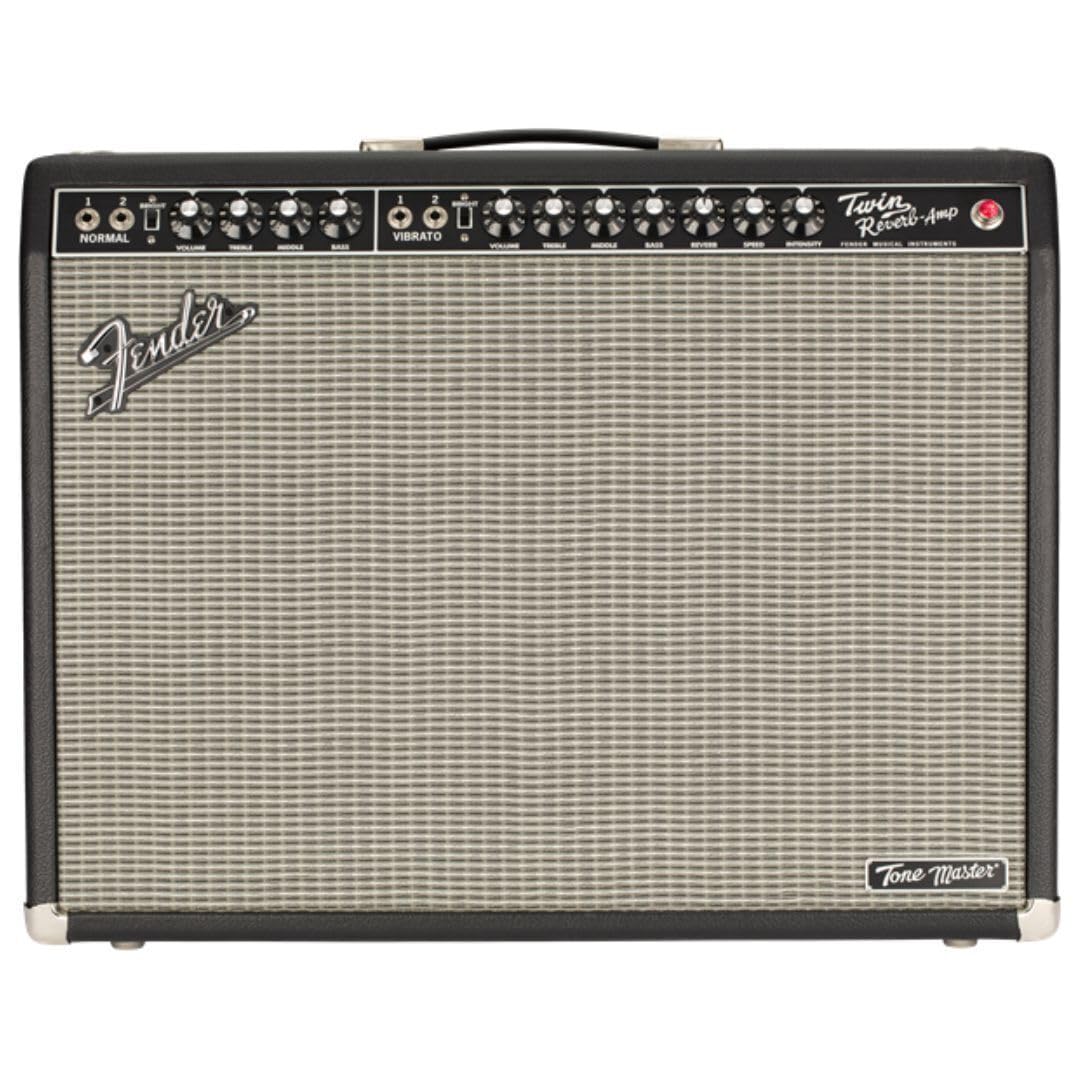
Umfanekiso 1: Ngaphambili view of the Fender Tone Master Twin Reverb Guitar Ampokokuphila.
2. Setha
2.1 Ukuqaqa
Susa ngokucophelela i- amplifier from its packaging. Retain all packing materials for future transport or service needs. Inspect the amplifier for any signs of damage. If damage is found, contact your dealer immediately.
2.2 Izixhumanisi
- Okokufaka uJack: Connect your guitar to the INPUT jack on the front panel using a standard 1/4-inch instrument cable.
- Ikhebula Lamandla: Connect the supplied power cable to the AC INPUT on the rear panel and then to a grounded AC outlet.
- I-Footwitch: Connect the optional footswitch to the FTSW jack on the front panel for remote control of certain functions.
- Balanced XLR Line Output: Use this output on the rear panel to connect to a mixing console or recording interface. This output includes Impulse Response (IR) cabinet simulations.
- Imbobo ye-USB: The USB port on the rear panel is used for firmware updates.
2.3 Vula/Vala amandla
- Ensure all connections are secure and volume controls are set to minimum.
- Flip the POWER switch on the rear panel to the ON position. The power indicator light on the front panel will illuminate.
- Wait a few seconds for the ampi-lifier ukuze uqalise.
- To turn off, reverse the procedure: turn down volume, then flip the POWER switch to OFF.

Umfanekiso 2: Ngemuva view kwe amplifier, highlighting power input, speaker outputs, and XLR line out.
3. Ukusebenza
3.1 Izilawuli Zephaneli Yangaphambili
The front panel provides intuitive controls mirroring a traditional Twin Reverb tube ampokokuphila.
- Isiteshi Esijwayelekile: Features VOLUME, TREBLE, MIDDLE, and BASS controls for a clean, uncolored tone.
- Vibrato Channel: Offers VOLUME, TREBLE, MIDDLE, BASS, REVERB, INTENSITY, and SPEED controls. This channel includes built-in reverb and tremolo effects.
- Shintsha okukhanyayo: Located on both channels, this switch adds a high-frequency boost for a brighter tone.

Figure 3: Close-up of the amplifier's front panel controls.
3.2 Izici zephaneli yangemuva
- Output Power Selector: Allows selection between full 85-watt output and five attenuated settings for reduced volume without sacrificing tone.
- Balanced XLR Line Output: Provides a professional-grade output for direct connection to PA systems or recording equipment. Includes switchable Impulse Response (IR) cabinet simulations for versatile tone shaping.
- Thulisa Shintsha: Silences the amplifier's speakers for silent practice or recording.
- Imbobo ye-USB: For connecting to a computer to perform firmware updates, ensuring your amplifier always has the latest features and performance enhancements.
4. Isondlo
4.1 Ukunakekelwa Okuvamile
Ukuqinisekisa ukuphila isikhathi eside nokusebenza kahle kwakho amplifier, keep it in a clean, dry environment away from extreme temperatures and humidity. Avoid placing heavy objects on top of the ampokokuphila.
4.2 Ukuhlanza
Sebenzisa indwangu ethambile, eyomile ukuhlanza ingaphandle le amplifier. Do not use abrasive cleaners or solvents, as these can damage the finish. Ensure the amplifier is unplugged before cleaning.
4.3 Ukupholisa umoya
Always ensure adequate ventilation around the ampi-lififier ukuvimbela ukushisa ngokweqile. Ungavimbi noma yiziphi izimbobo zomoya.
5. Ukuxazulula izinkinga
5.1 Amandla Awekho
- Check that the power cable is securely connected to both the amplifier and a working AC outlet.
- Verify that the POWER switch is in the ON position.
- Ensure the AC outlet is functioning by testing it with another device.
5.2 Awukho umsindo
- Confirm your guitar is properly connected to the INPUT jack.
- Check that the VOLUME controls on both the amplifier and your guitar are turned up.
- Ensure the MUTE switch on the rear panel is not engaged.
- Test with a different instrument cable and guitar to rule out faulty equipment.
5.3 Umsindo Ohlanekezelwe
- Reduce the VOLUME or GAIN settings on the ampokokuphila.
- Check your guitar's output level; some active pickups can be very hot.
- Qinisekisa ukuthi amplifier is not set to an excessively attenuated power setting if you desire a clean tone at high volume.
5.4 Hum/Noise
- Qinisekisa ukuthi zonke izintambo zivikelwe kahle futhi zisesimweni esihle.
- Zama ukuxhuma i- amplifier into a different AC outlet or a power conditioner.
- Hambisa i amplifier away from other electronic devices that may cause interference.
6. Imininingwane
| Igama Lemodeli | Tone Master Twin Reverb |
| Inombolo Yemodeli | 2274200000 |
| Okukhiphayo Wattage | 200 Watts (simulates 85-watt tube amp) |
| Izipikha | Two (2) 12-inch Jensen N-12K Neodymium Speakers |
| Impahla yeKhabhinethi | Resonant Pine |
| Ubukhulu (H x W x D) | 31.7 x 26.3 x 15.9 amayintshi |
| Isisindo sento | 45.2 amakhilogremu |
| Imiphumela | Reverb, Tremolo |
7. Iwaranti kanye Nokusekela
This Fender Tone Master Twin Reverb Guitar Amplifier comes with a 2-year warranty. For warranty service, technical support, or any questions regarding your amplifier, please contact Fender customer support or visit the official Fender website for detailed information and service center locations.