
Isingeniso
Thank you for choosing the Angetube Streaming 1080P HD Webcam 967. This manual provides essential information for setting up, operating, and maintaining your webcam to ensure optimal performance for streaming, video conferencing, and content creation.
Yini EseBhokisini
- 1080p Webikhm x1
- Incwadi yomsebenzisi x 1
Izici Zomkhiqizo
- Adjustable Ring Fill Light: I webcam features an integrated ring light with three adjustable brightness levels to meet various lighting requirements for video chatting or streaming. This helps reduce visual noise and enhances detail in low-light environments.
- Uchwepheshe Webcam for Streaming: Designed for compatibility with live streaming software such as OBS, Xsplit, and Mixer. It supports background replacement powered by Chromacam, allowing for customized backgrounds during games or presentations.
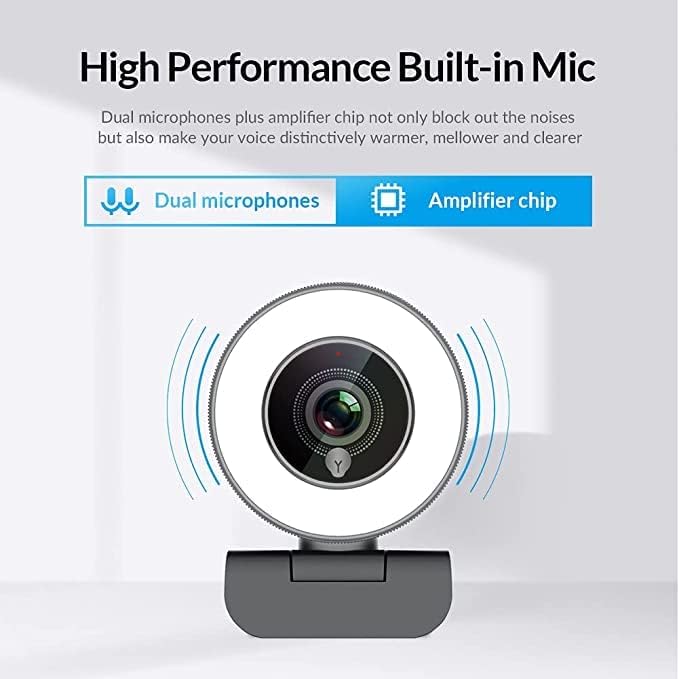
- Dual Noise-Canceling Microphones with AmpI-Lifier Chip: Equipped with superior microphones and an amplifier chip to enhance speech quality, providing clear audio. Background noise is filtered out, ensuring your voice is heard distinctly. The microphone can pick up sound from up to 3 meters away.
- Fast and Accurate Autofocus: The autofocus function eliminates the need for manual adjustments, keeping you consistently in focus during video calls or streams.
- High Quality, Low Bandwidth (H.264 Compression): Utilizes H.264 compression encoding for clearer and smoother video recording, video conferencing, and live broadcasts, optimizing bandwidth usage.
Setha
- Khipha i WebIkhamera: Susa ngokucophelela i- webikhamera kanye nezesekeli zayo ezivela ephaketheni.
- Ukukhweza i WebIkhamera: I webcam features a versatile clip that can be securely attached to the top of your monitor or laptop screen. Adjust the clip to ensure a stable fit. Alternatively, the base includes a standard tripod thread for mounting on a tripod (not included).
- Xhuma Kukhompyutha: Xhuma ikhebula le-USB kusuka ku- webungene echwebeni le-USB elitholakalayo kukhompyutha yakho. webcam is plug-and-play, meaning it should be automatically recognized by most operating systems (Windows 7/8/10 or above, Mac OS 10.6 or above, Android V5.0 or above, Chrome OS 29.0.1547.70 or above, Ubuntu 2.6.24 or above) without requiring additional drivers.
- Ukuqashelwa Kwesofthiwe: Open your preferred video conferencing or streaming application (e.g., Zoom, Skype, OBS, YouTube Live, Google Meet). Select the Angetube 967 Webcam as your video and audio input device in the application's settings.
Imiyalelo yokusebenza
Adjusting the Ring Light
The Angetube 967 Webcam includes an integrated ring light to provide optimal illumination. To adjust the brightness:
- Locate the touch-sensitive button on the front of the webcam, just below the lens.
- Tap the button to cycle through three brightness levels: Low Light, Medium Light, and High Light.
- Tap a fourth time to turn the ring light off.

Ukusebenza kwe-Autofocus
I webcam features automatic autofocus. This means the camera will continuously adjust its focus to keep your face clear and sharp without manual intervention. This is particularly useful for dynamic presentations or active streaming sessions.

Ukusetshenziswa kwemakrofoni
The integrated dual noise-canceling microphones are designed to capture clear audio while minimizing background distractions. Ensure the webcam is positioned appropriately to optimize sound pickup, ideally within 3 meters for best results.
Ukuhambisana
The Angetube 967 Webcam is widely compatible with various operating systems and applications, including:
- Amasistimu Okusebenza: Windows 7/8/10 or above, Mac OS 10.6 or above, Android V5.0 or above, Chrome OS 29.0.1547.70 or above, Ubuntu 2.6.24 or above.
- Izicelo: OBS, Xsplit, Mixer, Zoom, Skype, Google Meet, YouTube Live, Facebook Live, and other video conferencing/streaming platforms.

Isondlo
- Ukuhlanza Ilensi: Use a soft, dry, lint-free cloth to gently wipe the webcam lens. Avoid using harsh chemicals or abrasive materials that could scratch the lens.
- Isitoreji: Uma ingasetshenziswa, gcina i- webcam endaweni ehlanzekile, eyomile ekude namazinga okushisa aphezulu kanye nokukhanya kwelanga okuqondile.
- Ukunakekelwa Kwekhebula: Gwema ukugoba noma ukusonta ikhebula le-USB ngokweqile ukuze uvimbele umonakalo.
Ukuxazulula inkinga
- WebIkhamera ayitholakali:
- Qinisekisa ukuthi ikhebula le-USB lixhumeke ngokuphephile kukho kokubili webcam kanye nekhompyutha yakho.
- Zama ukuxhuma i- webcam port ehlukile ye-USB.
- Qala kabusha ikhompuyutha yakho.
- Hlola isiphathi sedivayisi yesistimu yakho yokusebenza ukuze ubone ukuthi webIkhamera ifakwe ohlwini futhi yaziwe.
- Asikho Ividiyo/Isikrini Esimnyama:
- Qinisekisa ukuthi webcam is selected as the primary video input device in your application's settings.
- Check if any privacy settings on your operating system are blocking webcam access for the application.
- Vala bese uvula kabusha uhlelo lokusebenza.
- Awukho Umsindo/Ikhwalithi Yomsindo Embi:
- Verify that the Angetube 967 Webcam's microphone is selected as the audio input device in your application's settings.
- Hlola izilungiselelo zomsindo wekhompyutha yakho ukuze uqinisekise ukuthi imakrofoni ivuliwe futhi ayithulisiwe.
- Qinisekisa ukuthi webcam is positioned within optimal range (up to 3 meters) for sound pickup.
- Ring Light Not Working:
- Gently tap the touch-sensitive button below the lens to cycle through brightness levels.
- Qinisekisa ukuthi webcam is properly connected via USB, as the light draws power from the connection.
Imininingwane
| Ubukhulu bomkhiqizo | 5.3 x 6.6 x 7.6 amayintshi |
| Isisindo sento | 5.3 amakhilogremu |
| Inombolo Yemodeli Yento | 967 |
| Ubuchwepheshe benzwa yesithombe | I-CMOS |
| Ukulungiswa kokuthwebula ividiyo | 1080p |
| Ubude bokugxila obukhulu | 3 |
| Isikhala esiphezulu | 2.1 f |
| Ifomethi yokuthwebula ividiyo | MP4 |
| Ifomethi yomsindo esekelwe | AAC, MP3 |
| Ubuchwepheshe bokuxhumana | I-USB |
| Usuku Lokuqala Olutholakalayo | Meyi 22, 2019 |
Iwaranti kanye Nokusekela
- Ukwesekwa Kwamakhasimende: Angetube offers lifetime technical customer support for this product.
- Isikhathi Sempendulo: Expect a quick response to inquiries, typically within 24 hours.
- Returns/Exchanges: Returns for an exchange or refund are accepted within 30 days of purchase.
- Umkhiqizi: I-XZC
- Umdayisi: Angetube Store