
1. Isingeniso
This manual provides essential information for the safe and efficient operation, maintenance, and troubleshooting of your Philips Series 3200 Super-Automatic Coffee Machine, model EP3221/40. Please read all instructions carefully before using the appliance and retain this manual for future reference.
2. Ulwazi Olubalulekile Lokuphepha
Ngaso sonke isikhathi landela izinyathelo zokuphepha eziyisisekelo lapho usebenzisa izinto zikagesi ukuze unciphise ingozi yomlilo, ukushaqeka kukagesi, nokulimala. Lolu hlelo lokusebenza luhloselwe ukusetshenziswa ekhaya kuphela.
- Ungacwilisi into esetshenziswayo, intambo kagesi, noma uyixhume emanzini noma kolunye uketshezi.
- Qinisekisa ivolumutagI-e ekhonjisiwe kuketshezi ifana namapayipi wakho wendawo voltage ngaphambi kokuxhuma.
- Gcina umshini nentambo yawo kude nezingane.
- Ungasebenzisi umshini uma ipulaki, intambo kagesi, noma umshini ngokwawo wonakele.
- Always unplug the appliance before cleaning, maintenance, or if it is not in use for an extended period.
- Use only original Philips accessories and parts.
3. Umkhiqizo Uphelileview
The Philips Series 3200 Super-Automatic Coffee Machine EP3221/40 is designed to deliver a variety of fresh coffee beverages with ease. Key features include an intuitive touch display, a classic milk frother, and a durable ceramic grinder.
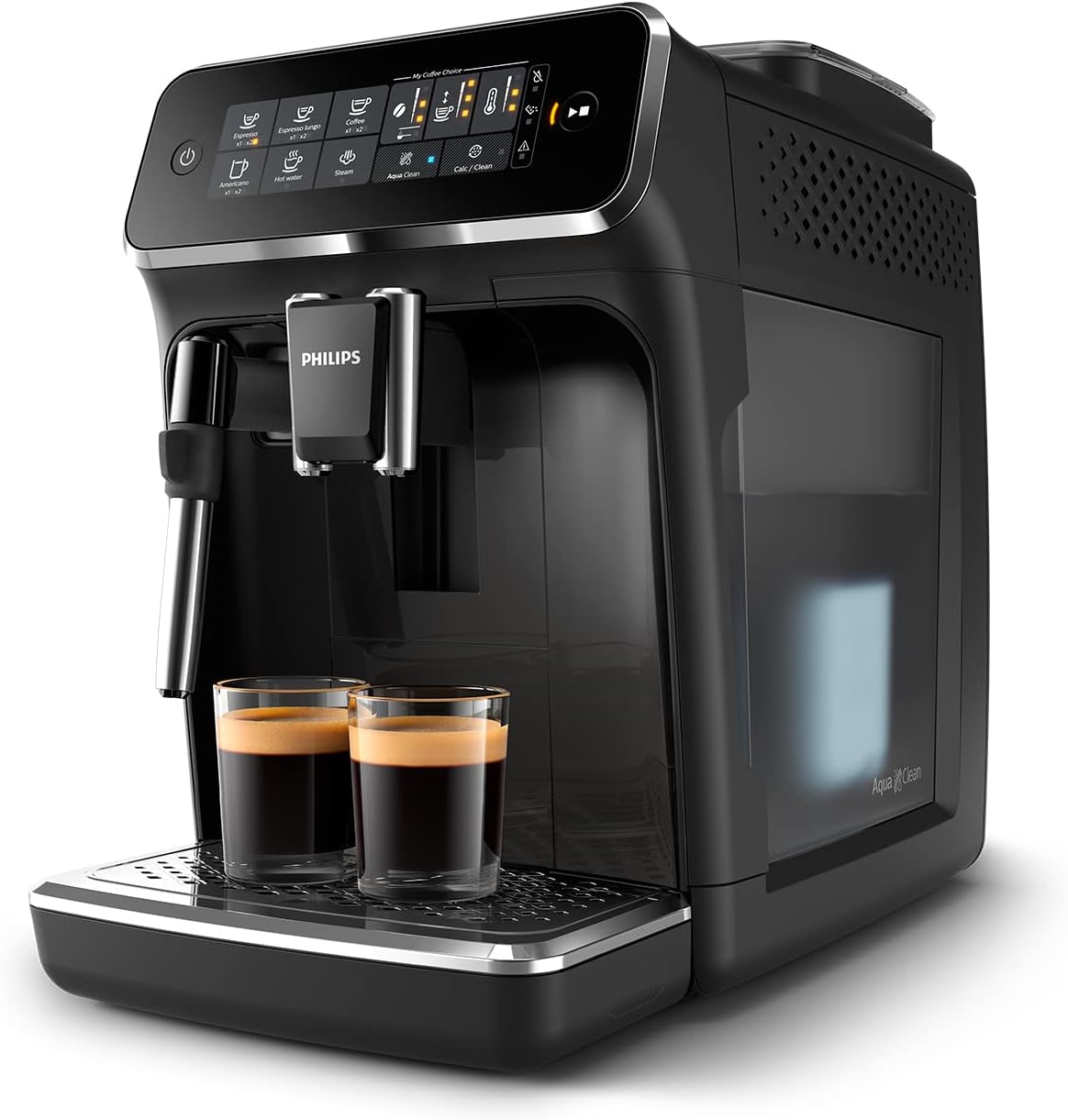
Image: Philips Series 3200 Super-Automatic Coffee Machine with two espresso cups on the drip tray.
4. Setha nokusebenzisa Okokuqala
4.1 Ukuqaqa kanye Nokuhlanza Kokuqala
- Susa zonke izinto zokupakisha emshinini.
- Wash the water tank, drip tray, and coffee grounds container with warm water and a mild detergent. Rinse thoroughly.
- Sula ingaphandle lomshini ngesithambile, damp indwangu.
4.2 Ukugcwalisa Ithangi Lamanzi
- Susa ithangi lamanzi emshinini.
- Gcwalisa ithangi ngamanzi ahlanzekile ompompi kuze kufike ku-MAX indinganiso.
- Buyisela ithangi lamanzi emshinini.
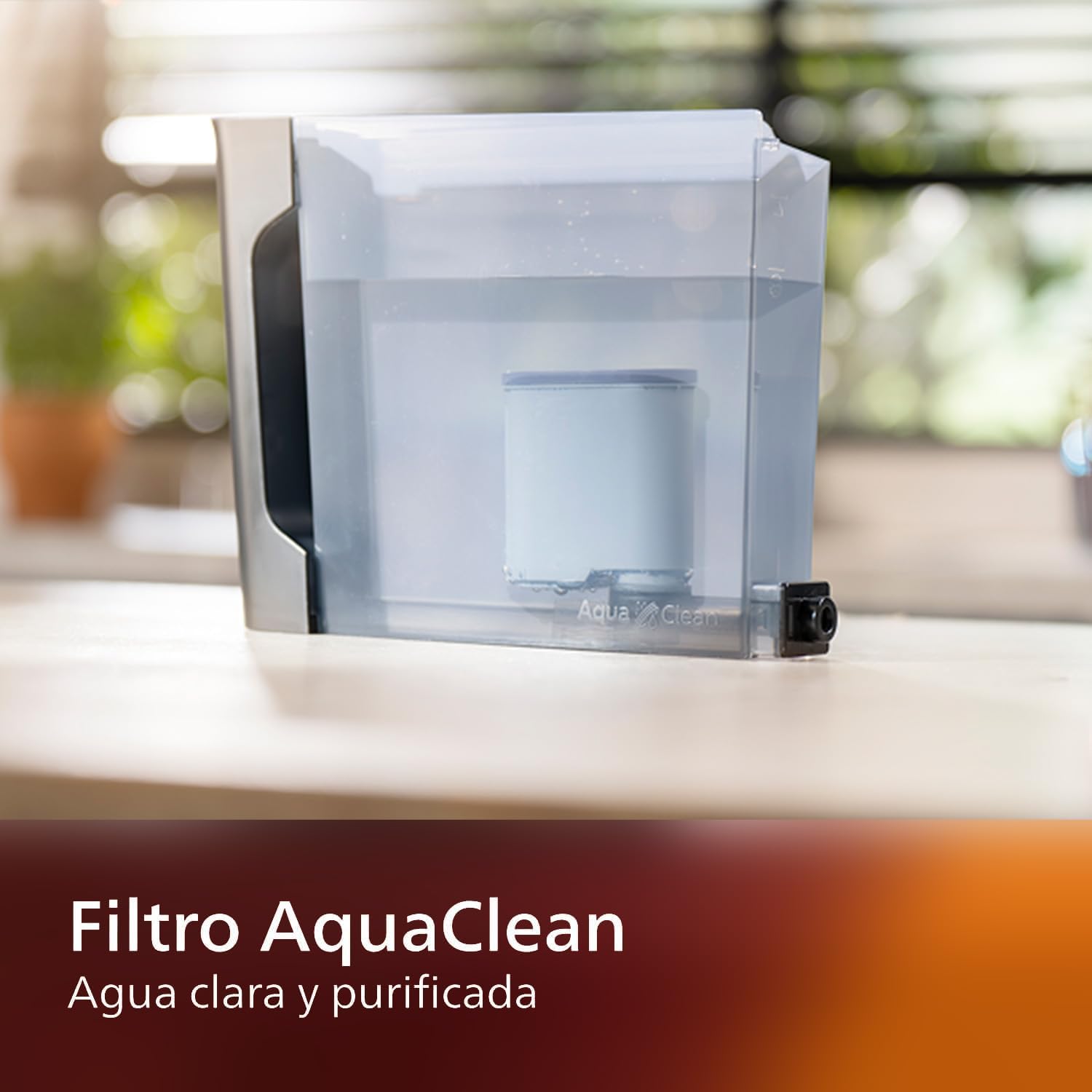
Image: AquaClean water filter installed in the water tank. The AquaClean filter helps ensure clear and purified water for your coffee.
4.3 Ukugcwalisa i-Bean Hopper
- Open the coffee bean hopper lid.
- Pour fresh coffee beans into the hopper. Do not fill above the MAX level.
- Close the lid securely to preserve aroma.
4.4 Ukuxhuma Amandla
- Xhuma intambo yamandla kusokhethi esisodongeni esisekelwe phansi.
- Press the power button to turn on the machine. The machine will perform an automatic rinse cycle.
5. Iziqondiso Zokusebenza
5.1 Ukwenza Ikhofi
The intuitive touch display allows for easy selection of your desired coffee beverage.
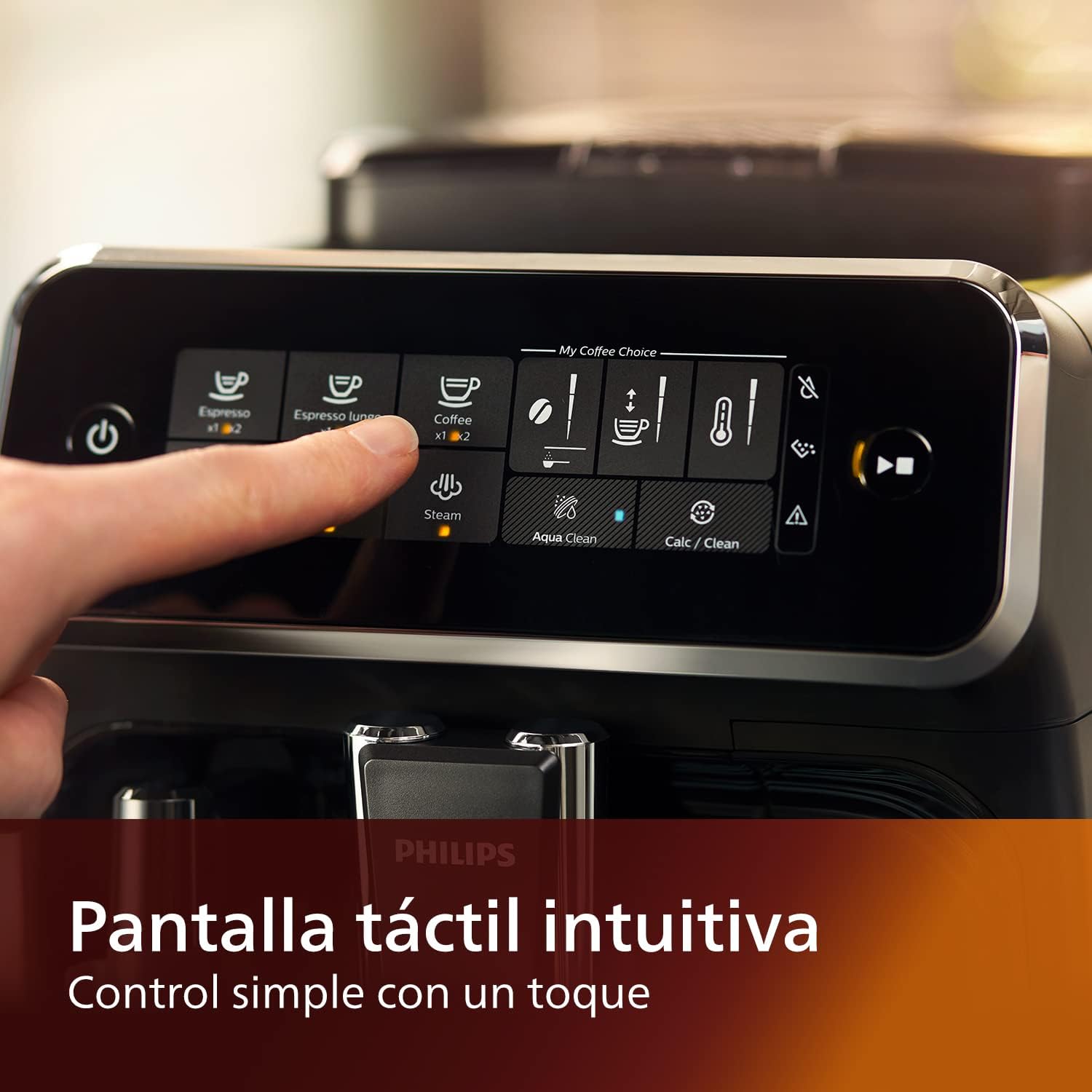
Image: Close-up of the intuitive touch display on the Philips Series 3200 coffee machine, showing various beverage options.
- Beka inkomishi ngaphansi kwe-spout yekhofi.
- Select your desired coffee type (e.g., Espresso, Coffee, Americano) from the touch display.
- The machine will automatically grind the beans and brew your coffee.
5.2 Customizing Your Coffee (My Coffee Choice)
Use the My Coffee Choice menu to adjust intensity and quantity.

Image: The 'My Coffee Choice' screen on the touch display, illustrating options to adjust coffee intensity and volume.
- After selecting a beverage, tap the 'My Coffee Choice' icon.
- Adjust the coffee strength (intensity) and volume (quantity) using the on-screen controls. There are three settings for each.
- Confirm your selection to start brewing.
5.3 Ukusebenzisa i-Classic Milk Frother
The Panarello milk frother allows you to prepare smooth and silky milk foam for cappuccinos and lattes.

Image: The classic milk frother steaming milk directly into a glass cup, creating foam.
- Gcwalisa imbiza yobisi ngobisi olubandayo.
- Place the milk jug under the frother.
- Select the 'Steam' option on the touch display.
- Immerse the frother nozzle into the milk and turn the steam knob (if applicable) or press the steam button to start frothing.
- Once desired foam is achieved, turn off the steam.
- Clean the frother immediately after use by wiping it with a damp cloth and purging a small amount of steam.
6. Ukunakekela kanye Nokuhlanza
Ukuhlanza nokulungisa njalo kuqinisekisa ukusebenza kahle kanye nobude besikhathi somshini wakho wekhofi.
6.1 Ukuhlanza Nsuku Zonke
- Thulula bese ugeza ithreyi yokuconsa kanye nesitsha sokugaya ikhofi nsuku zonke.
- Wipe the coffee spout and milk frother with a damp indwangu.
- Hlanza ithangi lamanzi.
6.2 AquaClean Filter
The AquaClean filter ensures clear and purified water, reducing the need for frequent descaling. Replace the filter when indicated by the machine, typically after approximately 5000 cups, depending on water hardness.

Image: A demonstration of the AquaClean water filter, showing its effectiveness in purifying water.
6.3 Ukwehla
Even with the AquaClean filter, descaling will eventually be required. The machine will prompt you when descaling is necessary. Follow the on-screen instructions and use a Philips-approved descaling solution.
6.4 Dishwasher Safe Parts
Note that the main appliance is not dishwasher safe. However, some removable parts, such as the drip tray and coffee grounds container, may be dishwasher safe. Refer to the specific instructions for each component.
7. Ukuxazulula izinkinga
If you encounter issues with your coffee machine, consult the table below for common problems and solutions.
| Inkinga | Imbangela Engenzeka | Isixazululo |
|---|---|---|
| Alikho ikhofi elikhishwayo. | Ithangi lamanzi alinalutho. | Gcwalisa ithangi lamanzi. |
| Ikhofi libuthakathaka kakhulu. | Grind setting is too coarse. | Lungisa i-grinder ibe isilungiselelo esihle. |
| Ubisi oluphuma ephepheni olungakhiqizi igwebu. | Frother is clogged or not clean. | Clean the milk frother thoroughly. Ensure the nozzle is clear. |
| Machine displays a descaling alert. | Ukwakhiwa kwe-limescale. | Perform a descaling cycle as instructed by the machine. |
8. Imininingwane
| Isici | Imininingwane |
|---|---|
| Ibhrendi | Philips |
| Inombolo Yemodeli | EP3221/40 |
| Amandla kabhontshisi wekhofi | 275 amagremu |
| Umbala | Okucwebezelayo Okumnyama |
| Ubukhulu bomkhiqizo (D x W x H) | 25 x 36.6 x 32 amasentimitha |
| Izici ezikhethekile | Integrated coffee grinder, Milk Frother, Water Filter, Programmable |
| Uhlobo Lomenzi Wekhofi | Umshini we-Espresso |
| Okubalulekile | Ipulasitiki |
| Ukusebenza | Okuzenzakalelayo Ngokugcwele |
| Amandla | 1500 Watts |
| Voltage | 230 volts |
| Okokufaka kwe-Human Interface | Isikrini sokuthinta |
| Uhlobo Lokufaka Ikhofi | Ubhontshisi Ophelele |
| Uhlobo Lwesihlungi | Reusable (AquaClean) |
| Umshini wokuwasha izitsha uphephile | No (for main unit) |
| Unyaka Wokukhiqiza | 2022 |
9. Iwaranti kanye Nokusekela
9.1 Ulwazi Lwewaranti
Your Philips Series 3200 Super-Automatic Coffee Machine is covered by a manufacturer's warranty. For detailed information regarding warranty terms, duration, and conditions, please refer to the warranty card included with your product or visit the official Philips webindawo yesifunda sakho.
9.2 Ukwesekwa Kwamakhasimende
For technical assistance, spare parts, or service, please contact Philips Customer Support. You can find contact details (phone numbers, email, and online support) on the official Philips webendaweni noma kumadokhumenti ahlinzekwe nomshini wakho osebenza ngogesi.
When contacting support, please have your model number (EP3221/40) and purchase date ready.