
1. Isingeniso
This manual provides comprehensive instructions for the assembly, operation, and maintenance of your FLEXISPOT Standing Desk Frame (Model E1). Designed for home and office use, this electric sit-stand desk base offers adjustable height, an integrated power strip, and a cable management tray for an efficient and organized workspace.

The FLEXISPOT Standing Desk Frame provides a versatile foundation for your workstation, allowing for both sitting and standing positions.
2. Ulwazi Lokuphepha
Izinyathelo Zokuphepha Ezibalulekile:
- Ensure the desk is securely anchored when used as a standing desk.
- Ungeqi isincomo sesisindo esiphezulu esingu-154 pounds (70 kg).
- Handle electrical components with care to avoid any risk of electric shock.
- Gcina izingane nezilwane ezifuywayo kude nedeski ngesikhathi sokusebenza.
- Avoid placing liquids directly on the control panel or motor.
3. Uhlu Lwezingxenye
Before assembly, verify that all components are present and undamaged. Refer to the diagram below for identification.

All components included in the FLEXISPOT Standing Desk Frame package.
Izingxenye ezifakiwe:
- Desk Frame (Legs and Crossbeam)
- Ideski Clamp Power Strip (3 AC Outlets, 2 USB Ports)
- Ithreyi Lokuphatha Ikhebula
- Memory Controller/Keypad
- I-Transmission Rod
- Amathuluzi Okuhlanganisa (i-Allen wrench, i-spanner)
- Izikulufo namaFasteners
4. Ukusetha nokufakwa
FLEXISPOT provides detailed assembly instructions and all necessary tools. The setup process typically takes less than 30 minutes. For a visual guide, please refer to the official installation video below.
Official FLEXISPOT Standing Desk Frame Installation Guide. This video demonstrates each step of the assembly process, from inserting the motor to attaching the desktop.
Umhlangano Uyadlulaview:
- Insert the coupling into the motor: Ensure correct direction as shown in the video.
- Insert the motor and the right column: Secure the motor within the column.
- Install the crossbeam: Align the protrusions with the holes and secure with screws.
- Install the support plates: Attach the support plates to the frame.
- Install the desk foot: Secure the feet to the bottom of the columns.
- Adjust the crossbeam: Ensure the crossbeam is properly aligned and tightened.
- Install table board (customer provided): Secure your chosen desktop to the frame using the provided screws.
- Install the transmission rod: Connect the transmission rod between the motor and the other lifting column.
- Tighten the transmission rod nut: Ensure the rod is securely fastened.
- Install the keypad: Attach the control keypad to the underside of the desk.
- Faka ihuku: Attach the headphone hook to the side of the desk.
- Xhuma zonke izintambo: Ensure all motor, power, and control cables are properly connected and managed.
DIY Desktop Workstation: The adjustable desk legs are compatible with various desktop sizes, providing maximum flexibility for your DIY setup. Recommended desktop sizes: width of 39.3" to 63", depth of 19.7" to 31.5".

The desk frame is designed to accommodate various desktop sizes, allowing for personalized customization.
5. Ukusebenza
Your FLEXISPOT Standing Desk Frame features an electric lifting mechanism and a memory controller for easy height adjustments.
Imisebenzi Yephaneli Yokulawula:

The programmable control panel allows for precise height adjustments and memory settings.
- Imicibisholo Yaphezulu/Phansi: Press and hold to continuously adjust the desk height. The adjustable height range is 28.1''-45.7''.
- Iphaneli yokubonisa ye-LED: Shows the current desk height in inches.
- Memory Settings (1, 2, 3, 4): Press a numbered button to move the desk to a pre-saved height. To save a height, adjust the desk to your desired position, then press and hold one of the numbered buttons until the display flashes or beeps.
Integrated Power Strip and Cable Management:
The desk comes with a clamp power strip for convenient access to power outlets and USB ports, reducing clutter. The integrated cable management tray helps keep your cords organized and out of sight.
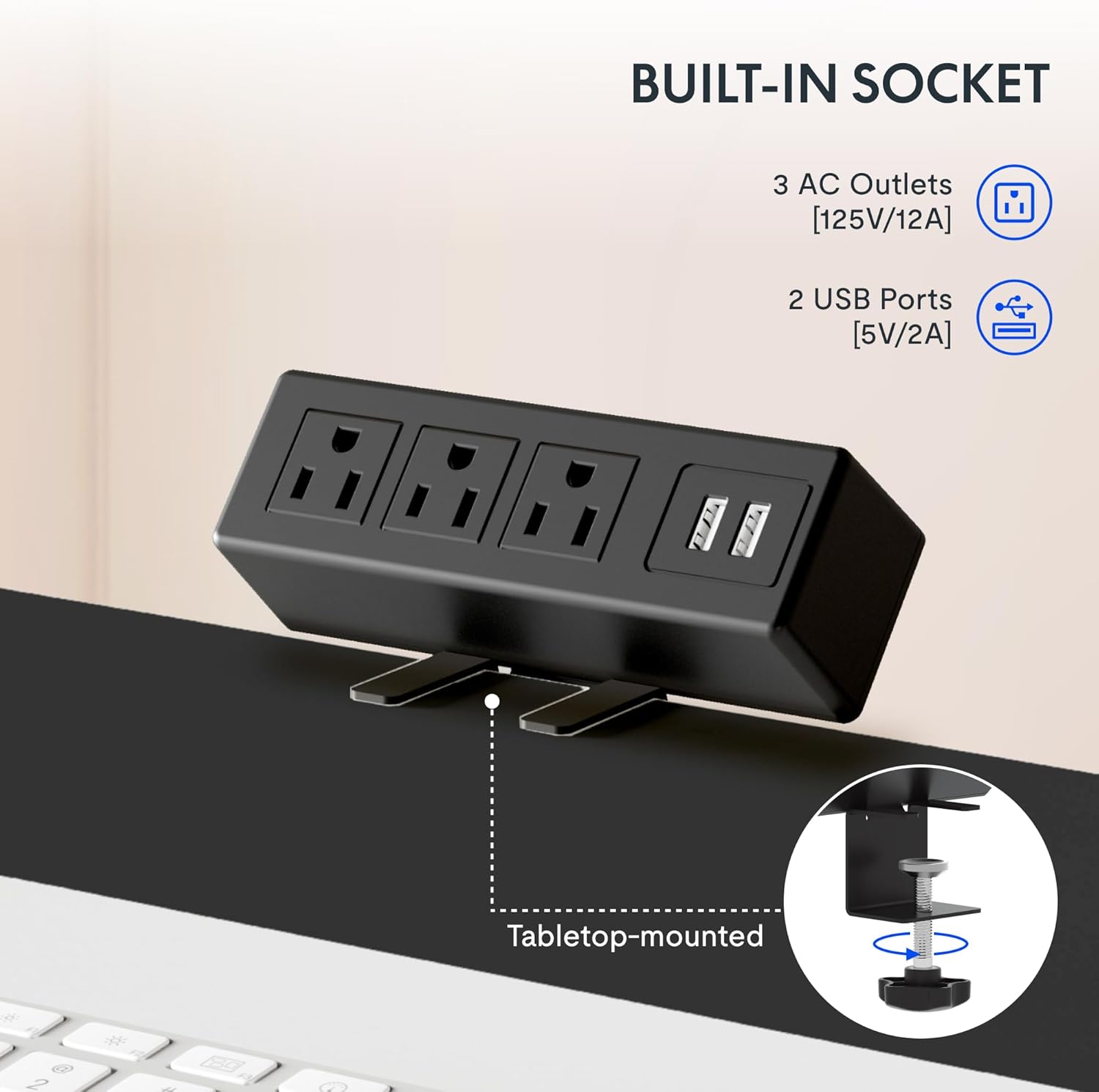
The integrated power strip provides easy access to power for your devices.
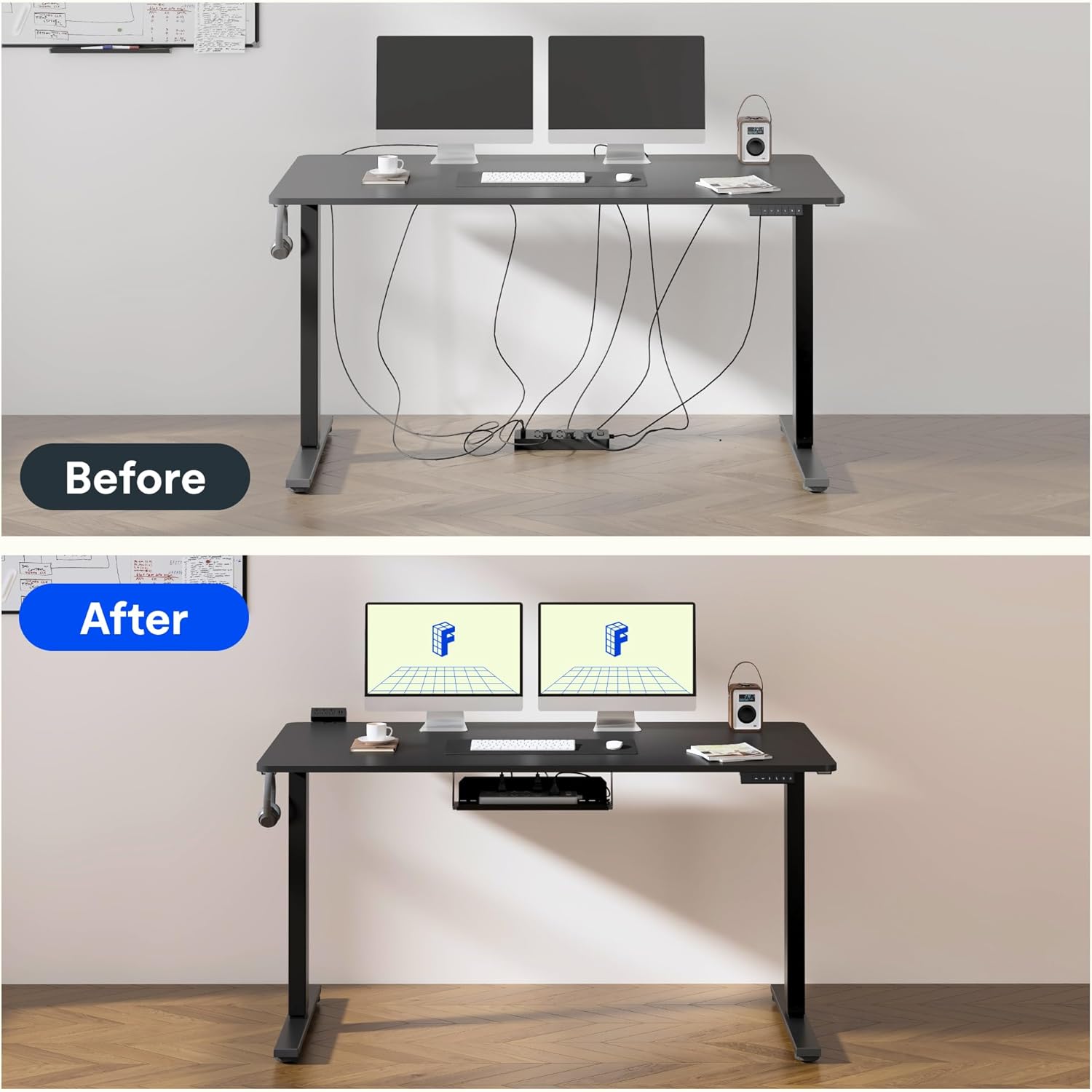
Effective cable management helps maintain a clean and clutter-free workspace.
6. Ikhwalithi Nokuhlolwa
FLEXISPOT products undergo rigorous testing to ensure durability and stability. The desk frame features dual-stage legs for continuous height adjustment and enhanced stability.

I-Dual-stage legs provide a wide range of continuous height adjustment for optimal ergonomics.
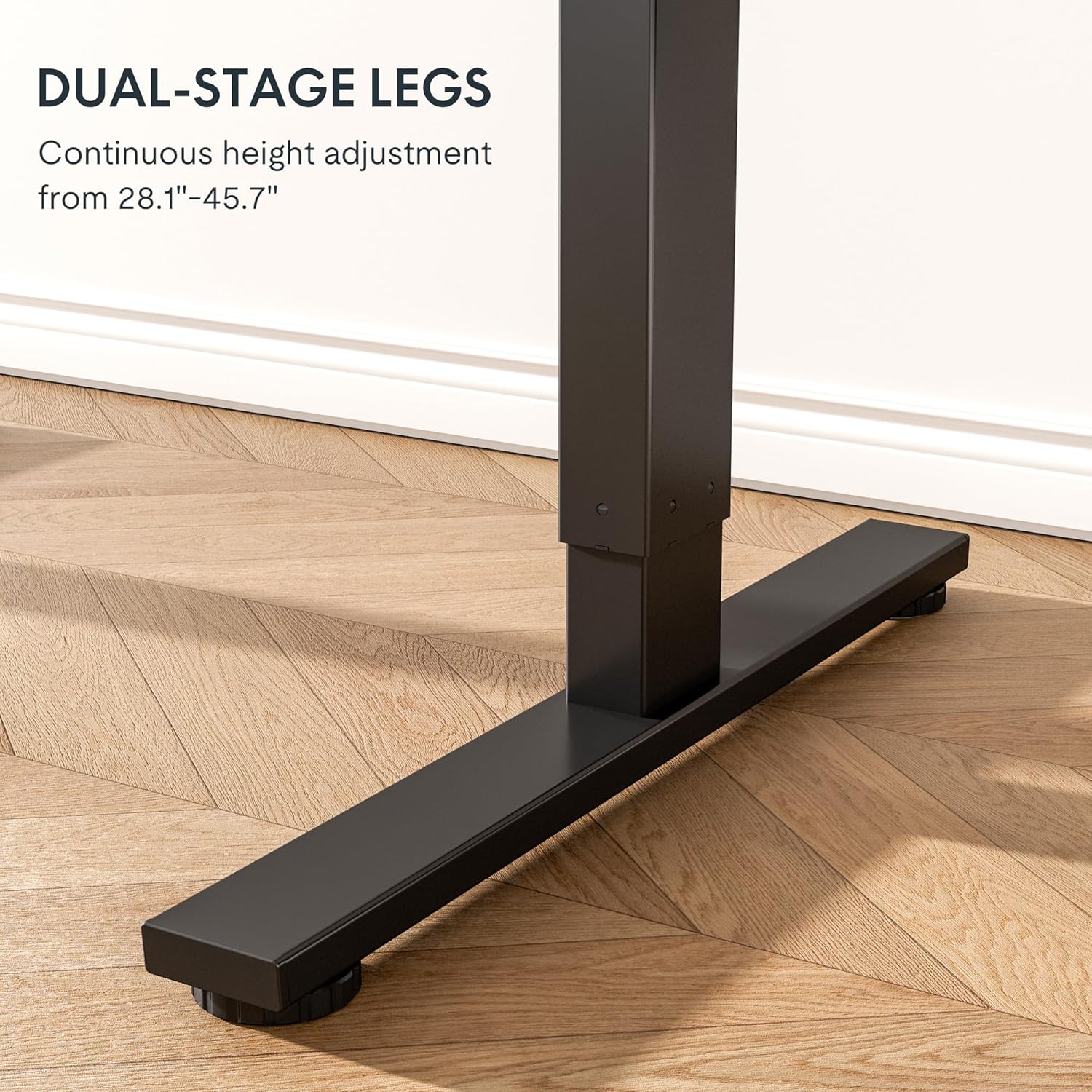
The robust design with bigger flanks, thicker columns, and wider feet ensures superior stability.
This video demonstrates the rigorous testing procedures for FlexiSpot standing desks, including durability and stability tests.
A demonstration of the computer workstation table's stability and functionality under various conditions.
Kuphelileview umbukiso wevidiyoasing the features and benefits of the FLEXISPOT Standing Desk.
7. Isondlo
To ensure the longevity and optimal performance of your FLEXISPOT Standing Desk Frame, follow these simple maintenance guidelines:
- Regularly wipe down the frame with a soft, damp cloth to remove dust and debris. Avoid harsh chemicals.
- Check all screws and fasteners periodically to ensure they are tight. Retighten if necessary.
- Keep the electrical components (motor, control panel, power strip) dry and free from spills.
- Ensure cables are neatly managed and not pinched or tangled, especially during height adjustments.
- Do not overload the desk beyond its maximum weight capacity of 154 pounds (70 kg).
8. Ukuxazulula izinkinga
If you encounter any issues with your FLEXISPOT Standing Desk Frame, refer to the common troubleshooting tips below. If the problem persists, please contact customer support.
| Inkinga | Imbangela Engenzeka | Isixazululo |
|---|---|---|
| Desk not moving or unresponsive. | Power cable disconnected; overload protection activated; motor error. | Check power connections. Reduce weight on the desk. Unplug for 10 seconds and plug back in to reset. |
| Ukulungiswa kokuphakama okungalingani. | Loose screws; uneven weight distribution. | Check and tighten all assembly screws. Redistribute weight evenly on the desktop. |
| Imisindo engavamile ngesikhathi sokusebenza. | Loose components; motor wear. | Ensure all parts are securely fastened. If noises persist, contact customer support. |
| Memory settings not working. | Ukuhlela okungalungile. | Reprogram the memory settings by adjusting to desired height, then pressing and holding the numbered button until confirmation. |
9. Imininingwane
| Isici | Imininingwane |
|---|---|
| Ibhrendi | I-FLEXISPOT |
| Inombolo Yemodeli | E1 |
| Umbala | Mnyama |
| I-Adjustable Height Range | 28.1'' - 45.7'' |
| Recommended Desktop Width | 39.3" ukuya ku-63" |
| Recommended Desktop Depth | 19.7" ukuya ku-31.5" |
| ISincomo Sesisindo Esiphezulu | Amapondo ayi-154 (70 kg) |
| Izinto eziyisisekelo | I-alloy Steel |
| I-Lifting Mechanism | Ugesi |
| Izingxenye Ezihlanganisiwe | Ideski Clamp Power Strip, Cable Management Tray |
| Umhlangano Odingekayo | Yebo |
| Kufaka Wonke Amathuluzi Omhlangano | Yebo |

Detailed dimensions of the FLEXISPOT Standing Desk Frame.
10. Iwaranti kanye Nokusekela
Ulwazi Lwesiqinisekiso:
The FLEXISPOT Standing Desk Frame is covered by a comprehensive warranty:
- Iwaranti yeminyaka emi-5: Covers the frame, motor, and other mechanical mechanisms.
- Iwaranti yeminyaka emi-2: Covers the controller, switch, and electronics.
Sicela ugcine ubufakazi bakho bokuthenga izimangalo zewaranti.
Ukwesekwa Kwamakhasimende:
For further assistance, technical support, or warranty inquiries, please visit the official FLEXISPOT website or contact their customer service team. You can find more information and contact details on the FLEXISPOT Store on Amazon.