
1. Isingeniso
The Picun H12 Bluetooth Neckband Headset offers a comfortable and high-quality audio experience for various activities, including sports and daily use. Featuring Bluetooth 4.1 connectivity, a 13mm driver for clear sound, and IPX6 water resistance, these earphones are designed for durability and convenience. The magnetic earbuds and lightweight neckband design enhance portability and ease of use.
2. Yini EseBhokisini
- Picun H12 Bluetooth Neckband Headset
- Ikhebula lokushaja le-USB
- Earbuds Covers (various sizes)
- Imaniwali yosebenzisayo
3. Umkhiqizo Uphelileview
The Picun H12 headset is engineered for superior sound and extended battery life, ensuring an immersive audio experience.

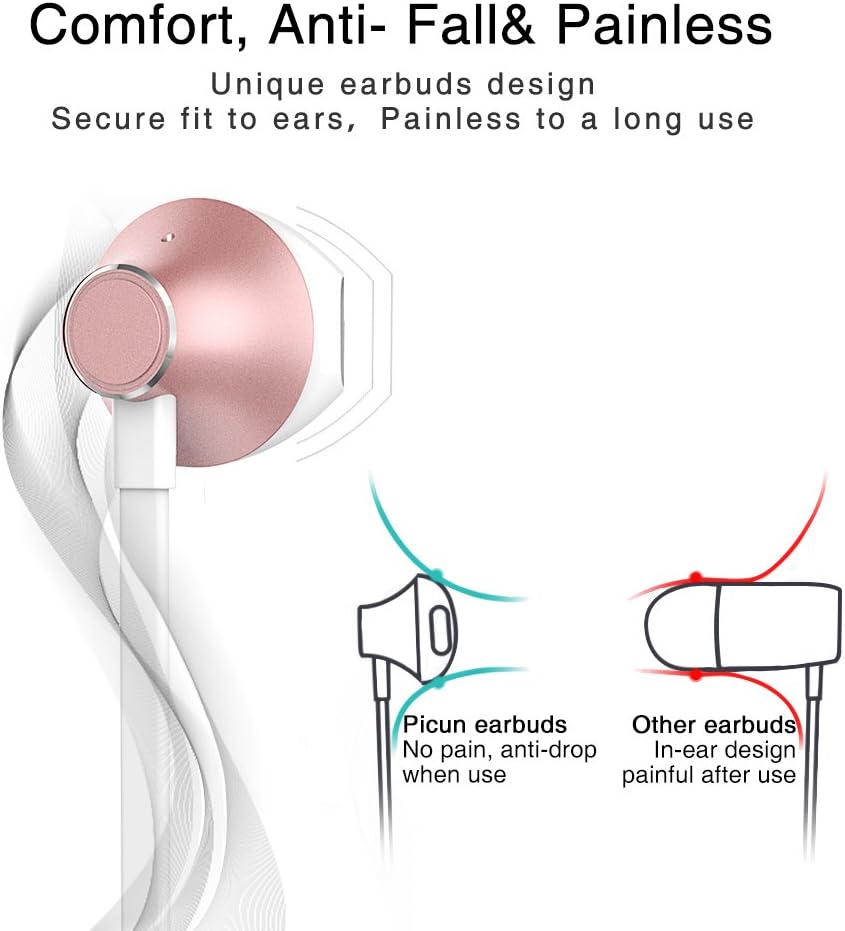
Designed for comfort, the unique earbud shape provides a secure fit without causing discomfort, even during prolonged use.
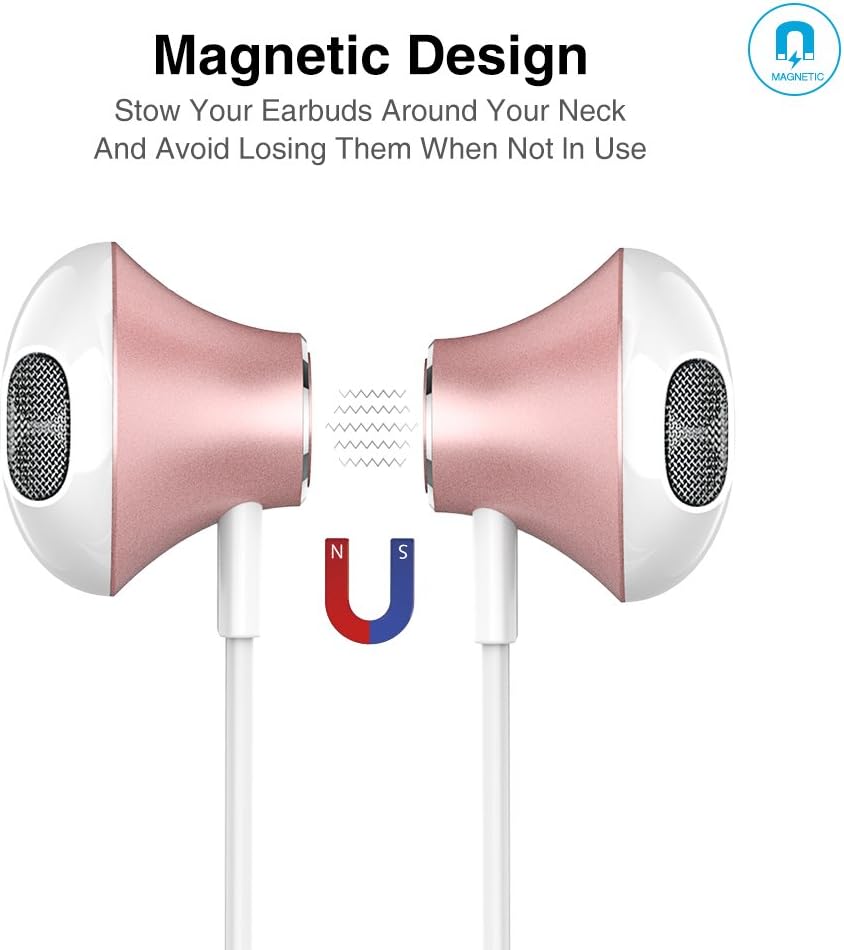
The magnetic design allows the earbuds to clip together when not in use, preventing tangles and making them easy to carry around your neck.
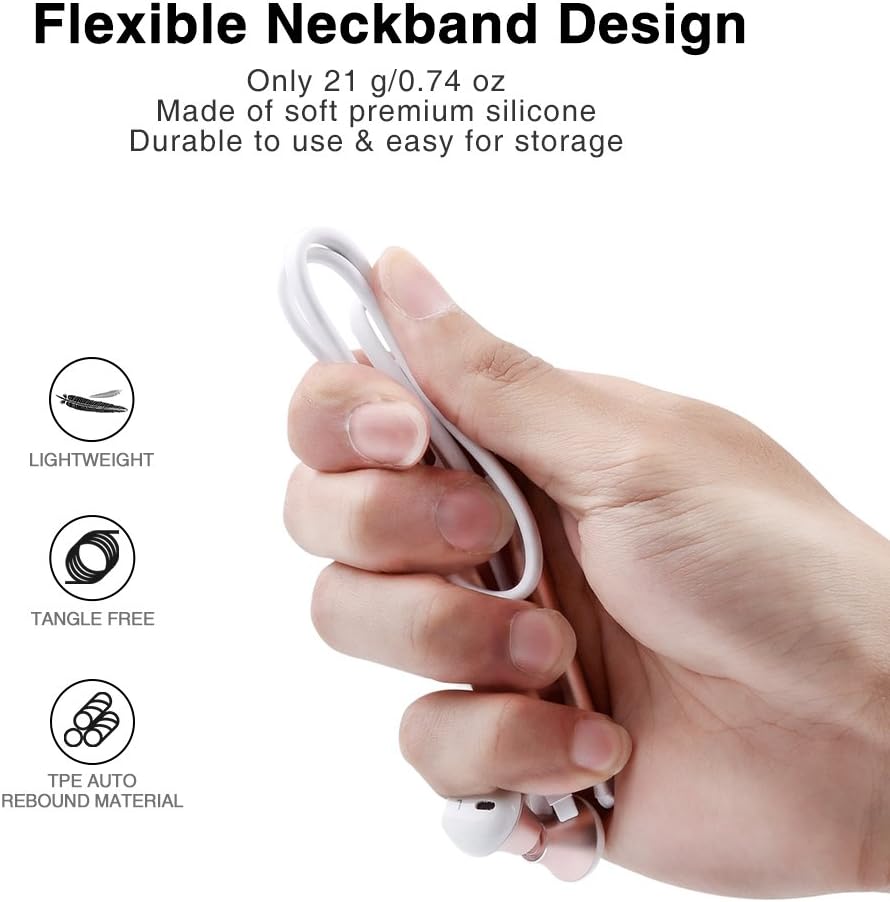
The flexible neckband is lightweight and made from TPE auto-rebound material, ensuring durability and tangle-free storage.
Control your audio and calls effortlessly with the integrated in-line remote and HD noise reduction microphone.

With an IPX6 water-resistant nano-coating, the headset is protected against sweat and rain, making it ideal for workouts.

Buka le vidiyo ukuze uthole okubonakalayo ngaphezuluview of the Picun H12 Bluetooth Neckband Headset's features and design.
4. Setha
4.1 Ukushaja ihedisethi
- Connect the micro USB charging cable to the charging port on the headset.
- Xhuma enye ingxenye yentambo kumthombo wamandla we-USB (isb., ikhompuyutha, i-adaptha yodonga).
- The indicator light will show charging status. A full charge takes approximately 1 hour and provides up to 10 hours of playtime.
4.2 Ukumatanisa kwe-Bluetooth
- Qinisekisa ukuthi ihedisethi ishajwe ngokugcwele.
- Press and hold the multi-function button (usually the center button on the in-line remote) until the indicator light flashes red and blue, indicating pairing mode.
- Edivayisini yakho (i-smartphone, ithebhulethi, njll.), vula i-Bluetooth bese usesha amadivayisi atholakalayo.
- Select "Picun H12" from the list of found devices.
- Once paired, the indicator light will typically turn solid blue or flash blue slowly. A voice prompt may confirm successful connection.
5. Iziqondiso Zokusebenza
5.1 Vula/Vala amandla
- Vula: Press and hold the multi-function button for approximately 3 seconds until the indicator light flashes blue and a voice prompt confirms power on.
- Cisha ugesi: Press and hold the multi-function button for approximately 3-5 seconds until the indicator light flashes red and a voice prompt confirms power off.
5.2 Ukudlala Umculo
- Dlala/Misa kancane: Cindezela kafushane inkinobho yemisebenzi eminingi.
- Ingoma Elandelayo: Long press the "V+" button.
- Ingoma Edlule: Long press the "V-" button.
- Ivolumu ephezulu: Short press the "V+" button.
- Ivolumu Phansi: Short press the "V-" button.
5.3 Ukuphathwa Kwezingcingo
- Phendula Ucingo: Short press the multi-function button when a call comes in.
- Qeda ikholi: Short press the multi-function button during a call.
- Yenqaba Ucingo: Long press the multi-function button when a call comes in.
- Phinda ushaye inombolo yokugcina: Cindezela kabili inkinobho yemisebenzi eminingi.
6. Isondlo
- Ukuhlanza: Sebenzisa indwangu ethambile, eyomile ukuhlanza ihedisethi. Ungasebenzisi izinto zokuhlanza abrasive noma izincibilikisi.
- Ukumelana Namanzi: The headset is IPX6 water-resistant, meaning it can resist high-pressure, heavy sprays of water. It is not designed for submersion. Dry thoroughly if exposed to water or sweat.
- Isitoreji: When not in use, store the headset in a cool, dry place. The magnetic earbuds help prevent tangling.
- Ukunakekelwa kwebhethri: To prolong battery life, avoid fully discharging the battery frequently. Charge the headset regularly, even if not in use for extended periods.
7. Ukuxazulula izinkinga
| Inkinga | Isixazululo Esingenzeka |
|---|---|
| Headset won't power on | Ensure the headset is fully charged. Connect to a power source and try again. |
| Ayikwazi ukubhanqa nedivayisi | Ensure the headset is in pairing mode (flashing red and blue light). Turn off and on Bluetooth on your device. Move closer to the headset. |
| Awukho umsindo noma ivolumu ephansi | Check volume levels on both the headset and your connected device. Ensure the headset is properly paired. Try re-pairing. |
| Ukuxhumana okungapheli | Ensure no obstacles are between the headset and your device. Stay within the 33-foot (10-meter) Bluetooth range. Avoid strong electromagnetic interference. |
| Inkinga yokushaja | Check the charging cable and USB power source. Try a different cable or power adapter. Ensure the charging port is clean and free of debris. |
8. Imininingwane
- Ibhrendi: I-Picun
- Imodeli: H12
- Ubuchwepheshe bokuxhuma: Okungenantambo (Bluetooth)
- Inguqulo ye-Bluetooth: 4.1
- Ububanzi Obungenantambo: Kufika ku-33 feet (10 metres)
- Isikhathi sokudlala: Kufika emahoreni angu-10
- Isikhathi sokushaja: Cishe ihora elingu-1
- Usayizi Womshayeli: 13 MM Neodymium
- Impendulo esuka ku Frequency: 20 Hz - 20 kHz
- Ukumelana Namanzi: IPX6 (Sweatproof and splash-resistant)
- Ukubekwa Kwendlebe: Endlebeni
- I-Form Factor: Ibhande lasentanyeni
- Uhlobo Lokulawula: In-line Volume Control, Multi-function button
- Imakrofoni: Built-in HD noise reduction mic
- Isisindo: 0.05 Pound (cishe 21g)
- Okubalulekile: I-Silicone, i-Thermoplastic Elastomer (TPE)
9. Iwaranti kanye Nokusekela
The Picun H12 Bluetooth Neckband Headset comes with a 10-month guarantee period from the date of purchase. For any product-related inquiries, technical support, or warranty claims, please contact Picun customer service. Refer to the contact information provided on the product packaging or the official Picun webindawo ukuze uthole usizo.