
Bytech BCAUBS134BK
Bytech Massive Bluetooth Long Bar Speaker-BK User Manual
Model: BCAUBS134BK
1. Isingeniso
Siyabonga ngokuthengaasing the Bytech Massive Bluetooth Long Bar Speaker-BK. This manual provides essential information for the proper setup, operation, and maintenance of your new speaker. Please read this manual thoroughly before using the product to ensure optimal performance and longevity.
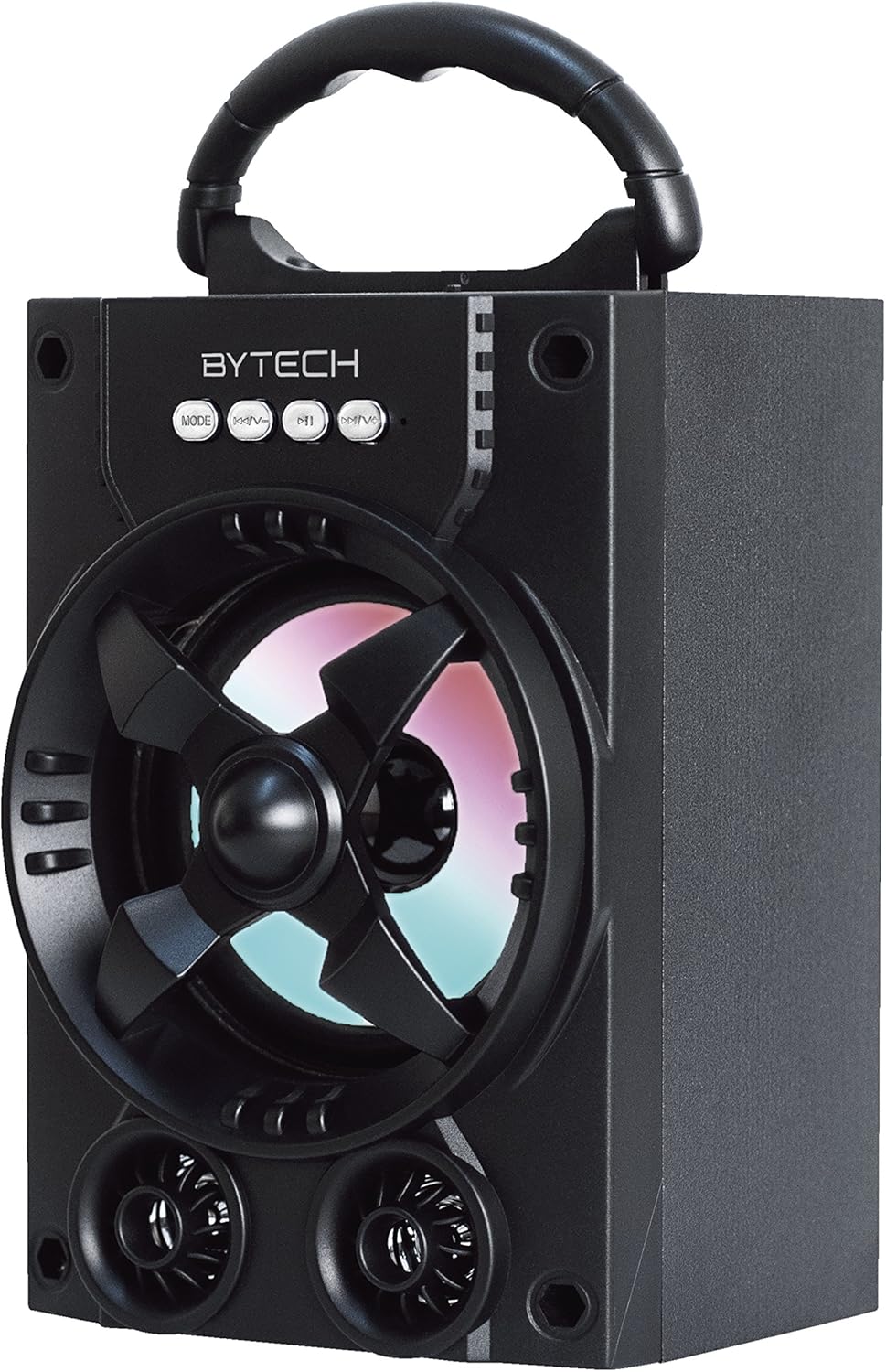
Umfanekiso 1.1: Ngaphambili view of the Bytech Massive Bluetooth Long Bar Speaker-BK, showcasing its design, handle, and speaker grille with LED lights.
2. Okuqukethwe Kwephakheji
Sicela uhlole iphakheji ngezinto ezilandelayo:
- Bytech Massive Bluetooth Long Bar Speaker-BK
- Ikhebula lokushaja le-USB
- Incwadi Yomsebenzisi (le dokhumenti)
Uma kukhona izinto ezingekho noma ezonakele, sicela uxhumane nosekelo lwamakhasimende.
3. Izici zomkhiqizo
- LED Performance Lights: Dynamic LED lights that synchronize with your music for an enhanced audio-visual experience.
- Convenient Carrying Handle: Integrated handle for easy portability, allowing you to take your music anywhere.
- Universal Bluetooth Connectivity: Seamlessly connect wirelessly to your smartphone, tablet, or other Bluetooth-enabled devices.
- Umsindo Ozungezile: Designed to deliver a high-quality surround sound experience.
- Idizayini Ephathekayo: Ideal for various settings, including parties, outdoor gatherings, and personal use.

Figure 1.2: The speaker shown with its retail packaging, illustrating its key features such as multi-color LED lights, Bluetooth connectivity, and surround sound capability.
4. Izilawuli kanye Izinkomba
The speaker features intuitive controls and indicators for easy operation:
- Inkinobho ye-MODE: Press to switch between available input modes (e.g., Bluetooth).
- Inkinobho ye-V: Press to decrease volume. Long press to skip to the previous track.
- Inkinobho ye-V+: Cindezela ukuze ukhuphule ivolumu. Cindezela isikhathi eside ukuze weqe uye kuthrekhi elandelayo.
- Inkinobho ye-M: (Function not explicitly detailed, typically for mode or mute)
- Izibani ze-LED: Indicate power status, charging status, and provide dynamic light effects during audio playback.
5. Umhlahlandlela wokusetha
5.1 Ukushaja uSomlomo
- Xhuma ingxenye encane yekhebula lokushaja le-USB embobeni yokushaja esipikheni.
- Xhuma ingxenye enkulu yekhebula lokushaja le-USB ku-adaptha yamandla ye-USB (engafakiwe) noma imbobo ye-USB yekhompyutha.
- Isikhombisi se-LED sizobonisa isimo sokushaja (isb., obomvu wokushaja, ucime uma ushaje ngokugcwele).
- Linda cishe amahora angu-3-4 ukuze ushaje ngokugcwele ngaphambi kokusebenzisa okokuqala.
5.2 Ukuvula / Ukuvula
- To power on, press and hold the Power button (location not specified, typically near charging port or on control panel) for a few seconds until you hear an audible prompt or see the LED lights activate.
- Ukuze ucime, cindezela futhi ubambe inkinobho yamandla kuze kube yilapho isipikha sivaleka.
5.3 Ukumatanisa kwe-Bluetooth
- Ensure the speaker is powered on and in Bluetooth pairing mode (indicated by a flashing LED light or audible prompt).
- Ku-smartphone noma kuthebhulethi yakho, zulazula uye kuzilungiselelo ze-Bluetooth.
- Cinga available devices. The speaker will appear as "BYTECH" or a similar name.
- Khetha isipikha ohlwini ukuze uqalise ukubhanqa.
- Once successfully paired, the LED indicator will typically become solid, and you may hear a confirmation tone.
6. Iziqondiso Zokusebenza
6.1 Ukudlala Umsindo ngeBluetooth
- After successful Bluetooth pairing, open your preferred music application on your connected device.
- Select and play your desired audio. The sound will be streamed wirelessly to the speaker.
- Use the V+ and V- buttons on the speaker or your connected device to adjust the volume.
- Long press V+ or V- to skip tracks.
6.2 LED Performance Lights
The speaker features integrated LED lights that enhance your listening experience. These lights typically activate automatically when the speaker is powered on and playing audio. Specific controls for light modes are not detailed, but they are designed to provide dynamic visual effects.
6.3 Ukushintsha Imodi
Cindezela inkinobho IMODE button to cycle through available input modes. While Bluetooth is the primary connectivity, other modes (if available, such as FM radio or AUX input) can be accessed via this button.
7. Isondlo Nokunakekela
- Ukuhlanza: Sebenzisa indwangu ethambile neyomile ukuhlanza ingaphandle lesipika. Ungasebenzisi izihlanzi ezikhuhlayo, ama-wax, noma izinyibilikisi.
- Isitoreji: Lapho singasetshenziswa isikhathi eside, gcina isikhulumi endaweni epholile, neyomile ngaphandle kwelanga eliqondile namazinga okushisa aphakeme.
- Ukunakekelwa kwebhethri: Ukuze welule isikhathi sokuphila kwebhethri, gwema ukukhipha ibhethri ngokugcwele njalo. Shaja kabusha isipikha njalo, noma singasetshenziswa, ukuze ugcine impilo yebhethri.
- Ukumelana Namanzi: Lo mkhiqizo CHA waterproof. Avoid exposure to water, rain, or excessive moisture to prevent damage.
8. Ukuxazulula izinkinga
Uma uhlangabezana nezinkinga ngesikhulumi sakho, bheka izinkinga nezixazululo ezilandelayo ezivamile:
| Inkinga | Imbangela Engenzeka | Isixazululo |
|---|---|---|
| Isipikha asikhanyisi. | Ibhethri eliphansi. | Shaja isipikha ngokugcwele. |
| Awukho umsindo ovela esipikheni. | Volume too low; Not paired; Incorrect mode. | Increase volume on speaker and device; Ensure successful Bluetooth pairing; Press MODE button to select correct input. |
| Ukuxhumeka kwe-Bluetooth akuzinzile noma kuyahluleka. | Device too far; Interference; Pairing issue. | Move device closer to speaker (within 33 ft/10m); Avoid obstacles; Forget device on your phone and re-pair. |
| Izibani ze-LED azisebenzi. | Speaker not powered on or playing audio. | Ensure speaker is on and audio is playing. |
9. Imininingwane
| Isici | Imininingwane |
|---|---|
| Ibhrendi | I-Bytech |
| Igama Lemodeli | I-BYTECH |
| Inombolo Yemodeli Yento | I-BCAUBS134BK |
| Uhlobo lwesipika | Umsindo Ozungezayo |
| Ubuchwepheshe bokuxhumana | I-Bluetooth |
| I-Wireless Communication Technology | I-Bluetooth |
| Amadivayisi Ahambisanayo | I-smartphone |
| Amandla Okukhipha Isipikha aphezulu | 20 Watts |
| Impendulo Yemvamisa | 20 khz |
| Impedance | 1 ohm |
| Usayizi wesipika | 5 amayintshi |
| Umthombo wamandla | I-Corded Electric (yokushaja) |
| Uhlobo Lwebhethri | Kudingeka ibhethri ye-Lithium ion engu-1 |
| Umbala | Mnyama |
| Ubukhulu bomkhiqizo | 4.75 x 5.5 x 8.5 amayintshi |
| Isisindo sento | 1.3 amakhilogremu |
| Ingangeni manzi | Cha |
| Izwe azalelwe kulo | China |
| I-UPC | 805112038121 |
10. Ulwazi Lwewaranti
Bytech products are manufactured to the highest quality standards. For specific warranty terms and conditions, please refer to the warranty card included with your purchase or visit the official Bytech webindawo. Gcina ubufakazi bakho bokuthenga ngezimangalo zewaranti.
11. Ukwesekwa Kwamakhasimende
For technical assistance, troubleshooting, or general inquiries, please contact Bytech customer support. Contact information can typically be found on the product packaging, the official Bytech webisayithi, noma irisidi lakho lokuthenga.
Qaphela: Awekho amavidiyo omkhiqizo asemthethweni avela kumthengisi atholakale ukuze ashumekwe ngokusekelwe kudatha enikeziwe.
Ask a question about this manual
Ask about setup, troubleshooting, compatibility, parts, safety, or missing instructions. Manuals+ will review the question and use this page’s manual context to help answer it.