
1. Isingeniso
This manual provides comprehensive instructions for the installation, operation, and maintenance of the FAAC E600 (D600) Electronic Board Remote Control. Please read this manual carefully before using the product to ensure safe and efficient operation. Keep this manual for future reference.
2. Ulwazi Lokuphepha
Ngaso sonke isikhathi qaphela lezi zinyathelo zokuphepha ezilandelayo ukuze uvimbele ukulimala noma ukulimala komkhiqizo:
- Ensure the power supply is disconnected before any installation or maintenance procedures.
- Izisebenzi ezifanelekayo kuphela okufanele zenze ukufakwa nokulungiswa.
- Ungalibeki idivayisi kumazinga okushisa adlulele, umswakama, noma elangeni eliqondile.
- Gcina idivayisi ikude nezingane nezilwane ezifuywayo.
- Use only original FAAC spare parts and accessories.
3. Okuqukethwe Kwephakheji
Qinisekisa ukuthi zonke izinto zikhona kuphakheji:
- FAAC E600 (D600) Electronic Board Remote Control
- Incwadi Yomsebenzisi (le dokhumenti)
- Izingxenyekazi zekhompyutha zokukhweza (uma zikhona)
4. Umkhiqizo Uphelileview
The FAAC E600 (D600) is an electronic board remote control designed for reliable operation of compatible FAAC systems. It features a robust design and ergonomic handling.
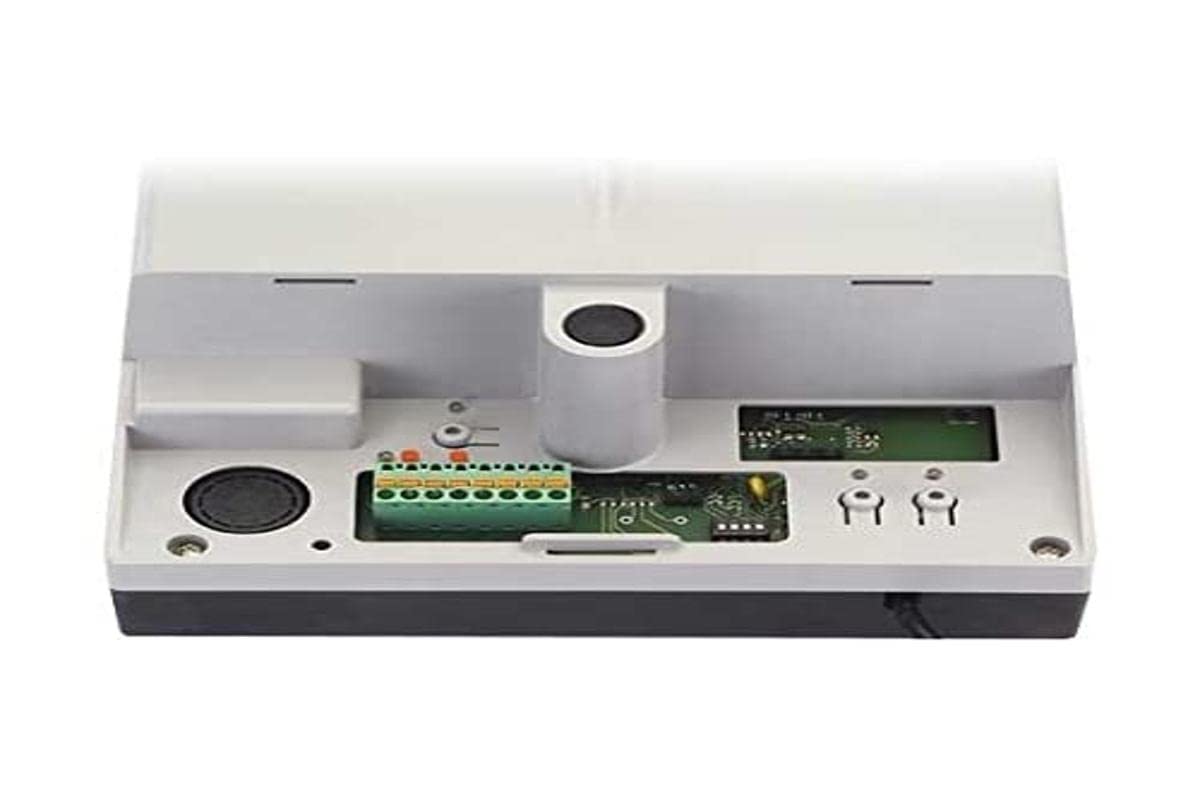
Image 1: FAAC E600 (D600) Electronic Board Remote Control. This image shows the compact design of the remote control unit.
Izici ezibalulekile zifaka:
- Idizayini ye-Ergonomic: Ikhululekile ukubamba nokusebenzisa.
- Ukuxhumana: Radio frequency and Infrared technology for versatile control.
- Inombolo yezinkinobho: 1 button for simple operation.
5. Ukusetha nokufakwa
Follow these steps to set up your FAAC E600 (D600) remote control:
- Ukufakwa Kwebhethri:
Open the battery compartment on the back of the remote control. Insert the required batteries, ensuring correct polarity (+/-). Close the compartment securely.
- Ukumatanisa nomamukeli:
Refer to the manual of your FAAC receiver unit (e.g., gate opener, barrier system) for specific pairing instructions. Typically, this involves pressing a programming button on the receiver and then pressing the button on the E600 (D600) remote control within a short timeframe.
- Ukuhlola:
After successful pairing, test the remote control's functionality by operating the connected device from a safe distance.
6. Iziqondiso Zokusebenza
The FAAC E600 (D600) remote control is designed for simple, single-button operation.
- Ukwenza kusebenze: Press and hold the single button on the remote control. The connected FAAC device will respond according to its programmed function (e.g., open/close gate, activate barrier).
- Ibanga: Ensure you are within the operational range of the receiver for reliable communication. Obstacles can reduce the effective range.
7. Isondlo
Ukuqinisekisa ukuthi isilawuli sakho esikude sihlala isikhathi eside futhi sisebenza kahle, landela lezi ziqondiso zokulungisa:
- Ukuhlanza: Sula isilawuli kude ngendwangu ethambile neyomile. Ungasebenzisi izihlanzi ezikhuhlayo noma izinyibilikisi.
- Ukushintshwa Kwebhethri: Replace batteries when the operational range decreases or the indicator light (if present) signals low power. Dispose of old batteries responsibly.
- Isitoreji: Store the remote control in a dry place, away from direct sunlight and extreme temperatures, when not in use for extended periods.
8. Ukuxazulula izinkinga
If you encounter issues with your FAAC E600 (D600) remote control, refer to the following table:
| Inkinga | Imbangela Engenzeka | Isixazululo |
|---|---|---|
| Isilawuli kude asisebenzi. | Amabhethri afile. | Shintsha amabhethri. |
| Remote control has short range. | Low batteries; Obstruction between remote and receiver. | Replace batteries; Ensure clear line of sight or reduce distance. |
| Device not responding after battery change. | Remote control lost pairing with receiver. | Re-pair the remote control with the receiver (refer to Section 5). |
If the problem persists, contact FAAC customer support or a qualified technician.
9. Imininingwane
| Isici | Imininingwane |
|---|---|
| Ibhrendi | I-FAAC |
| Igama Lemodeli | E600 (D600) |
| Isici Esikhethekile | Ergonomic |
| Amadivayisi Ahambisanayo | FAAC Camera Systems (and other compatible FAAC devices) |
| Ubuchwepheshe bokuxhumana | Radio Frequency, Infrared |
| Inombolo yezinkinobho | 1 |
| Uhlobo lwesilawuli | Inkinobho Yokulawula |
| Isisindo sento | 100 amagremu |
| Ikhodi Yesihloko Samazwe Ngamazwe (EAN) | 08055195014853 |
10. Iwaranti kanye Nokusekela
For warranty information and technical support, please refer to the official FAAC website or contact your authorized FAAC dealer. Keep your proof of purchase for warranty claims.