
Youshiko YC8061-B
Youshiko YC8061-B Jumbo Radio Controlled Wall Clock
Incwadi Yokufundisa Yomsebenzisi
1. Isingeniso
Thank you for choosing the Youshiko YC8061-B Jumbo Radio Controlled Wall Clock. This clock is designed to provide precise timekeeping, automatically synchronizing with the MSF radio signal for the UK and Ireland. It features a large, clear LCD display that shows time, date, day of the week, indoor temperature, and humidity. This manual will guide you through the setup, operation, and maintenance of your new clock.
Umfanekiso 1.1: Ngaphambili view of the Youshiko YC8061-B Jumbo Radio Controlled Wall Clock, displaying time, date, day, temperature, and humidity.
2. Okuqukethwe Kwephakheji
- Youshiko YC8061-B Jumbo Radio Controlled Wall Clock
- Incwadi Yeziqondiso
Qaphela: 4 x AA batteries are required for operation and are not included in the package.
3. Umkhiqizo Uphelileview
Familiarize yourself with the main components and controls of your clock.
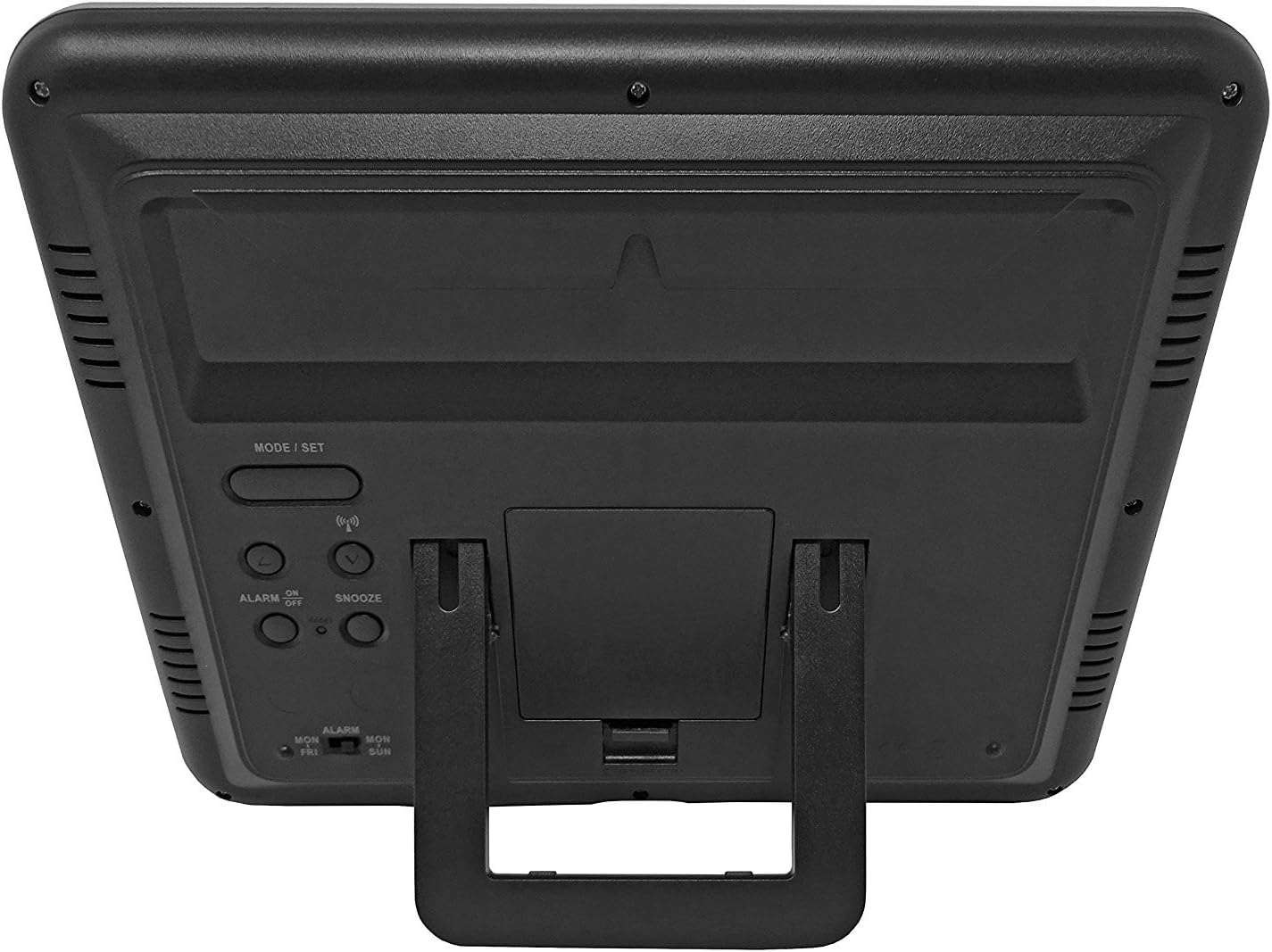
Umfanekiso 3.1: Emuva view of the clock, highlighting the battery compartment and control buttons.
Izinkinobho Zokulawula:
- MODE / SET: Used to switch between display modes and enter setting mode.
- PHEZULU PHANSI: Kusetshenziswa ukulungisa amanani ngesikhathi semodi yokusetha.
- WAVE / RCC: Manually initiates or stops radio control signal reception.
- ALARM ON / OFF: Ivula noma ivala i-alamu.
- SNULA: Ivula umsebenzi wokusnuza lapho i-alamu ikhala.
4. Ukufakwa kwebhethri
- Thola isembozo segumbi lebhethri ngemuva kwewashi.
- Remove the cover by sliding it down or lifting it off.
- Insert 4 new AA batteries, ensuring the correct polarity (+ and -) as indicated inside the compartment.
- Shintshanisa ikhava yengxenye yebhethri.
The clock will power on and begin searching for the radio control signal automatically.
5. Initial Setup & Time Synchronization
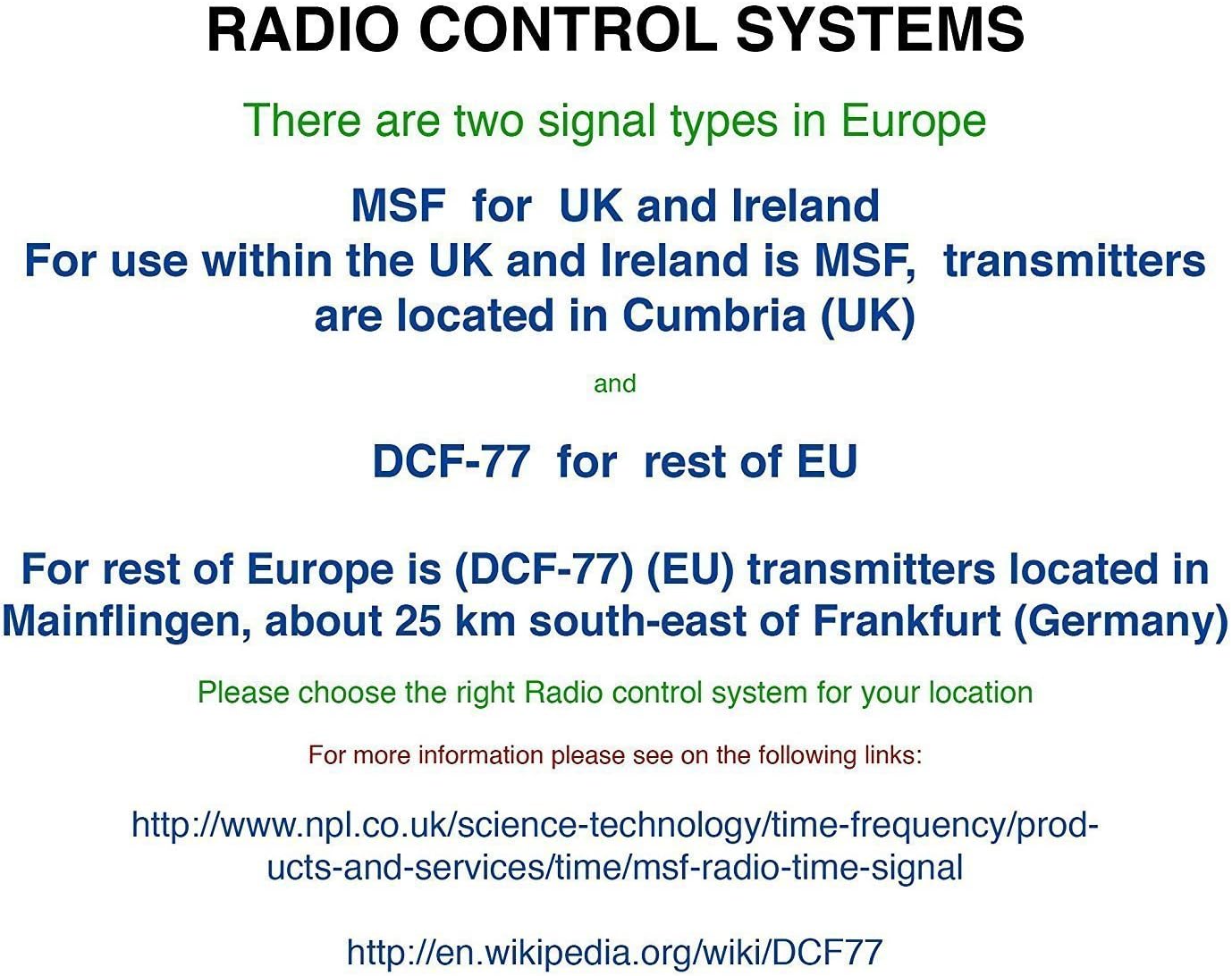
The Youshiko YC8061-B clock is designed to automatically set its time and date via the MSF radio signal broadcast from Cumbria, UK. This signal is specifically for use within the UK and Ireland.

Figure 5.1: Explanation of radio control systems (MSF for UK/Ireland, DCF-77 for rest of EU).
Ukuvumelanisa Okuzenzakalelayo:
- After battery installation, the clock will automatically start searching for the MSF signal. A radio wave icon will flash on the display.
- Place the clock near a window, away from electronic devices that may cause interference.
- The initial synchronization process may take several minutes to a few hours, depending on your location and signal strength.
- Once the signal is successfully received, the radio wave icon will appear solid on the display, and the clock will show the correct time and date.
- The clock will automatically adjust for Daylight Saving Time (DST) and perform daily checks to maintain accuracy.
Usesho Lwesiginali Mathupha:
If the clock does not synchronize automatically or if you wish to force a signal search, press and hold the WAVE / RCC button. The radio wave icon will flash, indicating it is searching for the signal.
Manual Time Setting (if radio signal is unavailable):
In areas where the radio signal cannot be received, you can manually set the time and date:
- Cindezela bese ubamba i MODE / SET button until the time digits begin to flash.
- Sebenzisa i- UP or PHANSI buttons to adjust the flashing value (e.g., hour, minute).
- Cindezela MODE / SET again to confirm the setting and move to the next adjustable item (e.g., minute, year, month, day, 12/24-hour format, temperature unit).
- Phinda izinyathelo 2 no-3 kuze kube yilapho zonke izilungiselelo sezilungisiwe.
- Cindezela MODE / SET okokugcina ukuphuma kwimodi yokusetha.
6. Iziqondiso Zokusebenza
Izindlela zokubonisa:
The clock displays time (hours, minutes, seconds), date (day, month, year), day of the week, indoor temperature, and humidity. The time digits are large (8.3 cm) for easy readability.
Umsebenzi we-alamu:
- Ukusetha isikhathi se-alamu, cindezela inkinobho MODE / SET button repeatedly until the alarm time is displayed.
- Cindezela bese ubamba MODE / SET until the alarm hour flashes. Use UP or PHANSI ukulungisa.
- Cindezela MODE / SET to confirm the hour and move to minutes. Use UP or PHANSI ukulungisa.
- Cindezela MODE / SET ukuphuma kusethingi ye-alamu.
- Ukuvula noma ukuvala i-alamu, cindezela inkinobho I-ALARM IVULIWE / IVALIWE inkinobho. Isithonjana se-alamu sizovela esibukweni uma sicushiwe.
Umsebenzi wokusnuza:
Uma i-alamu ikhala, cindezela inkinobho SNOZA inkinobho yokuthulisa i-alamu okwesikhashana. I-alamu izophinda ikhale ngemva kwemizuzu engaba ngu-5.
Ukukhethwa kweyunithi yezinga lokushisa:
To switch between Celsius (°C) and Fahrenheit (°F) for temperature display, press the UP button during normal time display.
7. Izinketho zokukhweza
The Youshiko YC8061-B clock offers versatile placement options:
Ukukhweza udonga:
The clock features a keyhole slot on the back for easy wall mounting. Use a suitable screw (not included) in your desired location.

Figure 7.1: The clock displayed on a wall, showcasing its suitability for wall mounting.
Indawo Yethebula:
An integrated foldable stand on the back allows the clock to be placed on any flat surface, such as a desk, shelf, or bedside table.

Figure 7.2: The clock positioned on a table using its integrated stand.
8. Isondlo
Ukuhlanza:
Sula iwashi ngendwangu ethambile, eyomile. Ungasebenzisi izinto zokuhlanza abrasive noma izincibilikisi, njengoba lokhu kungalimaza isibonisi noma casing.
Ukushintshwa Kwebhethri:
When the display dims or the clock stops functioning correctly, replace all 4 AA batteries simultaneously. Do not mix old and new batteries or different types of batteries.
9. Ukuxazulula izinkinga
| Inkinga | Imbangela Engenzeka | Isixazululo |
|---|---|---|
| Clock does not display anything. | Amabhethri afile noma afakwe ngokungalungile. | Faka esikhundleni amabhethri amasha, uqinisekisa ukuhlukahluka okulungile. |
| Radio wave icon is flashing, or time is incorrect. | Ukwamukelwa kabi kwesignali yomsakazo. | Move the clock to a location with better signal reception (e.g., near a window, away from electronics). Manually initiate signal search using the WAVE / RCC button. |
| I-alamu ayizwakali. | I-alamu ayicushiwe. | Press the ALARM ON / OFF button to activate the alarm (alarm icon should appear). |
| Temperature/Humidity readings seem inaccurate. | Clock is placed in an area with extreme temperature fluctuations or direct sunlight. | Relocate the clock to a stable indoor environment. Allow time for readings to stabilize. |
10. Imininingwane

Figure 10.1: Dimensions of the Youshiko YC8061-B Jumbo Radio Controlled Wall Clock.
| Isici | Imininingwane |
|---|---|
| Inombolo Yemodeli | YC8061-B |
| Ubukhulu (L x W x H) | 24.8 x 20.6 x 2.8 cm (9.76 x 8.11 x 1.1 amayintshi) |
| Isisindo | awu 600g |
| Umthombo wamandla | 4 x AA amabhethri (awafakiwe) |
| Uhlobo lokubonisa | I-Digital LCD |
| Isiginali yesikhathi | MSF (UK & Ireland version) |
| Izici ezikhethekile | Radio-controlled, Automatic DST adjustment, Indoor Temperature Display, Indoor Humidity Display, Calendar (Day, Month, Year), Alarm with Snooze, Wall Mountable / Table Stand |
| Umbala | Mnyama |
11. Ulwazi Lwewaranti
Youshiko products are manufactured to high-quality standards. This product is covered by a standard manufacturer's warranty against defects in materials and workmanship. Please retain your proof of purchase for warranty claims. Specific warranty terms and duration may vary by region. For detailed warranty information, please refer to the documentation provided at the time of purchase or contact Youshiko customer support.
12. Ukusekela
Should you encounter any issues or have questions regarding your Youshiko YC8061-B Jumbo Radio Controlled Wall Clock that are not addressed in this manual, please contact Youshiko customer support. Contact details can typically be found on the product packaging or the official Youshiko webindawo.
Ask a question about this manual
Ask about setup, troubleshooting, compatibility, parts, safety, or missing instructions. Manuals+ will review the question and use this page’s manual context to help answer it.