
Isingeniso
The ANSMANN Energy 16 Plus is a universal smart battery charger and maintenance station designed for various rechargeable battery types, including AAA, AA, C, D, and 9V NiMH/NiCd batteries. It also features a USB charging port for external devices. This manual provides essential information for safe and efficient operation of your charger.
Imiyalo yokuphepha
- Funda yonke imiyalelo ngaphambi kokusebenzisa ishaja.
- Use the charger only for rechargeable NiMH/NiCd batteries. Do not attempt to charge non-rechargeable batteries, as this may lead to explosion, rupture, or leakage, causing personal injury and property damage.
- Ungayibeki ishaja emvuleni noma emswakama.
- Ungayisebenzisi ishaja uma yonakele nganoma iyiphi indlela.
- Gcina ishaja kude nezingane.
- Qinisekisa ukungena komoya ofanele ngesikhathi sokushaja.
- Khipha ishaja kugesi lapho ingasebenzi.
- Do not disassemble the charger. Refer all servicing to qualified personnel.
Okuqukethwe Kwephakheji
Qinisekisa ukuthi zonke izinto zikhona kuphakheji yakho:
- ANSMANN Energy 16 Plus Charger
- Power cord (1.8m, US plug)
- Incwadi Yeziqondiso
- 12x NiMH Mignon AA HR6 rechargeable batteries
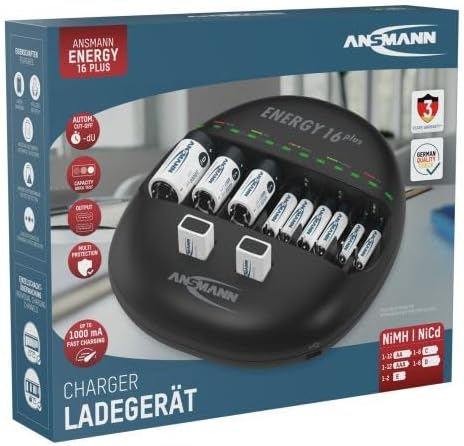
Image: The ANSMANN Energy 16 Plus charger shown within its retail packaging.

Image: A blister pack containing four ANSMANN 2850 mAh Slimline AA NiMH rechargeable batteries, often included with the charger.
Umkhiqizo Uphelileview
The ANSMANN Energy 16 Plus is a versatile charging station. It features 12 charging slots for AAA, AA, C, and D batteries, plus 2 dedicated slots for 9V block batteries. An integrated USB port allows for charging external devices.
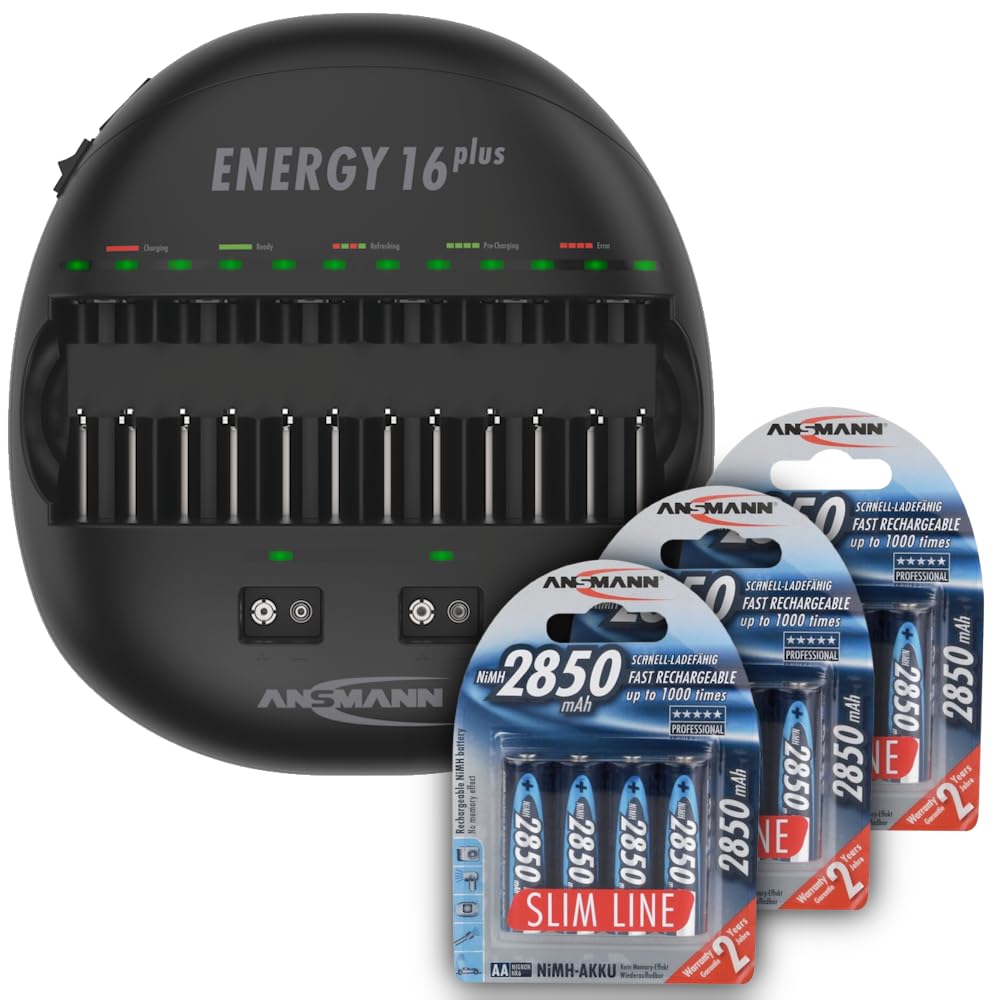
Image: The ANSMANN Energy 16 Plus charger, displaying its multiple charging slots for different battery sizes, including AA, C, D, and 9V batteries.

Isithombe: I-engeli view of the charger, highlighting the individual LED indicators above each battery slot, which show the charging status.

Isithombe: Uchwepheshe osecelenifile of the ANSMANN Energy 16 Plus charger, illustrating its ergonomic and space-saving design.
Izici Eziyinhloko:
- 12 charging slots for AAA, AA, C, D batteries.
- 2 charging slots for 9V block batteries.
- Individual charging control for each battery.
- Automatic termination of charging process (-dV detection).
- Integrated USB charging port (5V, 1000mA).
- Multi-protection features against overcharge, short-circuit, and incorrect polarity.
Setha
- Place the charger on a stable, flat surface in a well-ventilated area.
- Connect the provided power cord to the charger's power input port.
- Plug the other end of the power cord into a standard US AC power outlet (100-240V AC, 50/60Hz).
- Ensure the power switch on the side of the charger is in the 'ON' position.
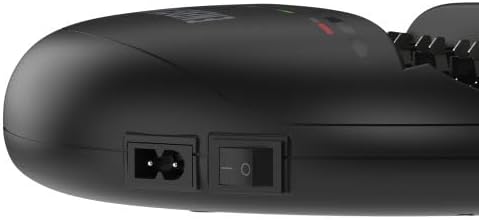
Isithombe: A enemininingwane view of the charger's side, showing the power input socket and the main on/off switch for connecting to the AC power supply.
Imiyalelo yokusebenza
Charging Batteries (AAA, AA, C, D):
- Insert rechargeable NiMH or NiCd batteries into the appropriate charging slots. Ensure correct polarity (+ and - terminals match the markings in the slot).
- The charger will automatically detect the battery type and begin the charging process.
- Each slot has an individual LED indicator:
- I-LED Ebomvu: Ukushaja kuyaqhubeka.
- I-LED eluhlaza: Ukushaja kuqediwe.
- I-LED Ebomvu Ekhanyayo: Error (e.g., non-rechargeable battery, incorrect polarity, defective battery).
- Once the LED turns green, the battery is fully charged and ready for use. You can remove it from the charger.
Charging 9V Block Batteries:
- Insert 9V NiMH or NiCd block batteries into the two dedicated 9V charging slots. Ensure correct polarity.
- The charging process and LED indicators function similarly to the cylindrical batteries.

Image: A close-up of the charger demonstrating the correct insertion of 9V block batteries into their specific charging bays.
Ukushaja Amadivayisi e-USB:
- Connect your USB device (e.g., smartphone, tablet) to the USB output port on the charger using a compatible USB cable.
- The charger will provide 5V/1000mA output for charging.
- Note that the USB charging function operates independently of battery charging.
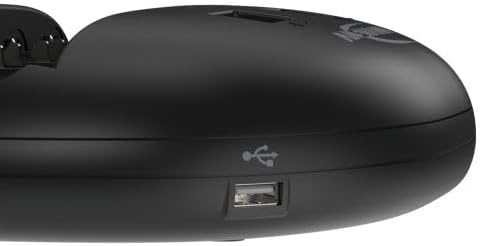
Isithombe: A enemininingwane view of the integrated USB charging port located on the side of the ANSMANN Energy 16 Plus charger, used for charging external devices.
Isondlo
- Ukuhlanza: Disconnect the charger from the power supply before cleaning. Use a soft, dry cloth to wipe the exterior. Do not use liquid cleaners or solvents.
- Isitoreji: Gcina ishaja endaweni epholile, eyomile ekude nelanga eliqondile kanye namazinga okushisa aphezulu.
- Ukunakekelwa kwebhethri: For optimal battery life, avoid deep discharging and store fully charged batteries in a cool, dry place if not used for extended periods.
Ukuxazulula inkinga
| Inkinga | Imbangela Engenzeka | Isixazululo |
|---|---|---|
| Ishaja ayivuliwe. | Power cord not connected, power switch off, no power from outlet. | Check power cord connection, ensure switch is ON, test outlet with another device. |
| I-LED ekhanyayo ebomvu. | Non-rechargeable battery, incorrect polarity, defective battery. | Remove non-rechargeable batteries, reinsert with correct polarity, replace defective batteries. |
| Ibhethri ayishaji. | Poor contact, battery fully charged, defective battery. | Ensure battery is properly seated, check LED status (green means charged), replace battery if necessary. |
| Idivayisi ye-USB ayishaji. | USB cable faulty, device not compatible, device fully charged. | Try a different USB cable, ensure device is compatible with 5V/1A charging, check device's charge status. |
Imininingwane
| Inombolo Yemodeli | 1001-0004-US-590-5 |
| Okokufaka Voltage | 100-240V AC, 50/60Hz (Internal power supply) |
| Okukhipha Umqtage (USB) | 5 Volts (1000mA) |
| Izinhlobo Zebhethri Ezihambisanayo | NiMH / NiCd (AAA, AA, C, D, 9V) |
| Inani Lezikhala Zokushaja | 12 (AAA/AA/C/D) + 2 (9V) |
| Ubukhulu bomkhiqizo | 9.61 x 2.36 x 10.32 amayintshi |
| Isisindo sento | 2.79 amakhilogremu |
| Umkhiqizi | Ansmann USA Corporation |
Iwaranti kanye Nokusekela
ANSMANN products are manufactured to high-quality standards. For warranty information, technical support, or service inquiries, please refer to the warranty card included with your product or visit the official ANSMANN webindawo. Gcina irisidi lakho lokuthenga njengobufakazi bokuthenga.