
1. Isingeniso
This manual provides essential information for the safe and efficient operation of your Lenco L-30BK Belt Drive Turntable. Please read these instructions thoroughly before using the device and retain them for future reference. The Lenco L-30BK is designed for playing vinyl records at 33 and 45 RPM, featuring a built-in preamplifier and USB connectivity for digitizing your vinyl collection.
2. Ulwazi Lokuphepha
- Umthombo wamandla: Qinisekisa ukuthi unikezwa amandla ngevolthitage matches the requirements specified on the unit. Use only the provided power adapter.
- Amanzi Nomswakama: Do not expose the unit to rain, moisture, or dripping/splashing liquids. Do not place objects filled with liquids, such as vases, on the unit.
- Ukungenisa umoya: Qinisekisa ukuthi kungena umoya owanele. Ungavimbi izimbobo zokungenisa umoya.
- Ukushisa: Gcina iyunithi kude nemithombo yokushisa efana nama-radiator, amarejista okushisa, izitofu, noma ezinye izisetshenziswa (okuhlanganisa ampama-lifiers) akhiqiza ukushisa.
- Ukuhlanza: Khipha iyunithi esitobhini sodonga ngaphambi kokuhlanza. Sebenzisa indwangu ethambile neyomile. Ungasebenzisi izihlanzi zamanzi noma izihlanzi ze-aerosol.
- Ukusevisa: Ungazami ukuletha lo mkhiqizo ngokwakho. Dlulisela konke ukwesekwa kubasebenzi bensizakalo abafanelekayo.
- Ukubekwa: Place the turntable on a stable, level surface to prevent vibrations and ensure proper playback.
3. Okuqukethwe Kwephakheji
Please check that all items listed below are included in the package:
- Lenco L-30BK Turntable Unit
- Ikhava Yothuli
- Isitsha
- Shayela iBhele
- I-Slipmat
- Isixhumi Amandla se-AC
- Ikhebula le-USB
- Ikhebula lomsindo le-RCA
- Incwadi Yeziqondiso
- Pick-up Needle (pre-installed on cartridge)
4. Umkhiqizo Uphelileview
Familiarize yourself with the components of your Lenco L-30BK turntable.

Umfanekiso 4.1: Ngaphambili view of the Lenco L-30BK Turntable with the dust cover open, revealing the main components including the platter, tonearm, and control buttons.

Umfanekiso 4.2: Rear panel connections of the Lenco L-30BK, including RCA audio outputs (L/R), USB port, DC12V power input, and the main power switch.
Izingxenye Ezibalulekile:
- Ucwecwe: The circular platform where records are placed.
- Ithoni: Holds the cartridge and stylus, which reads the grooves of the record.
- Cartridge and Stylus: Converts physical vibrations into electrical signals. The L-30BK features a Movable Magnet Sensor (MMC) with an individually replaceable stylus.
- Isikhethi Sesivinini: Switch to select between 33 and 45 RPM playback speeds.
- Ukuvala ngokuzenzakalela: Automatically stops the platter rotation at the end of a record.
- Ikhava Yothuli: Protects the turntable from dust when not in use.
- RCA Audio Outputs (L/R): Ukuxhuma ku-external ampi-lifier noma izipikha ezisebenzayo.
- Imbobo ye-USB: For connecting to a computer to digitize vinyl records.
- Okokufaka Amandla kwe-DC12V: Okokuxhuma i-adaptha yamandla.
5. Setha
5.1 Ukuqaqa nokubeka
- Susa ngokucophelela i-turntable emaphaketheni ayo.
- Place the unit on a stable, level surface, away from direct sunlight, heat sources, and excessive dust or vibrations.
- Install the dust cover by aligning its hinges with the slots on the back of the turntable.

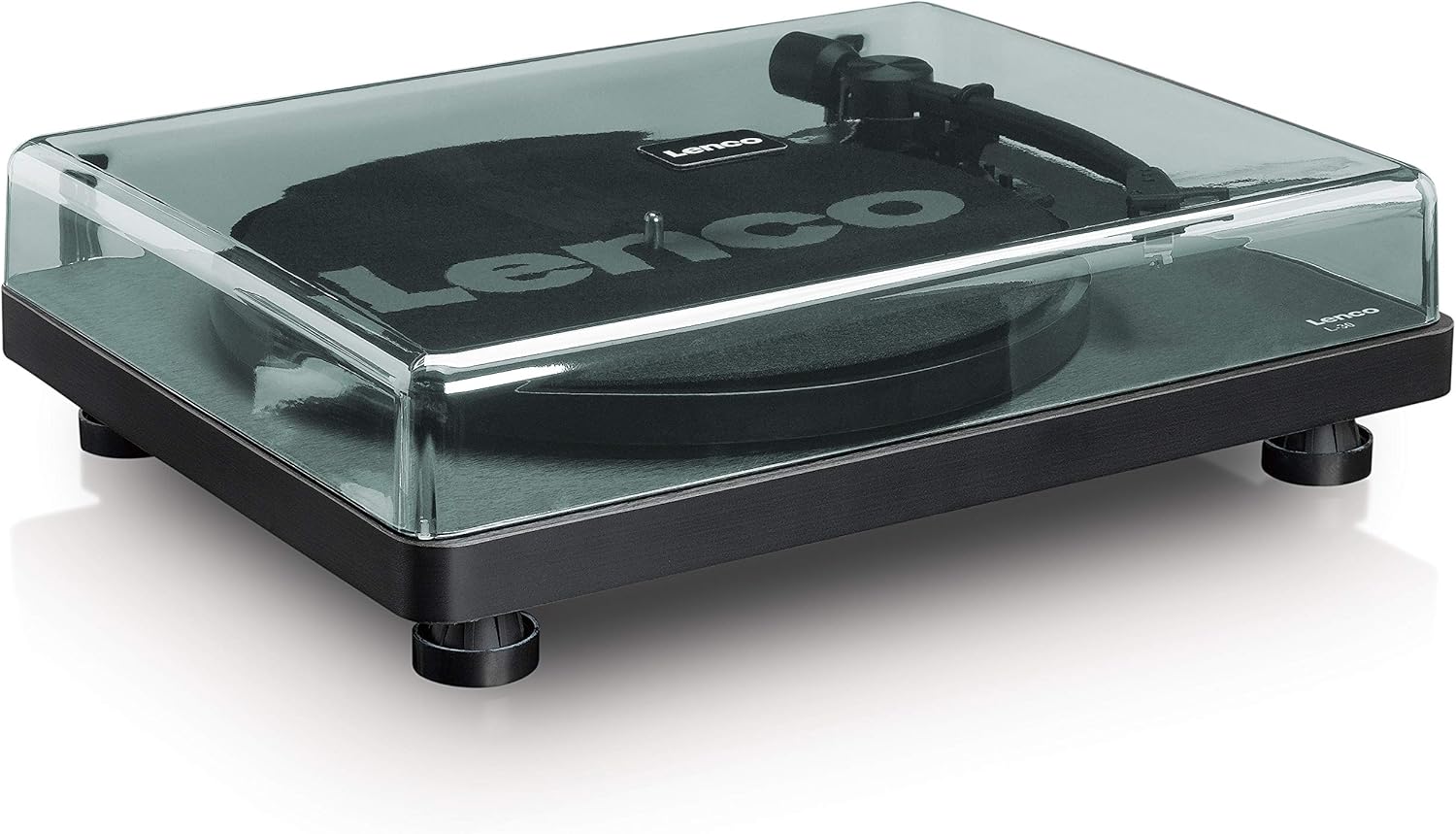
Umfanekiso 5.1: The Lenco L-30BK Turntable with its protective dust cover closed, ready for placement.
5.2 Ukufakwa Kwepuleti Nebhande
- Place the platter onto the turntable spindle.
- Locate the drive belt, typically found underneath the platter or separately packaged.
- Carefully stretch the drive belt around the motor pulley and the inner rim of the platter. Ensure the belt is not twisted.
- Beka i-slipmat phezu koqweqwe.
5.3 Uxhumano Lomsindo
The L-30BK has a built-in preamplifier, allowing direct connection to most audio systems.
- Connect the RCA audio cable (red for right channel, white for left channel) from the AUDIO OUT jacks on the rear of the turntable to the LINE IN or AUX IN jacks on your ampi-lifier noma izipikha ezisebenzayo.
5.4 Ukuxhuma Amandla
- Connect the DC12V power adapter to the DC12V POWER input on the rear of the turntable.
- Xhuma i-adaptha yamandla endaweni efanele yodonga.
5.5 USB Connection (for Digitization)
- To digitize your vinyl records, connect the USB cable from the USB port on the rear of the turntable to an available USB port on your computer (PC or Mac).
6. Iziqondiso Zokusebenza
6.1 Ukuvula / Ukuvula
- Flip the ON/OFF switch on the rear panel to the 'ON' position to power on the turntable.
- Flip the switch to 'OFF' when not in use.
6.2 Ukudlala Irekhodi
- Place a record on the platter, ensuring it is centered.
- Select the appropriate speed (33 or 45 RPM) using the speed selector switch. For 45 RPM singles, place the included adapter on the spindle if needed.
- Phakamisa ingalo usebenzisa i-lever yokuqondisa.
- Beka ingalo ngesandla phezu komsele owufunayo wokuqala werekhodi.
- Gently lower the tonearm using the cueing lever. The stylus will descend onto the record, and playback will begin.
- At the end of the record, the auto shut-off function will stop the platter rotation. Lift the tonearm and return it to its rest.

Umfanekiso 6.1: Proper technique for lowering the tonearm onto a record for playback.
Umfanekiso 6.2: Okuningiliziwe view of the Movable Magnet Sensor (MMC) cartridge and stylus assembly.
6.3 Digitizing Records via USB
The L-30BK allows you to convert your vinyl records into digital audio files usebenzisa ikhompuyutha.
- Connect the turntable to your computer using the supplied USB cable.
- Download and install audio recording software such as Audacity (available online for free) on your computer.
- Open the recording software and select the USB Audio Device as the input source.
- Start recording in the software, then begin playing your record on the turntable as described in section 6.2.
- Once the record finishes, stop the recording in the software and save your digitized audio file.
7. Isondlo
7.1 Ukuhlanza i-Turntable
- Always unplug the turntable from the power outlet before cleaning.
- Sebenzisa indwangu ethambile, eyomile, engenazinti ukuze usule ikhabethe kanye nesembozo sothuli.
- Ungasebenzisi izinto zokuhlanza abrasive, wax, noma izincibilikisi njengoba zingase zilimaze isiphetho.
7.2 Stylus Care and Replacement
- The stylus is a delicate component. Avoid touching it with your fingers.
- Clean the stylus regularly using a soft brush, gently brushing from back to front.
- The stylus should be replaced after approximately 300-500 hours of playback, or if you notice a degradation in sound quality.
- To replace the stylus, carefully pull the old stylus assembly forward and down from the cartridge. Insert the new stylus assembly by pushing it upwards and backwards into the cartridge until it clicks into place.
8. Ukuxazulula izinkinga
If you encounter problems with your turntable, refer to the following common issues and solutions:
| Inkinga | Imbangela Engenzeka | Isixazululo |
|---|---|---|
| Awekho amandla | Power adapter not connected; Power switch off; Wall outlet faulty. | Ensure power adapter is securely connected; Turn power switch to 'ON'; Test wall outlet with another device. |
| Awukho umsindo noma ivolumu ephansi | RCA cables not connected correctly; Amplifier/speakers off or volume low; Input selected incorrectly on ampokokuphila. | Check RCA cable connections; Turn on amplifier/speakers and adjust volume; Select correct input source on your audio system. |
| Umsindo ohlanekezelwe | Dirty stylus; Damaged stylus; Dirty record; Turntable not on a stable surface. | Clean the stylus; Replace the stylus if damaged; Clean the record; Ensure turntable is on a stable, level surface. |
| Ukweqa irekhodi | Dirty or scratched record; Stylus worn or damaged; Turntable not level; External vibrations. | Clean the record; Replace the stylus; Ensure turntable is level; Place turntable away from sources of vibration. |
| Izinkinga zokurekhoda nge-USB | USB cable not connected; Incorrect input selected in software; Software not installed. | Check USB cable connection; Select 'USB Audio Device' as input in recording software; Install Audacity or similar software. |
9. Imininingwane
| Igama Lemodeli | I-L-30BK |
| Ibhrendi | Lenco |
| Uhlobo LweDrayivu | Belt Drayivu |
| Isivinini | 33 1/3, 45 RPM |
| Ngaphambiliampokokuphila | Kwakhelwe ngaphakathi |
| Uhlobo lweCartridge | Movable Magnet Sensor (MMC) |
| Ukuxhumana | USB, RCA Audio Out |
| Ukuvala okuzenzakalelayo | Yebo |
| I-Platter Diameter | 300 mm |
| Okubalulekile | Wood (Enclosure) |
| Umbala | Mnyama |
| Isisindo sento | 3.28 kg |
| Ubukhulu (L x W x H) | 41L x 32W x 12H amasentimitha |
| Ukulinganisa-to-Noise Ratio | 60db |
| Voltage | 240 volts |
| Umthombo wamandla | I-Corded Electric |
10. Iwaranti kanye Nokusekela
Lenco products are manufactured to high quality standards. In the event of a defect, your product is covered by the terms of the warranty in your country of purchase. For detailed warranty information, please refer to the warranty card included with your product or visit the official Lenco website. For technical support or service inquiries, please contact Lenco customer service through their official channels.