
Isingeniso
This manual provides instructions for the ZdalaMit AH59-02692E replacement remote control. This remote is designed to be compatible with various Samsung Soundbar models, offering a direct replacement without the need for complex programming. Please read this manual carefully to ensure proper use and longevity of your remote control.
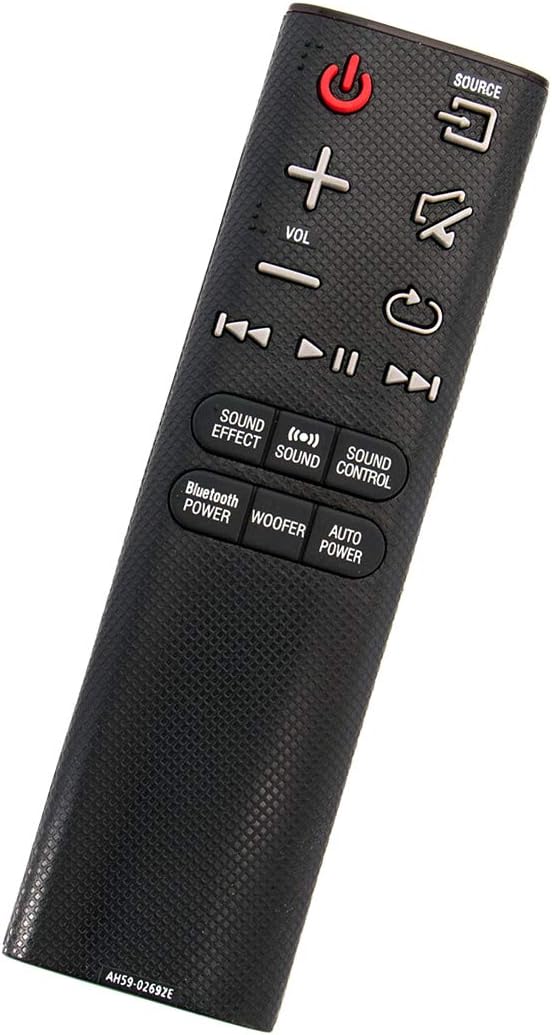
I-engeli view of the ZdalaMit AH59-02692E replacement remote control, showing its ergonomic design.
Setha
The ZdalaMit AH59-02692E remote control requires no programming or pairing. Simply insert the batteries, and it will be ready for use with your compatible Samsung Soundbar.
Ukufakwa Kwebhethri
- Thola indawo yebhethri ngemuva kwesilawuli kude.
- Shelelezisa ikhava yebhethri phansi ukuze uyivule.
- Insert two (2) 1.5V AAA alkaline batteries, ensuring the positive (+) and negative (-) terminals match the diagrams inside the compartment.
- Shelelisela ikhava yebhethri emuva endaweni ize ichofoze ngokuvikelekile.
Qaphela: Batteries are not included with the remote control. Always use new AAA alkaline batteries for optimal performance.
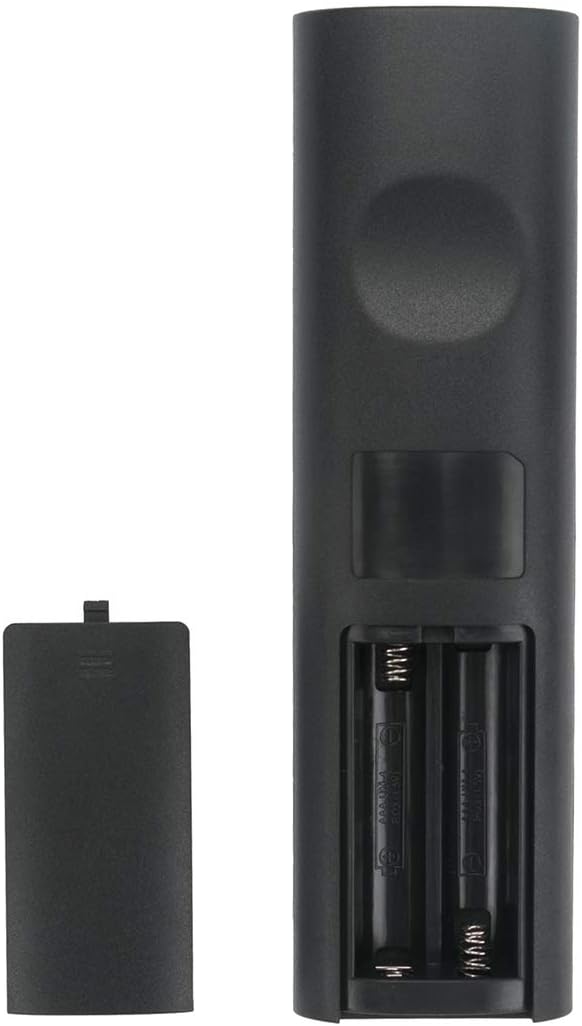
Emuva view yesilawuli kude esinegumbi lebhethri elivulekile, okubonisa ukuthi amabhethri afakwe kuphi.
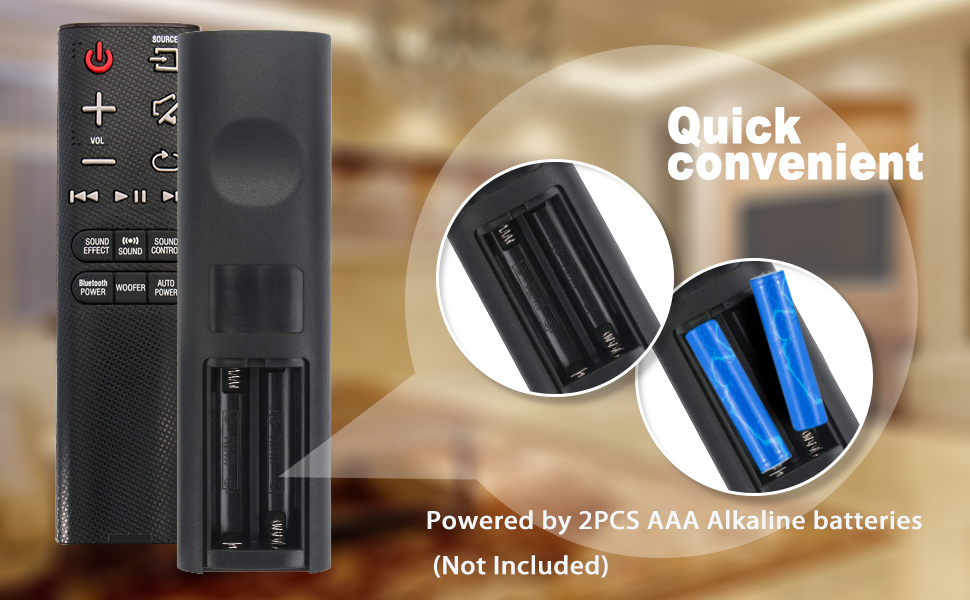
Illustration showing the correct way to insert two AAA batteries into the remote control's battery compartment.
Imiyalelo yokusebenza
Once batteries are installed, the remote is ready to control your compatible Samsung Soundbar. Ensure there is a clear line of sight between the remote control and the soundbar's infrared receiver.

Ngaphambili view of the ZdalaMit AH59-02692E remote control, displaying all functional buttons.
Inkinobho Imisebenzi
- Amandla (Inkinobho Ebomvu): Ivula noma ivale ibha yomsindo.
- UMTHOMBO: Cycles through available input sources (e.g., D.IN, BT, HDMI, AUX).
- IVOL (+/-): Ilungisa ileveli yevolumu eyinhloko.
- Thulisa: Ithulisa noma ithulisa umsindo.
- Buyela/Emuva: Navigates back in menus or previous track.
- Dlala/Misa kancane: Ilawula ukudlala kwemidiya.
- Skip (Forward/Backward): Skips to the next or previous track.
- UMPHUMELA WOMSINDO: Cycles through various sound effects/modes.
- UMSINDO: Adjusts specific sound settings.
- UKULAWULWA KOMSINDO: Accesses advanced sound settings.
- BLUETOOTH POWER: Activates or deactivates Bluetooth power.
- I-WOOFER: Ilungisa ileveli ye-subwoofer.
- AMANDLA AZENZAKALELAYO: Toggles the auto power function.
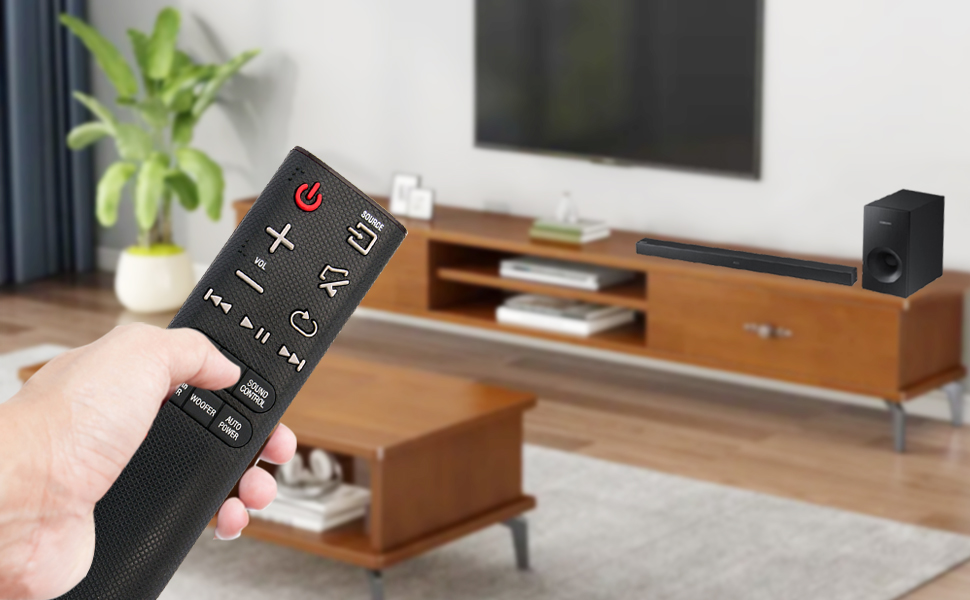
A user operating the remote control with a Samsung Soundbar and television in a home environment.
Isondlo
Ukugcinwa kahle kuqinisekisa ukuthi isilawuli sakho esikude sisebenza isikhathi eside futhi sithembekile.
Ukushintshwa Kwebhethri
Replace batteries when the remote's response becomes sluggish or stops working. Always replace both AAA batteries at the same time with new ones. Do not mix old and new batteries, or different types of batteries.
Ukuhlanza
To clean the remote, gently wipe it with a soft, dry cloth. Do not use liquid cleaners, sprays, or abrasive materials, as these can damage the remote's surface or internal components.
Isitoreji
Store the remote control in a cool, dry place away from direct sunlight and extreme temperatures. If the remote will not be used for an extended period, remove the batteries to prevent leakage and potential damage.
Ukuxazulula inkinga
Uma uhlangabezana nezinkinga ngesilawuli kude sakho, bheka izixazululo ezilandelayo ezivamile:
- Isilawuli kude asiphenduli:
- Hlola ukuthi amabhethri afakwe ngendlela efanele yini nge-polarity efanele.
- Replace old batteries with new 1.5V AAA alkaline batteries.
- Ensure there are no obstructions between the remote control and the soundbar's infrared receiver.
- Confirm the remote is pointed directly at the soundbar.
- Ibanga Elinomkhawulo:
- Ensure batteries are fresh. Weak batteries can reduce the remote's effective range.
- Susa noma yiziphi izinto ezingase zivimbele indlela yesiginali.
- Ukusebenza Okungalungile:
- This remote is pre-programmed for compatible Samsung Soundbars. If functions are incorrect, verify your soundbar model is listed as compatible.
Imininingwane
| Isici | Imininingwane |
|---|---|
| Ibhrendi | ZdalaMit |
| Igama Lemodeli | AH59-02692E |
| Inombolo Yemodeli | AH59-02692E-ZDLMT |
| Amadivayisi Ahambisanayo | Samsung Soundbars (HW-J355, HW-J450, HW-J460, HW-J550, HW-J551, HW-J6000, HW-J6001, HW-JM35, HW-JM45, HW-JM45C, HW-JM6000, HW-JM6000C, HW-J430, etc.) |
| Ubuchwepheshe bokuxhumana | I-infrared |
| Ukunikezwa kwamandla kagesi | 2 x 1.5V AAA Alkaline Batteries |
| Ibanga eliphezulu | 33 Feet (approx. 10 metres) |
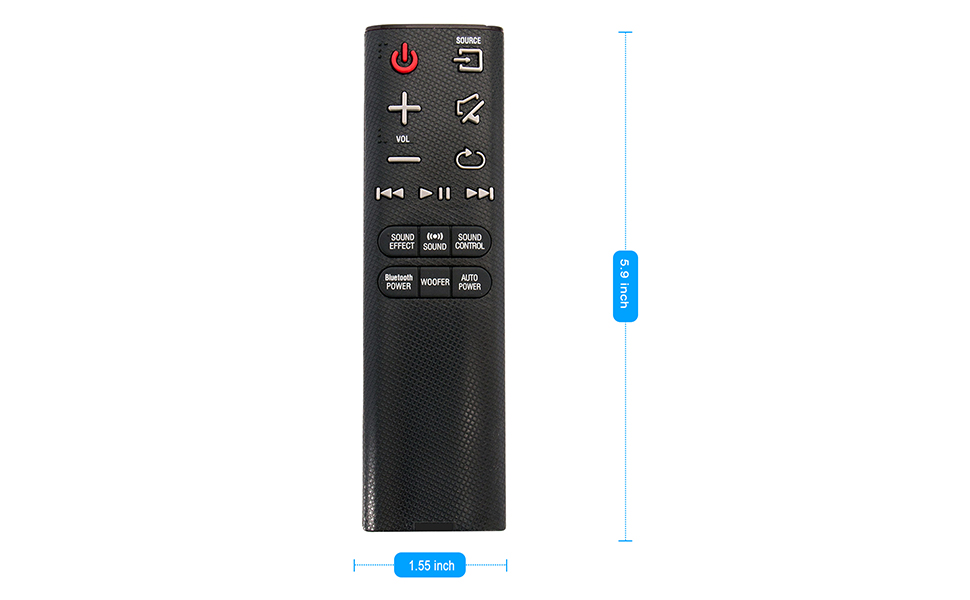
| Ubukhulu bento (L x W x H) | 5.9" x 1.55" x 0.5" |
| Isici Esikhethekile | Kuhlelwe ngaphambilini |
Visual representation of the remote control's dimensions (length and width).
Ulwazi Lwewaranti
This ZdalaMit remote control comes with a Iwaranti yonyaka ongu-1 kusukela ngosuku lokuthenga. Lesi siqinisekiso simboza amaphutha okukhiqiza ngaphansi kokusetshenziswa okuvamile. Asimbozi umonakalo obangelwe ukusetshenziswa kabi, izingozi, izinguquko ezingagunyaziwe, noma ukuvuza kwebhethri.
Ukusekela
For any questions, concerns, or assistance regarding your ZdalaMit AH59-02692E replacement remote control, please contact the seller or manufacturer directly. Refer to your purchase documentation for specific contact details.
We are committed to providing reliable products and support.