
1. Isingeniso
This manual provides essential information for the proper installation, operation, and maintenance of your TELEVES TVMOTION Terrestrial Tri-motion Receiver, Model 512501. This device is designed to process advanced video signals, ensuring high-quality reception of terrestrial television broadcasts. Please read this manual thoroughly before using the product to ensure optimal performance and safety.
2. Setha
2.1 Ukuqaqa
Susa ngokucophelela zonke izingxenye ephaketheni. Qinisekisa ukuthi zonke izinto ezibalwe ngezansi zikhona:
- TELEVES TVMOTION Receiver (Model 512501)
- Isilawuli kude
- I-adaptha yamandla
- Incwadi Yomsebenzisi (le dokhumenti)
2.2 Izixhumanisi
Follow these steps to connect your receiver to your television and antenna:
- Ukuxhumana kwe-Antenna: Connect your terrestrial antenna cable to the 'ANT IN' port on the back of the receiver.
- Uxhumano lwe-HDMI: Connect an HDMI cable from the 'HDMI OUT' port on the receiver to an available HDMI input on your television. This receiver has a total of 1 HDMI port.
- Ukuxhuma kwamandla: Connect the power adapter to the 'DC IN' port on the receiver, then plug the adapter into a wall outlet.
- Uxhumano lwe-USB (Uma uthanda): For multimedia playback or software updates, connect a USB device to the USB port.
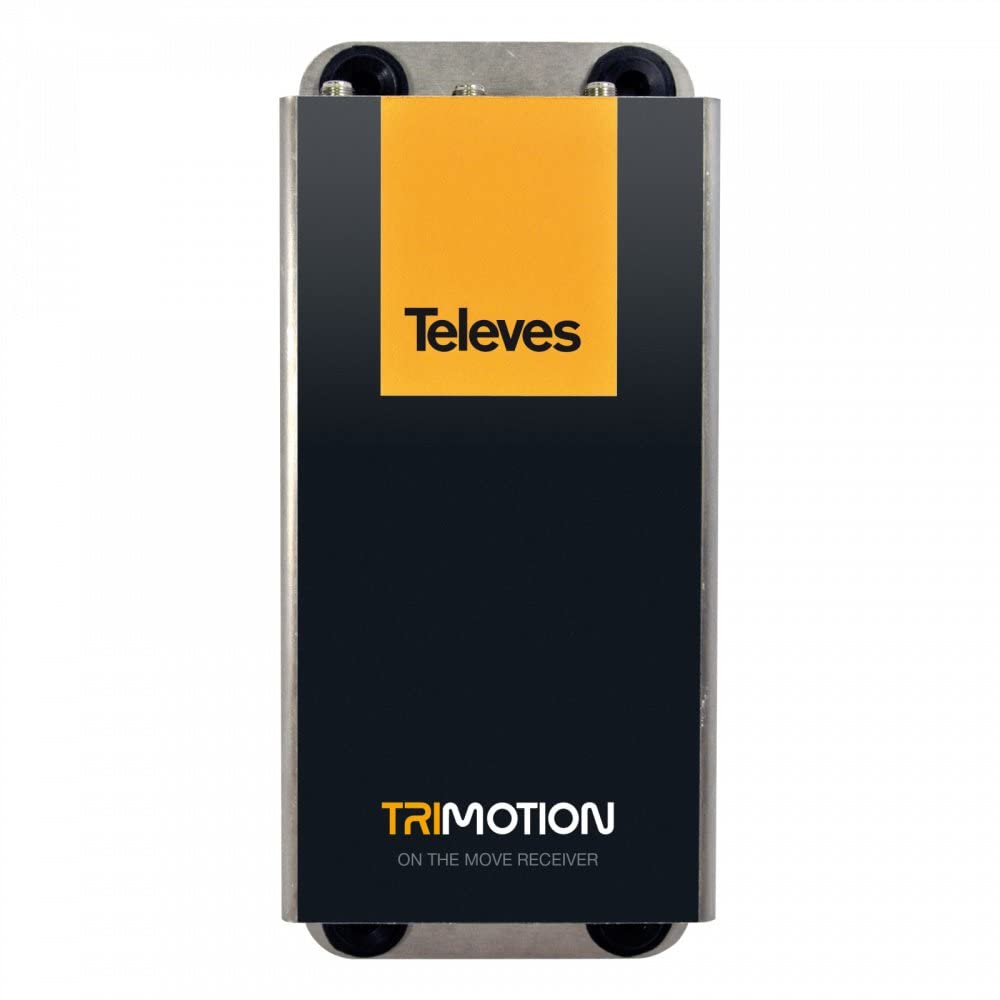
This image shows the front panel of the TELEVES TVMOTION Terrestrial Tri-motion Receiver, highlighting its compact design and user interface elements.
3. Iziqondiso Zokusebenza
3.1 Ukusetshenziswa Kokuqala
After connecting all cables and powering on the receiver, your television should display the initial setup wizard. Follow the on-screen prompts to select your language, country, and perform an automatic channel scan. This process will detect and store all available terrestrial channels.
3.2 Ukusebenza Okuyisisekelo
The receiver is primarily controlled using the provided remote control. Ensure the remote control has batteries installed and is pointed towards the front panel of the receiver.
- Inkinobho yamandla: Turns the receiver on or off (standby mode).
- Isiteshi Phezulu/Phansi: Navigates through television channels.
- Ivolumu phezulu/Phansi: Ilungisa ivolumu yomsindo.
- Inkinobho Yemenyu: Accesses the main menu for settings, channel management, and other features.
- Inkinobho ethi KULUNGILE/Faka: Iqinisekisa izinketho kumamenyu.
- Navigation Buttons (Arrows): Moves through menu options.
- I-EPG (I-Electronic Program Guide): Ibonisa ulwazi lohlelo.
- Izilungiselelo zomsindo: This receiver supports 5.1 surround sound channel configuration. Adjust audio settings as needed through the menu.
4. Isondlo
To ensure the longevity and optimal performance of your TELEVES TVMOTION receiver, follow these maintenance guidelines:
- Ukuhlanza: Use a soft, dry cloth to clean the exterior of the receiver. Do not use liquid cleaners, aerosols, or abrasive materials, as these can damage the finish or internal components.
- Ukungenisa umoya: Ensure the receiver has adequate ventilation. Do not block any ventilation openings. Avoid placing the unit in enclosed spaces or on soft surfaces that may obstruct airflow.
- Cisha ugesi: If the receiver will not be used for an extended period, disconnect it from the power outlet.
- Izimo Zemvelo: Gwema ukubeka i-receiver emazingeni okushisa aphezulu, emswakama, noma elangeni eliqondile.
5. Ukuxazulula izinkinga
If you encounter issues with your receiver, consult the table below for common problems and their solutions. If the problem persists, contact customer support.
| Inkinga | Imbangela Engenzeka | Isixazululo |
|---|---|---|
| Asikho isithombe noma umsindo | Loose cable connections; Incorrect input selected on TV; Receiver not powered on. | Check all cable connections (HDMI, antenna, power). Ensure the TV is on the correct HDMI input. Power on the receiver. |
| Ikhwalithi yesithombe esibi | Weak antenna signal; Antenna not properly aligned. | Check antenna connection. Adjust antenna position for better signal reception. Perform a channel rescan. |
| Isilawuli kude asisebenzi | Dead batteries; Obstruction between remote and receiver; Remote not pointed correctly. | Replace remote control batteries. Remove any obstructions. Point the remote directly at the receiver's front panel. |
| Azikho iziteshi ezitholakele ngesikhathi sokuskena | Antenna not connected; No terrestrial signal in the area; Incorrect country selected. | Verify antenna connection. Check for terrestrial broadcast availability in your location. Re-run setup and ensure correct country selection. |
6. Imininingwane
Below are the technical specifications for the TELEVES TVMOTION Terrestrial Tri-motion Receiver, Model 512501:
| Isici | Inani |
|---|---|
| Umkhiqizi | Amathelevishini |
| I-ID Yomkhiqizo Womkhiqizi | 512501 |
| Inombolo Yemodeli Yomkhiqizo | 512501 |
| Inombolo Yemikhiqizo | 1 |
| Izici ezikhethekile | Advanced video signal processing |
| ASIN | B01MRU7CSM |
| Idethi Yokuqala Etholakalayo | Disemba 5, 2016 |
| Ibhrendi | TELEVES |
| Ubuchwepheshe bokuxhumana | I-USB |
| Amadivayisi Ahambisanayo | Umabonakude |
| Isamba samachweba we-HDMI | 1 |
| Ukucushwa Kwesiteshi Somsindo Esizungezile | 5.1 |
| Amandla Okukhiphayo | 5 Watts |
| Inombolo Yeziteshi | 6 |
| Indlela Yokulawula | Isilawuli kude |
7. Iwaranti kanye Nokusekela
For information regarding the product warranty, please refer to the warranty card included in the product packaging or visit the official TELEVES website. In case of technical issues or for further assistance, please contact TELEVES customer support. Keep your purchase receipt as proof of purchase for warranty claims.