
Isingeniso
This manual provides instructions for the proper setup, operation, and maintenance of your Targus W600 Wireless Optical Mouse. Please read this manual thoroughly before using the device to ensure optimal performance and longevity.
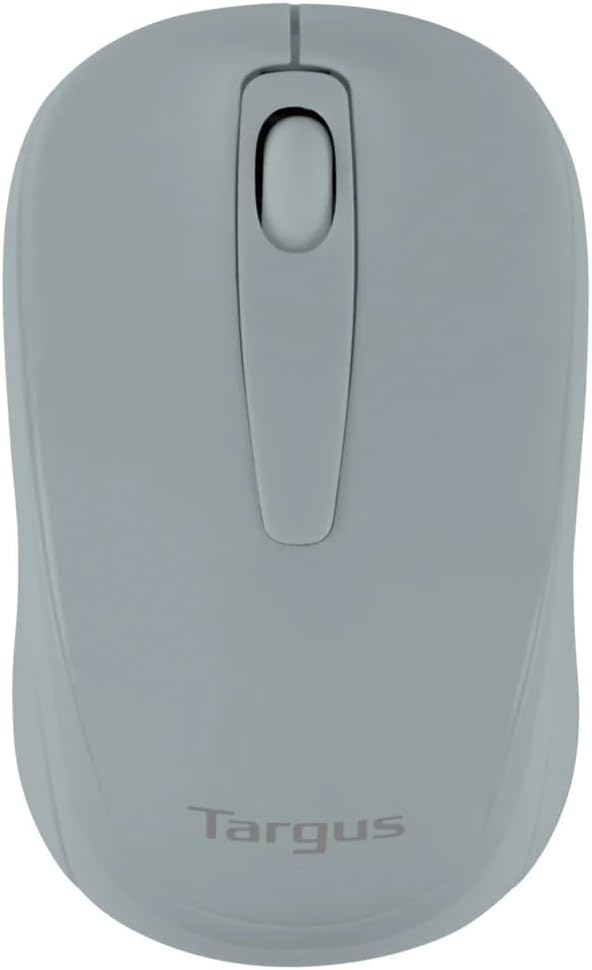
Figure 1: Targus W600 Wireless Optical Mouse (Quarry Gray)
Okuqukethwe Kwephakheji
Qinisekisa ukuthi zonke izinto zikhona kuphakheji:
- Targus W600 Wireless Optical Mouse
- I-USB Receiver
- Incwadi Yomsebenzisi (le dokhumenti)
Note: 1 AA battery is required and sold separately.
Izici Zomkhiqizo
- 2.4 GHz Wireless Technology for reliable connection
- 1600 DPI Optical Sensor for precise tracking
- Idizayini ye-ergonomic ukuze isetshenziswe ngokunethezeka
- Iyahambisana nezinhlelo zokusebenza zeWindows ne-Mac
- Integrated USB receiver storage compartment
Setha
1. Ifaka Ibhethri
- Turn the mouse over to locate the battery compartment cover.
- Gently slide the cover off.
- Insert one (1) AA battery, ensuring correct polarity (+/-).
- Shintshanisa ikhava yengxenye yebhethri.
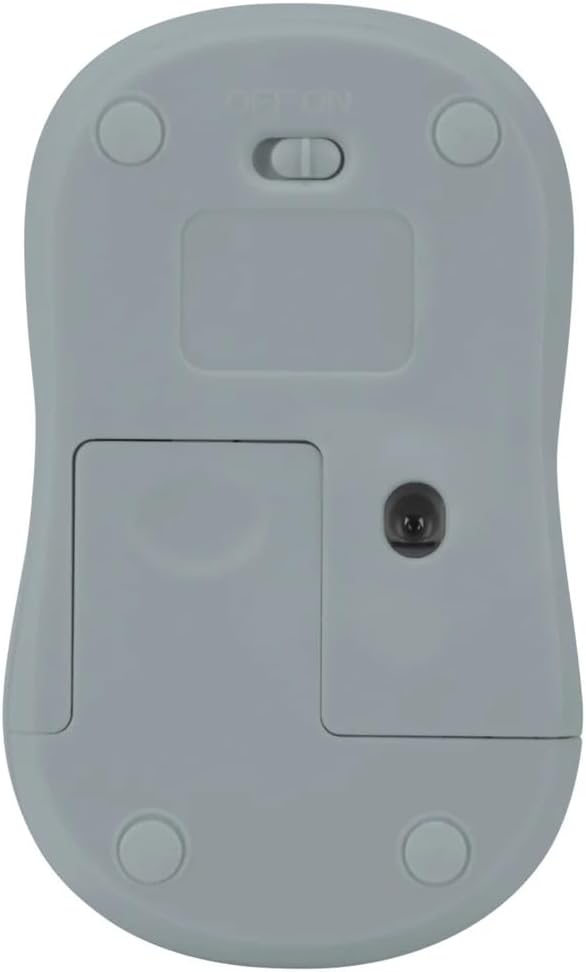
Umfanekiso 2: Phansi view of the mouse with battery compartment and power switch.
2. Ixhuma Isamukeli se-USB
- Locate the USB receiver, typically stored inside the mouse's battery compartment or a dedicated slot.
- Xhuma isamukeli se-USB embotsheni ye-USB etholakalayo kukhompuyutha yakho.
- Ikhompyutha yakho kufanele izihlonze ngokuzenzakalelayo futhi ifake izishayeli ezidingekayo. Lokhu kungase kuthathe isikhashana.
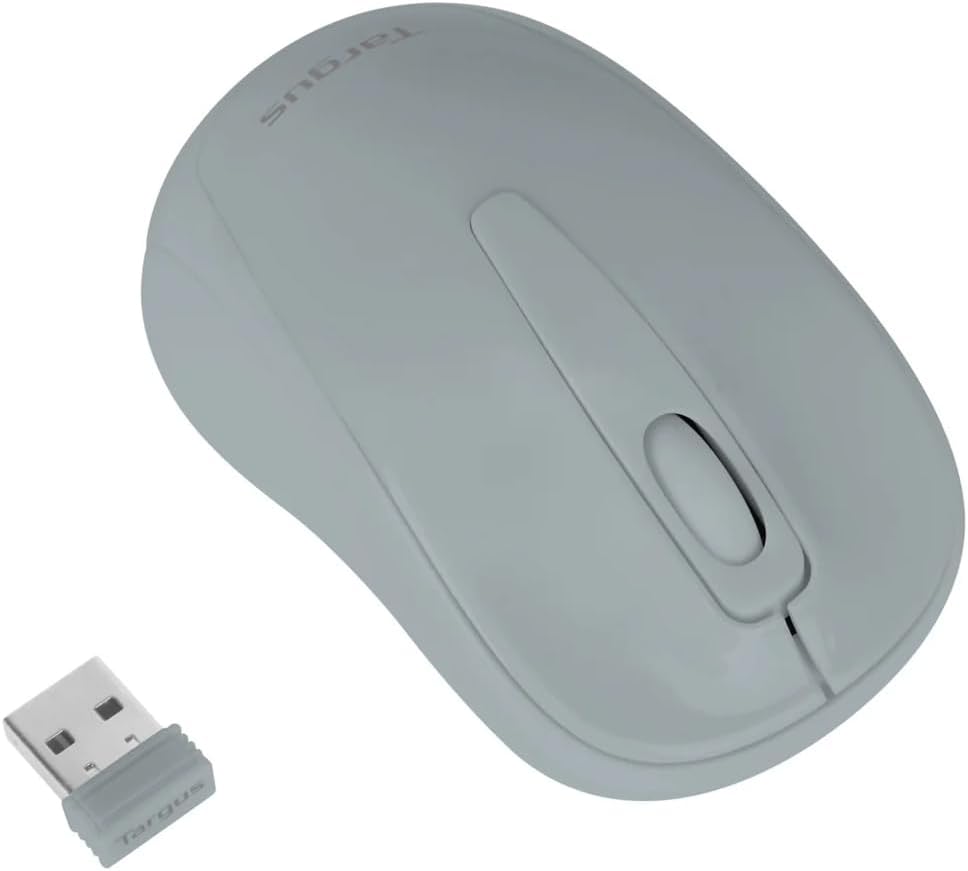
Figure 3: Targus W600 mouse and its USB receiver.

Figure 4: USB receiver plugged into a laptop, with the mouse nearby.
3. Ukufaka amandla Egundwaneni
On the bottom of the mouse, slide the ON/OFF switch to the "ON" position. The mouse is now ready for use.
Ukusebenza Igundane
The Targus W600 Wireless Optical Mouse functions like a standard 3-button mouse. It features a left button, a right button, and a scroll wheel that also acts as a middle button.
- Chofoza kwesokunxele: Primary action, selection, opening items.
- Chofoza kwesokudla: Opens contextual menus.
- Isondo Lokuskrola: Scrolls documents and web pages vertically. Pressing the scroll wheel acts as a middle click, often used for opening links in new tabs or specific application functions.
The 1600 DPI optical sensor provides smooth and accurate cursor control on most surfaces. For best performance, use on a mouse pad or a non-reflective, uniform surface.
Isondlo
Ukuhlanza
To clean your mouse, gently wipe the surface with a soft, damp cloth. Avoid using harsh chemicals or abrasive cleaners, as these can damage the finish or internal components. Ensure no liquid enters the mouse.
Ukushintshwa Kwebhethri
When the mouse performance degrades or stops responding, it may be time to replace the battery. Follow the steps outlined in the "Installing the Battery" section to replace the AA battery. Dispose of used batteries responsibly according to local regulations.
Ukuxazulula inkinga
| Inkinga | Isixazululo |
|---|---|
| Igundane aliphenduli |
|
| Ukunyakaza kwekhesa okunephutha |
|
| Ibanga elifushane elingenantambo |
|
Imininingwane
| Inombolo Yemodeli | AMW60006AP-55 |
| Ukuxhumana | 2.4 GHz Wireless (USB Receiver) |
| Ubuchwepheshe beSensor | I-Optical |
| I-DPI | 1600 DPI |
| Inombolo yezinkinobho | 3 (Kwesobunxele, Kwesokudla, Skrola Isondo/Ukuchofoza Okuphakathi) |
| Umthombo wamandla | 1 x AA Ibhethri (alifakiwe) |
| Amasistimu Okusebenza Ahambisanayo | Windows, Mac |
Qaphela: Imininingwane ingashintsha ngaphandle kwesaziso.
Iwaranti kanye Nokusekela
For warranty information and technical support, please refer to the official Targus webisayithi noma uxhumane nesevisi yabo yamakhasimende. Gcina irisidi lakho lokuthenga njengobufakazi bokuthenga izimangalo zewaranti.
Targus Official Webindawo: www.targus.com