
1. Isingeniso
This manual provides essential information for the safe and efficient operation of your ECTIVE CSI 15 Pure Sine Wave Inverter. Please read these instructions carefully before installation and use. Keep this manual for future reference.
2. Iziyalezo Zokuphepha
ISEXWAYISO: Failure to follow these safety instructions may result in electric shock, fire, serious injury, or death. Always consult a qualified electrician for installation if you are unsure.
- Ensure proper ventilation around the inverter. Do not cover the fans.
- Do not insert objects or body parts into the device.
- Gcina i-inverter ikude namanzi, umswakama, nezinto ezivuthayo.
- Xhuma i-inverter kuphela kumthombo wamandla we-12V DC.
- Ensure all connections are tight and correctly polarized.
- Do not attempt to open or modify the inverter. There are no user-serviceable parts inside.
- Disconnect the power source before performing any maintenance or cleaning.

Isithombe: Ngemuva view of the ECTIVE CSI 15 inverter, highlighting the cooling fans and important safety warnings regarding fan obstruction and foreign objects.
3. Umkhiqizo Uphelileview
The ECTIVE CSI 15 is a 1500W pure sine wave inverter designed to convert 12V DC power to 230V AC power. It features an integrated battery charger, Network Priority Switching (NVS), and Uninterruptible Power Supply (UPS) functionality.
3.1 Izici ezibalulekile
- Pure Sine Wave Output: Suitable for all 220V/230V appliances.
- High Power Output: 1500W continuous, 2250W for 10 seconds, 3000W for 2 seconds.
- Integrated IUoU Charger: Compatible with AGM, wet, gel, and lithium batteries.
- NVS (Network Priority Switching) / UPS Function: Provides emergency power.
- Comprehensive Protection: Soft start, over/under voltage, ukuvikela ukugcwala ngokweqile.
3.2 Izingxenye

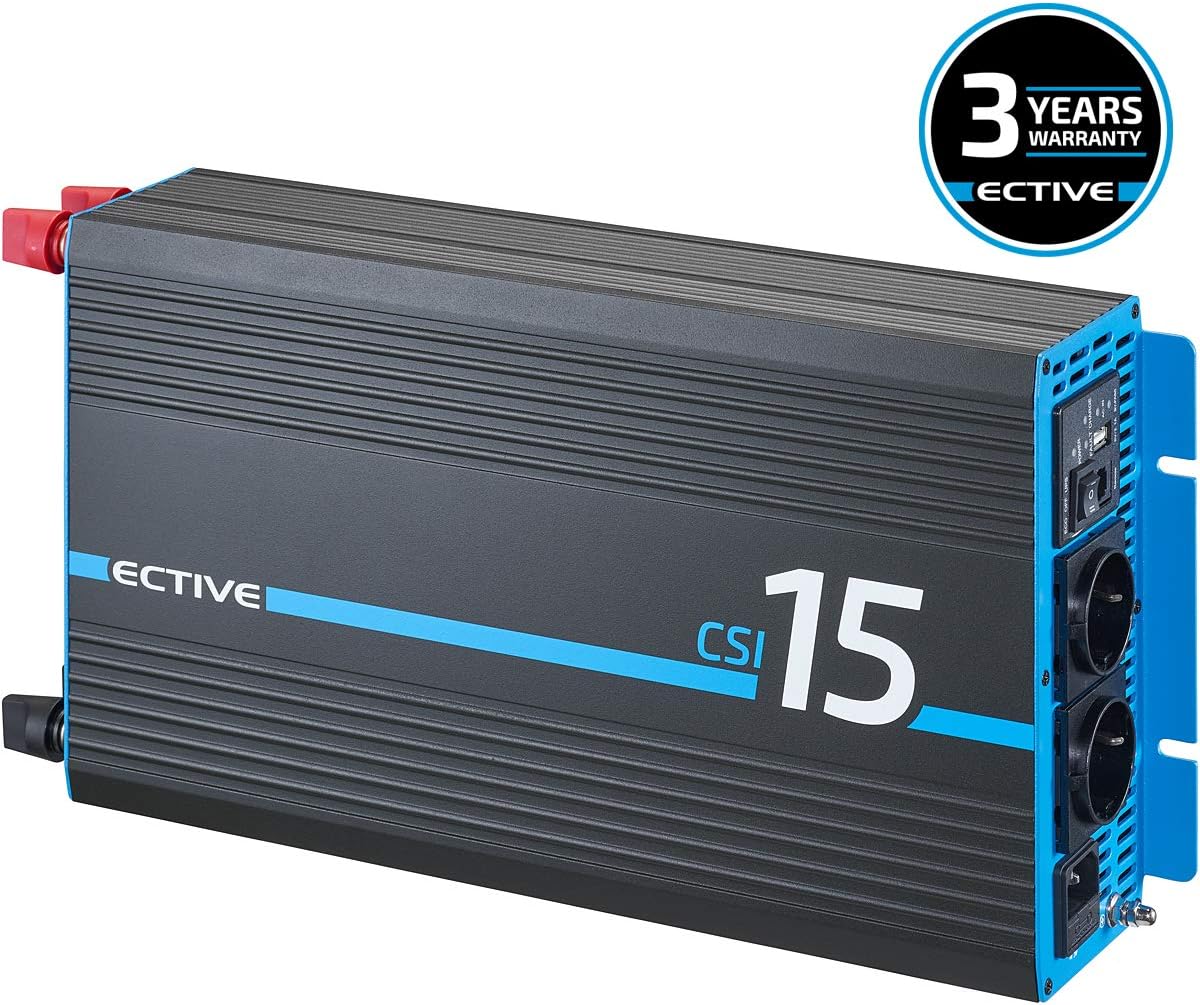
Isithombe: Front-angle view of the ECTIVE CSI 15 Pure Sine Wave Inverter, showcasing umklamo wayo kanye nophawu lwayo.
Isithombe: Phezulu view of the ECTIVE CSI 15 inverter, showing the heat dissipation fins.

Isithombe: Okuningiliziwe view of the front panel, showing the AC outlets, power switch, remote port, USB port, and indicator lights for power, fault, and charge status.

Isithombe: The ECTIVE CSI 15 inverter shown with its included 0.95m power cable and the user manual.
3.3 Ividiyo Yomkhiqizo Iphelileview
Ividiyo: Kafushane njeview of a similar voltage converter, demonstrating its physical appearance and connections. Note: This video is for illustrative purposes and may not show the exact ECTIVE CSI 15 model.
4. Ukusetha nokufakwa
Proper installation is crucial for the safe and efficient operation of your inverter. Follow these steps carefully.
- Khetha Indawo: Select a dry, well-ventilated area away from direct sunlight, heat sources, and flammable materials. Ensure sufficient clearance around the inverter for airflow, especially around the cooling fans.
- Ukukhweza: Securely mount the inverter to a stable surface using appropriate fasteners.
- DC Input Connection (Battery):
- Connect the positive (+) terminal of the inverter (red) to the positive (+) terminal of your 12V battery.
- Connect the negative (-) terminal of the inverter (black) to the negative (-) terminal of your 12V battery.
- Use heavy-gauge cables suitable for the inverter's power rating to minimize voltage drop and ensure safety.
- Qinisekisa ukuthi ukuxhumeka kuqinile futhi kuvikelekile.
- AC Output Connection (Appliances): Plug your 230V AC appliances into the AC outlets on the front panel of the inverter. Ensure the total power consumption does not exceed the inverter's continuous power rating.
- AC Input Connection (Grid/Shore Power for Charger/UPS): If using the integrated battery charger or UPS function, connect the inverter's AC input to a 230V AC grid or shore power source using the provided power cable.

Isithombe: Umuntu wakudalaample of connecting the positive battery cable to the inverter, demonstrating the secure connection process.

Isithombe: A schematic diagram showing how the ECTIVE CSI inverter connects to a power source (generator/grid), a battery, and supplies power to 230V consumers, illustrating the DC to AC conversion and charging capabilities.
5. Iziqondiso Zokusebenza
This section details how to operate your ECTIVE CSI 15 inverter.
5.1 Ukuvula / Ukuvula
- To turn on the inverter, press the power switch on the front panel to the "ON" position. The power indicator light will illuminate.
- To turn off the inverter, press the power switch to the "OFF" position.
5.2 Inverter Mode (DC to AC Conversion)
When the inverter is powered on and not connected to an external AC source (or NVS is not active), it will convert 12V DC battery power to 230V AC for your appliances.
5.3 Battery Charger Mode
If the inverter's AC input is connected to a 230V AC grid/shore power source, the integrated IUoU charger will automatically begin charging the connected 12V battery. The charge indicator light will show the charging status.
5.4 NVS (Network Priority Switching) / UPS Function
The NVS function allows the inverter to prioritize external AC power (grid/shore power) over battery power. When external AC power is available, it will pass through to your appliances and simultaneously charge the battery. If the external AC power fails, the inverter will automatically switch to battery power, providing an uninterruptible power supply (UPS) to your connected devices.
- Ensure the AC input is connected to the grid/shore power.
- The inverter will automatically manage power flow.
- In case of grid power loss, the inverter will seamlessly switch to battery power.
5.5 Isilawuli kude (Uma uthanda)
An optional RC3 remote control (sold separately) can be connected to the remote port on the front panel. This allows for remote operation and monitoring of power parameters.
6. Isondlo
Ukugcinwa njalo kuqinisekisa ukuthi i-inverter yakho ihlala isikhathi eside futhi isebenza kahle.
- Ukuhlanza: Periodically clean the exterior of the inverter with a dry, soft cloth. Ensure the cooling vents and fans are free from dust and debris. Do not use liquid cleaners.
- Izixhumanisi: Hlola njalo zonke izixhumanisi ze-DC ne-AC ukuqinisekisa ukuthi ziqinile futhi azinawo umhlwa. Izixhumanisi ezixegayo zingabangela ukushisa ngokweqile kanye nomonakalo.
- Impilo Yebhethri: Monitor your battery's health and charge level. Ensure the battery is suitable for use with the inverter's charging profile.
- Ukungenisa umoya: Always ensure adequate ventilation around the inverter. Do not block the air inlets or outlets.
7. Ukuxazulula izinkinga
If you encounter issues with your inverter, refer to the following common problems and solutions.
| Inkinga | Imbangela Engenzeka | Isixazululo |
|---|---|---|
| Akukho okukhiphayo kwe-AC | Inverter off, low battery voltage, overload, fault condition. | Check power switch, charge battery, reduce load, check fault indicator. |
| Isexwayiso sokulayisha ngokweqile | Connected appliances exceed inverter's capacity. | Nqamula ezinye izinto zikagesi ukuze unciphise umthwalo. |
| Isexwayiso sebhethri eliphansi | Ibhethri voltage iphansi kakhulu. | Shaja ibhethri ngokushesha. |
| Inverter shuts down | Overload, overheating, low/high battery voltage. | Reduce load, ensure ventilation, check battery voltage. |
| Fans running constantly/loudly | High internal temperature, normal operation under load. | Ensure adequate ventilation. This can be normal under heavy load. |
If the problem persists after attempting these solutions, please contact ECTIVE customer support.
8. Imininingwane
Technical specifications for the ECTIVE CSI 15 Pure Sine Wave Inverter.
| Isici | Imininingwane |
|---|---|
| Imodeli | I-CSI 15 |
| Amandla Aqhubekayo | 1500W |
| Peak Power (10s) | 2250W |
| Peak Power (2s) | 3000W |
| Okokufaka Voltage | 12V DC |
| Okukhipha Umqtage | 230V AC |
| I-Waveform ephumayo | I-Sine Wave |
| Ishaja Ehlanganisiwe | IUoU (for AGM, wet, gel, lithium) |
| Imisebenzi | Inverter, Battery Charger, NVS, UPS |
| Ubukhulu (L x W x H) | 44 x 22 x 9.5 cm |
| Isisindo | 5 kg |
| Umbala | Mnyama |

Isithombe: Dimensional drawing of the ECTIVE CSI series inverter, indicating its length, width, and height.

Isithombe: A comparison table outlining different ECTIVE inverter series and their respective features, including wave type, power, and protection mechanisms.
9. Iwaranti kanye Nokusekela
ECTIVE offers a three-year manufacturer's warranty on its inverters. The specific warranty terms and conditions can be found in the detailed manual (PDF) available in the product information section where you purchased the product.
For technical support or warranty claims, please refer to the contact information provided with your purchase or on the official ECTIVE webindawo.
Isithombe: The ECTIVE CSI 15 inverter prominently displaying a "3 Years Warranty" badge, indicating the manufacturer's guarantee.