
1. Isingeniso
This manual provides essential instructions for the proper setup, operation, and maintenance of your YI YAS.1616.INT 4K Action Camera Kit. Please read this manual thoroughly before using the product to ensure optimal performance and safety. Keep this manual for future reference.
2. Umkhiqizo Uphelileview
2.1 Okuqukethwe kwekhithi
The YI YAS.1616.INT 4K Action Camera Kit includes the following components:
- YI 4K Action Camera
- YI Monopod
- Isilawuli kude se-Bluetooth
- Ibhethri Elishajwa kabusha
- Ikhebula le-USB
- Incwadi Yeziqondiso

Image 2.1: Contents of the YI 4K Action Camera Kit.
2.2 Izici zekhamera
The YI 4K Action Camera is designed for high-quality video and photo capture, featuring:
- 4K/30fps Video Recording: Captures video at 60mbps, offering 4 times the quality of standard 1080p.
- Advanced Imaging Hardware: Equipped with an Amarelle A9SE75 chip, Sony IMX377 image sensor, and 7-layer optical glass lenses with an F2.8 large aperture for enhanced light intake.
- 2.19" LCD Touchscreen: A 640 x 360 high-resolution display with Gorilla Glass Retina for easy previewing, shooting, and scratch resistance.
- Impilo ende yebhethri: A 1400mAh 4.4V lithium-ion battery provides up to 120 minutes of 4K/30fps video recording on a single charge.
- Uhlelo Lokupholisa Olusebenzayo: Prevents overheating during extended recording sessions.
- Ukuxhumana: Built-in Wi-Fi for smartphone app control and Bluetooth for remote control.
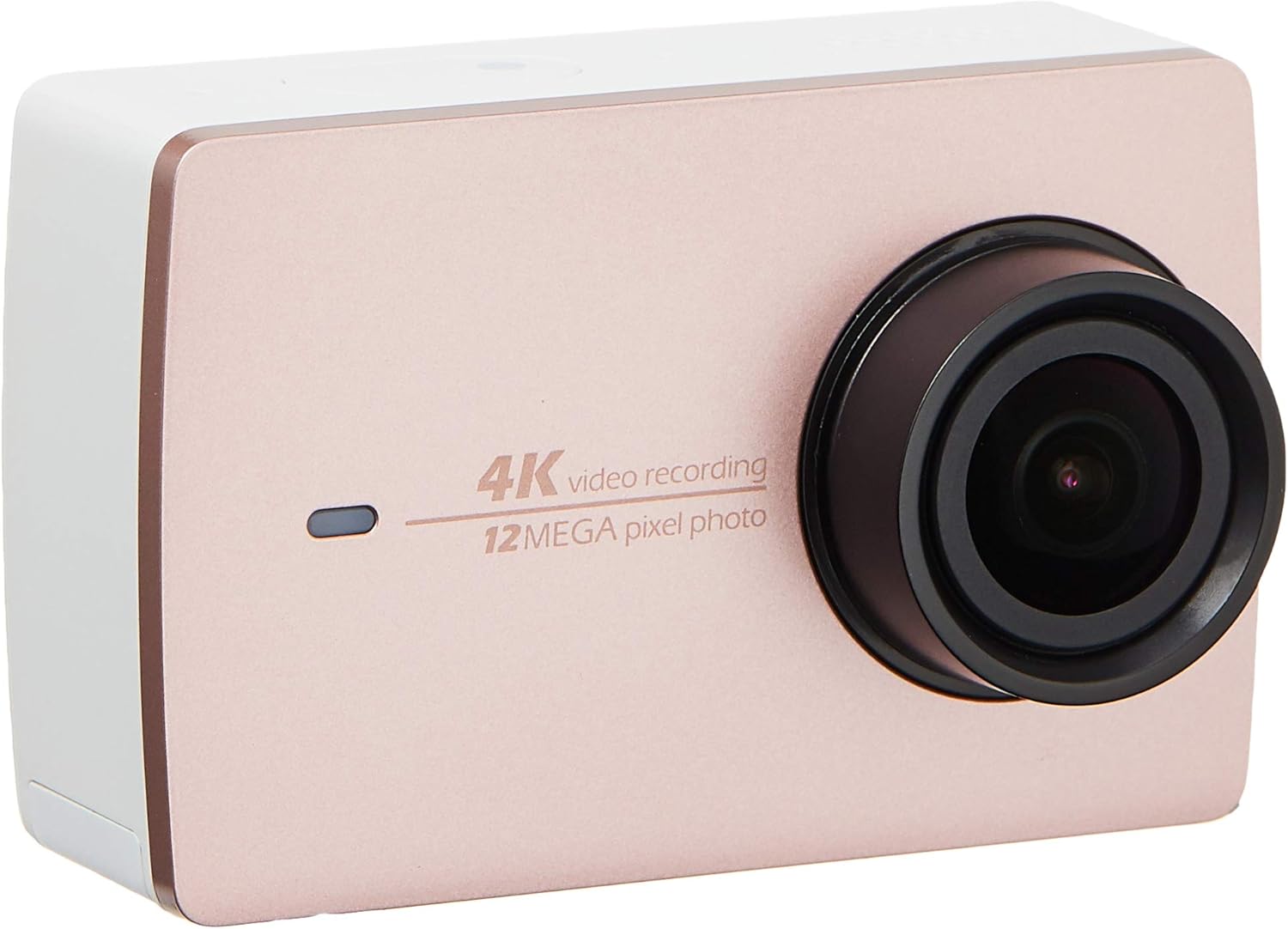
Isithombe 2.2: Ngaphambili view of the YI 4K Action Camera.
3. Setha
3.1 Ukufakwa nokushajwa kwebhethri
- Thola indawo yebhethri kukhamera.
- Insert the 1400mAh lithium-ion battery, ensuring correct polarity.
- Vala indawo yebhethri ngokuphephile.
- Connect the camera to a power source using the provided USB cable for charging. The charging indicator will illuminate.
3.2 Ukufakwa kweMemori Card
The YI 4K Action Camera supports SDHC and SmartMedia flash memory types.
- Vula ikhava yesikhala sememori khadi.
- Insert a compatible memory card (not included) into the slot with the contacts facing the correct direction. Push until it clicks into place.
- Vala ikhava yesikhala sememori khadi.
3.3 Ukuvula / Ukuvula
- Ukuvula: Cindezela bese ubamba inkinobho ethi Power kuze kube yilapho isikrini sikhanya.
- Ukucisha: Cindezela bese ubamba inkinobho ethi Power kuze kube yilapho ikhamera icima.
3.4 Connecting the Bluetooth Remote
The included Bluetooth remote allows for convenient control of the camera.
- Qinisekisa ukuthi ikhamera ivuliwe.
- Activate Bluetooth pairing mode on the camera via the settings menu.
- Follow the remote's instructions to enter pairing mode.
- Once paired, the remote can be used to switch between video and photo modes and trigger recording/capture.

Image 3.1: The YI Monopod, included in the kit.
4. Ukusebenzisa Ikhamera
4.1 Ukuzulazula Kwesikrini Sokuthinta
The 2.19" LCD touchscreen provides intuitive control:
- Swayipha: Navigate through different modes (Video, Photo, Time-lapse, etc.) and settings.
- Thepha: Select options, adjust settings, or start/stop recording.
- Ngaphambiliview: View u-fo wakho othunjiwetage and photos directly on the screen.
4.2 Ukuqoshwa kwevidiyo
- Select the Video mode on the touchscreen.
- Adjust video resolution (e.g., 4K/30fps) and other settings as desired.
- Press the Shutter button or tap the record icon on the screen to start recording.
- Press the Shutter button or tap the record icon again to stop recording.
4.3 Thatha isithombe
- Select the Photo mode on the touchscreen.
- Adjust photo settings such as resolution, exposure, and white balance.
- Press the Shutter button or tap the capture icon on the screen to take a photo.
4.4 Wi-Fi Connectivity and App Usage
The camera's built-in Wi-Fi allows connection to a smartphone app for remote control, live preview, and content management.
- Download the official YI Action Camera app from your device's app store.
- Enable Wi-Fi on the camera via the settings menu.
- Connect your smartphone to the camera's Wi-Fi network (SSID and password displayed on camera screen).
- Open the YI Action Camera app to control the camera, view footage, kanye nokudluliselwa files.
5. Isondlo
5.1 Ukuhlanza
- Use a soft, lint-free cloth to clean the camera body and touchscreen.
- Ukuze uthole i-lens, sebenzisa indwangu ekhethekile yokuhlanza ilensi kanye nesisombululo. Gwema izinto ezilimazayo.
- Qinisekisa ukuthi zonke izimbobo azinalo uthuli nemfucumfucu.
5.2 Isitoreji
- Gcina ikhamera endaweni epholile, eyomile kude nokukhanya kwelanga okuqondile kanye namazinga okushisa aphezulu.
- Remove the battery if storing for extended periods to prevent leakage.
5.3 Ukuvuselelwa kweFirmware
Periodically check the official YI website or the YI Action Camera app for available firmware updates. Keeping your camera's firmware updated ensures optimal performance and access to new features.
6. Ukuxazulula izinkinga
6.1 Izinkinga Ezivamile Nezixazululo
- Ikhamera ayivuli: Qinisekisa ukuthi ibhethri ishajwe ngokugcwele futhi ifakwe ngendlela efanele.
- Ukurekhoda kuma kungalindelekile: Check if the memory card has sufficient space or if it's a high-speed card suitable for 4K recording. Ensure the battery is not depleted.
- Isikrini sokuthinta asiphenduli: Try restarting the camera. If the issue persists, ensure the screen is clean and dry.
- Bluetooth remote not connecting: Ensure both the camera and remote are in pairing mode and within range. Check the remote's battery.
- Izinkinga zokuxhumeka kwe-Wi-Fi: Verify the camera's Wi-Fi is enabled and your smartphone is connected to the correct network. Try restarting both devices.
For further assistance, refer to the official YI support resources.
7. Imininingwane
| Umkhiqizi | YI |
| Inombolo Yemodeli | 90010 |
| Ubukhulu bomkhiqizo | 6.6 x 3 x 4.3 cm |
| Isisindo | 96.39 g |
| Ubuchwepheshe benzwa yesithombe | I-CMOS |
| Ukulungiswa kokuthwebula ividiyo | 4K |
| Ubude bokugxila obukhulu | 1 |
| Isikhala esiphezulu | 2.8 amamilimitha |
| Uhlobo Lwememori Ye-Flash | SDHC, SmartMedia |
| Ifomethi yokuthwebula ividiyo | MP4 |
| Ifomethi yomsindo esekelwe | AAC, MP3 |
| Usayizi Wesikrini | 2.19 amayintshi |
| Ubuchwepheshe bokuxhumana | I-Wi-Fi |

Image 7.1: YI 4K Action Camera with monopod, illustrating approximate dimensions.
8. Iwaranti kanye Nokusekela
8.1 Ulwazi Lwewaranti
Lo mkhiqizo uza ne-a Iwaranti Yendawo Yonyaka O-1 (eSingapore). Please retain your proof of purchase for warranty claims. The warranty covers manufacturing defects under normal use conditions.
8.2 Ukwesekwa Kwamakhasimende
For technical support, service, or warranty inquiries, please visit the official YI Technology website or contact their authorized service centers in Singapore. Contact information can typically be found on the product packaging or the official webindawo.