
Isingeniso
Siyabonga ngokuthengaasing the OttLite CY4009-FFP LED Desk Lamp. This manual provides important information regarding the setup, operation, maintenance, and troubleshooting of your new desk lampSicela ufunde le miyalelo ngokucophelela ngaphambi kokusebenzisa bese uyigcina ukuze uyibhekisele esikhathini esizayo.
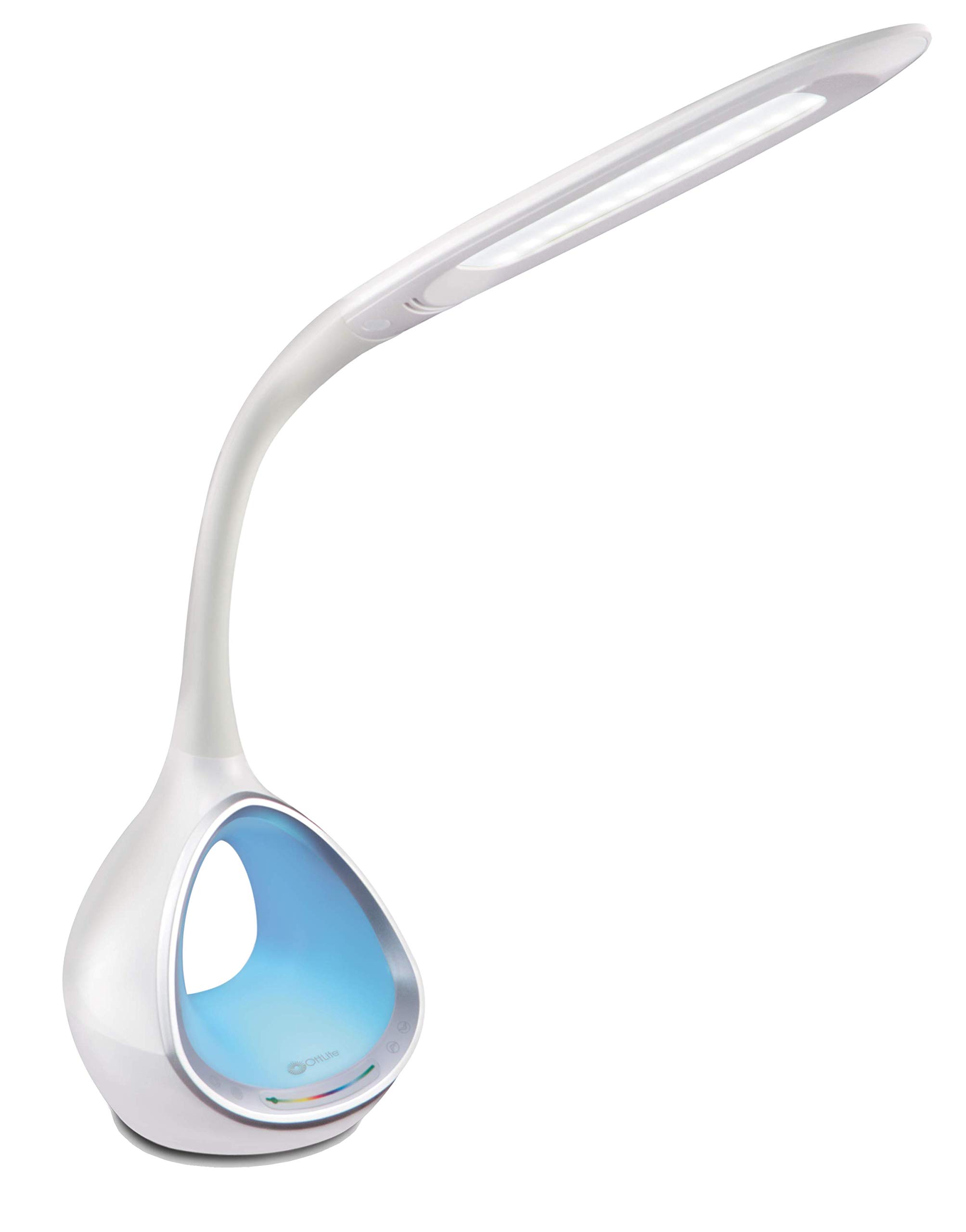
Image: The OttLite CY4009-FFP LED Desk Lamp, umbukisoasing its sleek white design and flexible neck.
Imiyalo yokuphepha
Ukuqinisekisa ukusebenza okuphephile, sicela uqaphele lezi zinyathelo zokuphepha ezilandelayo:
- Ungasebenzisi i-lamp ngentambo eyonakele noma ipulaki.
- Ungashintshi i-lamp noma izingxenye zayo.
- Gcina i-lamp away from water or other liquids. This product is not water resistant.
- Qinisekisa ukuthi i-lamp ibekwe endaweni ezinzile, eyisicaba.
- Khipha i-lamp ngaphambi kokuhlanza noma ukwenza noma yikuphi ukulungisa.
- Lokhu lamp ngeyokusetshenziswa endlini kuphela.
Okuqukethwe Kwephakheji
Qinisekisa ukuthi zonke izinto zikhona kuphakheji:
- OttLite CY4009-FFP LED Desk Lamp
- I-adaptha yamandla ye-AC/DC
Umkhiqizo Uphelileview
Familiarize yourself with the main components of your desk lamp:
- Intamo Eguqukayo: Allows adjustment of the light head position.
- LED Light Head: Provides natural daylight illumination with adjustable brightness and color temperature.
- Iphaneli yokulawula: Touch-sensitive buttons for power, brightness, color temperature, and color-changing base.
- Color Changing Tunnel Base: Illuminates with a choice of colors or cycles through the spectrum.
- I-Port yokushaja ye-USB: Located on the side of the base for charging devices.

Image: The OttLite CY4009-FFP LED Desk Lamp illustrating its adjustable height (11.75 to 16 inches) and base diameter (4.375 inches).
Setha
- Susa ngokucophelela i-lamp and all components from the packaging.
- Beka i-lamp endaweni ezinzile, eyisicaba.
- Connect the AC/DC power adapter to the power input port located at the back of the lamp isisekelo.
- Xhuma i-adaptha yamandla endaweni kagesi evamile.
- Abakwa-lamp isilungele ukusebenza.
Imiyalelo yokusebenza
Main Light Operation

Image: Close-up of the lamp base showing touch-activated controls for brightness and color settings.
- Vula/Vala: Thinta i- Inkinobho yamandla on the control panel to turn the main light on or off.
- Lungisa Ukukhanya: Abakwa-lamp features 4 brightness settings. Repeatedly touch the Inkinobho yokukhanya ukujikeleza emazingeni okukhanya.
- Shintsha Izinga Lokushisa Lombala: Abakwa-lamp offers 3 color temperature modes. Repeatedly touch the Inkinobho yemodi to switch between different light temperatures (e.g., warm white, bright white, cool white).

Image: Three different light outputs from the lamp head, demonstrating the warm, neutral, and cool color temperature settings.
Color Changing Tunnel Base Operation

Image: Four examples of the lamp's base glowing in different colors: blue, red, purple, and green.
- Activate Color Base: Thinta i- Inkinobho yombala on the control panel to turn on the color-changing base.
- Khetha Umbala: Once activated, touch the color spectrum bar on the base to select a specific color.
- Imibala Yomjikelezo: To have the base continuously cycle through the entire color spectrum, touch and hold the Inkinobho yombala until the colors begin to transition automatically.
- Turn Off Color Base: Thinta i- Inkinobho yombala again to turn off the color-changing base.
Imbobo yokushaja ye-USB
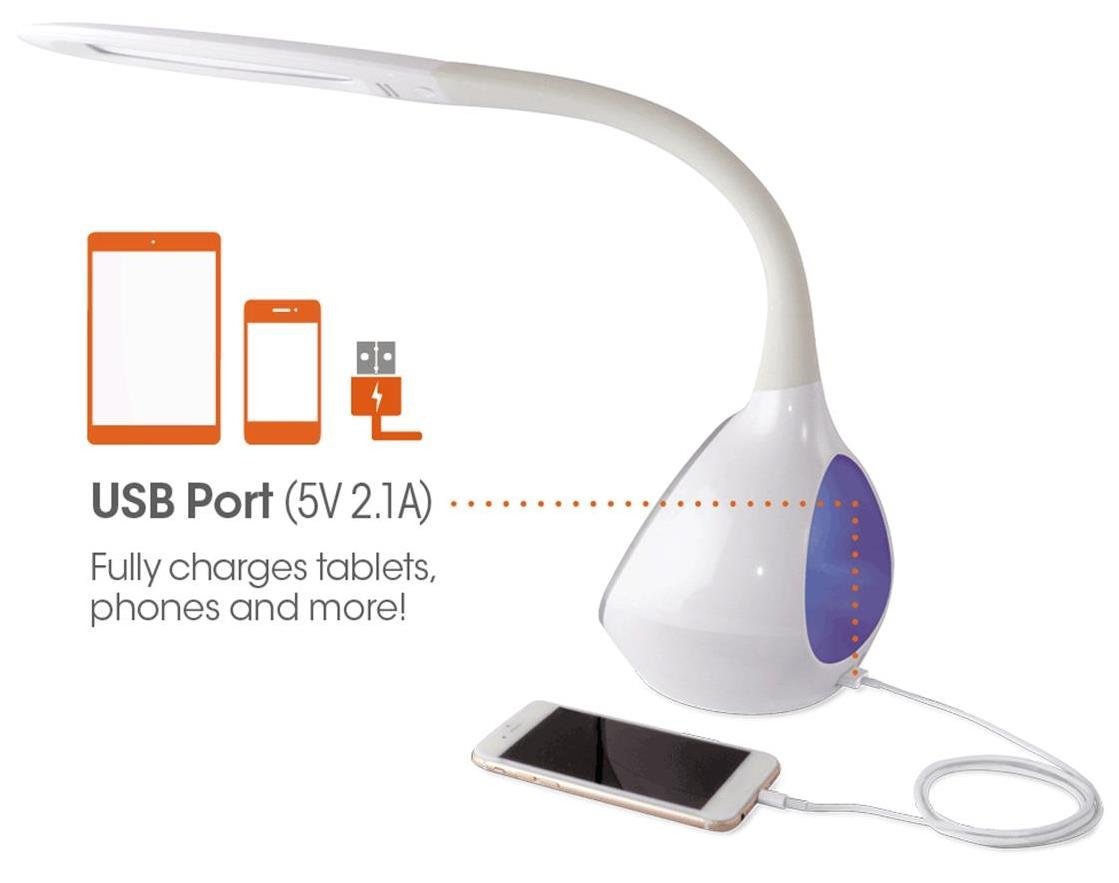
Isithombe: I-lamp's base with a smartphone connected to the 5V 2.1A USB charging port, illustrating its charging capability for phones and tablets.
Abakwa-lamp includes a 5V, 2.1A USB charging port located on the side of the base. This port can be used to charge smartphones, tablets, and other USB-powered devices. Simply connect your device's USB charging cable to the port.
Isondlo
- Ukuhlanza: Qinisekisa ukuthi i-lamp is unplugged before cleaning. Use a soft, dry cloth to wipe down the lamp. Ungasebenzisi izinto zokuhlanza abrasive noma izincibilikisi.
- Ama-LED: The integrated LEDs are designed to last up to 40,000 hours and are not replaceable.
- Isitoreji: Uma ugcina i-lamp isikhathi eside, yikhiphe bese uyigcina endaweni epholile, neyomile.
Ukuxazulula inkinga
| Inkinga | Imbangela Engenzeka | Isixazululo |
|---|---|---|
| Lamp ayivuli. | Power adapter not properly connected or no power from outlet. | Hlola ukuthi i-adaptha yamandla ixhunywe ngokuvikelekile yini kuzo zombili i-lamp and the wall outlet. Test the outlet with another device. |
| Main light works, but color-changing base does not. | Color button not activated. | Ensure the Color button on the control panel has been touched to activate the base light. |
| Imbobo yokushaja i-USB ayisebenzi. | Idivayisi ayihambisani noma ikhebula linephutha. | Ensure your device is compatible with 5V, 2.1A charging. Try a different USB cable. |
| Izilawuli zokuthinta aziphenduli. | Temporary electrical interference or power issue. | Khipha i-lamp from the power outlet for 30 seconds, then plug it back in. |
Imininingwane
| Inombolo Yemodeli: | CY4009-FFP |
| Ibhrendi: | OttLite |
| Uhlobo Lomthombo Wokukhanya: | I-LED |
| Wattage: | 10 Watts |
| Izilungiselelo zokukhanya: | 4 (up to 500 lumens) |
| Amazinga Okushisa Ombala: | 3 |
| Okokukhipha Kwembobo ye-USB: | 5v, 2.1a |
| Isikhathi sempilo se-LED: | Kufika emahoreni angu-40,000 |
| Ubukhulu bomkhiqizo (LxWxH): | 24.1D x 7W x 29.8H Amasentimitha |
| Isisindo Sento: | 1.32 kg (2.91 lbs) |
| Umthombo wamandla: | I-Corded Electric |
| Shintsha Uhlobo: | Thinta |
| Umbala: | Emhlophe |
| Ukumelana Namanzi: | Ayizweli Amanzi |
| I-UPC: | 761712012346 |
Iwaranti kanye Nokusekela
For warranty information or technical support, please refer to the documentation provided with your purchase or visit the official OttLite webindawo. Gcina ubufakazi bakho bokuthenga ngezimangalo zewaranti.
Umkhiqizi: Environmental Lighting Concepts