
1. Umkhiqizo Uphelileview
The Grandstream GXP1630 is a powerful Gigabit IP phone designed for small businesses. This Linux-based, 3-line IP Phone model includes 8 BLF keys and 4-way conferencing. It features a 132x64 backlit LCD screen for clear display, dual HD audio, multi-language support, integrated Power over Ethernet (PoE), and 3 XML programmable soft keys. The GXP1630 incorporates state-of-the-art security encryption technology (SRTP and TLS) and supports various automated provisioning options for easy mass deployment.
Izici Eziyinhloko:
- 3 SIP accounts, 3 line keys, 4-way conferencing
- 3 XML programmable context-sensitive soft keys
- HD audio on speakerphone and handset
- Up to 1000 contacts, call history up to 200 records
- Dual-switched Gigabit ports, integrated PoE
- 8 dual-colored BLF/speed dial keys
- EHS support for Plantronics headsets
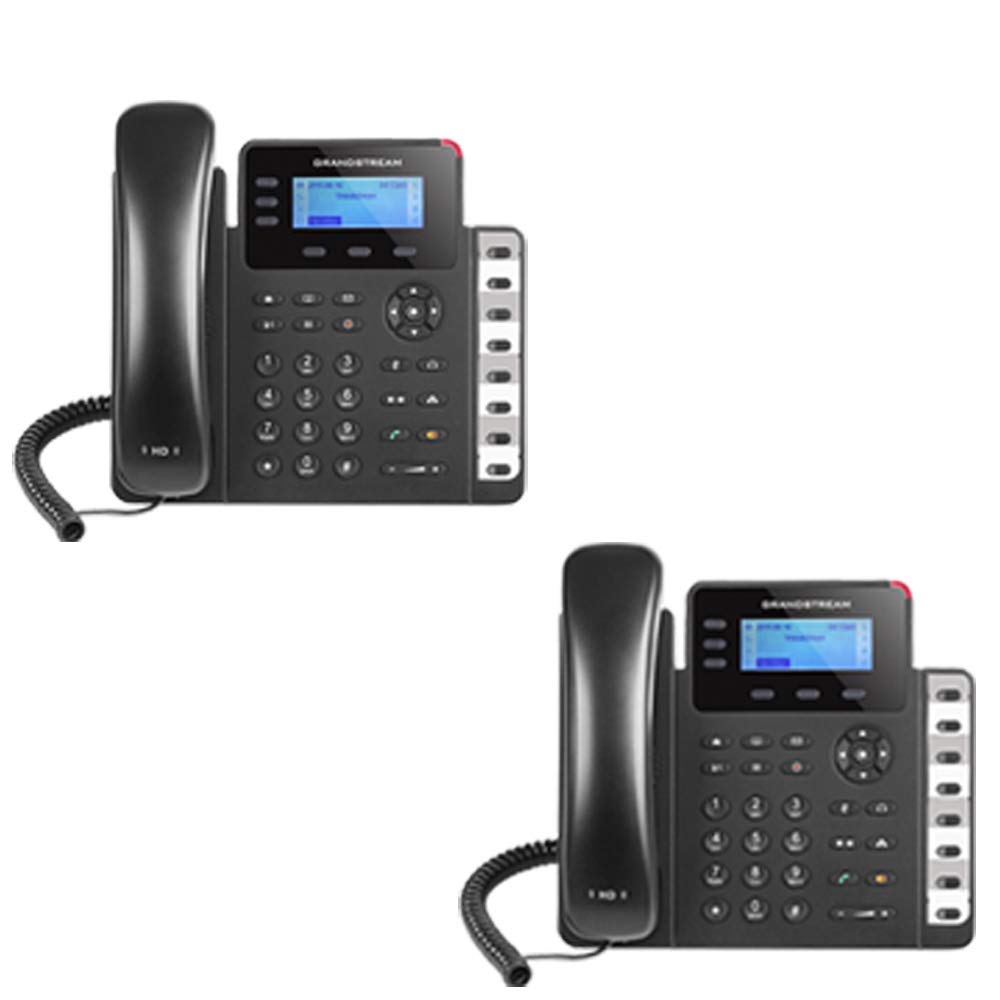
Figure 1: Grandstream GXP1630 Gigabit IP Phone
2. Ukusetha nokufakwa
2.1 Okuqukethwe Kwephakheji
Qinisekisa ukuthi zonke izingxenye zikhona:
- Grandstream GXP1630 IP Phone unit
- Handset and coiled cord
- Ikhebula le-Ethernet
- I-adaptha yamandla (uma ingasebenzisi i-PoE)
- Isitendi sefoni
2.2 Ukuxhuma Ucingo
- Connect the coiled cord to the handset and the handset port on the phone base.
- Connect the Ethernet cable from your network switch (with PoE) or router to the LAN port on the phone. If not using PoE, connect the power adapter to the phone and a power outlet.
- Optionally, connect a headset to the headset port.
- Attach the phone stand to the base unit.
2.3 Initial Power-Up and Provisioning
Once connected, the phone will power on and begin the boot-up sequence. The LCD screen will display status information. The GXP1630 supports automated provisioning options, including zero-configuration with Grandstream’s UCM series IP PBXs, encrypted XML files, and TR-069, to facilitate easy mass deployment and configuration.
3. Ukusebenzisa Ucingo
3.1 Using the Headset or Speaker
- To turn the speaker on or off during a call, press the Somlomo inkinobho.
- To use a connected headset, press the Ihedisethi inkinobho.
Ividiyo 1: Ngaphezuluview of using headset and speaker functions on Grandstream GXP1600 series IP phones.
3.2 Ukushaya ucingo
There are three primary ways to initiate a call:
- I-Handset/I-Headset: Phakamisa ihendisethi noma cindezela inkinobho Ihedisethi inkinobho.
- Isipikhafoni: Cindezela inkinobho Somlomo inkinobho.
- Line Key Selection: Press an available line key.
Once you hear a dial tone (the corresponding line key will turn green), enter the phone number using the keypad. Then, press the Thumela inkinobho noma i # key to place the call. To use a different SIP account, simply press a different line key before dialing.
3.3 Redialing a Number
To redial the last number called:
- Phakamisa ihendisethi noma cindezela inkinobho Somlomo inkinobho.
- Cindezela inkinobho Thumela inkinobho noma i Phinda ushaye soft key displayed on the phone screen.
The phone will redial using the same SIP account as the previous call.
3.4 Ukuphendula ucingo
When an incoming call rings:
- Ucingo Olungenayo Olulodwa: Lift the handset, press the Somlomo button, or press the corresponding flashing line key.
- Multiple Incoming Calls (Call Waiting): If you are on an active call and another call comes in, you will hear a call waiting tone. The new incoming call's line key will flash red. Press the flashing red line key to answer the new call. Your current call will be placed on hold. You can toggle between calls by pressing the line key corresponding to each call.
3.5 Ukuvala ucingo
Ukuvala ucingo olusebenzayo:
- Vala ifoni ephathekayo.
- Cindezela inkinobho Qeda Ucingo soft key on the phone screen.
3.6 Hold and Resume a Call
- Ukuze ubambe ucingo olusebenzayo, cindezela inkinobho Bamba button. The line key will typically flash.
- To resume a call that was placed on hold, press the corresponding blinking line key.
3.7 Volume Adjustment and Mute
- When the phone is idle, use the Ivolumu inkinobho yokulungisa ivolumu yokukhala.
- Ngesikhathi socingo olusebenzayo, cindezela Ivolumu button to adjust the call volume for the handset, headset, or speaker.
- To mute or unmute your microphone during a call, press the Thulisa inkinobho.
4. Isondlo
To ensure optimal performance and longevity of your Grandstream GXP1630 IP Phone, consider the following maintenance tips:
- Ukuhlanza: Sebenzisa indwangu ethambile neyomile ukuhlanza ubuso befoni. Gwema izihlanzi ezikhuhlayo noma izinyibilikisi.
- Ukuvuselelwa kwe-Firmware: Regularly check for and apply firmware updates provided by Grandstream. Keeping the firmware up to date can improve performance, add new features, and address security vulnerabilities.
- Izimo Zemvelo: Operate the phone within recommended temperature and humidity ranges to prevent damage.
5. Ukuxazulula izinkinga
If you encounter issues with your GXP1630 IP Phone, try the following basic troubleshooting steps:
- Ayikho Ithoni Yokudayela/Ayikwazi Ukushaya Izingcingo: Check all cable connections (Ethernet, handset, power). Ensure the phone is properly registered with your SIP server.
- Awekho Amandla: Verify the power adapter is securely connected to both the phone and a working power outlet, or that your network switch is providing Power over Ethernet (PoE).
- Ikhwalithi Yomsindo Engalungile: Check network connectivity. Ensure the handset/headset cord is properly connected. Adjust the call volume using the volume buttons.
- Phone Unresponsive: As with any electronic device, occasional reboots can resolve minor issues. Disconnect the power for a few seconds and then reconnect it.
- Bonisa Izinkinga: If the screen is blank or frozen, try rebooting the phone.
For more advanced issues, consult your IT administrator or Grandstream's official support resources.
6. Imininingwane
| Isici | Incazelo |
|---|---|
| Ama-akhawunti we-SIP | 3 |
| Okhiye Bomugqa | 3 |
| Umhlangano | 4-indlela |
| BLF/Speed Dial Keys | 8 dual-colored |
| Umsindo | HD audio on speakerphone and handset |
| Isizinda Senethiwekhi | Dual-switched Gigabit ports |
| I-PoE | Integrated Power over Ethernet |
| Bonisa | 132x64 backlit LCD |
| Ubukhulu | 8 x 12 x 6 amayintshi |
| Isisindo | 6 Amakhilogremu |
| Umbala | Mnyama |
| Okubalulekile | Ipulasitiki |
| Amadivayisi Ahambisanayo | Grandstream IP phones, Plantronics headsets with EHS feature, devices supporting TR-069 and XML config files |
7. Iwaranti kanye Nokusekela
7.1 Iwaranti yomkhiqizi
The Grandstream GXP1630 IP Phone comes with a Iwaranti Yomkhiqizi Yonyaka ongu-1. Sicela ugcine ubufakazi bakho bokuthenga izimangalo zewaranti.
7.2 Ukwesekwa Kwezobuchwepheshe
For technical assistance, product registration, or to access additional resources, please visit the official Grandstream website or contact your product vendor. Support resources often include FAQs, knowledge bases, and community forums.