
I-ThermoPro TP08
I-ThermoPro TP08
500FT Wireless Meat Thermometer User Manual
Model: TP-08S
Isingeniso
The ThermoPro TP08 is a professional-grade wireless meat thermometer designed to help you cook your food to perfection. Featuring dual probes and a remarkable 500-foot wireless range, it allows you to monitor both your food's internal temperature and the ambient temperature of your grill, smoker, or oven from a distance. This manual provides detailed instructions for setting up, operating, and maintaining your TP08 thermometer to ensure consistent and delicious results every time.

Image: The ThermoPro TP08 main receiver and transmitter units with two stainless steel probes.
Okuqukethwe Kwephakheji
- 1 x Iyunithi yomamukeli
- 1 x Iyunithi ye-Transmitter
- 2 x Stainless Steel Probes (1 for food, 1 for ambient/BBQ)
- 1 x Grill Clip (for ambient probe)
- 1 x Incwadi Yomsebenzisi
Umhlahlandlela Wokusetha
1. Ukufakwa kwebhethri
Both the receiver and transmitter units require batteries. Open the battery compartment on the back of each unit and insert the specified batteries (typically AAA, not included). Ensure correct polarity.
2. Ukuxhumanisa ama-Probes
Connect the stainless steel probes to the corresponding jacks on the transmitter unit. Probe 1 is typically used for monitoring the internal temperature of your food, while Probe 2 can be used for either a second food item or for monitoring the ambient temperature of your cooking environment using the included grill clip.

Image: Probe 1 inserted into food for internal temperature, Probe 2 used with a clip for grill temperature.
3. Power On and Syncing
Turn on both the transmitter and receiver units. They should automatically sync within a few seconds. The receiver will display the temperatures from both probes.
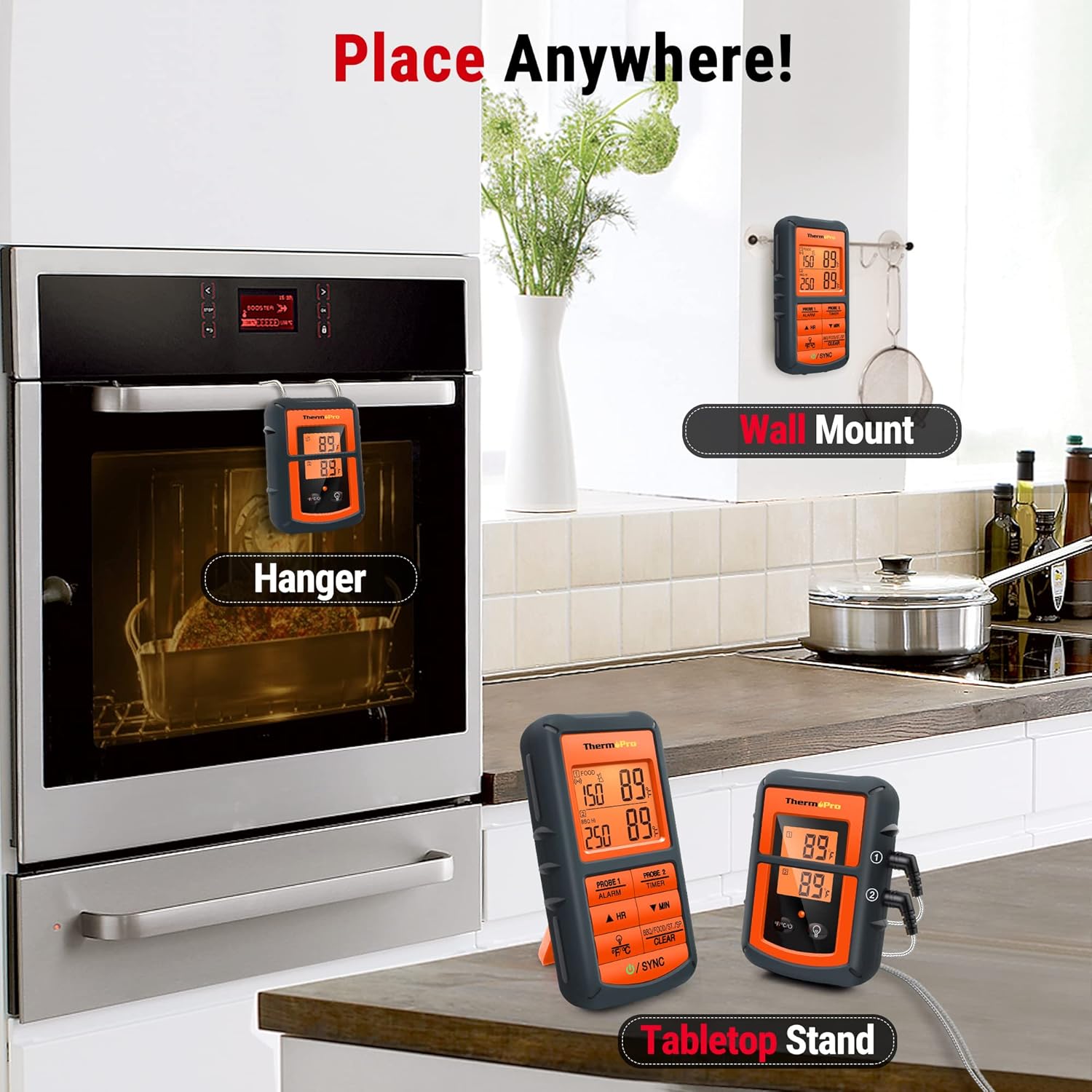
Image: The ThermoPro TP08 units can be placed on a tabletop, hung, or wall-mounted for convenience.
Imiyalelo yokusebenza
1. Setting Temperature Alarms
The TP08 allows you to set custom high and low temperature alarms for each probe. This is particularly useful for monitoring both food doneness and the ambient temperature of your cooking environment.
- Press the 'MODE' button to select the probe you wish to set.
- Use the '▲HR' and '▼MIN' buttons to adjust the desired high and low temperature thresholds.
- The thermometer will alert you when the temperature reaches or exceeds your set limits.

Image: The display shows options for setting food temperature and BBQ high/low temperature alarms.
2. Umsebenzi Wesibali sikhathi
The TP08 includes a convenient timer that can be used simultaneously with temperature monitoring. It supports both countdown and count-up functions.
- Press the 'TIMER' button to switch to timer mode.
- Use the '▲HR' and '▼MIN' buttons to set the desired countdown time (up to 9 hours, 59 minutes) or start a count-up timer.
- Press 'START/STOP' to begin or pause the timer.
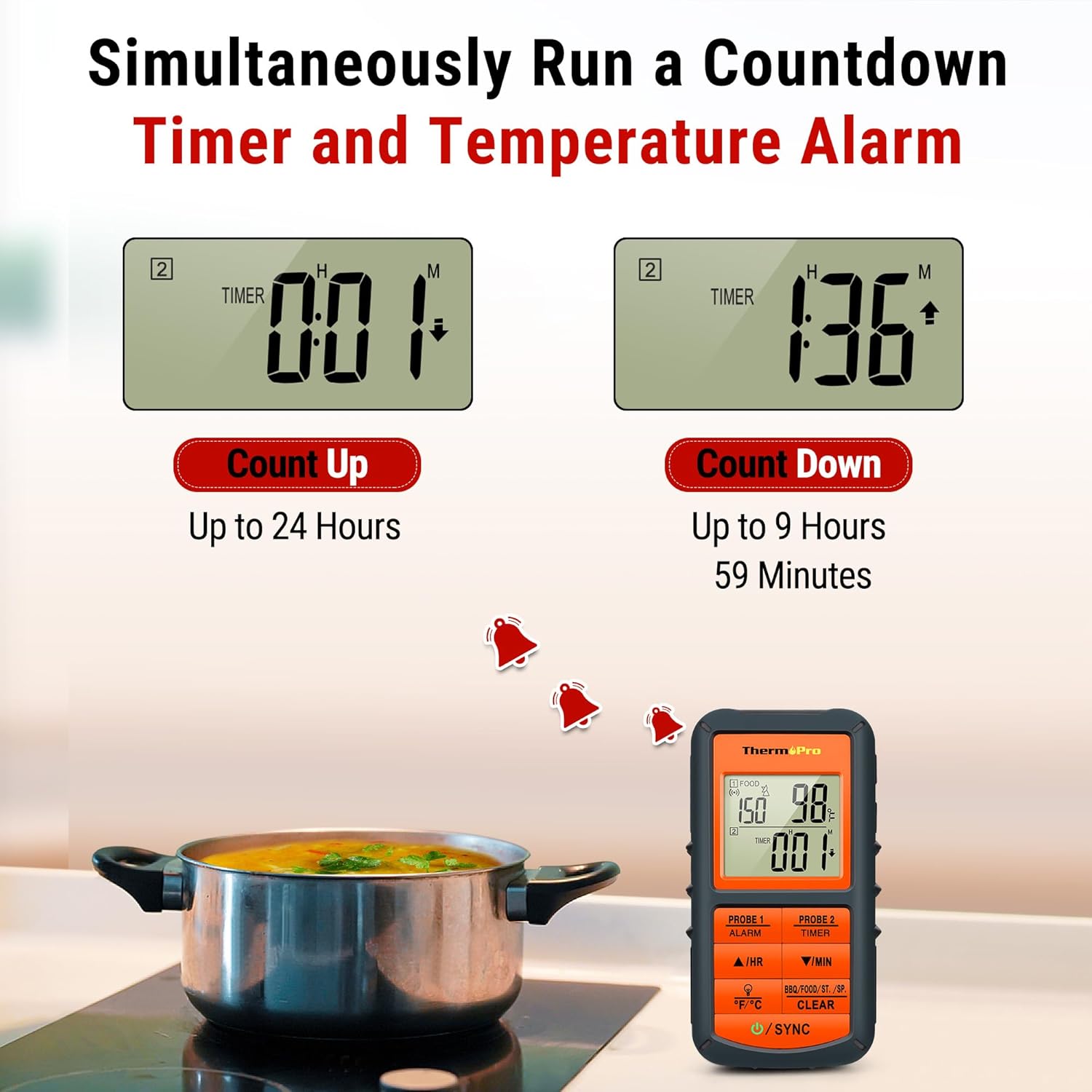
Image: The thermometer can simultaneously run a countdown timer (up to 9 hours 59 minutes) and a count-up timer (up to 24 hours).
3. Ukuguqulwa Kweyunithi Yokushisa
Easily switch between Fahrenheit (°F) and Celsius (°C) by pressing the '°F/°C' button on the receiver unit.
4. Remote Monitoring
The TP08 offers a wireless range of up to 500 feet, allowing you to monitor your cooking progress from a significant distance. This is ideal for outdoor grilling or smoking, as you can stay comfortable indoors while keeping an eye on your food.

Image: The ThermoPro TP08 offers a super long 500FT wireless range, allowing monitoring from a distance.
Ividiyo Yomkhiqizo Esemthethweni
Video: An official product video demonstrating the ThermoPro TP08B 500FT Wireless Meat Thermometer for Smoker.
Isondlo
- Ama-Probe Okuhlanza: Always clean the stainless steel probes thoroughly after each use with hot soapy water. Do not immerse the probe connectors or the main units in water.
- Ukuhlanza Iyunithi: Wipe the receiver and transmitter units with a damp indwangu. Ungasebenzisi izinto zokuhlanza ezihlabayo.
- Isitoreji: Gcina i-thermometer kanye nama-probe endaweni eyomile uma ingasetshenziswa.
- Ukushintshwa Kwebhethri: Replace batteries when the low battery indicator appears on the display to ensure accurate readings and optimal performance.
Ukuxazulula inkinga
- No Signal/Connection Issues: Ensure both units are powered on and within the 500ft range. Check battery levels. Obstructions like thick walls or metal structures can reduce range.
- Ukufundwa Okungalungile: Ensure probes are fully inserted into the thickest part of the meat, avoiding bone. Verify probes are clean and undamaged.
- Probe Error (---): If the display shows '---', the probe might be damaged or not properly connected. Try reconnecting the probe or using a different one if available.
Imininingwane
| Isici | Imininingwane |
|---|---|
| Uhlobo olungenantambo | Kufika ku-500 feet (150 metres) |
| Uhlobo Lokuhlola | Stainless Steel, Dual Probes |
| Ukunemba kwezinga lokushisa | ± 1.8 ° F (± 1 ° C) |
| Probe Wire Heat Resistance | Kufika ku-716°F (380°C) |
| Ibanga lesibali sikhathi | Count-up: Up to 24 hours; Countdown: Up to 9 hours, 59 minutes |
| Izitifiketi | NSF, CE, RoHS |


Image: Details on probe accuracy and wire heat resistance, along with product certifications.
Iwaranti kanye Nokusekela
ThermoPro products are designed for durability and reliability. For warranty information, technical support, or any questions regarding your TP08 thermometer, please refer to the official ThermoPro webisayithi noma uxhumane nesevisi yabo yamakhasimende ngokuqondile. Gcina irisidi yakho yokuthenga ukuze uthole izimangalo zewaranti.
Ask a question about this manual
Ask about setup, troubleshooting, compatibility, parts, safety, or missing instructions. Manuals+ will review the question and use this page’s manual context to help answer it.